hyperf: 读取配置文件
一,安装hyperf/config库
$ composer require hyperf/configconfig()函数要用到
二,查看.env中的默认设置:
如果.env文件不存在,可以复制.env.example
APP_NAME=skeleton
APP_ENV=dev

DB_DRIVER=mysql
DB_HOST=localhost
DB_PORT=3306
DB_DATABASE=hyperf
DB_USERNAME=root
DB_PASSWORD=
DB_CHARSET=utf8mb4
DB_COLLATION=utf8mb4_unicode_ci
DB_PREFIX=

REDIS_HOST=localhost
REDIS_AUTH=(null)
REDIS_PORT=6379
REDIS_DB=0
我们增加两项es的配置:
ES_ENV=dev
ES_CLIENT="127.0.0.1:9200"
三,增加配置类到config目录下
说明:不要用env()函数直接访问.env文件
config/autoload/elasticsearch.php
<?php

declare(strict_types=1);
/**
 * This file is part of Hyperf.
 *
 * @link     https://www.hyperf.io
 * @document https://hyperf.wiki
 * @contact  group@hyperf.io
 * @license  https://github.com/hyperf/hyperf/blob/master/LICENSE
 */
use function Hyperf\Support\env;

return [
    'default' => [
        'es_env' => env('ES_ENV', ''),
        'es_client' => env('ES_CLIENT', ""),
    ],
];
四,读取配置
controller/ImageController.php
use function Hyperf\Config\config;


    public function imagedetail(RequestInterface $request, ResponseInterface $response) {

        //得到es的配置
        $esEnv = config('elasticsearch.default.es_env','');
        $esClient = config('elasticsearch.default.es_client','');

        $data = [
            'esenv' => $esEnv,
            'esclient' => $esClient,
        ];
        return $response->json($data);

    }
说明:需要引入config函数: use function Hyperf\Config\config;
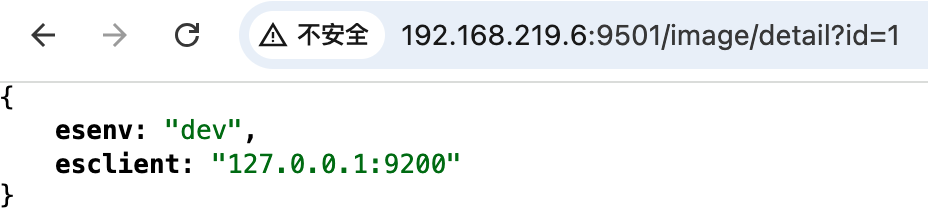
五,测试效果

 浙公网安备 33010602011771号