
Jmeter接口测试--上传附件
jmeter接口测试上传附件指引
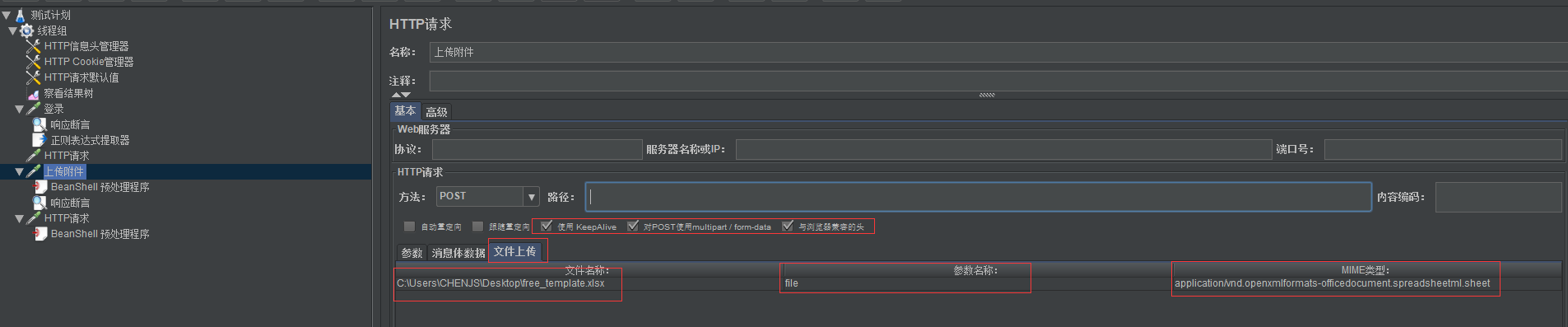
1、添加HTTP请求取样器--在取样器中的HTTP请求项中对“使用KeepAlive"、"对POST使用multipart/form-data"、"与浏览器兼容的头"打钩
截图1:

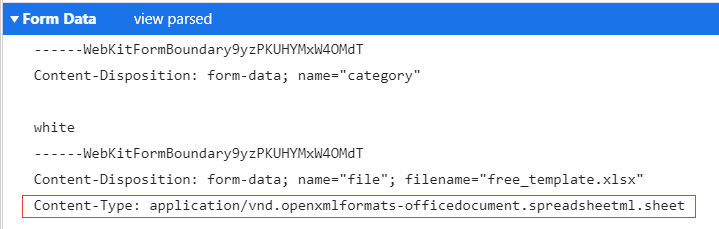
2、入参选择”文件上传"--文件名称输入需要上传文件--参数名称为”file"--MIME类型为Content-Type中的值”application/vnd.openxmlformats-officedocument.spreadsheetml.sheet“
截图2:

截图3:
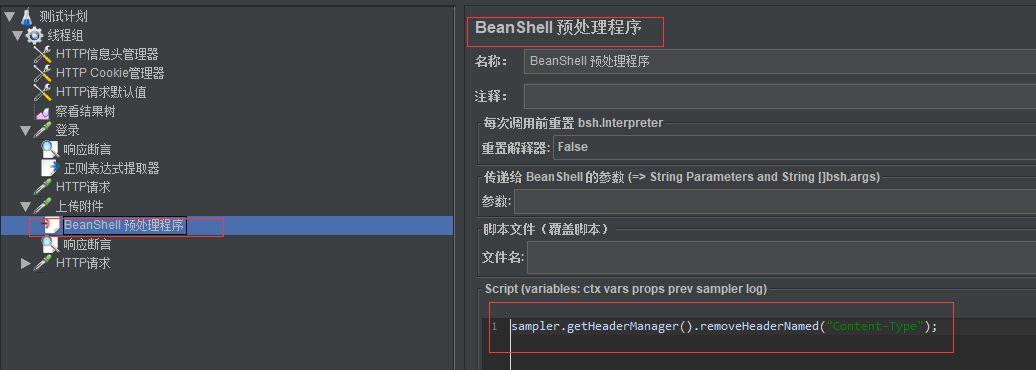
3、 在接口测试过程中一般会添加一个全局的HTTP信息头管理器,对线程组中的请求都会一同使用全局的HTTP信息头管理器,所以上传文件的HTTP request sampler下,加一个BeanShell 预处理程序, 将全局的content-type remove掉,然后接口就可以正常跑成功了
脚本:sampler.getHeaderManager().removeHeaderNamed("Content-Type");
截图4:
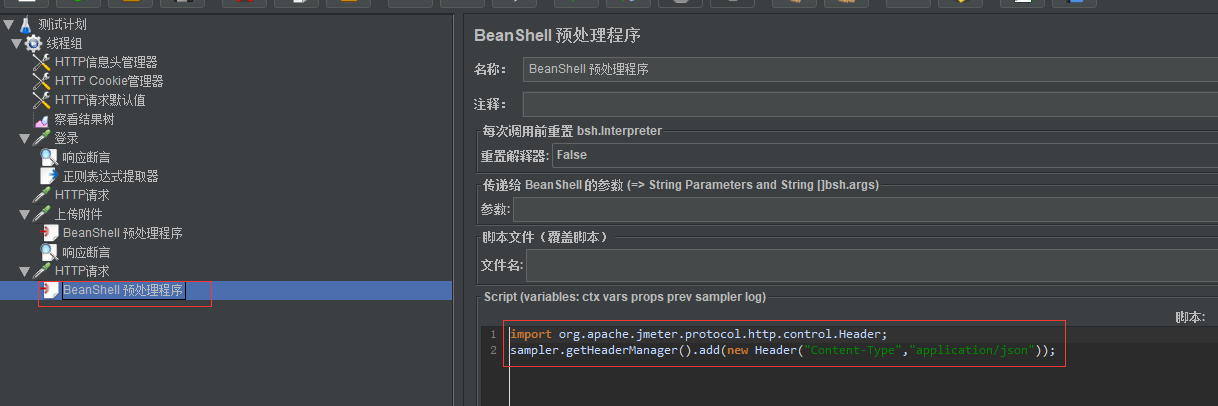
4、如果后续的请求需要使用全局Content-Type,则需要增加BeanShell 预处理程序
脚本:
import org.apache.jmeter.protocol.http.control.Header;
sampler.getHeaderManager().add(new Header("Content-Type","application/json"));
截图5:
5、附件上传全景图
截图6:

 浙公网安备 33010602011771号