
第十三章第四节: 注册renren-fast服务以及修改网关访问
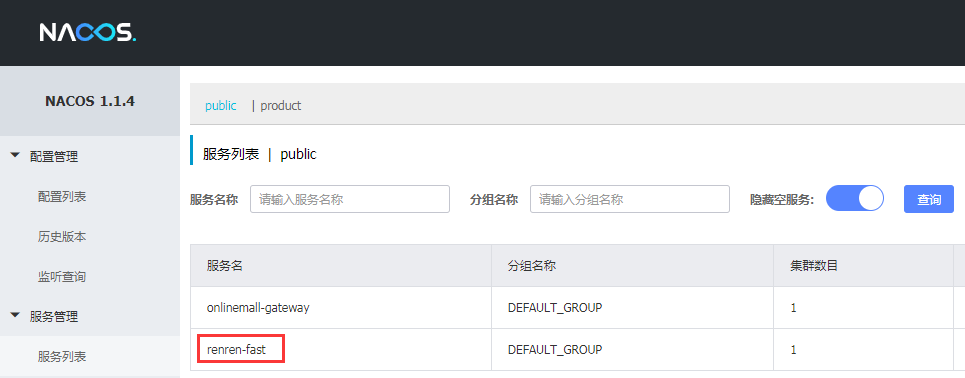
1:把renren-fast注册到nacos注册中心
修改pom.xml,引入公共项目依赖
<dependency>
    <groupId>com.applesnt.onlinemall</groupId>
    <artifactId>onlinemall-common</artifactId>
    <version>0.0.1-SNAPSHOT</version>
</dependency>
在application-dev.yml配置文件中增加配置
    cloud:
        nacos:
            discovery:
                server-addr: 116.196.121.63:8848
    application:
        name: renren-fast
在启动类RenrenApplication增加注册中的注解
package io.renren;

import org.springframework.boot.SpringApplication;
import org.springframework.boot.autoconfigure.SpringBootApplication;
import org.springframework.cloud.client.discovery.EnableDiscoveryClient;

/*开启注册中心注解*/
@EnableDiscoveryClient
@SpringBootApplication
public class RenrenApplication {

	public static void main(String[] args) {
		SpringApplication.run(RenrenApplication.class, args);
	}
}
启动项目 查看注册中心
2:修改renren-fast-vue项目的接口请求地址到网关服务
static\config\index.js
把:window.SITE_CONFIG['baseUrl'] = 'http://localhost:88/renren-fast';
修改为:  window.SITE_CONFIG['baseUrl'] = 'http://localhost:88/api';
/**
 * 开发环境
 */
;(function () {
  window.SITE_CONFIG = {};

  // api接口请求地址
  //修改为gateway网关地址
  window.SITE_CONFIG['baseUrl'] = 'http://localhost:88';

  // cdn地址 = 域名 + 版本号
  window.SITE_CONFIG['domain']  = './'; // 域名
  window.SITE_CONFIG['version'] = '';   // 版本号(年月日时分)
  window.SITE_CONFIG['cdnUrl']  = window.SITE_CONFIG.domain + window.SITE_CONFIG.version;
})();
3:让renren-fast的项目内部请求都请求到网关服务
#配置renren-fast的网关路由
    gateway:
      routes:
        - id: admin_routes
          uri: lb://renren-fast
          predicates:
            - Path=/api/**
4、重启服务 访问项目
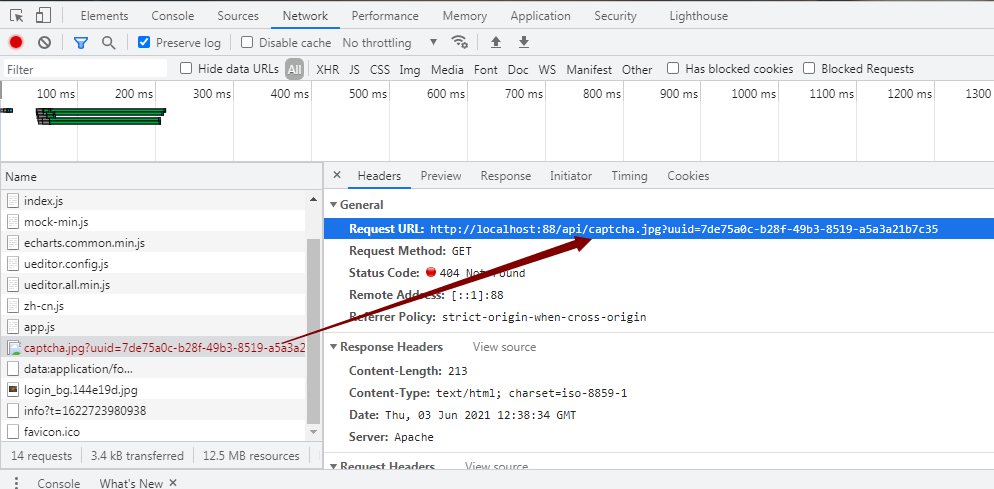
验证码不显示,因为之前的访问路径是:
http://localhost:8001/renren-fast/captcha.jpg
需要在网关服务中做路径重写
#配置renren-fast的网关路由
    gateway:
      routes:
        - id: admin_routes
          uri: lb://renren-fast
          predicates:
            - Path=/api/**
          filters:
            - RewritePath=/api/(?<segment>.*), /renren-fast/$\{segment}
5、重启服务 访问项目
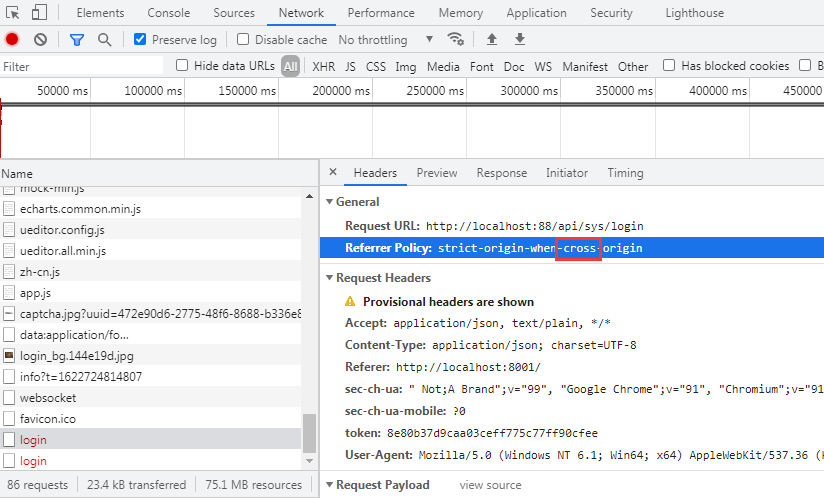
验证码正常显示,但登录会报跨域错误
需要在网关服务中做全局跨域配置

 浙公网安备 33010602011771号