

vagrant up 失败解决办法
https://www.cnblogs.com/lamp01/p/6582657.html
前几天在自己电脑搭建vagrant环境报错:“There was an error while executing `VBoxManage`, a CLI used by Vagrant
for controlling VirtualBox. The command and stderr is shown below.”,找了很久才找到解决办法,如下:
1、在C:\HashiCorp\Vagrant\embedded\gems\gems\vagrant-1.8.6\plugins\providers\virtualbox目录下打开action.rb,注释掉第74行:b.use ClearNetworkInterfaces(因个人安装位置不同可能有所差异)
2、以管理员权限打开VirtualBox,去管理->全局设定->网络界面,点击第二个选项卡“仅主机(Host-only)网络”,选择一个适配器进行编辑(将IP设为与Vagrantfile中一致即192.168.10.10)并保存:
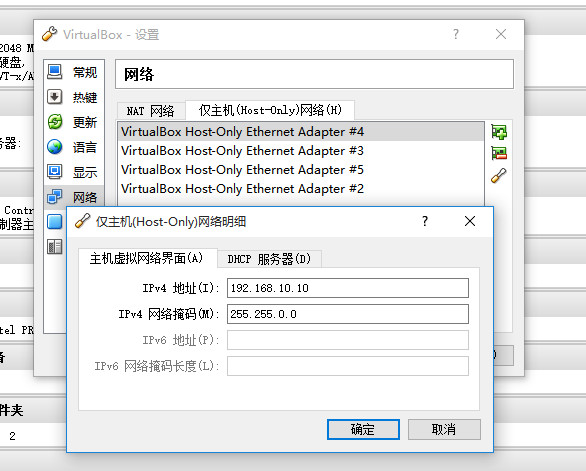
3、再次运行vagrant reload便可启动成功


 浙公网安备 33010602011771号