


https://qthub.com/doc/QmlBook/cn/
qt quick
ECMAScript //语法符合此规定
import QtQuick (import用来导入一个模块)
QML对象树
Item是根对象、可以辅助分组
子元素从父元素上继承了坐标系统,它的x,y坐标总是相对应于它的父元素坐标系统。
2.x版本中能否混用1.x版本的控件?
答案是可以。只需要使用别名机制即可。
启动qt quick方式:
QQmlApplicationEngine搭配Window
QQuickView搭配Item
qt quick 组件
Window //window创建一个顶层窗口
Item //布局型
Rectangle
Button:
onclicked
Text
Image
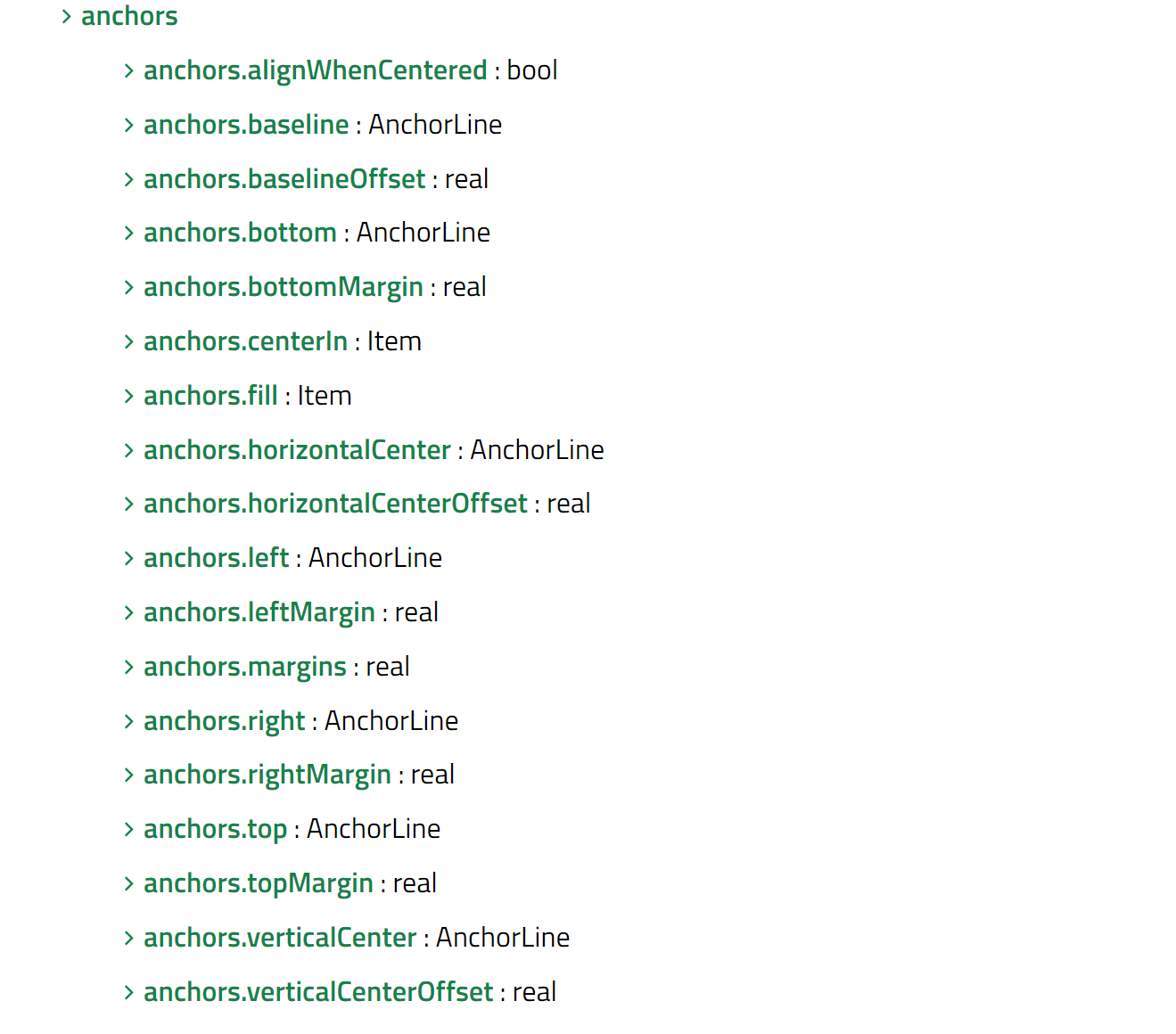
Property:
id
Key //行为型
signal properties have a KeyEvent parameter, named event which contains details of the event. If a key is handled event.accepted should be set to true to prevent the event from propagating up the item hierarchy.
See Qt.Key for the list of keyboard codes.
每个元素都能提供信号操作
属性和作用域:
一个元素id应该只在当前文档中被引用。QML提供了动态作用域的机制,后加载的文档会覆盖之前加载文档的元素id号;所以采用属性转发的方式xxx
alias属性转发:
属性绑定:
当一个新的绑定生效或者使用JavaScript赋值给属性时,绑定的生命周期就会结束
在 QML 中,任何属性变化都可以直接通过 on
QML组件,其名称第一个字母为大写
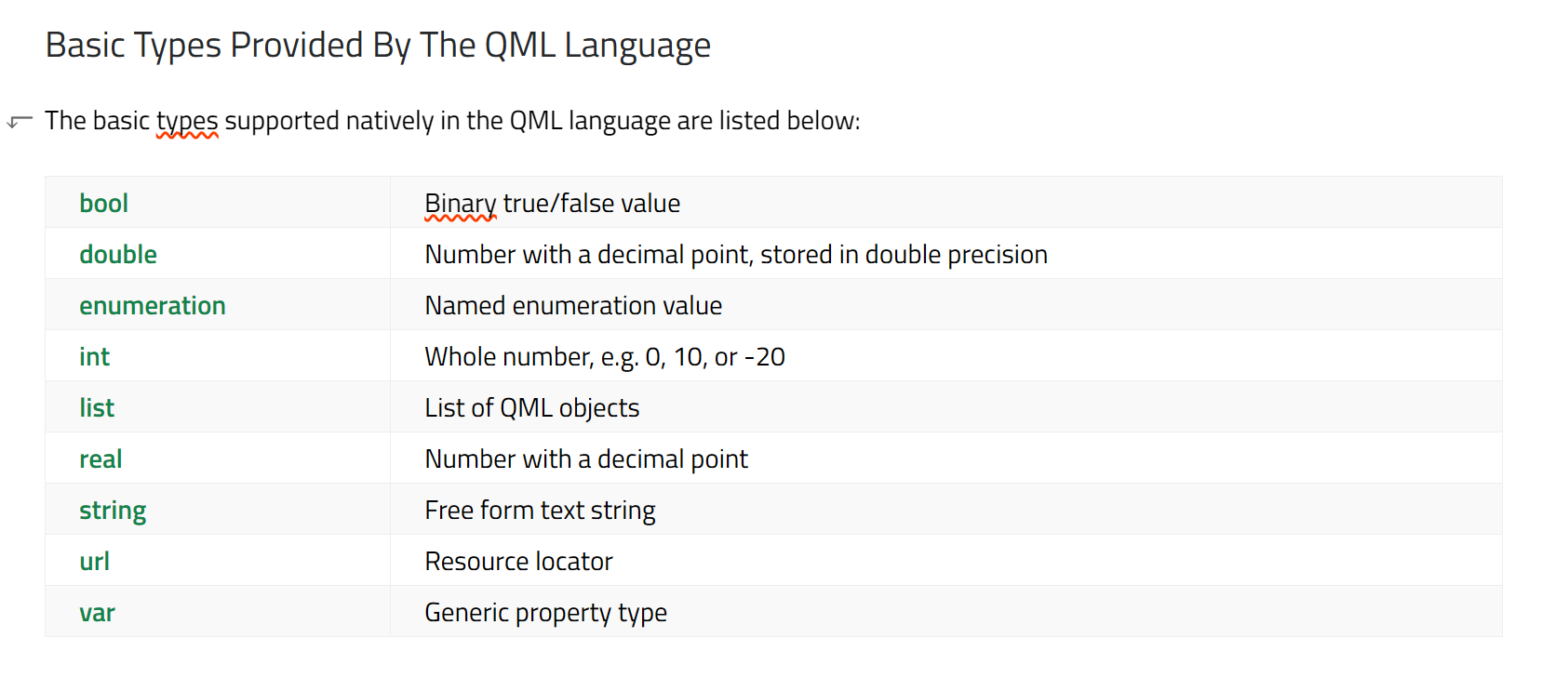
properties var 可以定义任何类型,
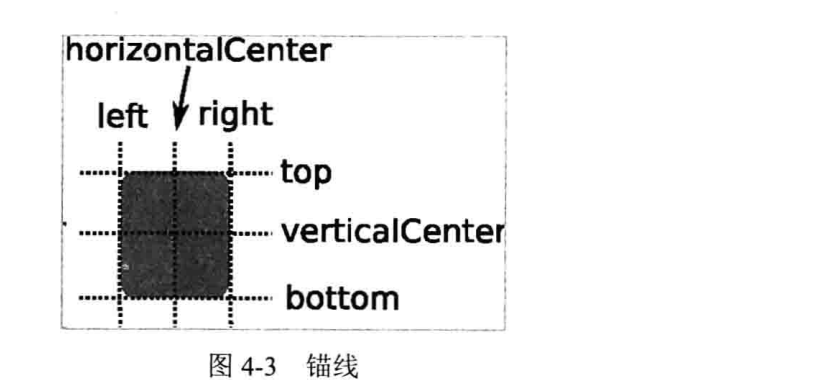
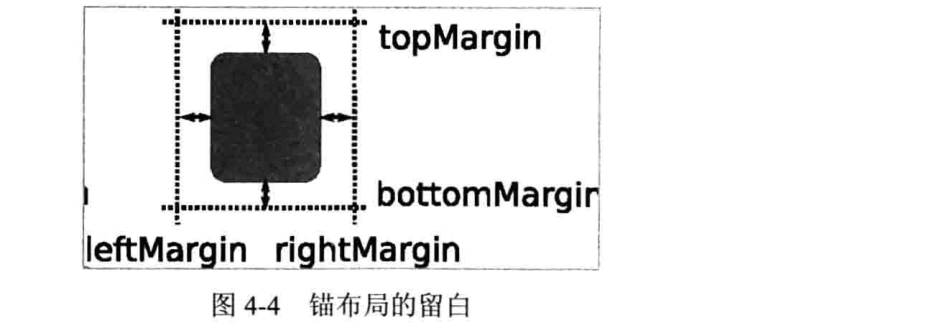
定位方法
Layout
Gridlayout
Rowlayout
Columnlayout
stacklayout
layout
layoutitemproxy
splitview
component(同文件内,组件)
other
QML API:
For the most basic of visuals, Qt Quick provides a Rectangle type to draw rectangles
Qt Quick provides an Image type which may be used to display images.
<Image
// This element displays an image. Because the source is online, it may take some time to fetch
Image {
    x: 40
    y: 20
    width: 61
    height: 73
    source: "http://codereview.qt-project.org/static/logo_qt.png"
}
// This element show Rectangle xxx
Item {

    width: 320
    height: 480

    Rectangle {
        color: "#272822"
        width: 320
        height: 480
    }
All visual items provided by Qt Quick are based on the Item type, which provides a common set of attributes for visual items, including opacity(不透明性) and transform(变化) attributes.
positing with anchors
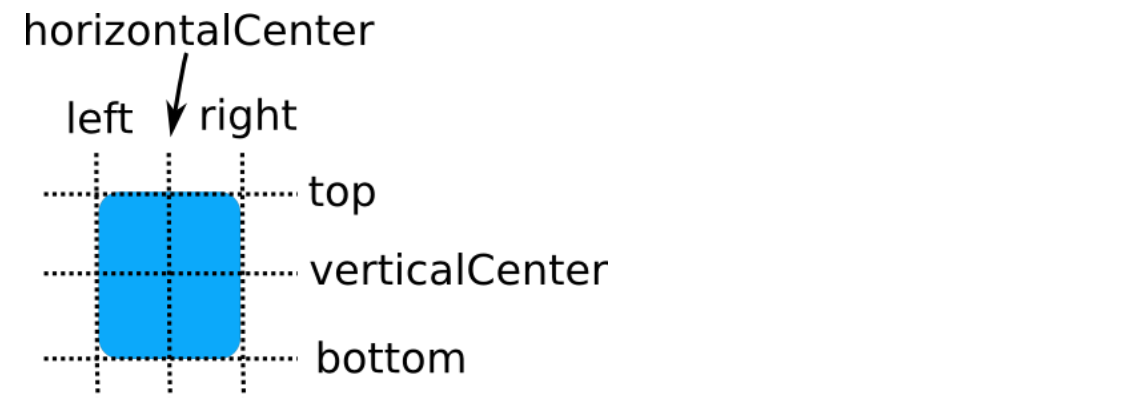
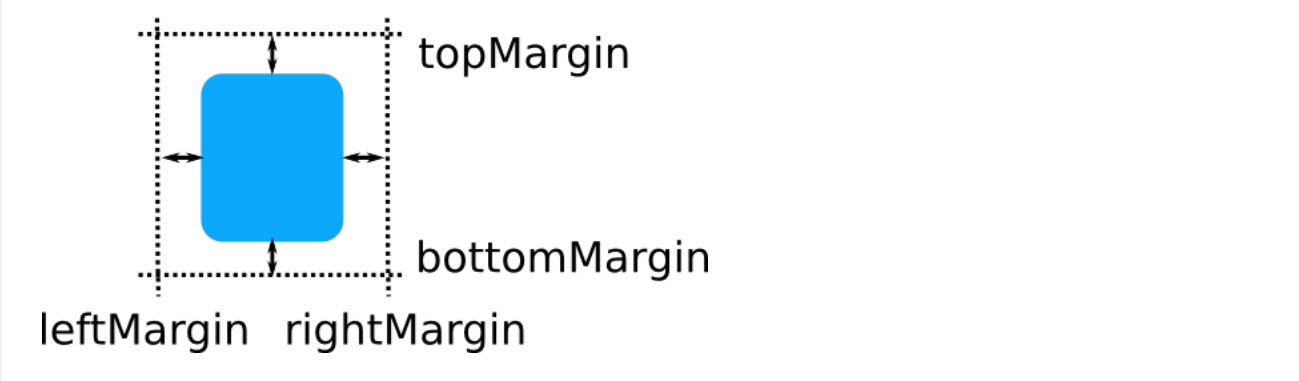
anchors.left: undefined  //remove the left anchor
anchors.fill provides a convenient way for one item to have the same geometry as another item, and is equivalent to connecting all four directional anchors.

 浙公网安备 33010602011771号