
phpstudy下载地址
composer下载地址
下载后,先安装phpstudy,默认安装目录为C:\phpStudy\PHPTutorial\WWW,再安装composer
composer更新
Win + r 打开命令行,输入composer,显示
C:\Users\root>composer
   ______
  / ____/___  ____ ___  ____  ____  ________  _____
 / /   / __ \/ __ `__ \/ __ \/ __ \/ ___/ _ \/ ___/
/ /___/ /_/ / / / / / / /_/ / /_/ (__  )  __/ /
\____/\____/_/ /_/ /_/ .___/\____/____/\___/_/
                    /_/
Composer version 1.8.4 2019-02-11 10:52:10

Usage:
  command [options] [arguments]

Options:
  -h, --help                     Display this help message
  -q, --quiet                    Do not output any message
  -V, --version                  Display this application version
...
表示composer安装成功
通过composer下载tp5
已知安装目录为C:\phpStudy\PHPTutorial\WWW,tp5就放在这个目录下面
C:\>cd phpStudy

C:\phpStudy>cd PHPTutorial

C:\phpStudy\PHPTutorial>cd WWW

C:\phpStudy\PHPTutorial\WWW>composer create-project topthink/think tp5 --prefer-dist
错误提示,需要在 php.ini中开启extension=php_openssl.dll,将行首的;删除即可
C:\phpStudy\PHPTutorial\WWW>composer create-project topthink/think tp5 --prefer-dist


  [Composer\Exception\NoSslException]
  The openssl extension is required for SSL/TLS protection but is not available. If you can not enable the openssl
   extension, you can disable this error, at your own risk, by setting the 'disable-tls' option to true.


create-project [-s|--stability STABILITY] [--prefer-source] [--prefer-dist] [--repository REPOSITORY] [--repository-url REPOSITORY-URL] [--dev] [--no-dev] [--no-custom-installers] [--no-scripts] [--no-progress] [--no-secure-http] [--keep-vcs] [--remove-vcs] [--no-install] [--ignore-platform-reqs] [--] [<package>] [<directory>] [<version>]
composer 切换国内镜像,享受飞一般的速度
composer config -g repo.packagist composer https://packagist.phpcomposer.com
@或者
composer config -g repo.packagist composer https://packagist.laravel-china.org

composer config -gl

[repositories.packagist.org.type] composer
[repositories.packagist.org.url] https://packagist.laravel-china.org
[process-timeout] 300
....
已知安装目录为C:\phpStudy\PHPTutorial\WWW,tp5就放在这个目录下面
C:\>cd phpStudy

C:\phpStudy>cd PHPTutorial

C:\phpStudy\PHPTutorial>cd WWW

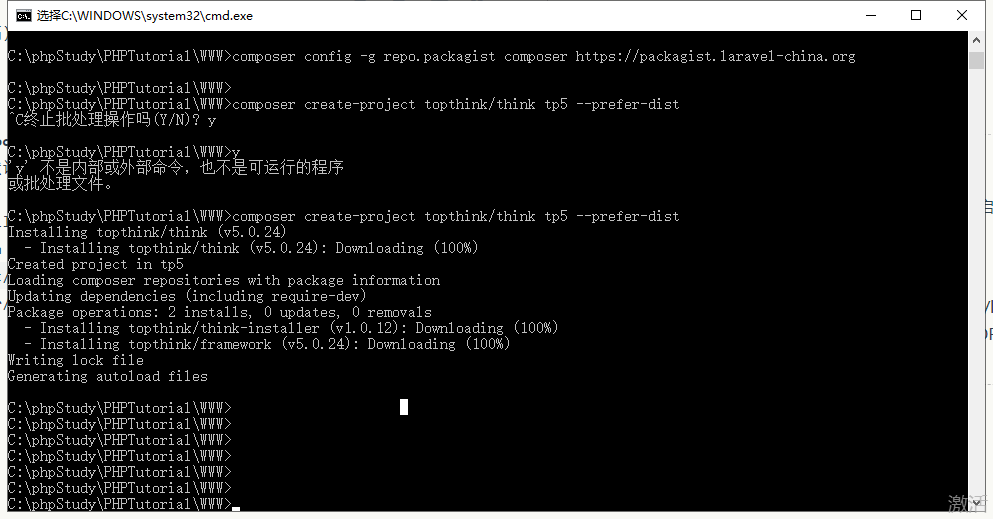
C:\phpStudy\PHPTutorial\WWW>composer create-project topthink/think tp5 --prefer-dist
出现如下图所示表示,tp5下载完成
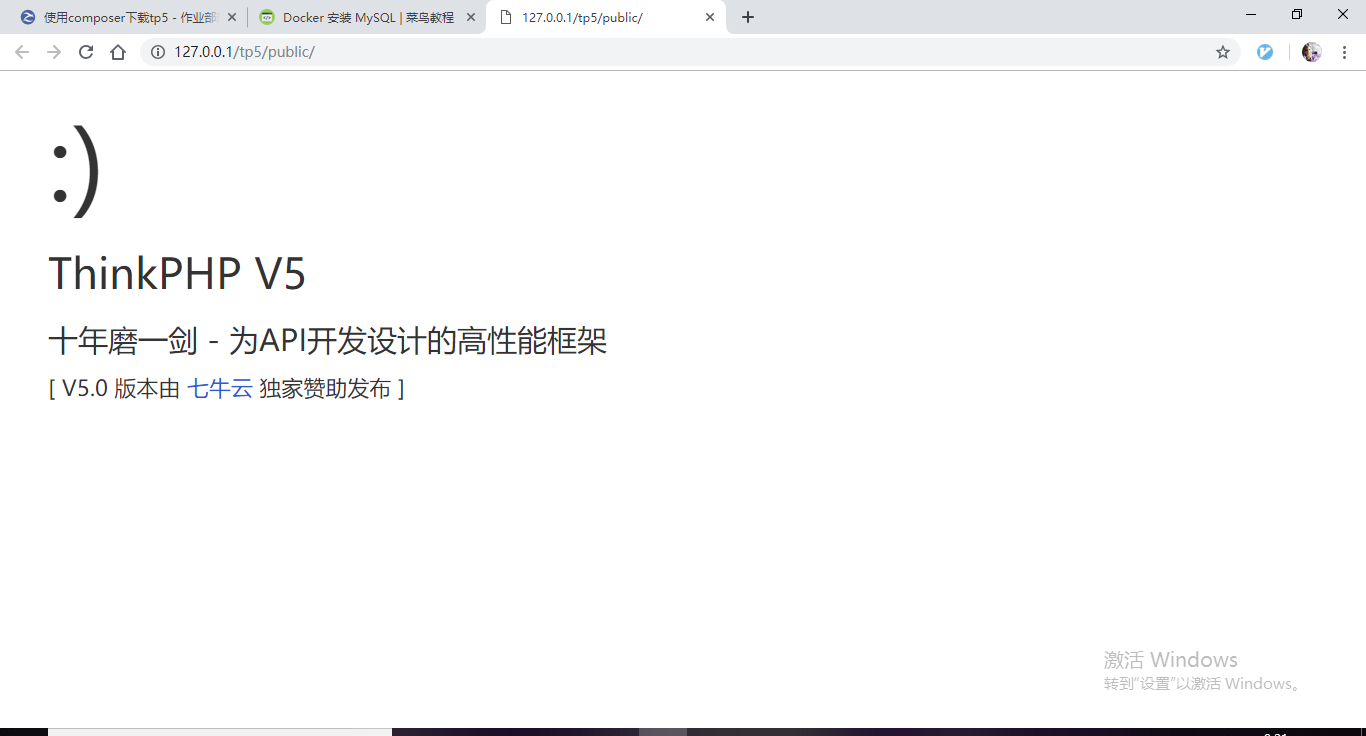
在浏览器输入 http://127.0.0.1/tp5/public/ ,出现所下图所示,表示tp5运行成功

 浙公网安备 33010602011771号