
unity坐标系
提示:文章写完后,目录可以自动生成,如何生成可参考右边的帮助文档
前言
unity中有许多坐标系,很多坐标系的功能也很容易弄混。借此简记一二易混部分,仅供学习参考。
一、全局坐标系
(世界坐标)
定义:以场景原点(0,0,0)为坐标中心的坐标系。
坐标轴方向始终固定,坐标轴的尺度大小始终固定,坐标轴的单位尺度始终固定。
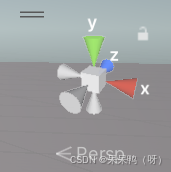
右侧上面的坐标始终为全局坐标:
二、局部坐标系
(自身坐标,本地坐标)
定义:以父物体位置为坐标中心的坐标系,旋转,缩放都基于父物体。
坐标轴方向会随着父物体的旋转改变,坐标轴的原点会随着父物体的移动而改变,坐标轴的单位尺度会随着父物体的缩放改变。
例如;
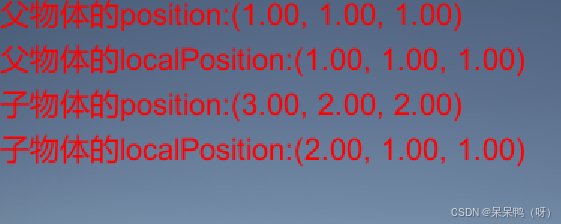
将蓝色cube作为子物体,绿色cube作为父物体。
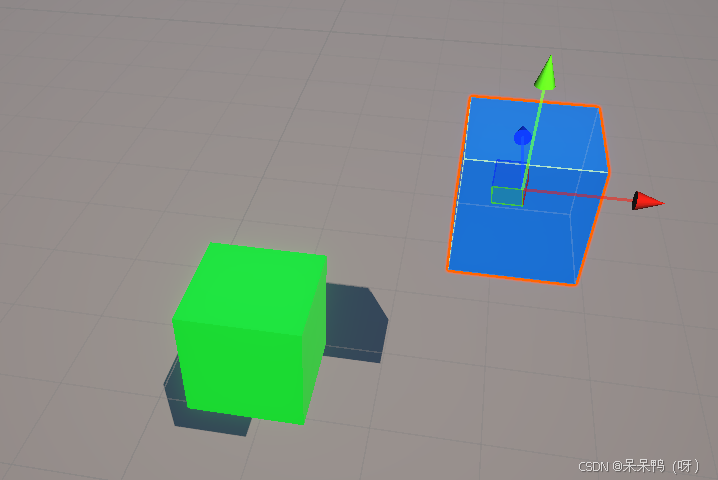
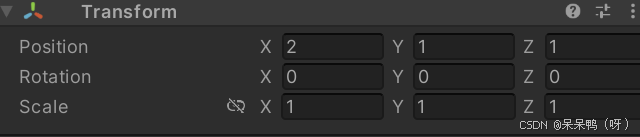
子物体:
(2,1,1)
(Inspector)
父物体:
(1,1,1)
(Inspector)
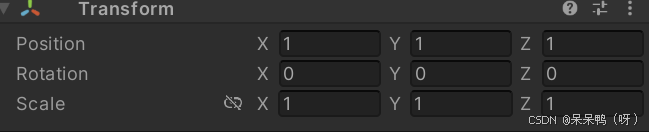
不难发现,子物体的的localPostion与面板上的position相同,而子物体的position则是子物体的localPosition和父物体的position相加所得。
由于(父物体)绿色cube没有上一级父物体,所以他的position与localPosition重合了。
(逻辑上你也可以理解为没有父物体的物体将世界中心作为父物体了,但仅限逻辑理解。因为unity中的父子关系必须通过视图层(Inspector)来显示设置。若物体没有父级,它直接属于场景根节点,不存在隐式的父物体。)
如果你将父物体的scale的x改为0.5,子物体也会被缩放0.5,但是子物体的Scale的x依旧是1.
父物体的Scale
×
\times
×子物体的Scale
=
=
=该子物体各个方向的真实缩放比例.
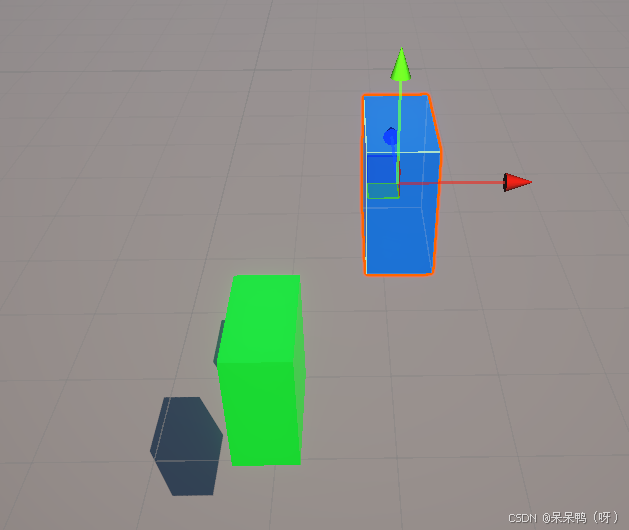
using System.Collections;
using System.Collections.Generic;
using UnityEngine;

public class NewBehaviourScript : MonoBehaviour
{
    // Start is called before the first frame update

    GUIStyle _style;

    private void Start()
    {
        _style=new GUIStyle();
        _style.fontSize = 20;
        _style.normal.textColor = Color.red;
    }
    void OnGUI()
    {
        Transform parent = transform.parent;
        GUI.Label(new Rect(0, 0, 100, 100), "父物体的position:" + parent.position,_style);
        GUI.Label(new Rect(0, 30, 100, 100), "父物体的localPosition:" + parent.localPosition,_style);
        GUI.Label(new Rect(0, 60, 100, 100), "子物体的position:"+transform.position,_style);
        GUI.Label(new Rect(0, 90, 100, 100), "子物体的localPosition:" + transform.localPosition, _style);
    }

    // Update is called once per frame

}
全局坐标和局部坐标需要注意的点:
当一个物体没有父物体时,它检查器(Inspector)里的position为世界坐标。
当一个物体有了父物体之后,它检查器(Inspector)里的position为局部坐标。
当物体没有父物体时,并且它没有旋转时,它的局部坐标系与世界坐标系重合,因此 localPosition 和 position 的值相同。
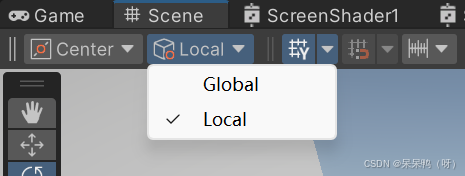
scene场景下可以切换全局坐标和局部坐标,此处切换的是点击物体上后显示的那个坐标。
位于(0,0)的物体切换坐标系

选转一个角度后切换其坐标系
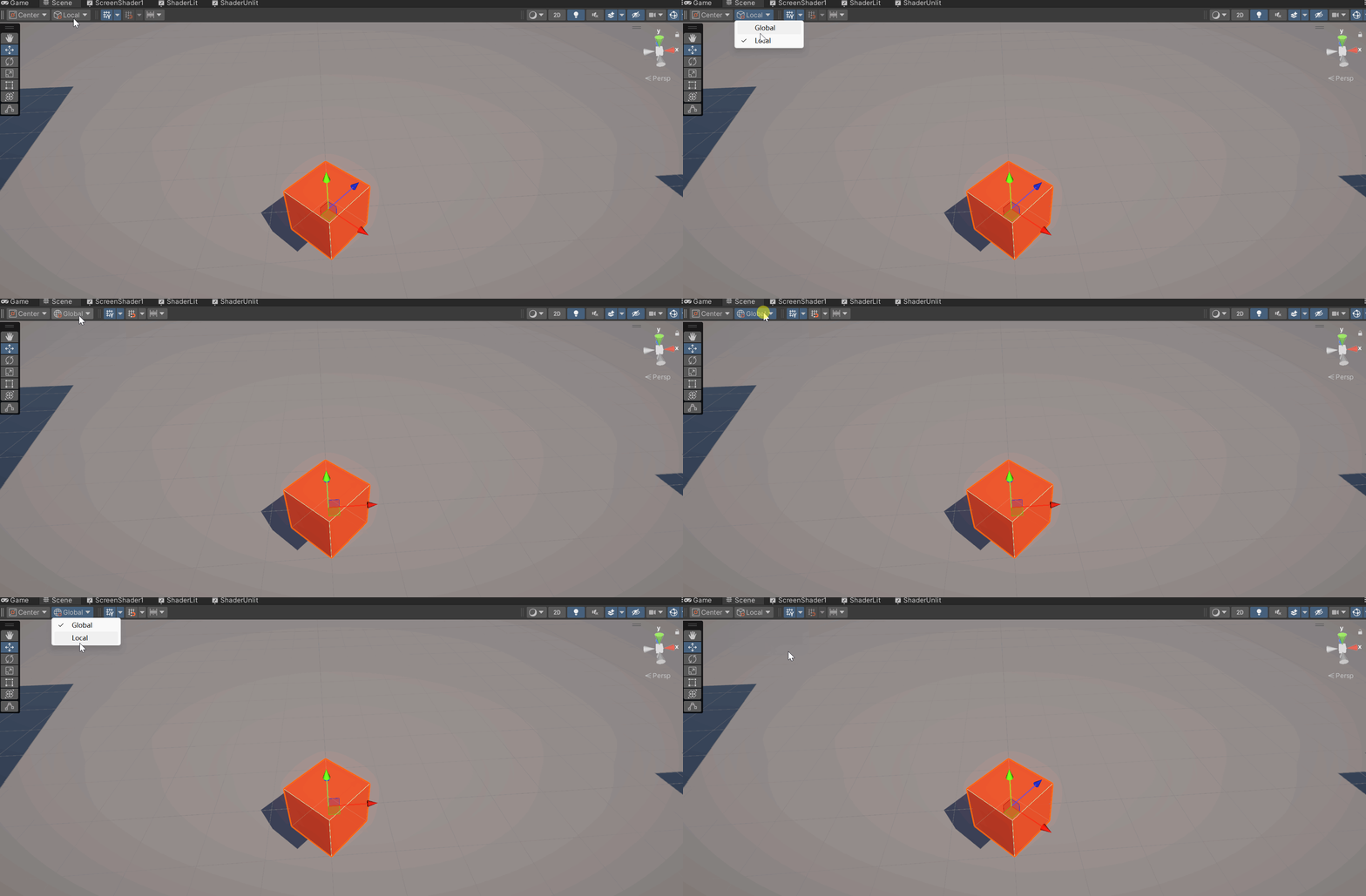
需要注意的是无父物体的物体只是局部坐标和全局坐标重合,数值上相等,但并不是同一个坐标系。
就像你新建的两个cube重置位置后,他们虽然重合了但是这并不代表他们就是同一个cube。
三.屏幕坐标系
定义:以屏幕像素为单位的坐标系。左下角(0,0),右上角(width,heigh)屏幕的分辨率大小。
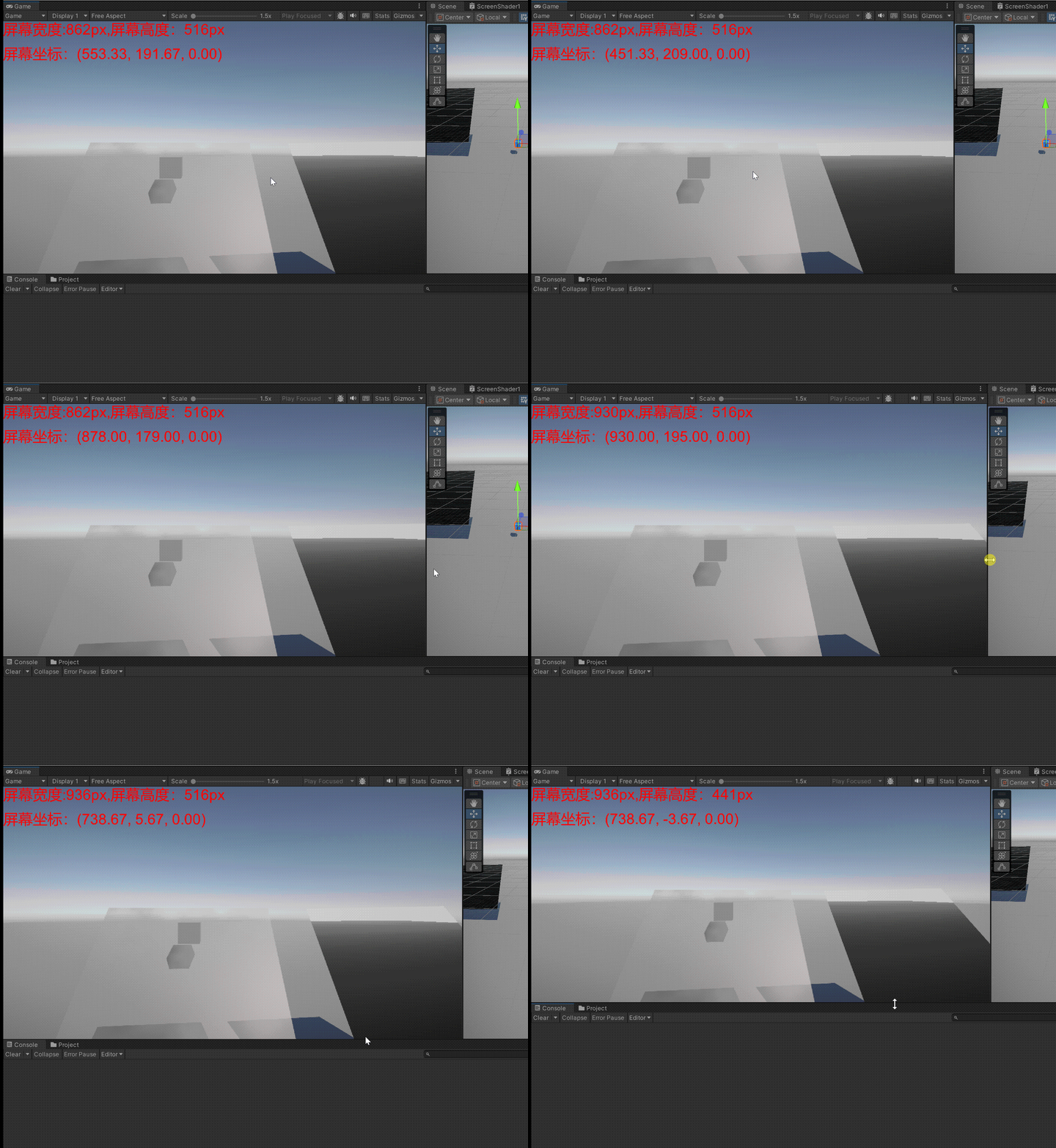
屏幕坐标的z轴始终为0。
四.视口坐标系
定义:归一化的屏幕坐标系。左下角(0,0)右上角(1,1)
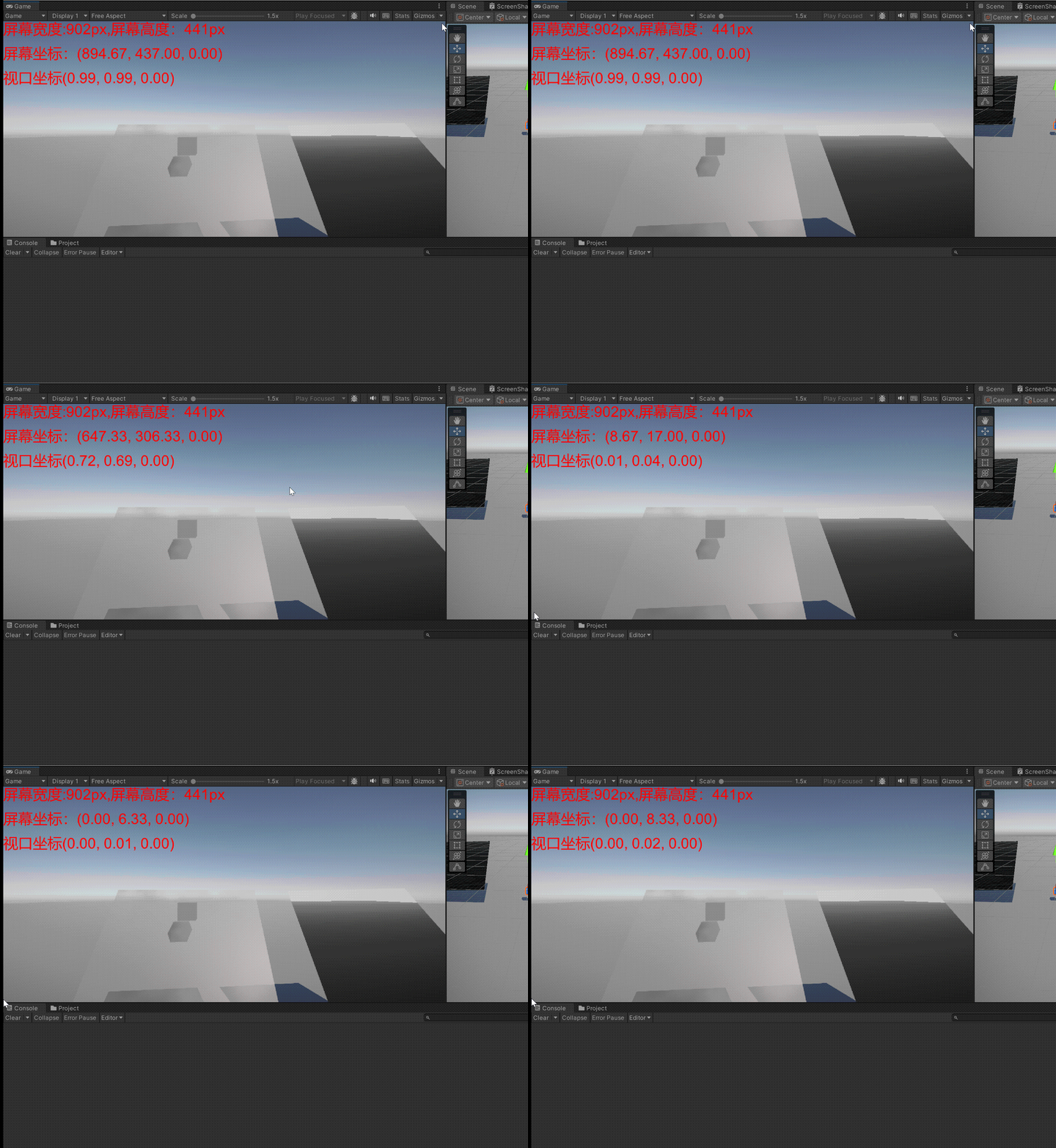
视口坐标的z轴也始终为0。
using System.Collections;
using System.Collections.Generic;
using UnityEngine;

public class CoordinateSystem1 : MonoBehaviour
{
    // Start is called before the first frame update

    GUIStyle _style;
    public Camera _camera;
    void Start()
    {
        _style=new GUIStyle();
        _style.normal.textColor = Color.red;
        _style.fontSize = 30;
    }

    // Update is called once per frame
    void OnGUI()
    {
        GUI.Label(new Rect(0, 0, 100, 100),"屏幕宽度:" + Screen.width + "px,屏幕高度:" + Screen.height+"px",_style);
        GUI.Label(new Rect(0, 50, 100, 100), "屏幕坐标:" + Input.mousePosition,_style);
        GUI.Label(new Rect(0, 100, 100, 100), "视口坐标" + _camera.ScreenToViewportPoint(Input.mousePosition), _style);
    }
}
坐标之间相互转换
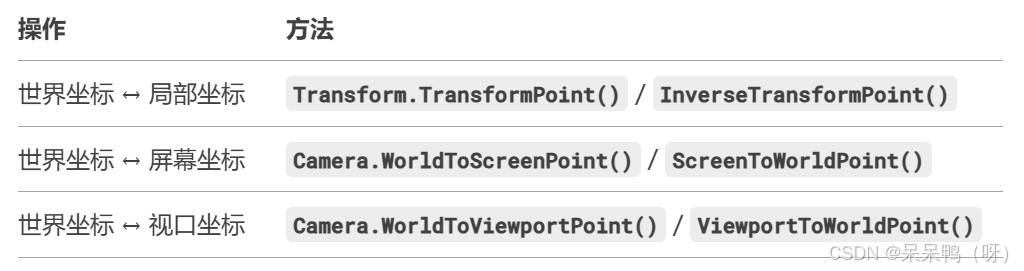
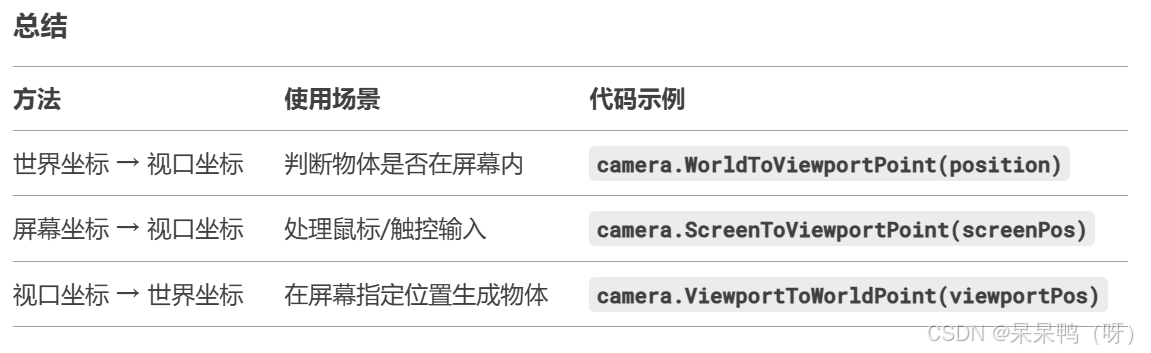
1.局部坐标转世界坐标 && 世界坐标转局部坐标

using System.Collections;
using System.Collections.Generic;
using UnityEngine;

public class NewBehaviourScript : MonoBehaviour
{
    // Start is called before the first frame update

    GUIStyle _style;
    GUIStyle _style1;

    private void Start()
    {
        _style=new GUIStyle();
        _style.fontSize = 20;
        _style.normal.textColor = Color.red;
        _style1= new GUIStyle();
        _style1.fontSize = 20;
        _style1.normal.textColor = Color.blue;

    }
    void OnGUI()
    {
        Transform parent = transform.parent;
        GUI.Label(new Rect(0, 0, 100, 100), "父物体的position:" + parent.position,_style);
        GUI.Label(new Rect(0, 30, 100, 100), "父物体的localPosition:" + parent.localPosition,_style);
        GUI.Label(new Rect(0, 60, 100, 100), "子物体的position:"+transform.position,_style);
        GUI.Label(new Rect(0, 90, 100, 100), "子物体的localPosition:" + transform.localPosition, _style);
        GUI.Label(new Rect(0, 120, 100, 100), "position转localPosition" + transform.parent.InverseTransformPoint(transform.position),_style1);
        GUI.Label(new Rect(0, 150, 100, 100), "localPosition转position" + transform.TransformPoint(transform.localPosition), _style1);
    }

    // Update is called once per frame

}
2.屏幕坐标转视口坐标 && 视口坐标转屏幕坐标
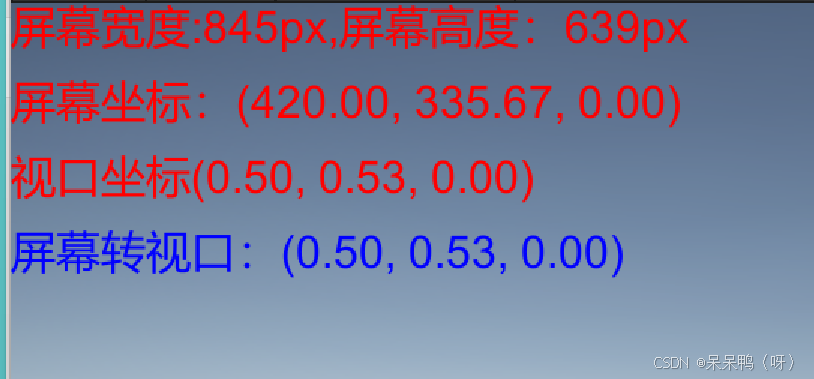
注意这里的视口坐标本身就是通过屏幕坐标转过来的。
using System.Collections;
using System.Collections.Generic;
using UnityEngine;

public class CoordinateSystem1 : MonoBehaviour
{
    // Start is called before the first frame update

    GUIStyle _style;
    GUIStyle _style1;
    public Camera _camera;
    void Start()
    {
        _style=new GUIStyle();
        _style.normal.textColor = Color.red;
        _style.fontSize = 30;

        _style1=new GUIStyle();
        _style1.normal.textColor = Color.blue;
        _style1.fontSize = 30;
    }

    // Update is called once per frame
    void OnGUI()
    {
        GUI.Label(new Rect(0, 0, 100, 100),"屏幕宽度:" + Screen.width + "px,屏幕高度:" + Screen.height+"px",_style);
        GUI.Label(new Rect(0, 50, 100, 100), "屏幕坐标:" + Input.mousePosition,_style);
        GUI.Label(new Rect(0, 100, 100, 100), "视口坐标" + _camera.ScreenToViewportPoint(Input.mousePosition), _style);
        //这里的前面的视口坐本身就是屏幕坐标转过来的
        GUI.Label(new Rect(0, 150, 100, 100), "屏幕转视口:" + _camera.ScreenToViewportPoint(Input.mousePosition), _style1);

    }
}
3.屏幕坐标转世界坐标 && 世界坐标转屏幕坐标
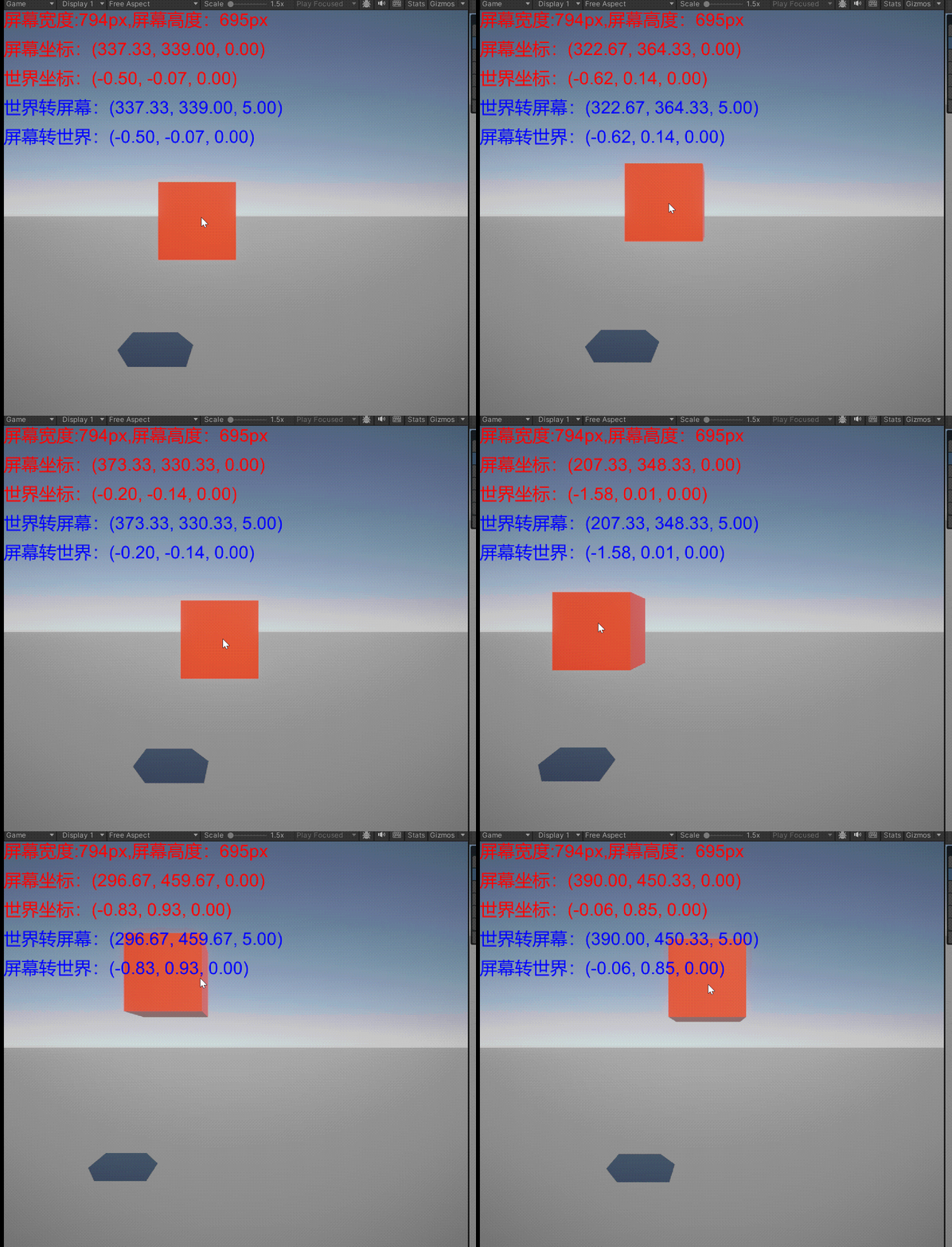
这里需要注意在屏幕转世界的时候需要指定Z轴深度,一般z轴深度就为摄像机到物体的距离。
using System.Collections;
using System.Collections.Generic;
using UnityEngine;

public class CoordinateSystem1 : MonoBehaviour
{
    // Start is called before the first frame update

    GUIStyle _style;
    GUIStyle _style1;
    public Camera _camera;
    void Start()
    {
        _style=new GUIStyle();
        _style.normal.textColor = Color.red;
        _style.fontSize = 30;

        _style1=new GUIStyle();
        _style1.normal.textColor = Color.blue;
        _style1.fontSize = 30;
    }

    // Update is called once per frame
    void OnGUI()
    {
        GUI.Label(new Rect(0, 0, 100, 100),"屏幕宽度:" + Screen.width + "px,屏幕高度:" + Screen.height+"px",_style);
        GUI.Label(new Rect(0, 50, 100, 100), "屏幕坐标:" + Input.mousePosition,_style);

        GUI.Label(new Rect(0, 100, 100, 100), "世界坐标:" + transform.position, _style);
        GUI.Label(new Rect(0, 150, 100, 100), "世界转屏幕:" + _camera.WorldToScreenPoint(transform.position), _style1);
        GUI.Label(new Rect(0, 200, 100, 100), "屏幕转世界:" + _camera.ScreenToWorldPoint(new Vector3(Input.mousePosition.x, Input.mousePosition.y, 5)), _style1);

        transform.position = _camera.ScreenToWorldPoint(new Vector3(Input.mousePosition.x, Input.mousePosition.y, 5));
    }
}
4.视口坐标转世界坐标 && 世界坐标转视口坐标
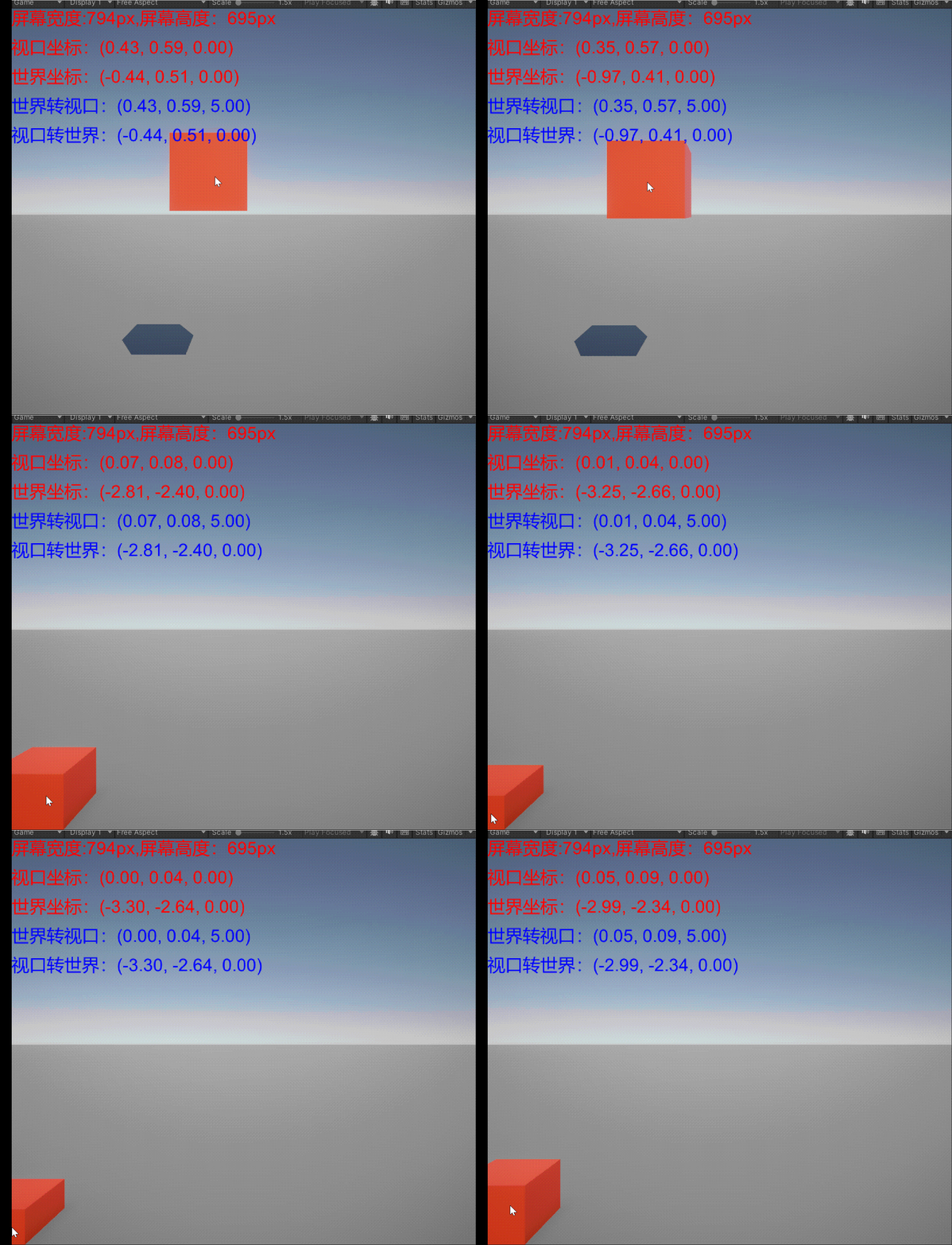
其实跟屏幕转世界一样,都要加上深度z值。
using System.Collections;
using System.Collections.Generic;
using UnityEngine;

public class CoordinateSystem1 : MonoBehaviour
{
    // Start is called before the first frame update

    GUIStyle _style;
    GUIStyle _style1;
    public Camera _camera;
    void Start()
    {
        _style=new GUIStyle();
        _style.normal.textColor = Color.red;
        _style.fontSize = 30;

        _style1=new GUIStyle();
        _style1.normal.textColor = Color.blue;
        _style1.fontSize = 30;
    }

    // Update is called once per frame
    void OnGUI()
    {
        GUI.Label(new Rect(0, 0, 100, 100),"屏幕宽度:" + Screen.width + "px,屏幕高度:" + Screen.height+"px",_style);
        GUI.Label(new Rect(0, 50, 100, 100), "屏幕坐标:" + Input.mousePosition,_style);

        GUI.Label(new Rect(0, 100, 100, 100), "世界坐标:" + transform.position, _style);
        GUI.Label(new Rect(0, 150, 100, 100), "世界转视口:" + _camera.WorldToViewportPoint(transform.position), _style1);
        GUI.Label(new Rect(0, 200, 100, 100), "视口转世界:" + _camera.ViewportToWorldPoint(new Vector3(_camera.ScreenToViewportPoint(Input.mousePosition).x, _camera.ScreenToViewportPoint(Input.mousePosition).y,5)), _style1) ;

        transform.position = _camera.ViewportToWorldPoint(_camera.ScreenToViewportPoint(new Vector3(Input.mousePosition.x, Input.mousePosition.y, 5)));
    }
}
总结
全局坐标系和局部坐标系不要搞混,他们是两个不同的坐标系。
视口坐标系是屏幕坐标系的归一化处理。
相互转换时:
全局转局部的转换函数在transform类中,并且注意是在父类的transform类中才能合理转换,否则得出的结果会将子类的局部坐标和全局坐标相加。
其余所有和只要转换前和转换后和屏幕,视口扯上关系的,例如全局转视口等,所用的转化函数在camera类中,需要指定是哪个摄像机的效果。

 浙公网安备 33010602011771号