
jQuery修改默认滚动条样式(兼容Chrome和Firefox)
隐藏了浏览器自带的滚动条,重绘一个新的滚动条,比原有的更好看一些。期间遇到的坑来记录一下,这折磨人的兼容性问题!!!
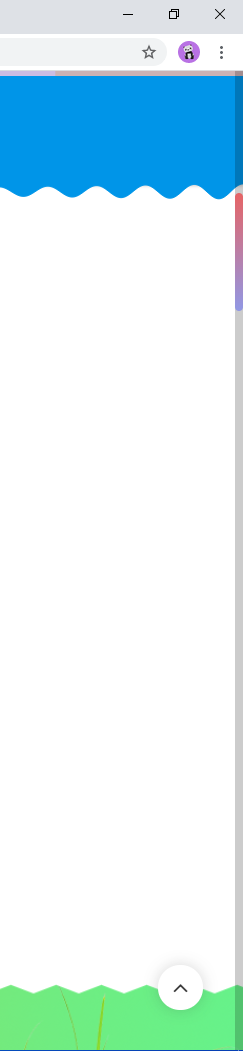
上效果图
html结构
 1 <!doctype html>
 2 <html lang="zh-CN">
 3 <head>
 4     <link rel="stylesheet" href="style.css">
 5     <script src="js/jquery-v3.4.1.js"></script>
 6 </head>
 7 <body>
 8     <!-- 页面内容 -->
 9     <!-- …… -->
10     <!-- 滚动条 -->
11     <div id="scrollbar">
12         <div id="slide"></div>
13     </div>
14 </body>
15 </html>
先用css隐藏浏览器自带的滚动条,火狐浏览器滚动条比较难搞,使用下面的写法
1 /* CSS隐藏滚动条不显示,但保留滚动功能(兼容性写法): */
2 html{
3   -ms-overflow-style: none;
4   scrollbar-width: none;
5 }
6 html::-webkit-scrollbar{
7   display: none;
8 }
滚动条css样式
 1 #scrollbar {
 2     position: fixed;
 3     top: 0;
 4     right: 0;
 5     width: 10px;
 6     height: 100%;
 7     min-height: 20px;
 8     z-index: 1000000;
 9     display: none;
10     background: rgba(0, 0, 0, .2);
11     transition: .5s
12 }
13 #slide {
14     width: inherit;
15     border-radius: 5px;
16     background-image: linear-gradient(#e66465, #9198e5)
17 }
jQuery代码(调用此方法,需要三个参数)
 1         //修改滚动条
 2         //page,总的页面,bar,轨道,slide,滑块
 3         function scrollbar(page, bar, slide) {
 4             var specific = $(bar).height() / $(page).height(); //比值
 5             var roll = $('body').scrollTop() + $('html').scrollTop(); //滑动距离
 6             //给滑块高度
 7             $(slide).height($(bar).height() / $(page).height() * $(bar).height());
 8
 9             var t1; //定时器
10             var isDown = false; //是否按下鼠标
11
12             //滑块根据滚轮滚动并且页面跟随移动
13             $(document).on('scroll', function () {
14                 clearInterval(t1);
15                 t1 = setTimeout(function () {
16                     $(bar).hide(300);
17                 }, 1000)
18                 roll = $('body').scrollTop() + $('html').scrollTop();
19                 $(bar).css({
20                     'display': 'block'
21                 });
22                 $(slide).css({
23                     'position': 'fixed',
24                     'top': $(bar).height() / $(page).height() * roll + 'px'
25                 });
26             });
27             //鼠标悬停不消失
28             $(bar).hover(function () {
29                 clearInterval(t1);
30             }, function () {
31                 if (!isDown) {
32                     t1 = setTimeout(function () {
33                         $(bar).hide(300);
34                     }, 1000)
35                 }
36             });
37             //页面根据滑块拖动移动
38             $(slide).mousedown(function () {
39                 $(page).mousedown(function (event) {
40                     isDown = true;
41                     clearInterval(t1);
42                     $(this).mousemove(function (e) {
43                         clearInterval(t1);
44                         $(this).addClass('no-select').scrollTop((e.clientY - $(slide).height() / 2) /
45                             specific + 100);
46                     })
47                 }).mouseup(function () {
48                     isDown = false;
49                     $(this).unbind().removeClass('no-select');
50                     t1 = setTimeout(function () {
51                         $(bar).hide(300);
52                     }, 1000)
53                 })
54             })
55         }
到此基本可以解决各种浏览器滚动条的样式问题

 浙公网安备 33010602011771号