

Git学习笔记
1. Git介绍
Git是一种版本管理工具(VCS),可用于分布式版本控制。常用命令:
a) Git init //初始化本地仓库
b) Git add <file> //添加文件到队列中
c) Git status //查看状态
d) Git commit //提交
e) Git push //推送到仓库
f) Git pull //从远程仓库拉取数据
g) Git clone //从远程仓库拷贝数据
2. Git的安装<略>
查看安装状态:git --version
3. 提交文件到本地仓库
3.1 新建html和js文件,执行添加文件到队列、从队列移除文件等操作
     wangrongdeMBP:Desktop Eric$ mkdir demo
        wangrongdeMBP:Desktop Eric$ cd demo/
        wangrongdeMBP:demo Eric$ touch index.html
        wangrongdeMBP:demo Eric$ touch app.js
        wangrongdeMBP:demo Eric$ git init

        Initialized empty Git repository in /Users/Eric/Desktop/demo/.git/

        wangrongdeMBP:demo Eric$ git config --global user.name 'z'
        wangrongdeMBP:demo Eric$ git config --global user.email '86779708@qq.com'
        wangrongdeMBP:demo Eric$ git add index.html
        wangrongdeMBP:demo Eric$ git status

        On branch master
        No commits yet
        Changes to be committed:
        (use "git rm --cached <file>..." to unstage)
        new file:   index.html
        Untracked files:
        (use "git add <file>..." to include in what will be committed)
        app.js

        wangrongdeMBP:demo Eric$ git rm --cached index.html

        rm 'index.html'

        wangrongdeMBP:demo Eric$ git status

        On branch master
        No commits yet
        Untracked files:
        (use "git add <file>..." to include in what will be committed)
        app.js
        index.html
        nothing added to commit but untracked files present (use "git add" to track)

        wangrongdeMBP:demo Eric$ git add *.html
        wangrongdeMBP:demo Eric$ git rm --cached index.html

        rm 'index.html'

        wangrongdeMBP:demo Eric$ git add .
        wangrongdeMBP:demo Eric$ git status

        On branch master
        No commits yet
        Changes to be committed:
        (use "git rm --cached <file>..." to unstage)
        new file:   app.js
        new file:   index.html
3.2 将demo拖入sublime,打开并编辑index.html(编辑框 输入html,按下Tab键可快速生成模板)
3.3 执行git status,显示文件修改了,如下:
     wangrongdeMBP:demo Eric$ git status
        On branch master
        No commits yet
        Changes to be committed:
        (use "git rm --cached <file>..." to unstage)

        new file:   app.js
        new file:   index.html

        Changes not staged for commit:
        (use "git add <file>..." to update what will be committed)
        (use "git checkout -- <file>..." to discard changes in working directory)
        modified:   index.html
3.4 文件有修改,要重新添加到队列:git add .
     wangrongdeMBP:demo Eric$ git add .
        wangrongdeMBP:demo Eric$ git status
        On branch master

        No commits yet

        Changes to be committed:
        (use "git rm --cached <file>..." to unstage)

        new file:   app.js
        new file:   index.html
3.5 执行git commit提交到本地。会先到达vim页面,输入提交内容描述,后:wq保存,如下:
     wangrongdeMBP:demo Eric$ git commit
        [master (root-commit) 56602db] 第一次提交
        2 files changed, 10 insertions(+)
        create mode 100644 app.js
        create mode 100644 index.html
        wangrongdeMBP:demo Eric$
3.6 提交后执行git status:
     wangrongdeMBP:demo Eric$ git status
        On branch master
        nothing to commit, working tree clean
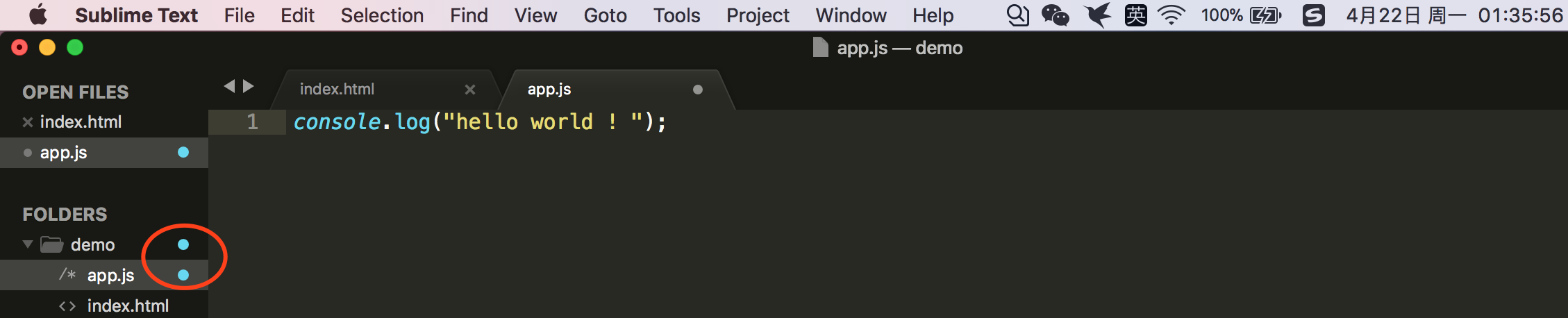
3.7 编辑app.js,输入内容,再次执行git status,发现文件修改了(另:注意看sublime中的本地文件,修改后多了浅蓝色标识)
     wangrongdeMBP:demo Eric$ git status
        On branch master
        Changes not staged for commit:
        (use "git add <file>..." to update what will be committed)
        (use "git checkout -- <file>..." to discard changes in working directory)

        modified:   app.js

        no changes added to commit (use "git add" and/or "git commit -a")
3.8 此时需要执行git add加到序列,并git commit -m '修改了app.js",这里加上-m相当于加了vim描述的步骤
     wangrongdeMBP:demo Eric$ git add .
        wangrongdeMBP:demo Eric$ git status
        On branch master
        Changes to be committed:
        (use "git reset HEAD <file>..." to unstage)

        modified:   app.js

        wangrongdeMBP:demo Eric$ git commit -m "修改了app.js"
        [master 6efcc1c] 修改了app.js
        1 file changed, 1 insertion(+)
4. 提交本地代码到远程
4.1 提交到远程仓库时,可以忽略一些不用提交的文件
4.1.1 新建一个不需要提交到远程的日志文件 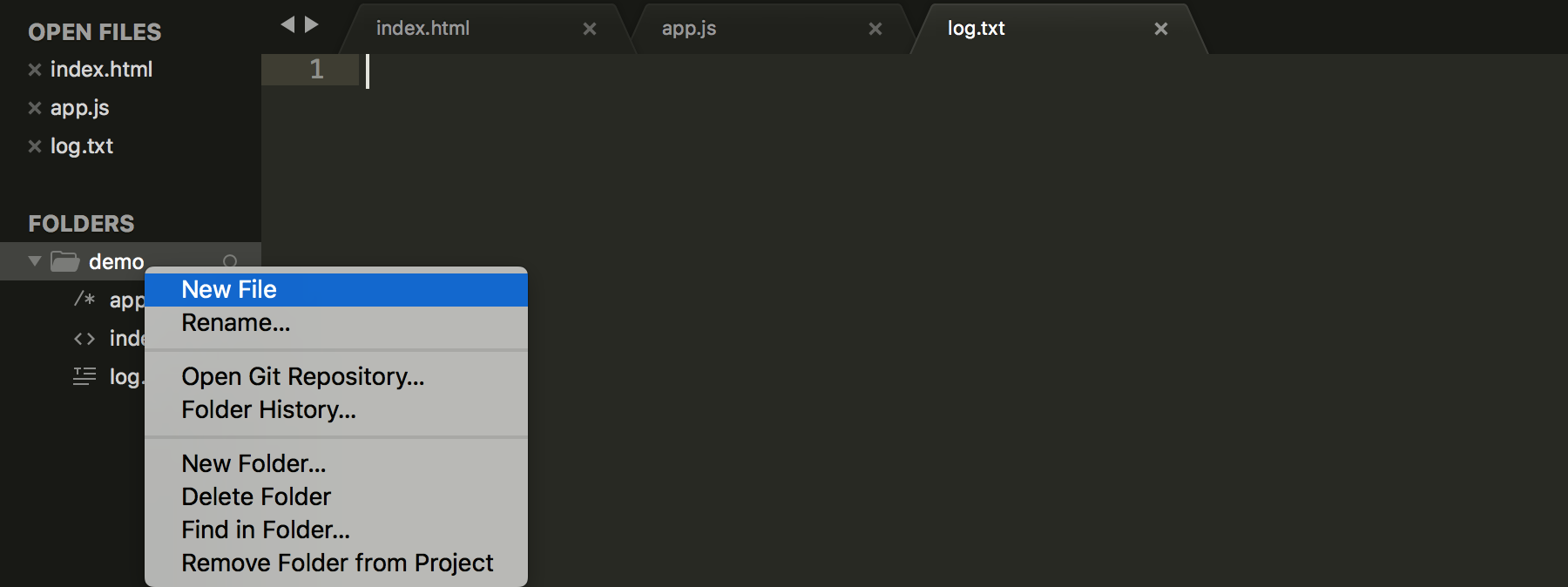
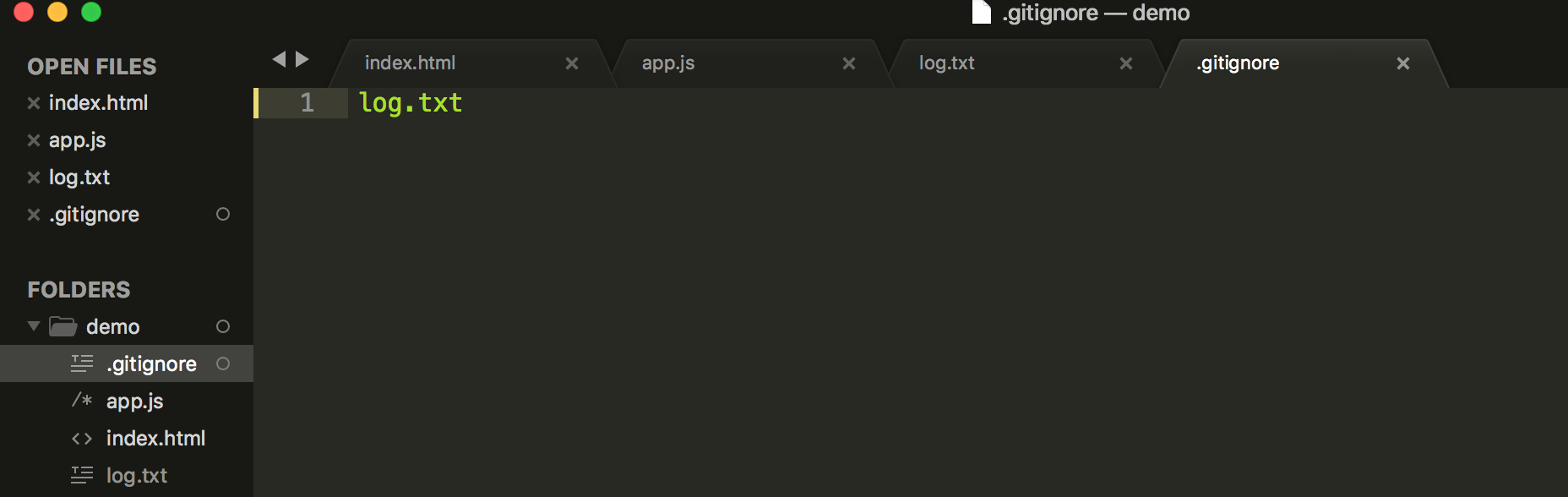
4.1.2 通过terminal在当前目录新建ignore文件,通过sublime编辑,输入要忽略的文件名(注意左侧目录log.txt旁的小圆圈会消失),如果忽略文件夹(如文件夹名为dir1),则在.gitignore编辑框中另起一行输入/dir1
     wangrongdeMBP:demo Eric$ git status
        On branch master
        Untracked files:
        (use "git add <file>..." to include in what will be committed)

        .gitignore
        log.txt

        nothing added to commit but untracked files present (use "git add" to track)
        wangrongdeMBP:demo Eric$ git status
        On branch master
        Untracked files:
        (use "git add <file>..." to include in what will be committed)

        .gitignore

        nothing added to commit but untracked files present (use "git add" to track)
4.2 创建分支
4.2.1 分支作用:在分支上进行编码,不用影响主线的代码
4.2.2 使用"git branch 分支名"命令创建分支dev1
     wangrongdeMBP:demo Eric$ git branch dev1
        wangrongdeMBP:demo Eric$ git status
        On branch master
        Untracked files:
        (use "git add <file>..." to include in what will be committed)

        .gitignore

        nothing added to commit but untracked files present (use "git add" to track)
查看status得知仍处于master上,可使用git checkout来切换到新建的分支上
     wangrongdeMBP:demo Eric$ git checkout dev1
        Switched to branch 'dev1'
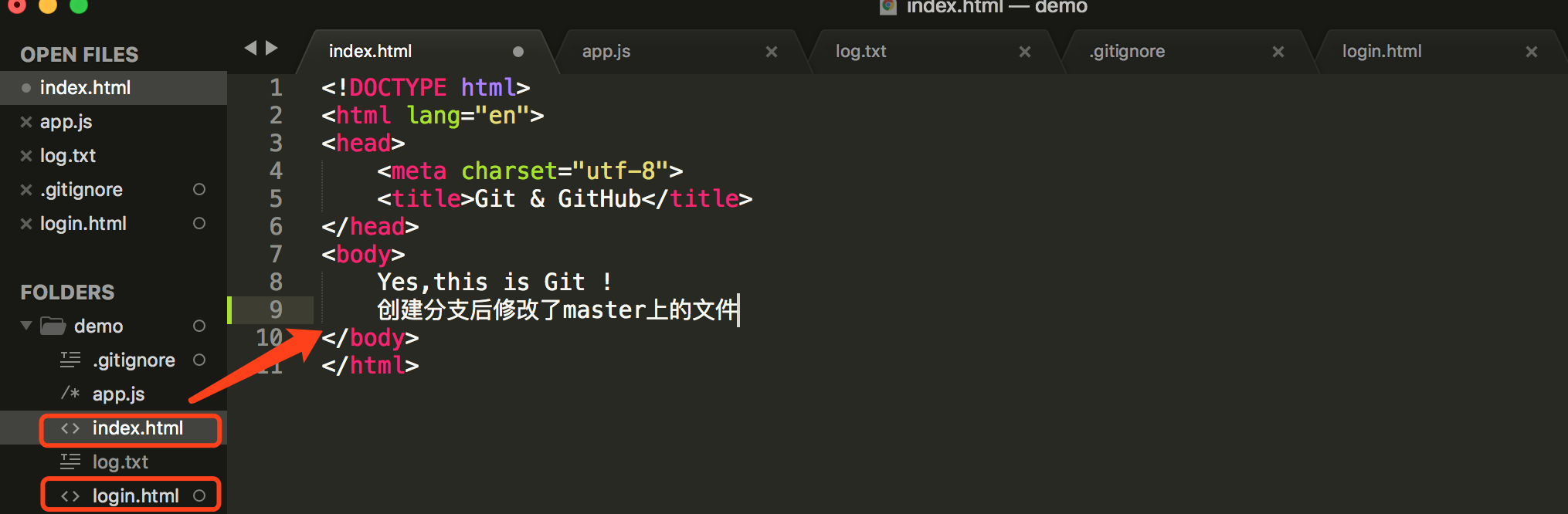
4.2.3 切换到分支后,新建login.html文件,并且修改master上index.html内容,在分支上查看status状态
     wangrongdeMBP:demo Eric$ git status
        On branch dev1
        Changes not staged for commit:
        (use "git add <file>..." to update what will be committed)
        (use "git checkout -- <file>..." to discard changes in working directory)

        modified:   index.html

        Untracked files:
        (use "git add <file>..." to include in what will be committed)

        .gitignore
        login.html

        no changes added to commit (use "git add" and/or "git commit -a")
4.2.4 提交到本地
     wangrongdeMBP:demo Eric$ git add .
        wangrongdeMBP:demo Eric$ git commit -m '分支上新建文件'
        [dev1 964f3fe] 分支上新建文件
        3 files changed, 11 insertions(+)
        create mode 100644 .gitignore
        create mode 100644 login.html
        wangrongdeMBP:demo Eric$ git status
        On branch dev1
        nothing to commit, working tree clean
4.2.5 切换回master,目录里dev1分支的login.html文件没了。查看master上的index.html,内容并未改变,说明分支操作不影响主线

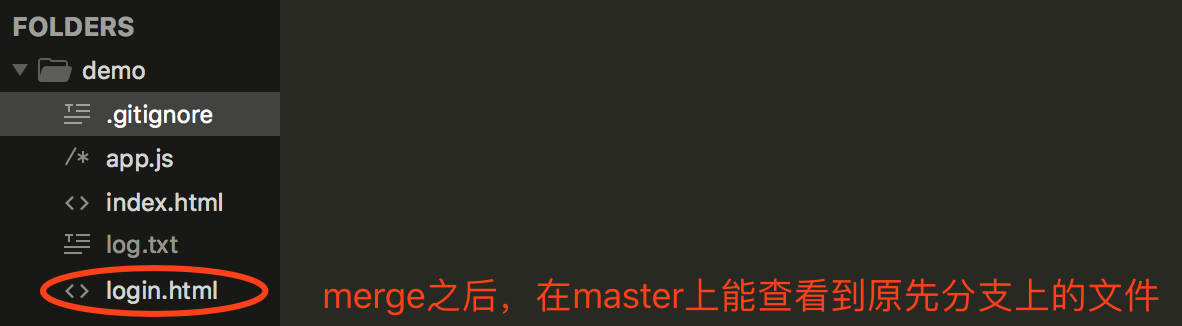
4.3 主线及分支的合并
4.3.1 回到主线master
4.3.2 执行合并操作
     wangrongdeMBP:demo Eric$ git checkout master
        Switched to branch 'master'
        wangrongdeMBP:demo Eric$ git merge dev1
        Updating b890eb3..964f3fe
        Fast-forward
        .gitignore | 1 +
        index.html | 1 +
        login.html | 9 +++++++++
        3 files changed, 11 insertions(+)
        create mode 100644 .gitignore
        create mode 100644 login.html
4.4 操作远程仓库
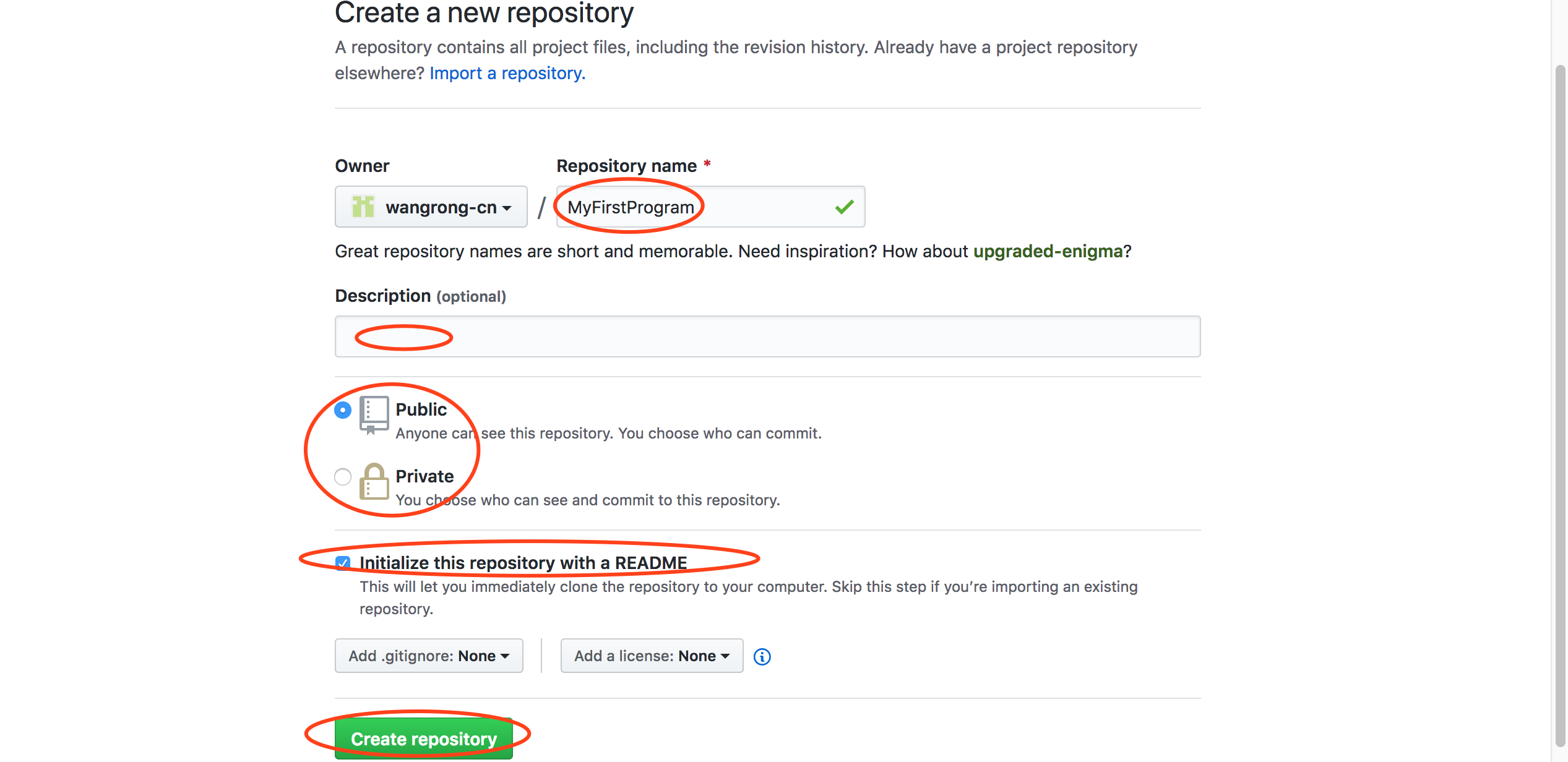
4.4.1 登录github,添加仓库

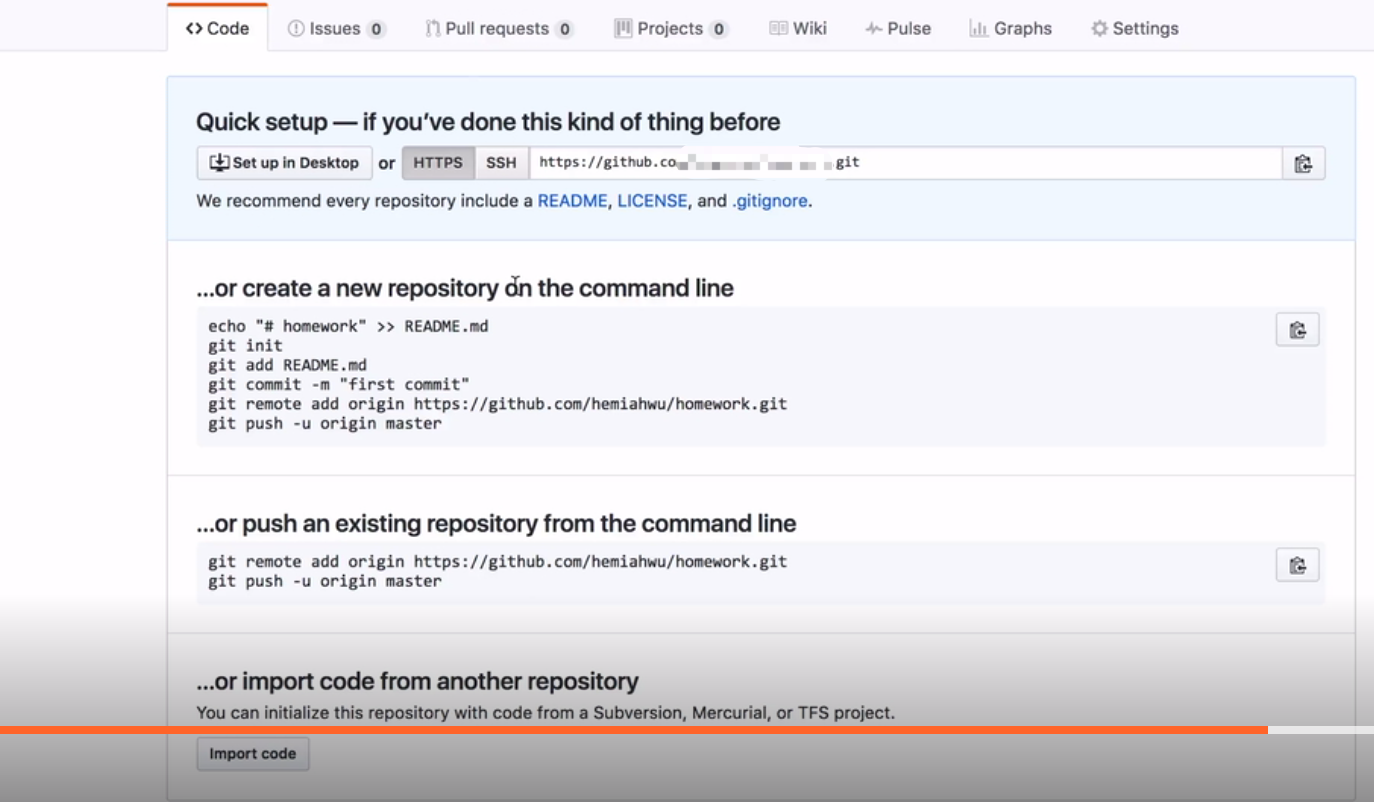
4.4.2 终端查看remote对应的地址,发现没有
wangrongdeMBP:demo Eric$ git remote
wangrongdeMBP:demo Eric$
4.4.3 复制github上仓库的路径,在本地终端执行命令
     wangrongdeMBP:demo Eric$ git remote add origin https://github.com/wangrong-cn/MyFirstProgram.git
        wangrongdeMBP:demo Eric$ git remote
        origin
4.4.4 执行推送指令
     wangrongdeMBP:demo Eric$ git push -u origin master
        fatal: unable to access 'https://githubhttps://github.com/wangrong-cn/MyFirstProgram.git/': Could not resolve host: githubhttps
上面的提示Could not resolve host: githubhttps,是因为git remote add origin xxx路径错误所致。解决:
- git remote rm origin
- git remote add origin https://github.com/wangrong-cn/MyFirstProgram.git
重新git remote,能查看到有origin路径了。
4.5 从远程仓库拉取项目到本地
4.5.1 在github上找到项目,点击“克隆/下载”
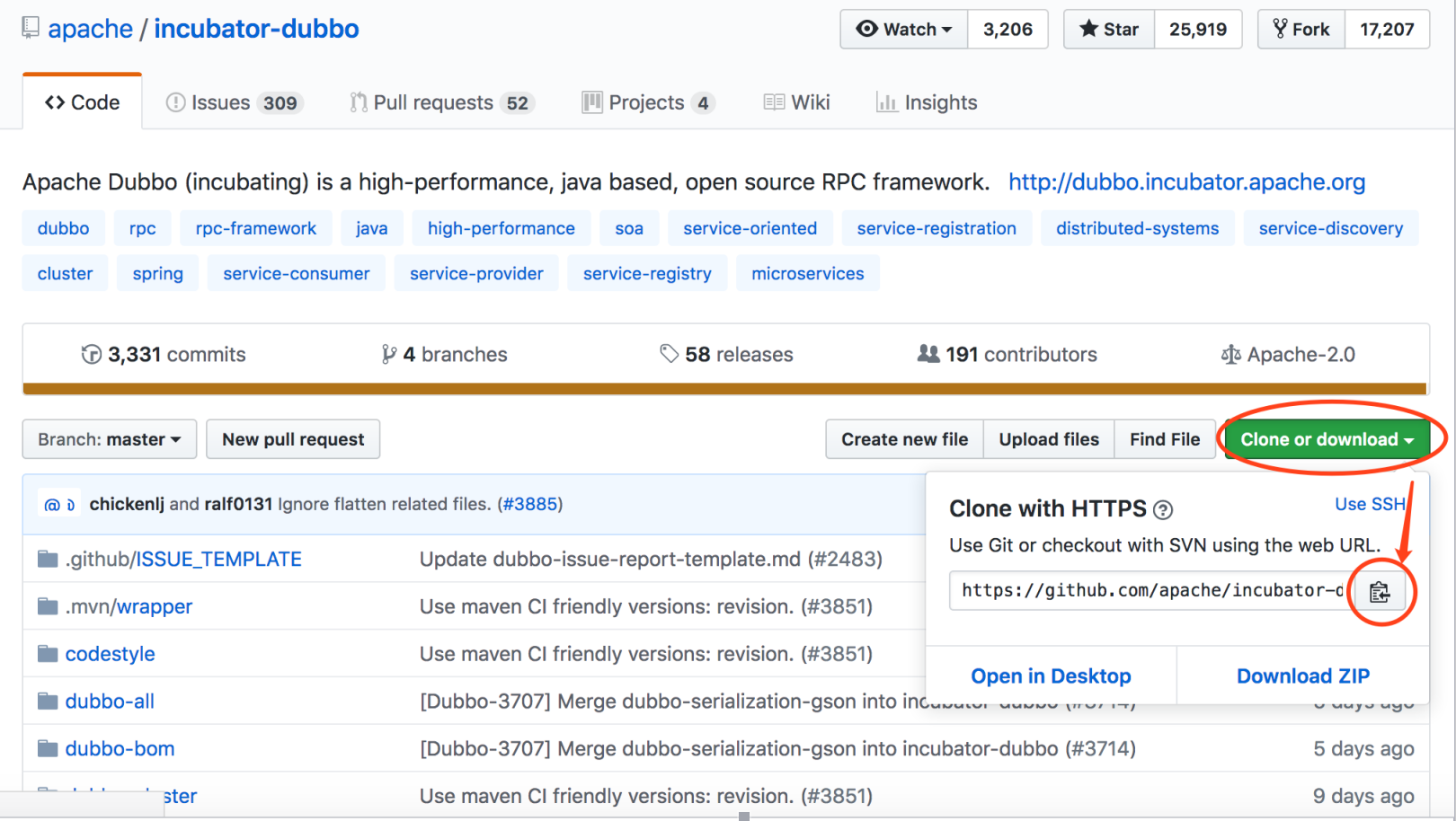
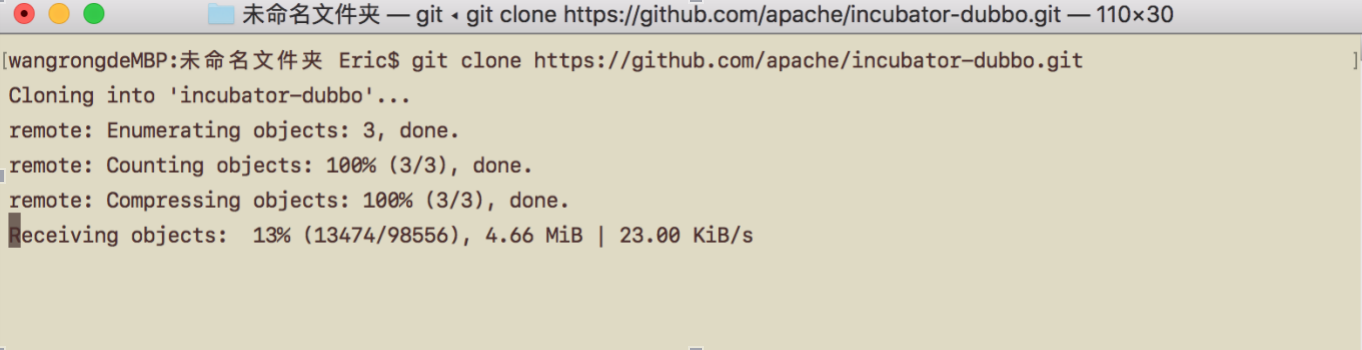
4.5.2 克隆项目到本地,git clone https://github.com/apache/incubator-dubbo.git;
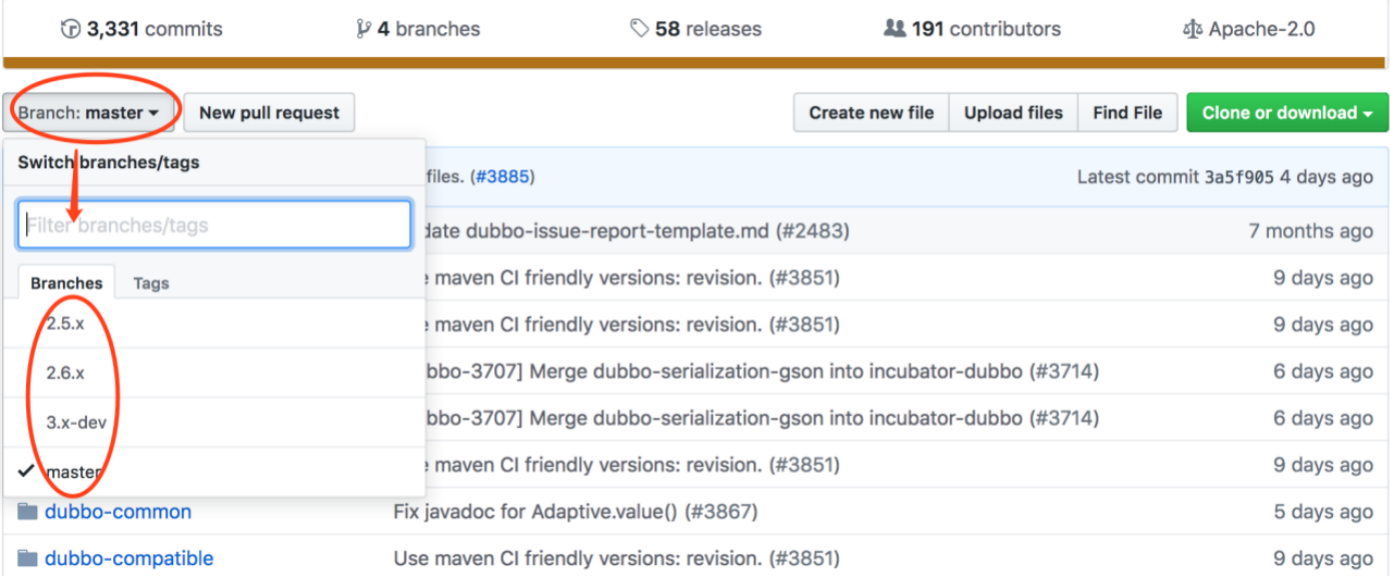
4.5.3 克隆完成后,本地切换到某个分支,就能看到该分支下的内容。不切换是看不到的
X.QiTa注意事项
.1 Git远程仓库地址变更本地如何修改

 浙公网安备 33010602011771号