
学习Spring-Session+Redis实现session共享
1、添加依赖
2、配置
spring-mvc.xml:
web.xml添加拦截器:
3、使用spring-session
只要使用标准的servlet api调用session,在底层就会通过Spring Session得到的,并且会存储到Redis或其他你所选择的数据源中。
这里是我写的一个demo:
/**
* @author fengzp
* @date 17/2/23下午3:19
* @email fengzp@gzyitop.com
* @company 广州易站通计算机科技有限公司
*/
@Controller
@RequestMapping(value = "index")
public class IndexController {
private final Gson gson = new GsonBuilder().setDateFormat("yyyyMMddHHmmss").create();
@RequestMapping(value = "login")
public String login(HttpServletRequest request, String username){
request.getSession().setAttribute("user", gson.toJson(new User(username,"123456")));
return "login";
}
@RequestMapping(value = "index")
public String index(HttpServletRequest request, Model model){
User user = gson.fromJson(request.getSession().getAttribute("user").toString(), User.class);
model.addAttribute("user", user);
return "index";
}
}
index.jsp:
第一个tomcat
Hello World!
${user.username}
第二个tomcat
Hello World! i am the second!
${user.username}
测试
这里利用上一篇nginx负载配置的两个tomcat来测试。
首先访问 http://192.168.99.100/feng/index/login.htm?username=nginx 来触发生成session。
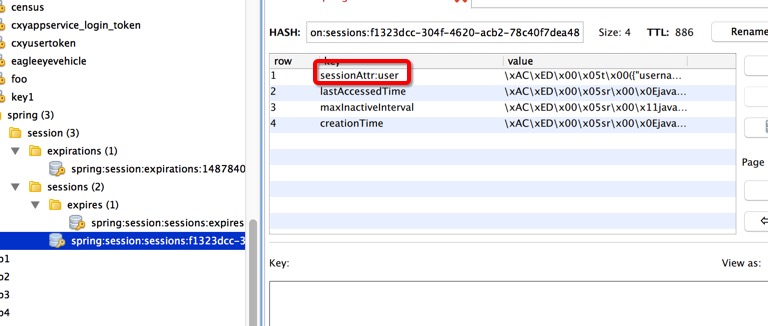
查看redis,发现session已经保存到redis。
访问 http://192.168.99.100/feng/index/index.htm 来读取session, 并刷新多次。
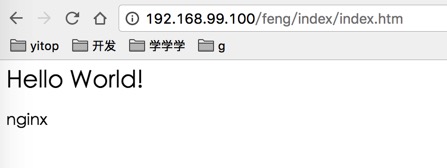

发现在负载的情况下读取session没问题,并且是同一个session,成功实现负载+session共享!

 浙公网安备 33010602011771号