adb语法大全
adb使用方法
# 打开手机开发模式
# 进入开发模式,打开usb调试
# 链接adb

# 查看模拟器驱动(adb devices    打印出检测到的仿真器或设备列表)表示已经连接成功设备
adb devices

# 链接模拟器驱动
adb connect 127.0.0.1:62001

# 用root账号
adb root

# 重新挂载system分区
adb remount

# push推送证书
adb push 269953fb.0 /system/etc/security/cacerts

# 设置证书权限
adb shell chmod 644 /system/etc/security/cacerts/269953fb.0


# 设置全局代理
adb.exe shell settings put global http_proxy 192.168.1.90:8888

# 取消代理
adb shell settings delete global http_proxy 192.168.1.90:8888

# 设备重启
adb reboot
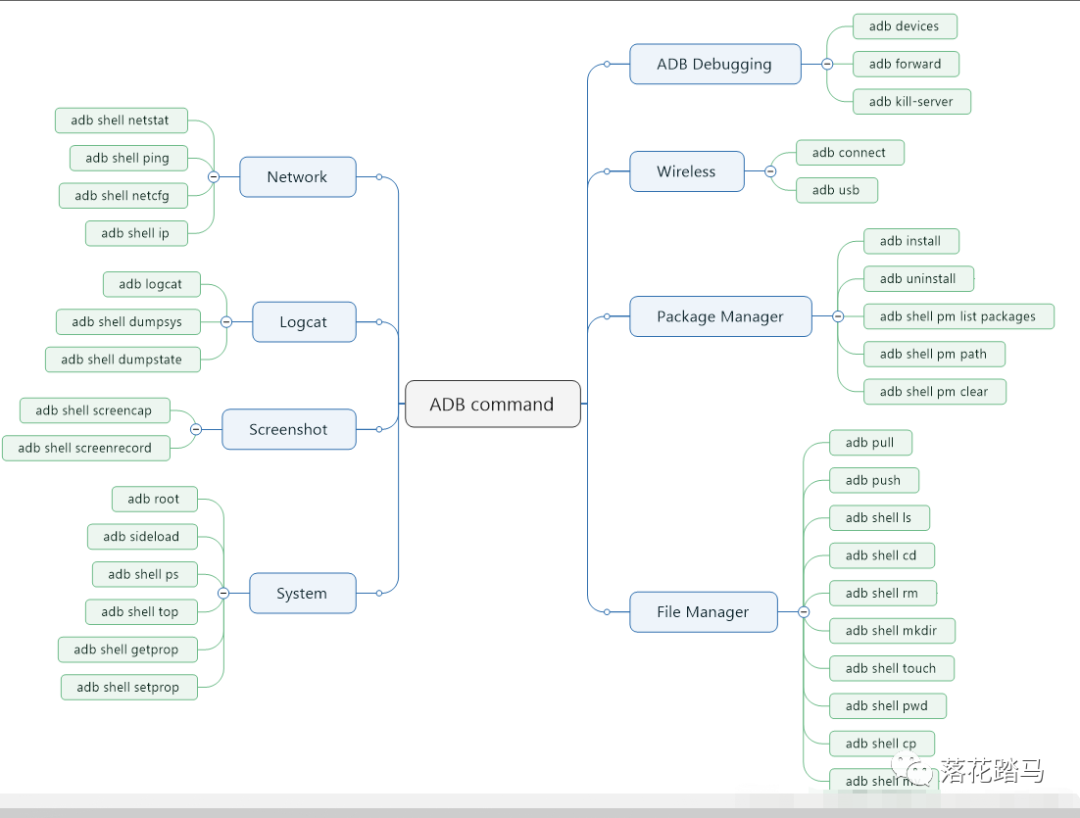
注释
apk安装
adb connect 192.168.127.47 (盒子IP)
提示connected to 192.168.127.47:5555 表示连接成功
unable to connect to 192.168.127.47:5555 表示连接失败
adb install C:\Users\Administrator\Desktop\Demo\1.apk
adb shell
version 版本信息
adb disconnect 断开连接
adb start-server 启动服务
adb kill-server 停止服务
adb uninstall player 删除apk adb shell进去cd data/data目录
adb logcat –c 可以将之前的日志信息清空,重新开始输出日志信息,将缓存日志输出;
adb logcat -v time >d:/1.log 抓log
ADB命令及其异常处
1. 查看设备 adb devices
2. 安装软件 : adb install <apk文件路径> 将指定的apk文件安装到设备上
adb uninstall <包名> 卸载软件 软件包一般在/data/data/目录下
3. adb 抓取 log
adb logcat –c 清掉之前的log
4. 其他命令
tools>adb shell
#cd system/app //cd+路径 移动到
#ls //列表显示当前文件夹内容
#rm –r xxx //删除名字为xxx的文件夹及其里面的所有文件
#rm xxx //删除文件 xxx
#rmdir xxx //删除xxx的文件夹
adb reboot 设备重启
转载自:https://blog.csdn.net/qq_37394476/article/details/124185798

 浙公网安备 33010602011771号