
OutLook添加HTML
1.outlook 打开developer模式
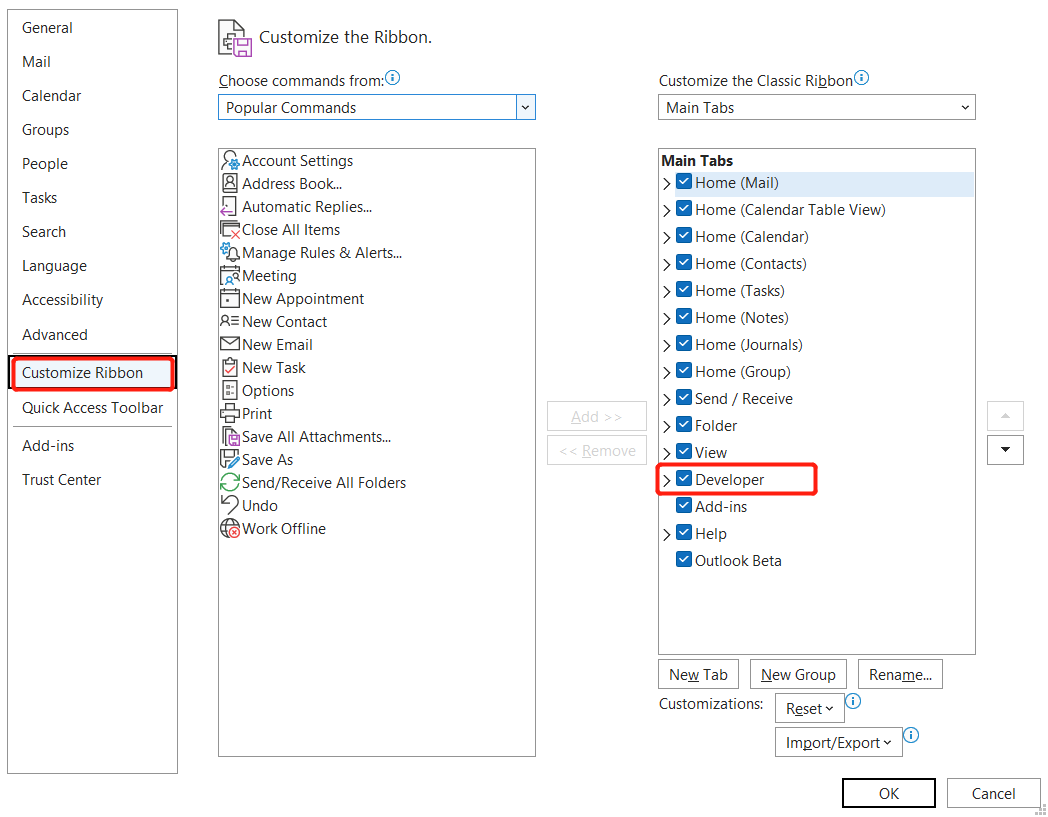
(1). File -> Options ->Customize Ribbon 勾选 Developer

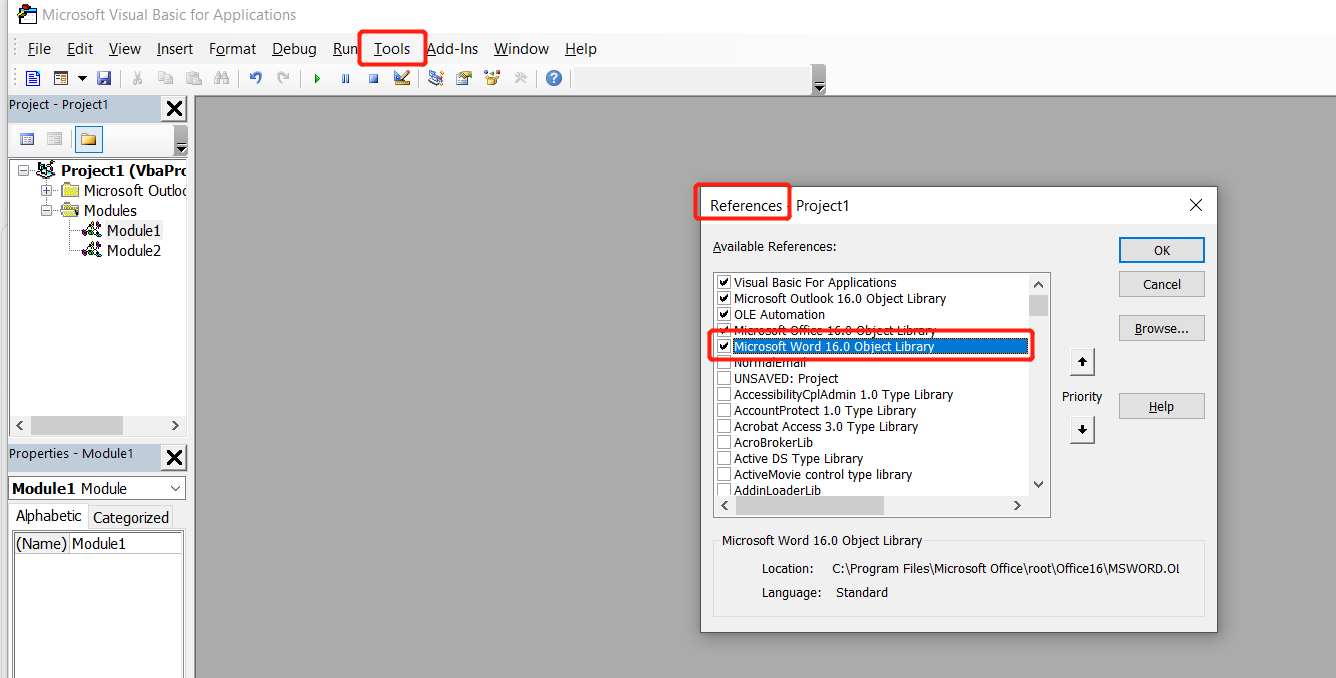
(2). 这时toolbar会有一个Developer选项 点击Developer ->Visual Basic ->Tools ->References 勾选Microsoft Word 16.0 Object Library

(3). 回到outlook 点击Home -> New Email ->Developer ->Macros ->Macros
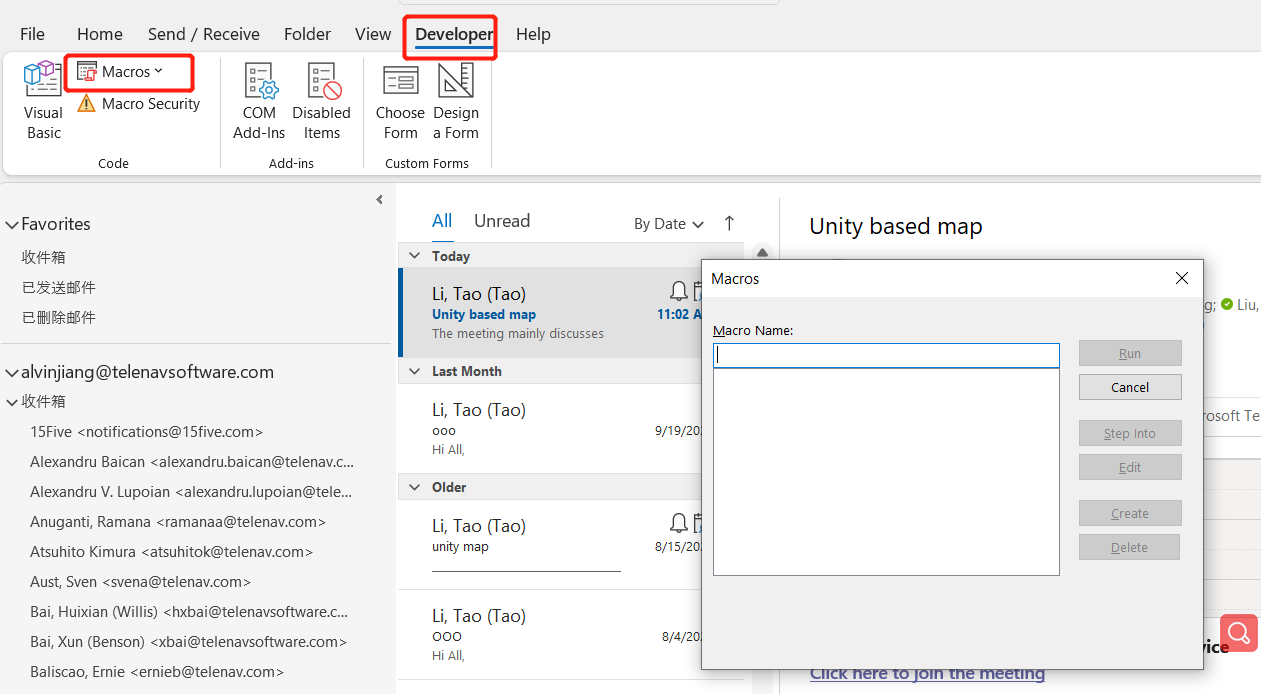
(4). 在输入框内填写一个名字 点击create

点击查看代码
Dim insp As Inspector


Set insp = ActiveInspector
If insp.IsWordMail Then
Dim wordDoc As Word.Document
Set wordDoc = insp.WordEditor
wordDoc.Application.Selection.InsertFile "Your File Address", , False, False, False
End If
将这段代码添加到Sub xxx() /End Sub中间,保存,关闭VB窗口

(5). 点击Macros,然后选择刚刚输入的名字,等待 一会 html就会加载到邮件当中
注: Outlook 布局需要使用table进行布局

 浙公网安备 33010602011771号