
AI运动识别APP插件,再发新版,新特性初体验
云智AI运动识别APP插件上周又发新布了
v1.1.0更新,更新中发布了一些新特性,下面就带您体验一下这些特性。
一、更新详情
1.相机组件
yz-ai-camera增加自由分辨率设定能力,便于人脸识别等需要等场景取像。
2.pose-calc增加评测模式及常用工具函数。
3.修复一些已知问题。
二、自由分辨率设定体验
相机组件yz-ai-camera原本采用了resolution属性来设定分辨率,这一设计沿用了小程序组件的分级设定,包括low、medium、high三档。这样的设计初衷是为了满足高性能抽帧和识别的要求,特别是在人体检测和运动识别的场景中,这三档设定完全可以满足需求。
然而,当将这一插件应用于Android终端设备,开发智能体测设备应用时,情况就有所不同了。在某些应用场景,比如人脸识别,可能会出现分辨率不足的问题。为了应对这种情况,我们新增了自由分辨率设定的功能。这意味着,根据特定的应用场景,用户可以自由地设定分辨率,从而确保识别的准确性和效率。
设定自由分辨率的方式如下:
<template>
    <!--将分辨率设定为1280x720,设定格式:set:{width}x{height}-->
    <yz-ai-camera class="camera" :device="cameraDevice" resolution="set:1280x720" @on-camera-ready="onCameraReady" />
</template>
使用注意事项:
- 设定格式
set:{width}x{height},width为图像宽度,height为图像高度,不区分大小写。 - 设定的分辨率相机必须要支持才行,当前相机的分辩率列表可以通过
CameraContext.getCurrentCamera()获取。 - 人体检测、运动识别场景时不建议使用此功能设定过高或过低的分辨率,否则将影响识别性能或识别率。
三、姿态评测模式
在姿态评测模式能力更新之前,插件的pose-calc仅能对自定义姿态进行识别,即只能确认是不是这个姿态,而无法精确识别出姿态中哪些具体动作不符合要求。故也无法进行(或只能通过繁琐的实现)诸如姿态评估、动作指导、矫正指导等应用场景。。

为了使开发者能够更轻松、便捷地实现这些场景,我们在v1.1.0版的云智AI运动识别APP插件中的pose-calc中新增了一个评测模式。在评测模式下,我们不再仅向调用者提供简单的“通过”或“不通过”的反馈,而是同时提供通过与否的信息,并附加各规则检测的详细信息。这使得开发者可以利用评测结果轻松实现动作纠正、引导、训练指导、结果报告等场景。,调用方法如下:
import {Keypoint, createCalculator } from "@/uni_modules/yz-ai-sport";
//实际用中是实际检出的人体结果
let human : Human = {
width: 480,
height: 640,
score: 0.7404499650001526,
keypoints: [{ y: 66.0156295428602, x: 196.24999974976453, score: 0.3974609375, name: "nose" } as Keypoint,
{ y: 56.99219681226278, x: 204.68749974880043, score: 0.395263671875, name: "left_eye" } as Keypoint,
{ y: 56.48437477557764, x: 188.12499975069284, score: 0.353759765625, name: "right_eye" } as Keypoint,
{ y: 63.867192043105675, x: 217.18751882085854, score: 0.6533203125, name: "left_ear" } as Keypoint,
{ y: 60.78125454345827, x: 174.99999975219248, score: 0.49560546875, name: "right_ear" } as Keypoint,
{ y: 117.10937476865072, x: 243.12499974440865, score: 0.51220703125, name: "left_shoulder" } as Keypoint,
{ y: 124.92188430450126, x: 140.62501882960643, score: 0.5078125, name: "right_shoulder" } as Keypoint,
{ y: 196.40624975959042, x: 251.2499997434803, score: 0.45068359375, name: "left_elbow" } as Keypoint,
{ y: 207.65624975830502, x: 136.8749997565486, score: 0.4960937798023224, name: "right_elbow" } as Keypoint,
{ y: 276.5624997504319, x: 260.31249974244486, score: 0.60498046875, name: "left_wrist" } as Keypoint,
{ y: 196.3916015625, x: 58.251953125, score: 0.4870605766773224, name: "right_wrist" } as Keypoint,
{ y: 265.3125188252036, x: 224.68751882000163, score: 0.5830078125, name: "left_hip" } as Keypoint,
{ y: 266.2499997516102, x: 167.81249975301373, score: 0.634765625, name: "right_hip" } as Keypoint,
{ y: 416.24999973447143, x: 221.24999974690806, score: 0.67919921875, name: "left_knee" } as Keypoint,
{ y: 418.43749973422155, x: 170.93749975265666, score: 0.55908203125, name: "right_knee" } as Keypoint,
{ y: 549.6874997192251, x: 223.43751882014448, score: 0.51123046875, name: "left_ankle" } as Keypoint,
{ y: 553.1249997188324, x: 178.59374975178187, score: 0.5869140625, name: "right_ankle" } as Keypoint
],
rangeHeight: 481.5357666015625,
rangeWidth: 127.82829284667969,
rangeX: 108.83674621582031,
rangeY: 72.2041015625
};
let rule = {
name: '整体评测',
calc: '$and',
rules: [{
name: '左弯腰检测',
calc: 'match-angle',
angleKey: 'left_hip',
secondKey: 'left_shoulder',
thirdKey: 'left_knee',
angle: 170,
offset: 15
}, {
name: '右弯腰检测',
calc: 'match-angle',
angleKey: 'right_hip',
secondKey: 'right_shoulder',
thirdKey: 'right_knee',
angle: 170,
offset: 15
}, {
name: '卧躺',
calc: 'lie'
}]
};
const calculator = createCalculator();
//Calculator还有evaluatingAnd、evaluatingOr、evaluatingNot方法供快捷调用,详见API参考文档
let result = calculator.evaluating(human, rule);
console.log(result);
//输出结果
//[PoseEvalResult]
//{
// "isPassed": false,
// "items":
//[Array]
// [
//[PoseEvalResultItem]
// {
// "calc": "match-angle",
// "isPassed": true,
// "message": null,
// "name": "左弯腰检测"
// },
//[PoseEvalResultItem]
// {
// "calc": "match-angle",
// "isPassed": true,
// "message": null,
// "name": "右弯腰检测"
// },
//[PoseEvalResultItem]
// {
// "calc": "lie",
// "isPassed": false,
// "message": "当前不是卧躺姿态",
// "name": "站立"
// },
//[PoseEvalResultItem]
// {
// "calc": "$and",
// "isPassed": false,
// "message": "与检测未通过",
// "name": "整体评测"
// }
// ]
//}
四、其它更新使用与展望
本次更新还发布了PoseUtility,集成了诸如关键点查找、角度计算匹配等常用的姿态处理工具函数,可以参考API文档调用,减少重复造轮子。后续我们将继续增加运动识别中的评测反馈能力,尽情期待...
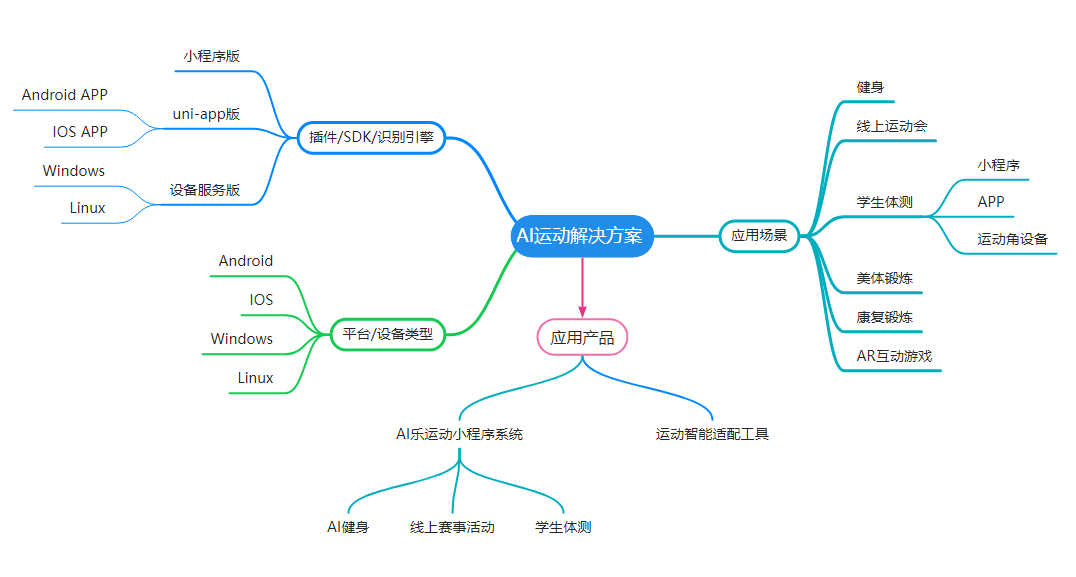

提供全景AI运动解决方案、各类应用定制开发服务
QQ:316455841
欢迎通过各种渠道咨询了解,免费提供技术咨询服务。

 浙公网安备 33010602011771号