
[1132] Batch Change Font of Double Quotation Marks from Times New Roman to SimSun
The default font for double quotation marks (“ ”) is currently set to Times New Roman. The goal is to batch process these quotation marks and update their font to SimSun.
To proceed:
- Identify Left and Right Quotation Marks
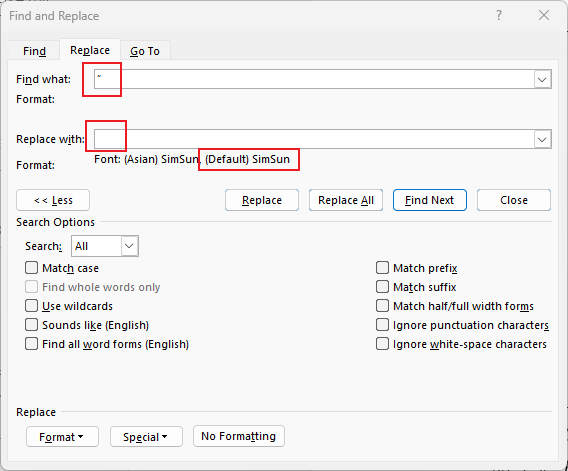
- Copy the left quotation mark (“) and the right quotation mark (”) individually into the “Find what:” field of your text editor or formatting tool.
- Apply Font Change
- Use the Find and Replace function or a style-based formatting tool to locate all instances of these quotation marks.
- Replace or reformat them by applying the SimSun font specifically to the matched characters.

 浙公网安备 33010602011771号