

船志健康项目-运营数据PDF报表12
在项目中实现运营数据的PDF报表导出功能。
一、设计PDF模板文件
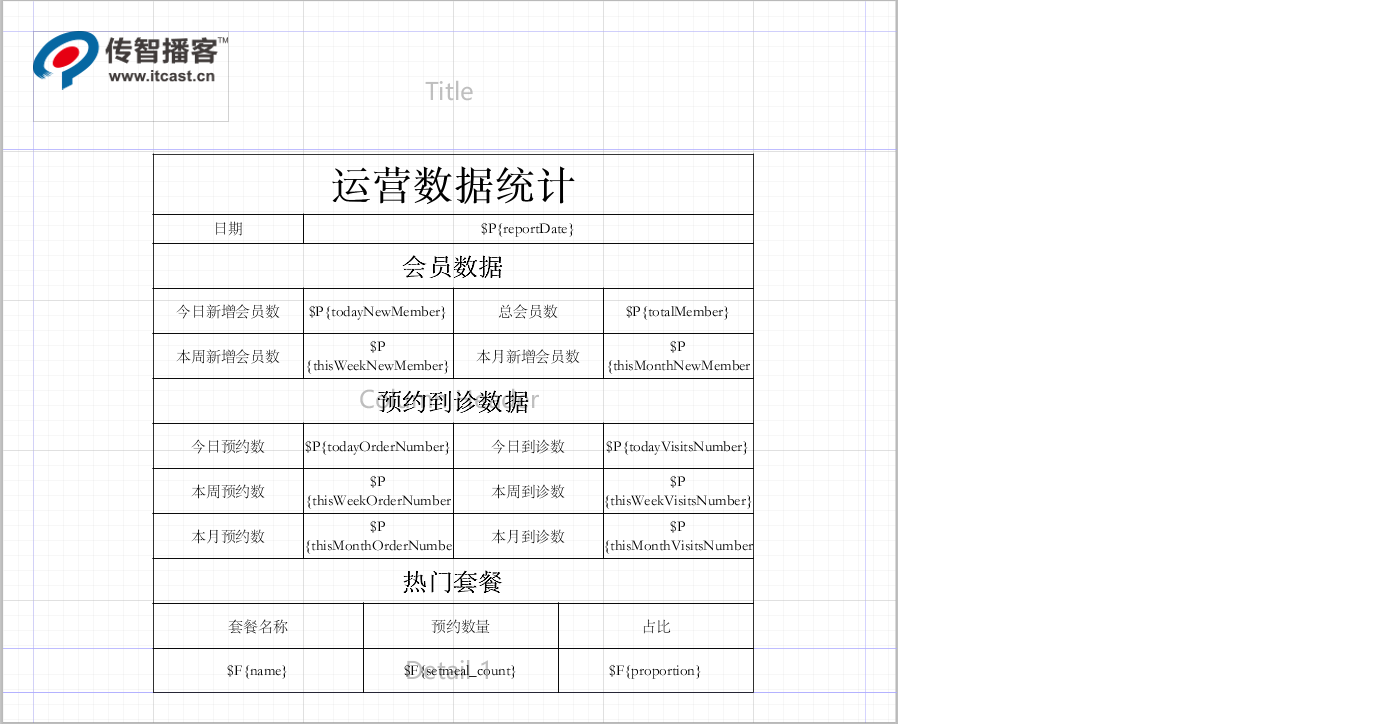
使用Jaspersoft Studio设计运营数据PDF报表模板文件health_business3.jrxml,设计后的效果如下:
二、搭建环境
第一步:在health_common工程的pom
<dependency>
    <groupId>net.sf.jasperreports</groupId>
    <artifactId>jasperreports</artifactId>
    <version>6.8.0</version>
</dependency>
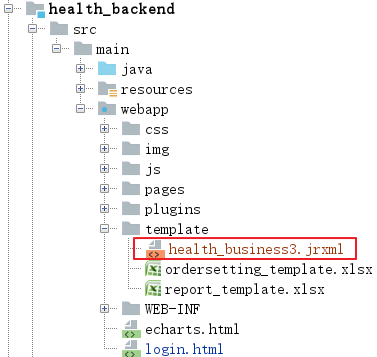
第二步:将资源中提供的模板文件health_business3.jrxml复制到health_backend工程的template目录下
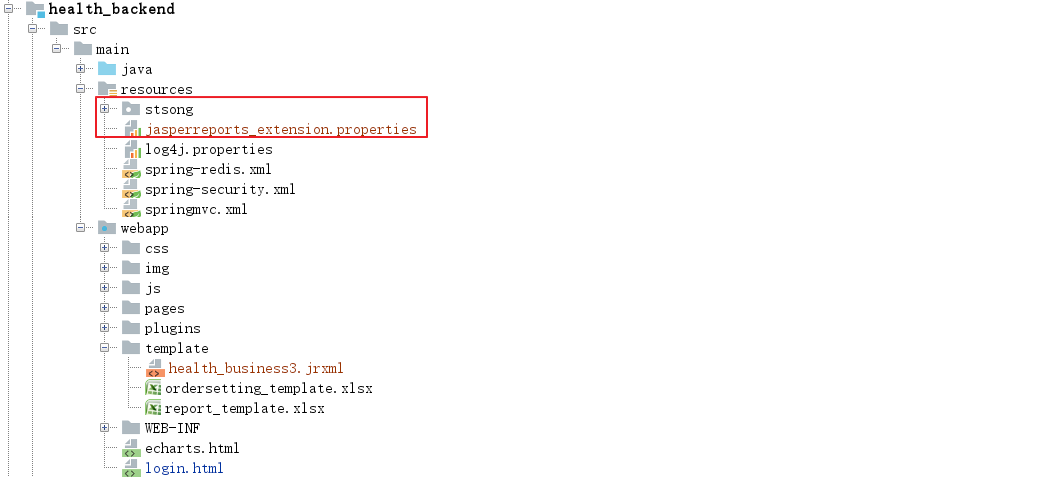
第三步:将解决中问题的相关资源文件复制到项目中
三、修改页面
修改health_backend工程的report_business.html页面,添加导出PDF的按钮并绑定事件
<el-button @click="exportExcel">导出Excel</el-button>
<el-button @click="exportPDF">导出PDF</el-button>
            methods:{
                exportExcel(){
                    //此处不用ajax请求,因为响应数据不是json数据而是输出流
                    window.location.href = '/report/exportBusinessReport.do';
                },
                exportPDF(){
                    window.location.href = '/report/exportBusinessReport4PDF.do';
                }
            }
四、Java代码实现
在health_backend工程的ReportController中提供exportBusinessReport4PDF方法
    //导出运营数据到pdf并提供客户端下载
    @RequestMapping("/exportBusinessReport4PDF")
    public Result exportBusinessReport4PDF(HttpServletRequest request, HttpServletResponse response) throws Exception{
        try{
            System.out.println("getContextPath:  "+request.getContextPath());//空的
            System.out.println("getServletPath:  "+request.getServletPath());//  /report/exportBusinessReport4PDF.do
            //  C:\workFiles\javaLearn\code\itcast_health\health_parent\health_backend\src\main\webapp\template
            System.out.println("getRealPath:  "+request.getSession().getServletContext().getRealPath("template"));
            String jrxmlPath = request.getSession().getServletContext().getRealPath("template")+File.separator+"health_business3.jrxml";
            String  jasperPath = request.getSession().getServletContext().getRealPath("template")+File.separator+"health_business3.jasper";

            //编译模板
            JasperCompileManager.compileReportToFile(jrxmlPath,jasperPath);

            //构造parameter数据
            Map<String, Object> businessReportData = reportService.getBusinessReportData();
            //构造fields数据
            List<Map> hotSetmeal = (List<Map>) businessReportData.get("hotSetmeal");

            //填充数据--使用JavaBean数据源方式填充
            JasperPrint jasperPrint = JasperFillManager.fillReport(jasperPath, businessReportData, new JRBeanCollectionDataSource(hotSetmeal));

            OutputStream out = response.getOutputStream();
            response.setContentType("application/pdf");//代表的是Excel文件类型
            response.setHeader("content-Disposition", "attachment;filename=report.pdf");//指定以附件形式进行下载

            //输出文件
            JasperExportManager.exportReportToPdfStream(jasperPrint,out);

            out.flush();
            out.close();
            return null;
        }catch (Exception e){
            e.printStackTrace();
            return new Result(false,MessageConstant.GET_BUSINESS_REPORT_FAIL);
        }
    }

 浙公网安备 33010602011771号