
在Win10上安装配置与ArcGIS10.4配套的PostgreSQL9.4
由于ArcGIS10.4只最高支持PostgreSQL9.4,直接使用installer包在Win10系统上安装会在报“Failed to load sql modules into the database cluster”的错误,多种方法测试无效。改用binaries.zip包安装。
一、下载解压
1、下载地址:https://get.enterprisedb.com/postgresql/postgresql-9.4.26-1-windows-x64-binaries.zip
2、解压postgresql-9.4.26-1-windows-x64-binaries.zip
二、添加用户
1、添加windows用户,用于启动PostgreSQL的windows服务,其中xxxxx为密码
net user postgres xxxxx /add /expires:never /passwordchg:no
2、为保证安全,此用户不允许本地登录
net localgroup users postgres /del
3、赋于windows用户postgres访问PostgreSQL安装目录的权限
cacls . /T /E /P postgres:R
三、初始化数据库
1、配置环境变量,新建env.vbs文件到pgsql文件夹下,双击运行。
on error resume next
set sysenv=CreateObject("WScript.Shell").Environment("system") 'system environment array
Path = CreateObject("Scripting.FileSystemObject").GetFolder(".").Path 'add variable
sysenv("PGHOME")="E:\VearthData\PostgreSQL\9.4\pgsql"
sysenv("PGHOST")="localhost"
sysenv("Path")=sysenv("PGHOME")+"\bin;"+sysenv("Path")
sysenv("PGLIB")=sysenv("PGHOME")+"\lib"
sysenv("PGDATA")=sysenv("PGHOME")+"\data"

wscript.echo "PostgreSQL Success"
2、切换到windows用户postgres的命令行环境
runas /noprofile /env /user:postgres cmd
注: 用管理员账号,把postgres 账号初始化,改下密码就可以了。
3、初始化数据库,若不使用-U admin,则数据库里自动添加当前windows用户(即postgres)为数据库帐号
initdb.exe -D E:\VearthData\PostgreSQL\9.4\pgsql\data -E UTF-8 --locale=C
4、启动数据库
pg_ctl.exe -D E:\VearthData\PostgreSQL\9.4\pgsql\data -l logfile start
5、停止数据库
pg_ctl.exe -D E:\VearthData\PostgreSQL\9.4\pgsql\data stop
6、修改配置,修改/data/postgresql.conf文件和/data/pg_hba.conf文件
listen_addresses = '*'        # what IP address(es) to listen on;

# IPv4 local connections:
host    all             all             0.0.0.0/0            md5
四、注册为Windows服务
1、注册为windows服务,当前windows用户(即postgres)将作为PostgreSQL服务的登录用户
pg_ctl.exe register -D E:\VearthData\PostgreSQL\9.4\pgsql\data -NPostgreSQL
2、启动PostgreSQL服务
net start PostgreSQL
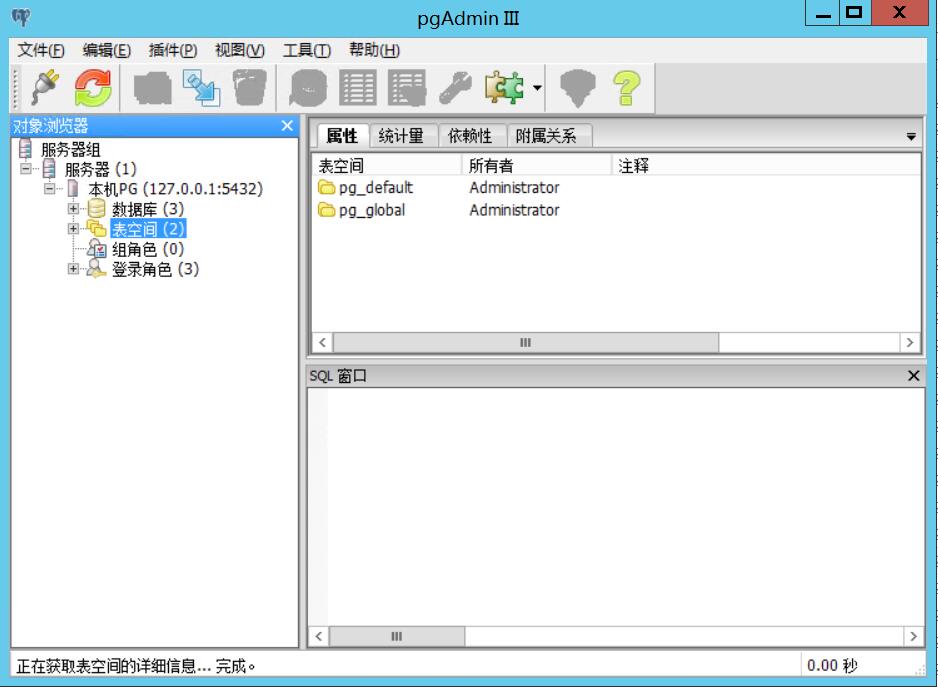
3、双击E:\VearthData\PostgreSQL\9.4\pgsql\bin\pgAdmin3.exe文件可管理数据及查看数据库状态。
五、ArcMap连接PostgreSQL
1、将C:\Program Files (x86)\ArcGIS\Desktop10.4\DatabaseSupport\PostgreSQL\9.4\Windows64文件夹的libst_raster_pg.dll和st_geometry.dll拷贝到pgsql\lib文件夹下。
2、使用ArcMap的Create Enterprise Geodatabase工具创建sde数据库。
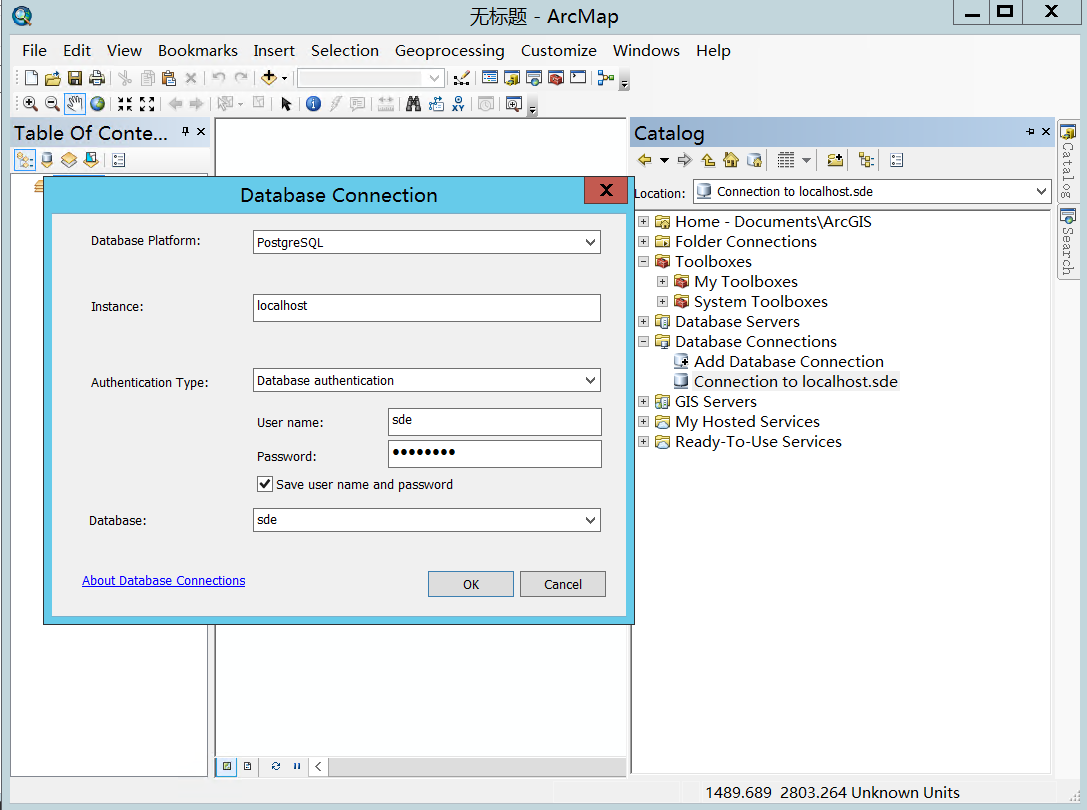
3、连接sde数据库。

 浙公网安备 33010602011771号