


R语言(Mac)
R安装
官方下载
https://cloud.r-project.org/bin/macosx/
下载 .pkg 安装包(如 R-4.4.0.pkg),双击安装包,按提示安装即可
homebrew安装
brew install r
brew install libgit2
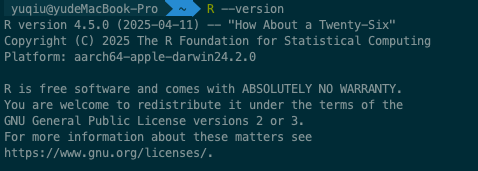
#检查R是否安装成功
R --version
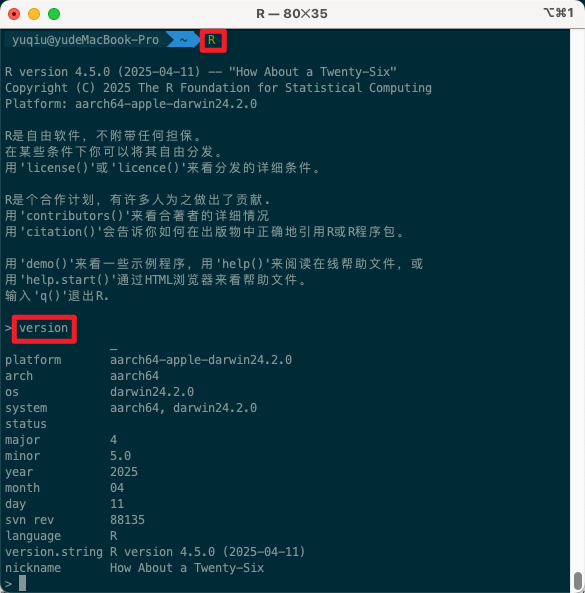
交互式指令
运行R命令进入交互式窗口
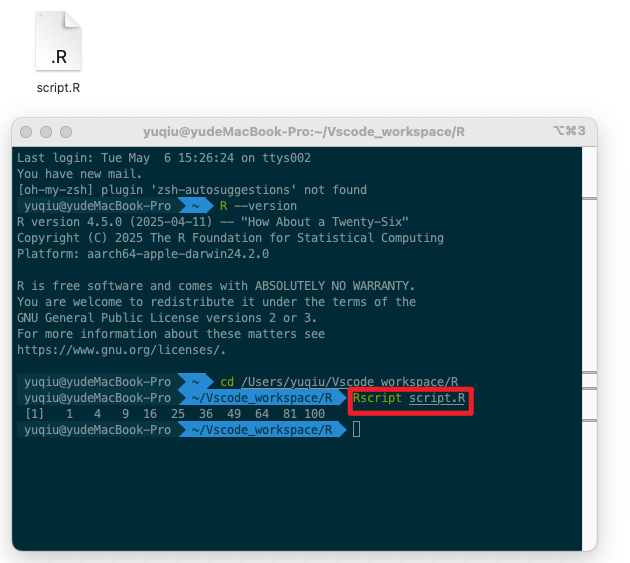
Rscript运行R脚本
编写script.R脚本文件
# script.R
x <- 1:10
y <- x^2
print(y)
通过Rscript运行.R文件
配置R
#设置国内镜像源(加快安装速度)
options(repos = c(CRAN = "https://mirrors.tuna.tsinghua.edu.cn/CRAN/"))
#将其写入启动配置文件 ~/.Rprofile
echo 'options(repos = c(CRAN="https://mirrors.tuna.tsinghua.edu.cn/CRAN/"))' >> ~/.Rprofile
安装常用包
输入R进入交互窗口,运行如下命令
install.packages("tidyverse")
install.packages("data.table")
install.packages("ggplot2")
编译器RStudio
推荐使用 RStudio 作为 IDE,下载地址:https://posit.co/download/rstudio-desktop/
如果这篇文章对你有用,可以关注本人微信公众号获取更多ヽ(^ω^)ノ ~


 浙公网安备 33010602011771号