


ThinkPHP自定义指令
官网文档
https://www.kancloud.cn/manual/thinkphp6_0/1037651
创建命令类文件
运行指令创建一个自定义命令类文件
php think make:command Hello hello
生成内容如下
<?php
namespace app\command;

use think\console\Command;
use think\console\Input;
use think\console\input\Argument;
use think\console\input\Option;
use think\console\Output;

class Hello extends Command
{
    protected function configure()
    {
        $this->setName('hello')
        	->addArgument('name', Argument::OPTIONAL, "your name")
            ->addOption('city', null, Option::VALUE_REQUIRED, 'city name')
        	->setDescription('Say Hello');
    }

    protected function execute(Input $input, Output $output)
    {
    	$name = trim($input->getArgument('name'));
      	$name = $name ?: 'thinkphp';

		if ($input->hasOption('city')) {
        	$city = PHP_EOL . 'From ' . $input->getOption('city');
        } else {
        	$city = '';
        }

        $output->writeln("Hello," . $name . '!' . $city);
    }
}
配置config/console.php文件
<?php
return [
    'commands' => [
        'hello' => 'app\command\Hello',
    ]
];
使用命令执行指令
php think hello
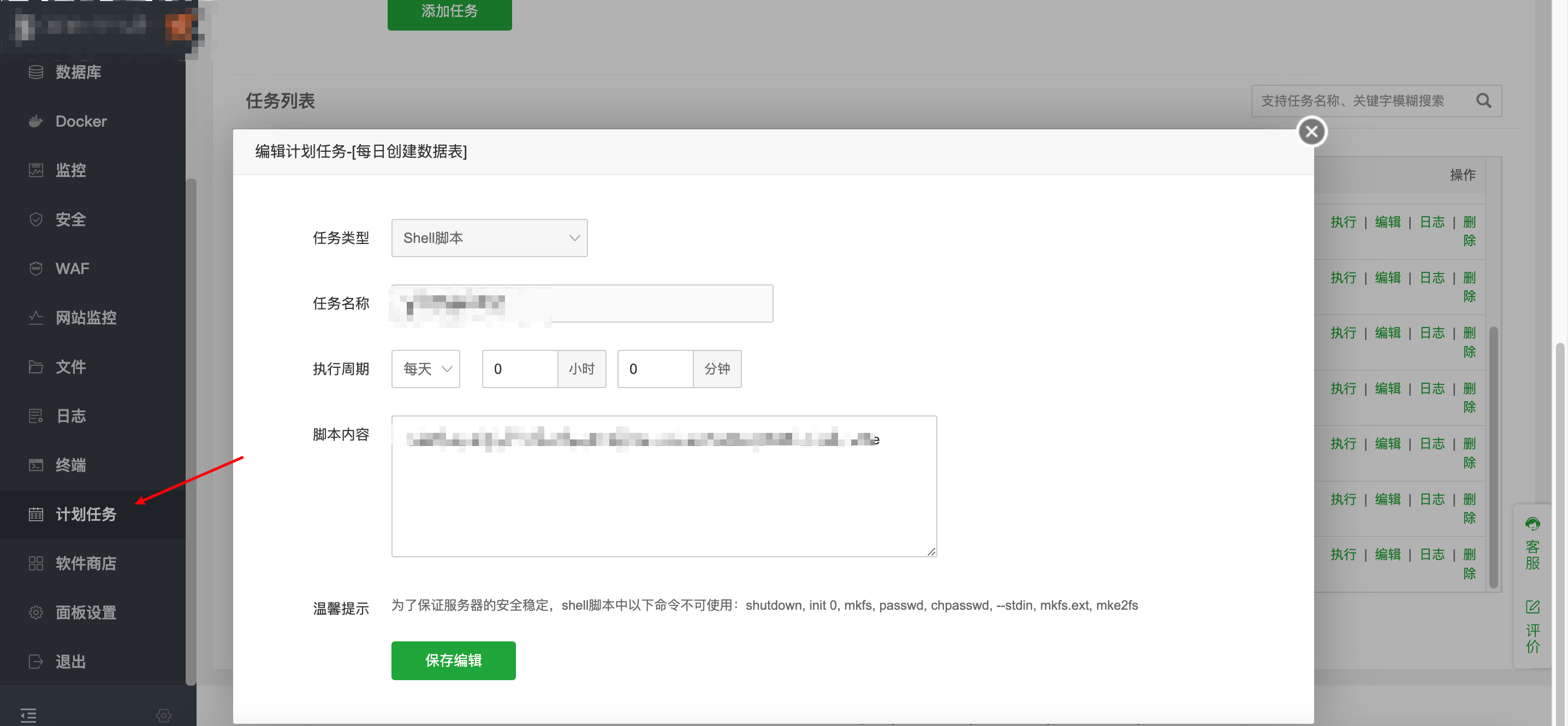
在宝塔面板中配置计划任务
常用指令文件
创建表
<?php
declare (strict_types = 1);

namespace app\command;
use think\console\Command;
use think\console\Input;
use think\console\Output;
use think\Exception;
use think\facade\Db;

class CreateTable extends Command
{
    protected function configure()
    {
        // 指令配置
        $this->setName('start')
            ->setDescription('每日创建日志数据表');
    }

    //创建表
    protected function execute(Input $input, Output $output)
    {
        // 记录开始时间
        $startTime = microtime(true);
        $output->writeln("任务开始时间: " . date('Y-m-d H:i:s', (int)$startTime));
        $tableList = [
            'device_log'
        ];

        $citys = Db::query('SELECT id FROM city ');
        foreach ($tableList as $tblpre) {
          foreach ($citys as $city) {
            // 检查今天的表
            $tbldate = date('Y');
            $res = Db::execute("show tables like '{$tblpre}_{$city['id']}_{$tbldate}'");
            if ($res === 0) {
                $output->writeln('补建今天的表'.$tbldate);
                //使用模版创建今天的年份表
                Db::execute("create table {$tblpre}_{$city['id']}_{$tbldate} like {$tblpre}");
            }

            //创建明天的年份表
            try {
                $tblnextdate = date('Y', strtotime('+1 day'));
                $res = Db::execute("show tables like '{$tblpre}_{$city['id']}_{$tblnextdate}'");
                if ($res === 0) {
                    Db::execute("create table {$tblpre}_{$city['id']}_{$tblnextdate} like {$tblpre}");
                    $output->writeln('创建明天的年份表'.$tblnextdate);
                }
            } catch (Exception $exception) {
                echo $exception->getMessage();
            }
          }
        }

        // 记录结束时间
        $endTime = microtime(true);
        $output->writeln("任务结束时间: " . date('Y-m-d H:i:s', (int)$endTime));

        // 计算并输出执行时长
        $duration = $endTime - $startTime;
        $output->writeln("任务执行时长: " . round($duration, 2) . " 秒");
    }
}
自定义异常调试
execute方法中逻辑整个套一层try catch
try {
    // 代码逻辑
} catch (\Exception $e) {
    $output->writeln('Error: ' . $e->getMessage());
    $output->writeln($e->getTraceAsString());
}
如果打印出报错的行,在catch中加下这行的变量打印查看即可
$output->writeln('item: ' . print_r($item, true));
$output->writeln('city: ' . print_r($city, true));
如果这篇文章对你有用,可以关注本人微信公众号获取更多ヽ(^ω^)ノ ~


 浙公网安备 33010602011771号