


SpringBoot快速入门
1. SpringBoot快速入门
1.1 pom.xml 分析
<!-- 父依赖 -->
<parent>
    <groupId>org.springframework.boot</groupId>
    <artifactId>spring-boot-starter-parent</artifactId>
    <version>2.2.5.RELEASE</version>
    <relativePath/>
</parent>

<dependencies>
    <!-- web场景启动器 -->
    <dependency>
        <groupId>org.springframework.boot</groupId>
        <artifactId>spring-boot-starter-web</artifactId>
    </dependency>
    <!-- springboot单元测试 -->
    <dependency>
        <groupId>org.springframework.boot</groupId>
        <artifactId>spring-boot-starter-test</artifactId>
        <scope>test</scope>
        <!-- 剔除依赖 -->
        <exclusions>
            <exclusion>
                <groupId>org.junit.vintage</groupId>
                <artifactId>junit-vintage-engine</artifactId>
            </exclusion>
        </exclusions>
    </dependency>
</dependencies>

<build>
    <plugins>
        <!-- 打包插件 -->
        <plugin>
            <groupId>org.springframework.boot</groupId>
            <artifactId>spring-boot-maven-plugin</artifactId>
        </plugin>
        <plugin>
                <groupId>org.apache.maven.plugins</groupId>
                <artifactId>maven-surefire-plugin</artifactId>
                <configuration>
                    <!--跳过项目运行测试用例-->
                    <skipTests>true</skipTests>
                </configuration>
            </plugin>
    </plugins>
</build>
1.2 编写一个http接口
1、在主程序的同级目录下,新建一个controller包,一定要在同级目录下,否则识别不到
2、在包中新建一个HelloController类
@Controller
public class HelloController {

    @GetMapping("/hello")
    @ResponseBody
    public String hello(){
        return "hello";
    }
}
1.3 将项目打成jar包
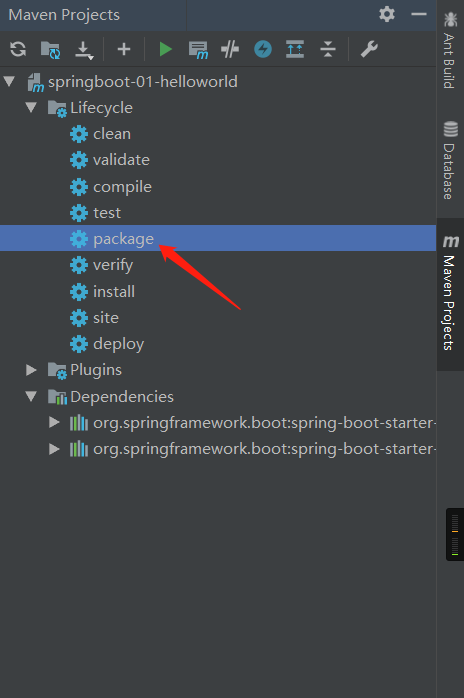
点击右侧的 MavenProject 进入 Lifecycle 双击 package 自动进行打包
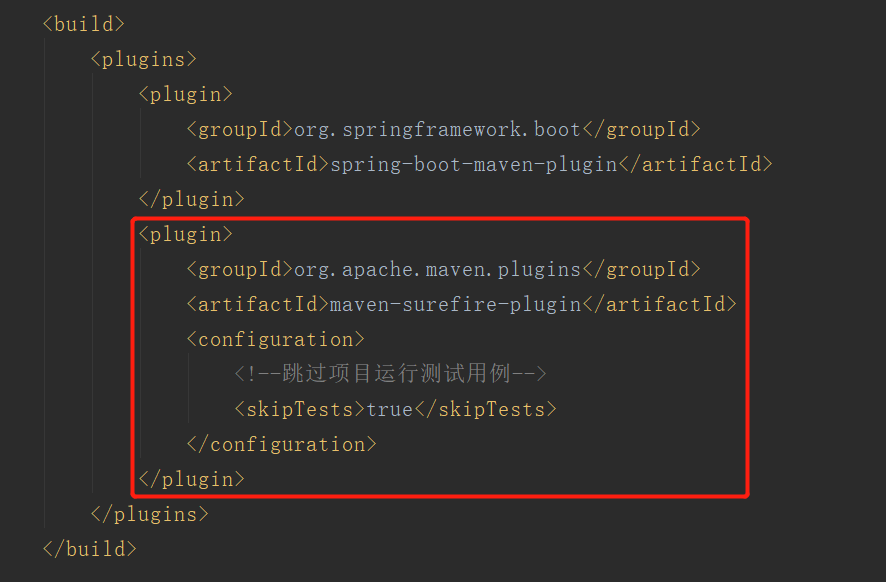
若打包失败,在pom.xml文件中配置跳过项目运行测试用例
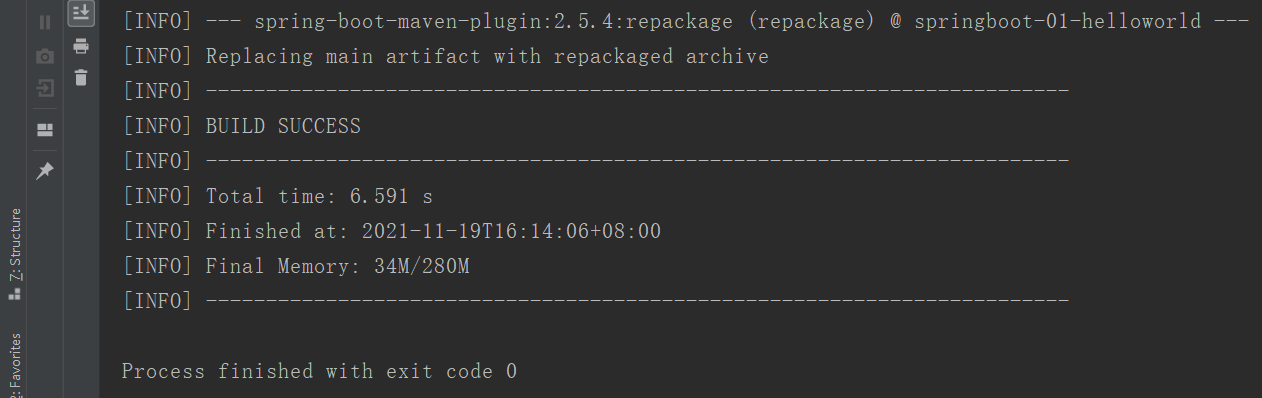
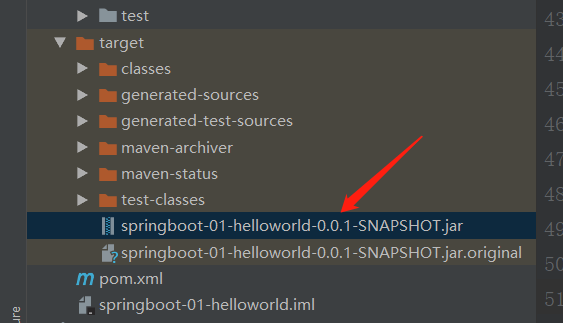
打包成功如下,同时在target目录下生成一个 jar 包
1.4 小彩蛋
如何更改SpringBoot启动时的banner图案?
-
首先到项目下的 resources 目录下新建一个banner.txt 文件
-
然后图案可以到:https://www.bootschool.net/ascii 这个网站生成,然后拷贝到文件中即可!
本文来自博客园,作者:小公羊,转载请注明原文链接:https://www.cnblogs.com/aadzj/p/15636555.html

 浙公网安备 33010602011771号