

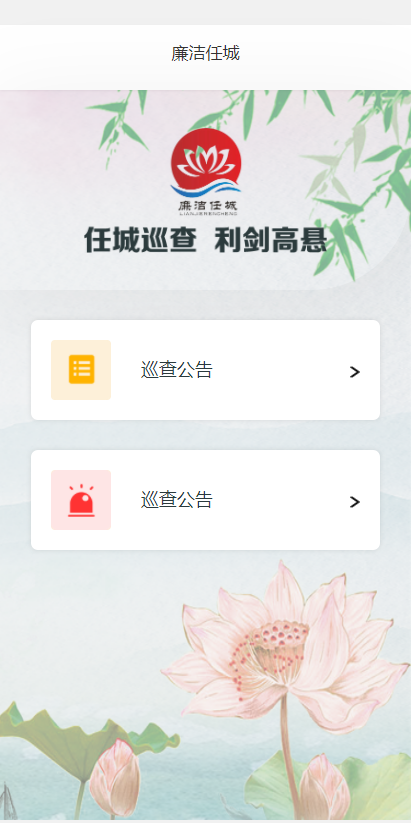
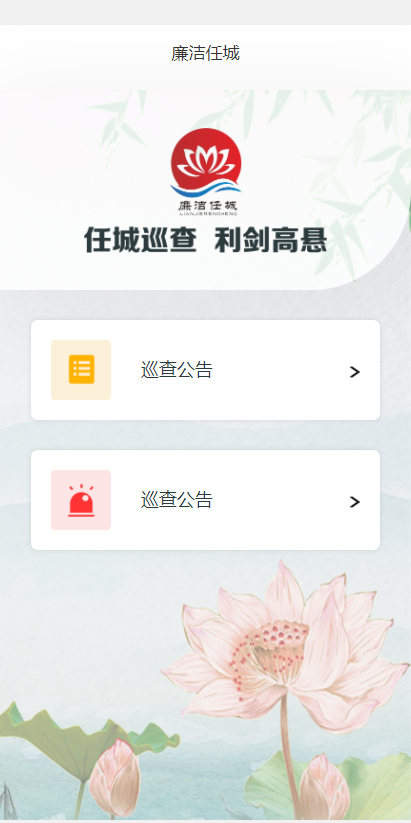
css背景透明内容不透明
rgba() 函数使用红(R)、绿(G)、蓝(B)、透明度(A)的叠加来生成各式各样的颜色。
1、效果图
2、代码
<template>
    <view class="box">
        <view class="header pos">廉洁任城</view>
        <view class="bodyer pos    ">

            <view class="top">
                <image src="../../static/test5_2.png" mode="" class="t_img"></image>
            </view>
            <view class="con">
                <view class="con_l"><image src="../../static/test5_3.png" class="l_img"></view>
                <view class="con_m">巡查公告</view>
                <view class="con_r"><image src="../../static/test5_5.png" class="r_img"></image></view>
            </view>
            <view class="con">
                <view class="con_l"><image src="../../static/test5_4.png" class="l_img"></image></view>
                <view class="con_m">巡查公告</view>
                <view class="con_r"><image src="../../static/test5_5.png" class="r_img"></image></view>
            </view>

        </view>
    </view>
</template>
<style>
    .box{
        width: 100%;
        height: 100%;
        background: url("../../static/test5_1.png") no-repeat;
        background-size: 100% 100%;
        background-position: 0 -20px;
    }

    .header{
        width: 100%;
        height: 65px;
        box-shadow: 0px 1px 2px 0px rgba(0, 0, 0, 0.05);
        font-size: 17px;
        font-family: Source Han Sans CN;
        font-weight: 400;
        color: #333333;
        line-height: 55px;
        text-align: center;
        margin-top: 25px;
        background-color: white;
    }
    .bodyer{
        width: 100%;
        height: 750px;
        /* border: 1px solid red; */

    }
    .top{
        width: 100%;
        height: 200px;
        display: flex;
        align-items: center;
        justify-content: center;
        box-shadow: 0px 10px 80px 10px rgba(0, 0, 0, 0.05);
        border-radius: 0 0 100px 0;
         background: rgba(255,255,255,0.8);
    }
    .t_img{
        width: 243px;
        height: 125px;

    }
    .con{
        width: 85%;
        height: 100px;
        background: #FFFFFF;
        box-shadow: 0px 0px 5px 0px rgba(0, 0, 0, 0.1);
        border-radius: 7px;
        margin: 0 auto;
        display: flex;
        align-items: center;
        margin-top: 30px;
    }
    .con_l{
        width: 60px;
        height: 60px;
        background: #FDF0D9;
        border-radius: 4px;
        margin-left: 20px;
    }
    .con_m{
        width: 79px;
        height: 26px;
        font-size: 18px;
        font-family: Source Han Sans CN;
        font-weight: 400;
        color: #2B3A3C;
        margin-left: 30px;
    }
    .con_r{
        width: 10px;
        height: 12px;
        margin-left: 130px;
    }
    .l_img{
        width: 100%;
        height: 100%;
    }
    .r_img{
        width: 100%;
        height: 100%;
    }
</style>

 浙公网安备 33010602011771号