
Windows-电脑清理
1、清理回收站
2、右键磁盘清理
3、运行%temp%,全删
4、win设置清理
win搜索--->存储--->配置存储感知或立即运行
打开存储感知、立即释放空间

5、DISM++
DISM++是Windows管理优化工具,需下载使用。
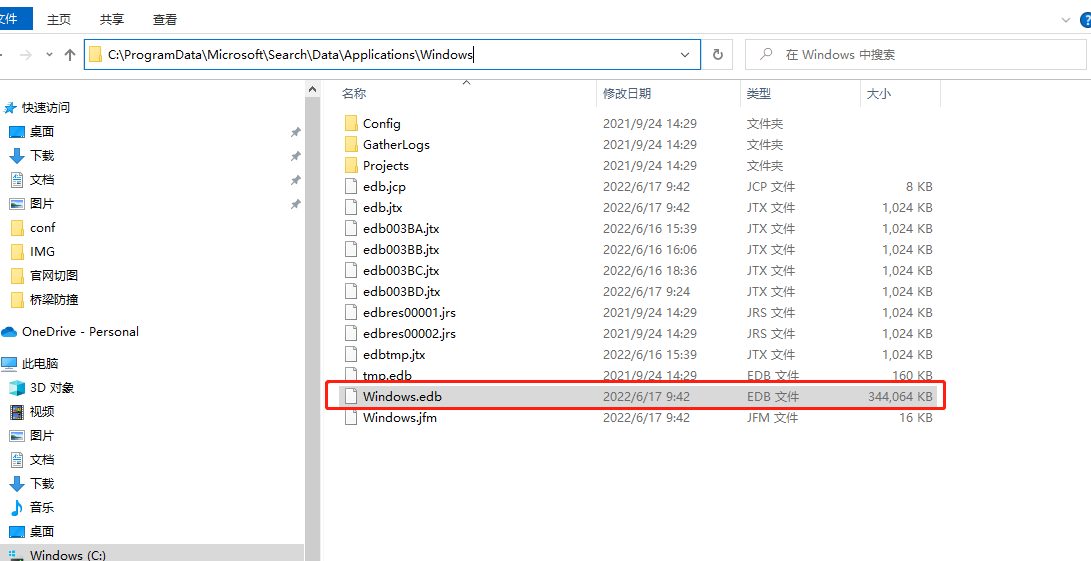
6、重建搜索索引
Windows.edb是一个windows搜索服务文件。如果经常使用window的搜索服务,日积月累下来这个文件的体积会变得非常臃肿。占用空间有时会大到惊人。
7、【存储优化】程序管理
win搜索--->存储--->应用和功能
可以将c盘个别软件移动到D盘
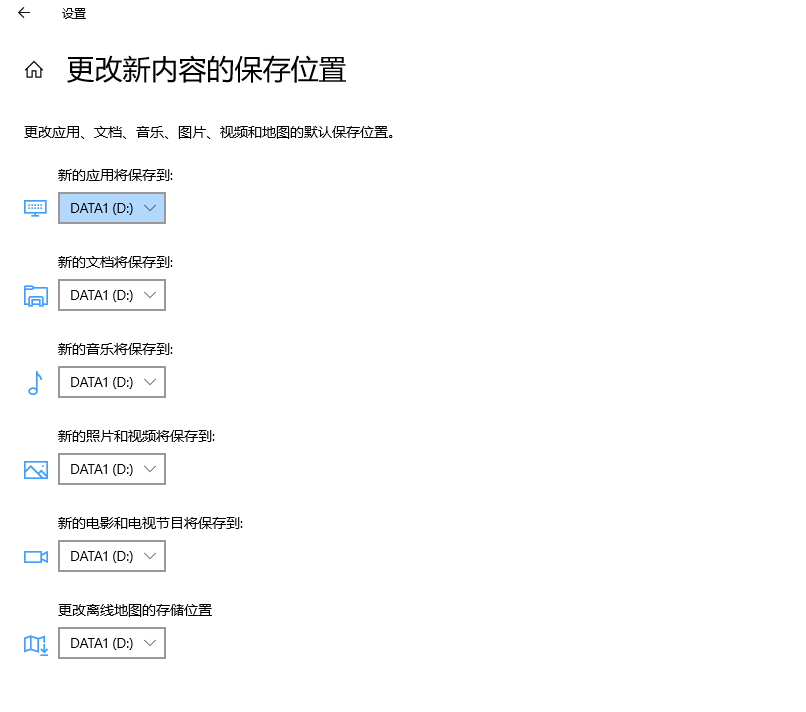
8、【存储优化】新内容保存位置
win搜索--->保存位置
9、清理临时文件脚本(管理员权限)
del /f /s /q %systemdrive%\*.tmp
del /f /s /q %systemdrive%\*._mp
del /f /s /q %systemdrive%\*.log
del /f /s /q %systemdrive%\*.gid
del /f /s /q %systemdrive%\*.chk
del /f /s /q %systemdrive%\*.old
del /f /s /q %systemdrive%\recycled\*.*
del /f /s /q %windir%\*.bak
del /f /s /q %windir%\prefetch\*.*
rd /s /q %windir%\temp & md %windir%\temp
del /f /q %userprofile%\cookies\*.*
del /f /q %userprofile%\recent\*.*
del /f /s /q "%userprofile%\Local Settings\Temporary Internet Files\*.*"
del /f /s /q "%userprofile%\Local Settings\Temp\*.*"
del /f /s /q "%userprofile%\recent\*.*"
echo 清除系统LJ完成!
echo. & pause
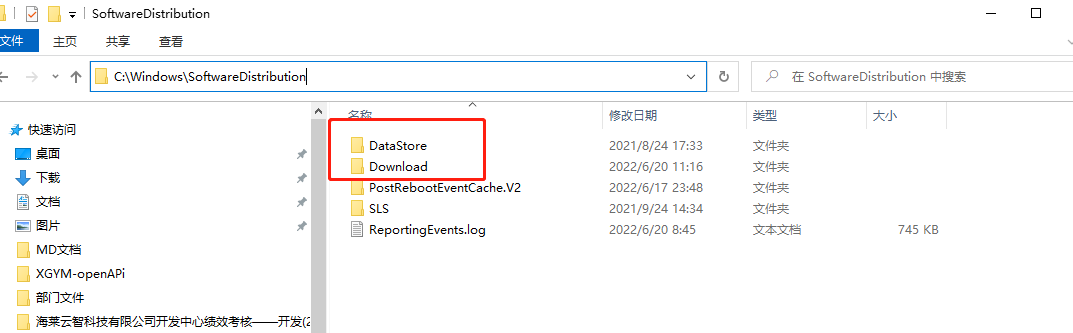
10、清理更新零时文件
删除以下两个文件夹
C:\Windows\SoftwareDistribution
11、winSxS
危险:谨慎清理,不要使直接删除。可以百度。
C://windows/winScS

 浙公网安备 33010602011771号