
全家桶激活报错:We could not validate your license... 的解决办法
【常见报错处理】
当出现 "We could not validate your license ... " 提示时,全家桶适用,以IDE为例,请按以下流程操作:
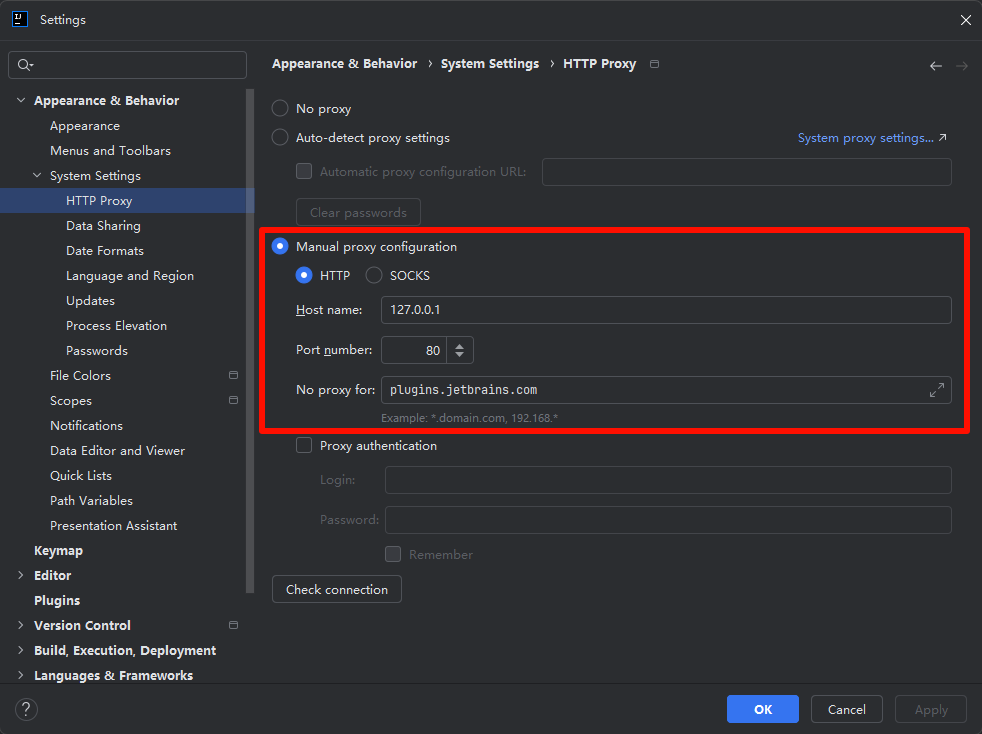
- 可以进入软件的,可以在设置中找到下述路径修改
Settings > Appearance & Behavior > System Settings > HTTP Proxy
Host name: 127.0.0.1
Port number: 80
No proxy for: plugins.jetbrains.com
-
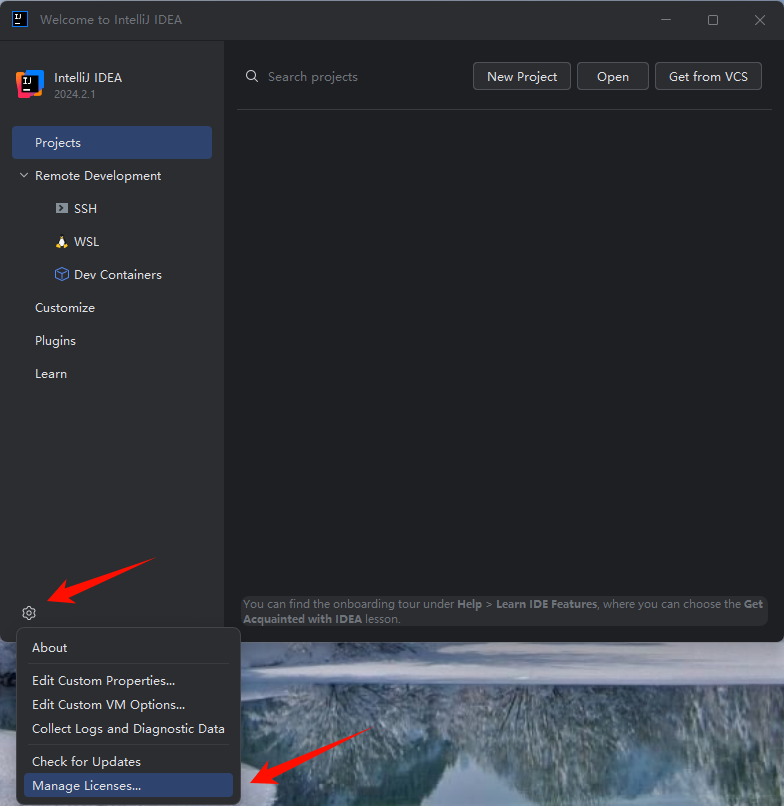
进不去软件的,点击 Manage Licenses:
![]()
-
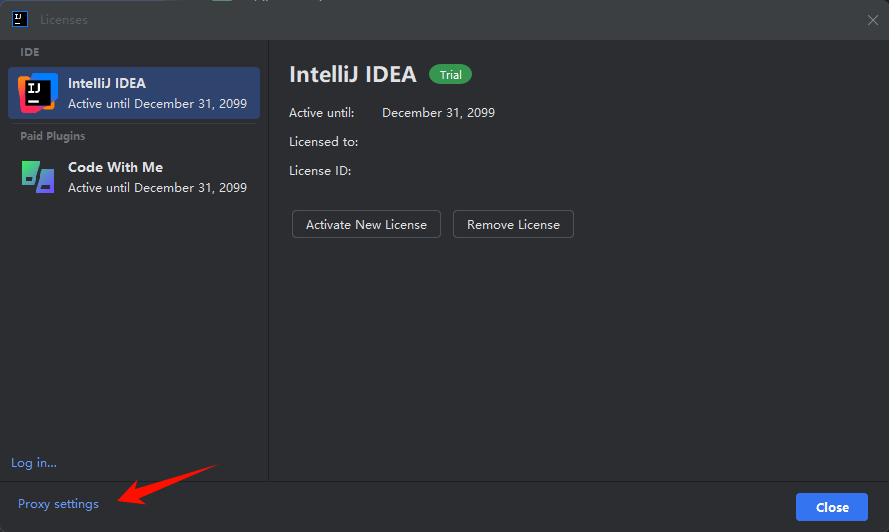
点击 Proxy settings:
![]()
-
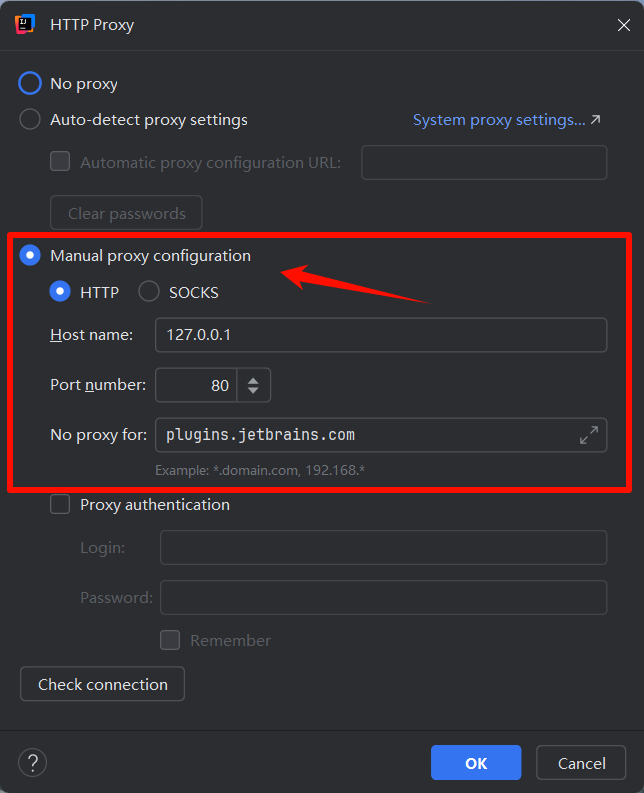
选择 Manual proxy configuration 的 HTTP 设置如下:
Host name: 127.0.0.1
Port number: 80
No proxy for: plugins.jetbrains.com
- 确认后重启 IDE

 浙公网安备 33010602011771号