
资源字典及资源集成
1.资源字典一般用法都是在一个工程项目中,新建一个Dictionary1.xaml文件,并定义资源样式,如下Dictionary1.xaml:
<ResourceDictionary xmlns="http://schemas.microsoft.com/winfx/2006/xaml/presentation"
                    xmlns:x="http://schemas.microsoft.com/winfx/2006/xaml">

    <Style x:Key="MyBtn" TargetType="Button">
        <Setter Property="Background" Value="Yellow"></Setter>
        <Setter Property="Width" Value="80"></Setter>
        <Setter Property="Height" Value="30"></Setter>
    </Style>
</ResourceDictionary>
2.然后在工程的App.Xaml中引用这个资源字典:
<Application x:Class="Resources.App"
    xmlns="http://schemas.microsoft.com/winfx/2006/xaml/presentation"
    xmlns:x="http://schemas.microsoft.com/winfx/2006/xaml"
    StartupUri="Menu.xaml"
    >
    <Application.Resources>
        <ResourceDictionary>
            <ResourceDictionary.MergedDictionaries>
                <ResourceDictionary Source="/Resources;component/Dictionary1.xaml"></ResourceDictionary>
            </ResourceDictionary.MergedDictionaries>
        </ResourceDictionary>
    </Application.Resources>
</Application>
注意:这句话
<ResourceDictionary Source="/Resources;component/Dictionary1.xaml"></ResourceDictionary>
说明:
Resources是我的程序集名,这句话这样写效果也是一样的
<ResourceDictionary Source="/Dictionary1.xaml"></ResourceDictionary>

3.使用资源
  <StackPanel Margin="5" Button.Click="ButtonClick">

        <Button Style="{DynamicResource MyBtn}">WindowResource</Button>
        <Button>DynamicResource</Button>
        <Button>TwoResources</Button>
        <Button>ResourceFromLibrary</Button>

      </StackPanel>
但是这些一般的小项目适用,如果大项目需要很多重叠的资源,或者各个工程间有很多的资源重叠,总不能到处copy资源字典把?我们需要资源在程序集间共享,资源集成
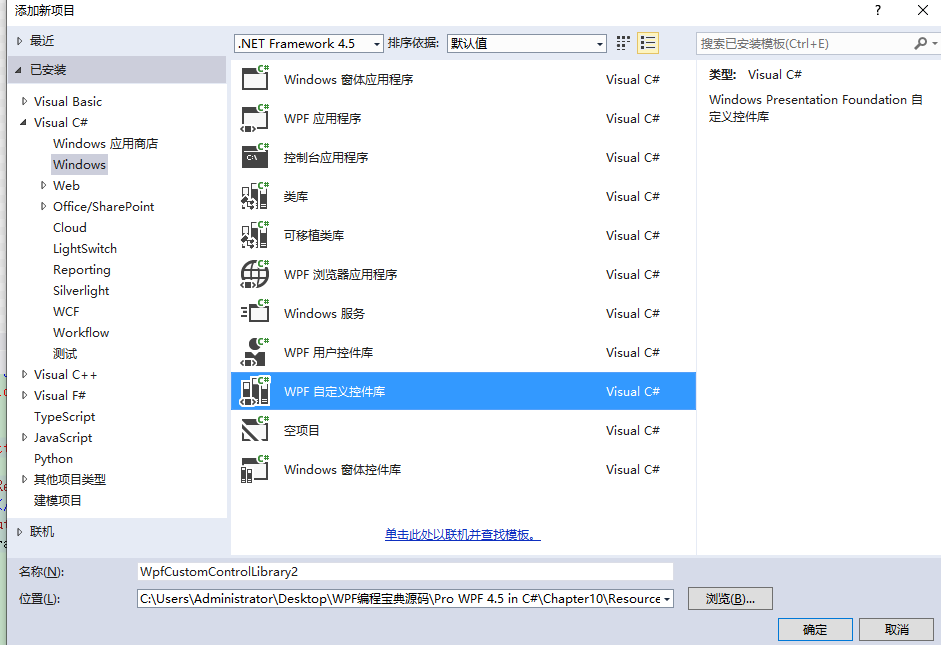
(1)建立一个独立的资源类库,注意要添加WPF控件库,不要添加类库
我的工程结构: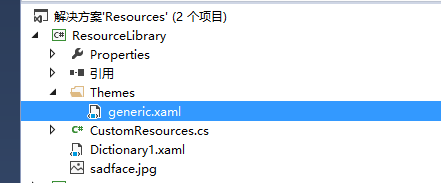
(2)
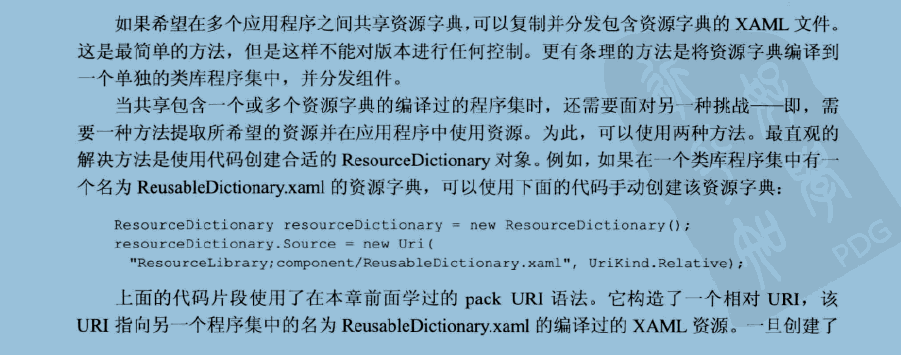
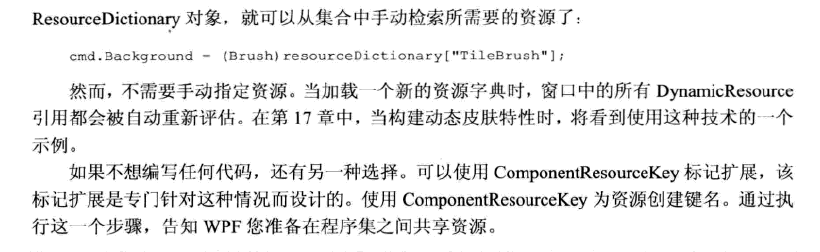
在generic.xaml中定义资源:
<ResourceDictionary xmlns="http://schemas.microsoft.com/winfx/2006/xaml/presentation"
    xmlns:x="http://schemas.microsoft.com/winfx/2006/xaml"
    xmlns:local="clr-namespace:ResourceLibrary"
    >


    <ImageBrush
      x:Key="{ComponentResourceKey TypeInTargetAssembly={x:Type local:CustomResources}, ResourceId=SadTileBrush}"
      TileMode="Tile"
      ViewportUnits="Absolute" Viewport="0 0 32 32"
      ImageSource="/ResourceLibrary;component/sadface.jpg" Opacity="0.3">
    </ImageBrush>

</ResourceDictionary>
(3)在其他工程中使用资源
<Window x:Class="Resources.ResourceFromLibrary"
    xmlns="http://schemas.microsoft.com/winfx/2006/xaml/presentation"
    xmlns:x="http://schemas.microsoft.com/winfx/2006/xaml"
    xmlns:res="clr-namespace:ResourceLibrary;assembly=ResourceLibrary"
    Title="ResourceFromLibrary" Height="300" Width="300"
    >
  <Window.Resources>
    <ImageBrush x:Key="TileBrush" TileMode="Tile"
                ViewportUnits="Absolute" Viewport="0 0 32 32"
                ImageSource="happyface.jpg" Opacity="0.3"></ImageBrush>
  </Window.Resources>
  <StackPanel Margin="5">
    <Button Background="{StaticResource TileBrush}" Padding="5"
            FontWeight="Bold" FontSize="14" Margin="5"
              >A Resource From This Assembly</Button>

    <Button Background="{DynamicResource {ComponentResourceKey TypeInTargetAssembly={x:Type res:CustomResources}, ResourceId=SadTileBrush}}"
            Padding="5" Margin="5"
            FontWeight="Bold" FontSize="14">
      A Resource From ResourceLibrary</Button>

    <Button Background="{DynamicResource {x:Static res:CustomResources.SadTileBrush}}"
        Padding="5" Margin="5"
        FontWeight="Bold" FontSize="14">
      A Resource From ResourceLibrary
    </Button>


  </StackPanel>
</Window>
(5)修改
CustomResources访问更方便
using System;
using System.Collections.Generic;
using System.Text;
using System.Windows;

namespace ResourceLibrary
{
    public class CustomResources
    {
        public static ComponentResourceKey SadTileBrush
        {
            get
            {
                return new ComponentResourceKey(
                    typeof(CustomResources), "SadTileBrush");
            }
        }
    }
}
   <Button Background="{DynamicResource {x:Static res:CustomResources.SadTileBrush}}"
        Padding="5" Margin="5"
        FontWeight="Bold" FontSize="14">
      A Resource From ResourceLibrary
    </Button>
(6)资源程序集ResourceLibrary也可以添加资源字典,添加资源字典Dictionary1.xaml
<ResourceDictionary xmlns="http://schemas.microsoft.com/winfx/2006/xaml/presentation"
xmlns:x="http://schemas.microsoft.com/winfx/2006/xaml"
xmlns:local="clr-namespace:ResourceLibrary">
<Style x:Key="{ComponentResourceKey TypeInTargetAssembly={x:Type local:CustomResources}, ResourceId=MYBTN}"
TargetType="{x:Type Button}"
>
<Setter Property="Button.FontSize" Value="30"></Setter>
<Setter Property="Button.FontWeight" Value="Bold"></Setter>
<Setter Property="Background" Value="Red"></Setter>
</Style>
</ResourceDictionary>
在generic.xaml中集成资源字典Dictionary1.xaml
<ResourceDictionary xmlns="http://schemas.microsoft.com/winfx/2006/xaml/presentation"
    xmlns:x="http://schemas.microsoft.com/winfx/2006/xaml"
    xmlns:local="clr-namespace:ResourceLibrary"
    >


    <ImageBrush
      x:Key="{ComponentResourceKey TypeInTargetAssembly={x:Type local:CustomResources}, ResourceId=SadTileBrush}"
      TileMode="Tile"
      ViewportUnits="Absolute" Viewport="0 0 32 32"
      ImageSource="/ResourceLibrary;component/sadface.jpg" Opacity="0.3">
    </ImageBrush>

    <ResourceDictionary.MergedDictionaries>
        <ResourceDictionary  Source="/ResourceLibrary;component/Dictionary1.xaml"></ResourceDictionary>
    </ResourceDictionary.MergedDictionaries>
</ResourceDictionary>
(7)使用资源程序集ResourceLibrary中的资源字典Dictionary1.xaml中的资源
<Button Name="bt1" Style="{DynamicResource {ComponentResourceKey TypeInTargetAssembly={x:Type res:CustomResources},ResourceId=MYBTN}}" Margin="0,0,384,275" Click="bt1_Click">bt1</Button>

 浙公网安备 33010602011771号