
C#调用CodeSoft Label档打印Label及预览Demo
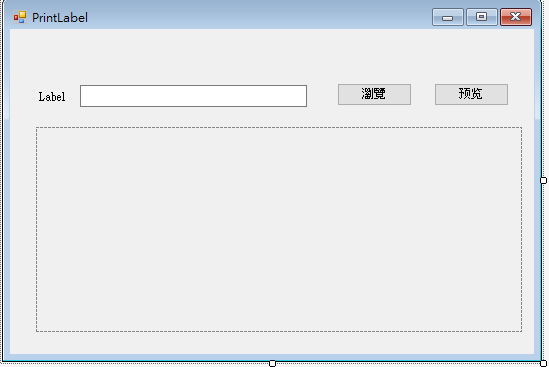
一.布局如下
二.后端代码实现如下
        public string str = "887451254";
        public string filePath=null;

        string labFile = "";

        LabelManager2.ApplicationClass labApp = null;
        LabelManager2.ApplicationClass labApp2 = null;
        LabelManager2.Document doc = null;

        public Form1()
        {
            InitializeComponent();
        }


        private void button1_Click(object sender, EventArgs e)
        {
            OpenFileDialog ofd = new OpenFileDialog(); //选择要打印的Label档
            ofd.ShowDialog();
            textBox1.Text = ofd.FileName;
            if (ilabelLx == 0)
            {
                labFile = ofd.FileName;
                try
                {
                    labApp = new LabelManager2.ApplicationClass();
                    labApp.Documents.Open(labFile, false);
                    filePath = "D:\\" + DateTime.Now.Year + DateTime.Now.Month + DateTime.Now.Day + DateTime.Now.Hour + DateTime.Now.Minute + DateTime.Now.Second + ".bmp";//保存图片的路径  为后面预览图片做准备
                    doc = labApp.ActiveDocument;
                    doc.Variables.FormVariables.Item("data").Value = str.ToString();//向Label档传入变量
                    string st = doc.CopyImageToFile(8, "BMP", 0, 100, filePath);
                    pictureBox1.Load(filePath);  //以图片的形式浏览打印的Label
                    doc.PrintDocument(1);
                }
                catch(Exception ex)
                {
                    MessageBox.Show("出錯了,原因"+ex.Message);
                }
                finally
                {
                    labApp.Documents.CloseAll(true);
                    labApp.Quit();
                    labApp = null;
                    doc = null;
                }
            }

        }

        //调用本地CodeSoft显示Label
        private void button2_Click(object sender, EventArgs e)
        {

            try
            {
                labApp2 = new LabelManager2.ApplicationClass();
                labApp2.Documents.Open(labFile, false);
                doc = labApp2.ActiveDocument;
                doc.Variables.FormVariables.Item("data").Value = str.ToString();
                doc.Application.Visible = true;
            }
            catch (Exception ex)
            {
                MessageBox.Show("出錯了,原因" + ex.Message);
            }

        }
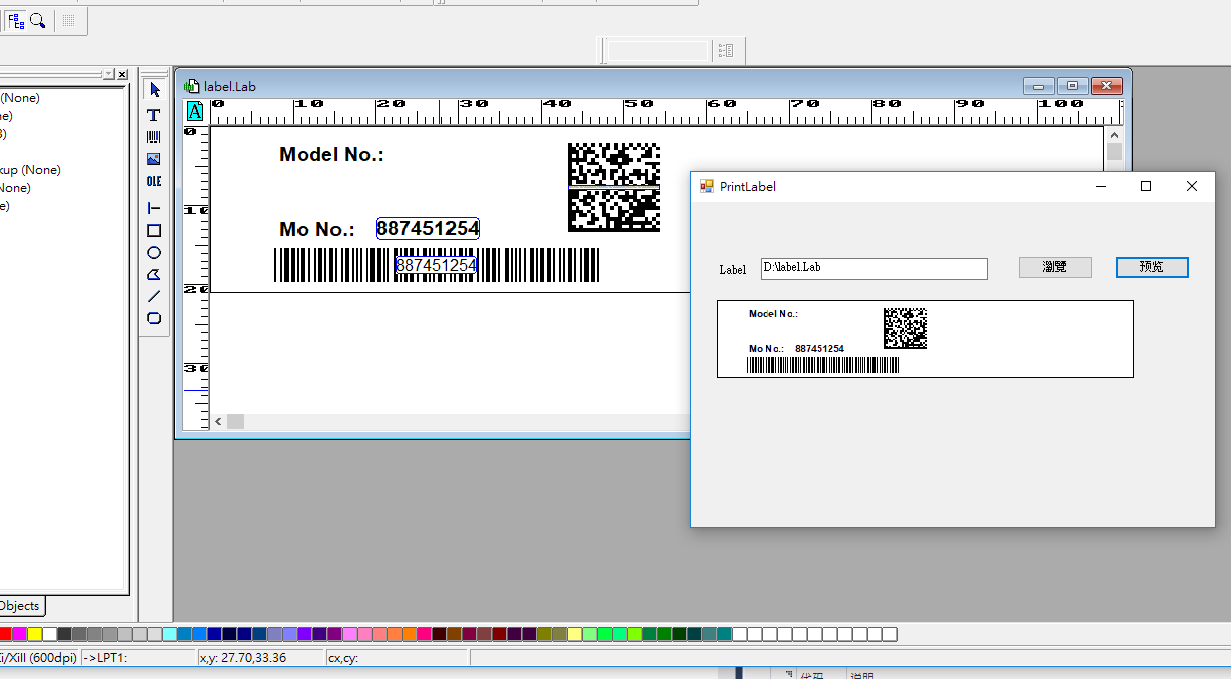
三.运行结果如下
四.引用的第三方程序集
Interop.LabelManager2.dll

 浙公网安备 33010602011771号