
qt的无边框窗口支持拖拽、Aero Snap、窗口阴影等特性
更新(2025-11-26)
更新代码使用QWidget时,简化了代码,相比于原文,删减掉了事件过滤器。
同时标题栏不再需要单独实现,直接绘制在QWidget中即可。
QMainWindow理论也可以,笔者未测试。
以下为普通QWidget的修改内容。
补充知识 Windows Hit-Test 常量(WM_NCHITTEST)
这些宏用于 Windows 消息 WM_NCHITTEST,表示鼠标在窗口上的不同区域。系统和程序可根据这些值处理拖动、调整大小、按钮点击等行为。
| 宏 | 值 | 含义 |
|---|---|---|
HTERROR |
-2 | 错误或无效区域 |
HTTRANSPARENT |
-1 | 鼠标事件穿透,底层窗口处理 |
HTNOWHERE |
0 | 鼠标不在窗口可用区域(窗口外或空白) |
HTCLIENT |
1 | 客户区(窗口内容区) |
HTCAPTION |
2 | 标题栏(可拖动窗口) |
HTSYSMENU |
3 | 系统菜单按钮(左上角小图标,可右键调菜单) |
HTGROWBOX |
4 | 窗口右下角/边缘可拖动调整大小的区域(Resize Box) |
HTSIZE |
4 | 同 HTGROWBOX,兼容历史代码 |
HTSIZEFIRST |
10 | 左边界开始的调整大小序号 |
HTSIZELAST |
17 | 右下角结束的调整大小序号 |
HTMENU |
5 | 菜单栏 |
HTHSCROLL |
6 | 水平滚动条 |
HTVSCROLL |
7 | 垂直滚动条 |
HTMINBUTTON |
8 | 最小化按钮 |
HTMAXBUTTON |
9 | 最大化按钮 |
HTREDUCE |
8 | 同 HTMINBUTTON(兼容) |
HTZOOM |
9 | 同 HTMAXBUTTON(兼容) |
HTLEFT |
10 | 左边框 |
HTRIGHT |
11 | 右边框 |
HTTOP |
12 | 上边框 |
HTTOPLEFT |
13 | 左上角 |
HTTOPRIGHT |
14 | 右上角 |
HTBOTTOM |
15 | 下边框 |
HTBOTTOMLEFT |
16 | 左下角 |
HTBOTTOMRIGHT |
17 | 右下角 |
HTBORDER |
18 | 普通边框(历史保留) |
HTOBJECT |
19 | 客户区内的 OLE 对象或控件(少用) |
HTCLOSE |
20 | 关闭按钮 |
HTHELP |
21 | 帮助按钮 |
修改头文件
- 删除
mousePressEvent、mouseReleaseEvent、mouseMoveEvent的拖动内容 - 重载
bool nativeEvent(const QByteArray& eventType, void* message, long* result) override;函数
qt6 为 nativeEventFilter(const QByteArray &eventType, void *message, qintptr *result)
- 增加
void initWindow()和const int BORDER_WIDTH = 8;
代码总结:
class MyWidget: public QWidget
{
	Q_OBJECT
protected:
	bool nativeEvent(const QByteArray& eventType, void* message, long* result) override;

private:
	void initWindow();
	const int BORDER_WIDTH = 8;      // 用于调整大小的边缘宽度(像素)
};
修改源文件
- 构造函数调用
initWindow() hitTestWindows函数用来判断当前鼠标位置下,需要做什么操作。以下是函数内容分析,也是读者可能会需要修改的内容:GetWindowRect获取窗口在显示屏的区域,传参x,y是鼠标在显示屏的位置,计算得到localX\localY是鼠标相对于窗口左上角的位置- 获取你自己定义的
TitleBar的geometry()区域范围,也就是TitleBar相对于窗口的位置 - 判断
TitleBar左上角的相对窗口位置pos1是否在(0,0)是为了判断当前是否是全屏状态 - WINDOWS窗口在全屏状态下,四周会有8个像素的拓展宽度,非全屏下,
pos1是(0,0);全屏下,一般是(8,8) - 因为全屏下,不需要进行顶部边缘的拖动拉伸窗口,所以就不需要把
TitleBar的左上右三个边缘区域排除掉;
否则非全屏下,进行缩减rect范围,便于标题栏四周进行窗口的整体大小拖动修改 - 满足
titleRect.contains(localX, localY)时,意味着鼠标在TitleBar区域内 - 需要排除的区域,返回
HTCLIENT客户区, 其他返回HTCAPTION标题区(这里笔者排除了按钮部分) - 剩余部分是判断窗口边缘的拖动行为
实现部分:
#ifdef _WIN32
#define WIN32_LEAN_AND_MEAN
#include <dwmapi.h>
#include <windows.h>
#include <uxtheme.h>
#pragma comment(lib, "Dwmapi.lib")
#endif
void MyWidget::initWindow()
{
	setWindowFlags(Qt::Window | Qt::FramelessWindowHint);

#ifdef _WIN32
	HWND hwnd = reinterpret_cast<HWND>(this->winId());

	const LONG style = (WS_POPUP | WS_CAPTION | WS_SYSMENU | WS_MINIMIZEBOX | WS_MAXIMIZEBOX | WS_THICKFRAME | WS_CLIPCHILDREN);
	SetWindowLongPtr(hwnd, GWL_STYLE, style);

	const MARGINS shadow = { 1, 1, 1, 1 };
	DwmExtendFrameIntoClientArea(hwnd, &shadow);

	SetWindowPos(hwnd, 0, 0, 0, 0, 0, SWP_FRAMECHANGED | SWP_NOMOVE | SWP_NOSIZE);
#endif
}
#ifdef _WIN32
static LRESULT hitTestWindows(QWidget* widget, HWND hwnd, int x, int y, int borderWidth)
{
	// x,y are screen coords
	RECT winRect;
	if (!GetWindowRect(hwnd, &winRect)) return HTNOWHERE;

	int localX = x - winRect.left;
	int localY = y - winRect.top;

	QWidget* window = widget;
	QWidget* title = window->findChild<QWidget*>("wgt_TitleBar");

	if (title) {
		QRect titleRect = title->geometry();
		if (titleRect.left() == 0 && titleRect.top() == 0) {
			titleRect.adjust(borderWidth, borderWidth, -borderWidth, 0);
		}
		if (titleRect.contains(localX, localY)) {
			QList<QAbstractButton*> btns = title->findChildren<QAbstractButton*>();
			for (QAbstractButton* b : btns)
			{
				if (b->geometry().contains(localX, localY)) {
					return HTCLIENT;
				}
			}
			QLabel* icon = window->findChild<QLabel*>("icon_label");
			if (icon && icon->geometry().contains(localX, localY)){
				return HTSYSMENU;
			}
			return HTCAPTION;  // 只有标题栏区域返回标题栏
		}
	}

	int left = winRect.left;
	int top = winRect.top;
	int right = winRect.right;
	int bottom = winRect.bottom;

	// Determine if point is in border areas
	bool topArea = y >= top && y < top + borderWidth;
	bool bottomArea = y < bottom && y >= bottom - borderWidth;
	bool leftArea = x >= left && x < left + borderWidth;
	bool rightArea = x < right && x >= right - borderWidth;

	// Corners
	if (topArea && leftArea) return HTTOPLEFT;
	if (topArea && rightArea) return HTTOPRIGHT;
	if (bottomArea && leftArea) return HTBOTTOMLEFT;
	if (bottomArea && rightArea) return HTBOTTOMRIGHT;
	// Edges
	if (leftArea) return HTLEFT;
	if (rightArea) return HTRIGHT;
	if (topArea) return HTTOP;
	if (bottomArea) return HTBOTTOM;

	return HTCLIENT;
}
#endif

bool MyWidget::nativeEvent(const QByteArray& eventType, void* message, long* result)
{
#ifdef _WIN32
#define GET_X_LPARAM(lp) ((int)(short)LOWORD(lp))
#define GET_Y_LPARAM(lp) ((int)(short)HIWORD(lp))
	// Windows-specific native event handling
	if (eventType == "windows_generic_MSG" || eventType == "windows_dispatcher_MSG") {
		MSG* msg = static_cast<MSG*>(message);
		switch (msg->message) {
		case WM_NCCALCSIZE:
		{
			// this kills the window frame and title bar we added with WS_THICKFRAME and WS_CAPTION
			*result = 0;
			return true;
		}
		case WM_NCHITTEST: {
			// convert to screen coords
			POINT pt;
			pt.x = GET_X_LPARAM(msg->lParam);
			pt.y = GET_Y_LPARAM(msg->lParam);
			HWND hwnd = (HWND)winId();
			// get hit test result based on border width
			LRESULT h = hitTestWindows(this, hwnd, pt.x, pt.y, BORDER_WIDTH);
			*result = h;
			return true; // handled
		}
		// 若full时边框不合适,可以去除此case
		case WM_GETMINMAXINFO:
		{
			if (::IsZoomed(msg->hwnd)) {
				// 最大化时会超出屏幕,所以填充边框间距
				RECT frame = { 0, 0, 0, 0 };
				AdjustWindowRectEx(&frame, WS_OVERLAPPEDWINDOW, FALSE, 0);
				frame.left = abs(frame.left);
				frame.top = abs(frame.bottom);
				this->setContentsMargins(frame.left, frame.top, frame.right, frame.bottom);
			}
			else {
				this->setContentsMargins(0, 0, 0, 0);
			}

			*result = ::DefWindowProc(msg->hwnd, msg->message, msg->wParam, msg->lParam);
			return true;
		}
		default:
			break;
		}
	}
#endif
	return QWidget::nativeEvent(eventType, message, result);
}
原文
环境:Desktop Qt 6.7.2 MSVC2019 64bit
需要的库:dwmapi.lib、user32.lib
需要头文件:<dwmapi.h>、<windowsx.h>
只显示重要代码
1、去除原边框、加上阴影、Aero Snap以及其他动画特效
(1)头文件
#include "Windows.h"
#include "uxtheme.h"
#include "dwmapi.h"
#include "titlebar.h"//自定义类
(2)去除标题、原边框
初始化,去除边框
void MainWindow::init()
{
    setWindowFlags(Qt::Window | Qt::FramelessWindowHint);

#ifdef Q_OS_WIN
    HWND hwnd = reinterpret_cast<HWND>(this->winId());

    const LONG style = ( WS_POPUP | WS_CAPTION | WS_SYSMENU | WS_MINIMIZEBOX | WS_MAXIMIZEBOX | WS_THICKFRAME | WS_CLIPCHILDREN );
    SetWindowLongPtr(hwnd, GWL_STYLE, style);

    const MARGINS shadow = {1, 1, 1, 1};
    DwmExtendFrameIntoClientArea(hwnd, &shadow);

    SetWindowPos(hwnd, 0, 0, 0, 0, 0, SWP_FRAMECHANGED | SWP_NOMOVE | SWP_NOSIZE);
#endif
    // 标题拖动、双击事件
    MyTitleBar *title = new MyTitleBar(this);
    qobject_cast<QBoxLayout *>(ui->centralwidget->layout())->insertWidget(0, title);
}
同时在最大化时,增加了边界,可以自行删除
若使用qt5,重载 bool nativeEvent(const QByteArray &eventType, void *message, long *result);
bool MainWindow::nativeEvent(const QByteArray& eventType, void* message, qintptr* result)
{
    MSG* msg = (MSG*)message;
    switch (msg->message)
    {
    case WM_NCCALCSIZE:
    {
        // this kills the window frame and title bar we added with WS_THICKFRAME and WS_CAPTION
        *result = 0;
        return true;
    }
    // 若full时边框不合适,可以去除此case
    case WM_GETMINMAXINFO:
    {
        if (::IsZoomed(msg->hwnd)) {
            // 最大化时会超出屏幕,所以填充边框间距
            RECT frame = { 0, 0, 0, 0 };
            AdjustWindowRectEx(&frame, WS_OVERLAPPEDWINDOW, FALSE, 0);
            frame.left = abs(frame.left);
            frame.top = abs(frame.bottom);
            this->setContentsMargins(frame.left, frame.top, frame.right, frame.bottom);
        }
        else {
            this->setContentsMargins(0, 0, 0, 0);
        }

        *result = ::DefWindowProc(msg->hwnd, msg->message, msg->wParam, msg->lParam);
        return true;
    }
    break;
    default:
        return QMainWindow::nativeEvent(eventType, message, result);
    }
}
(3)支持手动修改窗口
需要实现一个QAbstractNativeEventFilter 类,内容如下:
头文件
#include <QAbstractNativeEventFilter>
#include <QWidget>
#include "Windows.h"
#define GET_X_LPARAM(lp) ((int)(short)LOWORD(lp))
#define GET_Y_LPARAM(lp) ((int)(short)HIWORD(lp))

class NativeEventFilter : public QAbstractNativeEventFilter
{
public:
    virtual bool nativeEventFilter(const QByteArray &eventType, void *message, qintptr *result)Q_DECL_OVERRIDE;
};
cpp文件
bool NativeEventFilter::nativeEventFilter(const QByteArray &eventType, void *message, qintptr *result)

{
#ifdef Q_OS_WIN
    if (eventType != "windows_generic_MSG")
        return false;

    MSG* msg = static_cast<MSG*>(message);
    QWidget* widget = QWidget::find(reinterpret_cast<WId>(msg->hwnd));
    if (!widget)
        return false;

    switch (msg->message) {
    case WM_NCHITTEST: {
        const LONG borderWidth = 9;
        RECT winrect;
        GetWindowRect(msg->hwnd, &winrect);
        long x = GET_X_LPARAM(msg->lParam);
        long y = GET_Y_LPARAM(msg->lParam);

        // bottom left
        if (x >= winrect.left && x < winrect.left + borderWidth &&
            y < winrect.bottom && y >= winrect.bottom - borderWidth)
        {
            *result = HTBOTTOMLEFT;
            return true;
        }

        // bottom right
        if (x < winrect.right && x >= winrect.right - borderWidth &&
            y < winrect.bottom && y >= winrect.bottom - borderWidth)
        {
            *result = HTBOTTOMRIGHT;
            return true;
        }

        // top left
        if (x >= winrect.left && x < winrect.left + borderWidth &&
            y >= winrect.top && y < winrect.top + borderWidth)
        {
            *result = HTTOPLEFT;
            return true;
        }

        // top right
        if (x < winrect.right && x >= winrect.right - borderWidth &&
            y >= winrect.top && y < winrect.top + borderWidth)
        {
            *result = HTTOPRIGHT;
            return true;
        }

        // left
        if (x >= winrect.left && x < winrect.left + borderWidth)
        {
            *result = HTLEFT;
            return true;
        }

        // right
        if (x < winrect.right && x >= winrect.right - borderWidth)
        {
            *result = HTRIGHT;
            return true;
        }

        // bottom
        if (y < winrect.bottom && y >= winrect.bottom - borderWidth)
        {
            *result = HTBOTTOM;
            return true;
        }

        // top
        if (y >= winrect.top && y < winrect.top + borderWidth)
        {
            *result = HTTOP;
            return true;
        }

        return false;
    }
    default:
        break;
    }

    return false;
#else
    return false;
#endif
};
应用
然后在窗口创建之前,使用QApplication::installNativeEventFilter 方法把监听器注册给主程序。
int main(int argc, char *argv[])
{
    NativeEventFilter f;
    QApplication a(argc, argv);
    a.installNativeEventFilter(&f);//支持手动修改窗口大小
    MainWindow w;
    w.show();
    return a.exec();
}
2、自定义标题栏
- 需要重载
QWidget::mousePressEvent方法 - 保存 Window 句柄操作原窗口
class MyTitleBar : public QFrame  {
    Q_OBJECT
public:
    explicit MyTitleBar(QWidget *parent = nullptr);

protected:
    void mousePressEvent(QMouseEvent* ev);


private:
    QWidget *Window = nullptr; // 保存主窗口的指针

    QVBoxLayout *verticalLayout;
    QHBoxLayout *horizontalLayout;
    QSpacerItem *horizontalSpacer;
    QPushButton *pushButton_min;
    QPushButton *pushButton_normal;
    QPushButton *pushButton_max;
    QPushButton *pushButton_full;
    QSpacerItem *horizontalSpacer_6;
    QPushButton *pushButton_close;
};
创建ui
MyTitleBar::MyTitleBar(QWidget *parent): QFrame (parent), Window(parent)
{
    // 边缘贴合
    parent->setContentsMargins(0, 0, 0, 0);

    setObjectName("title");
    setMaximumHeight(50);
    this->setStyleSheet("#title{background-color: rgb(255, 255, 255);}");
    verticalLayout = new QVBoxLayout(this);
    verticalLayout->setObjectName("verticalLayout");
    verticalLayout->setContentsMargins(0, 0, 0, 0);
    horizontalLayout = new QHBoxLayout();
    horizontalLayout->setObjectName("horizontalLayout");
    horizontalSpacer = new QSpacerItem(40, 20, QSizePolicy::Policy::Expanding, QSizePolicy::Policy::Minimum);

    horizontalLayout->addItem(horizontalSpacer);

    pushButton_min = new QPushButton(this);
    pushButton_min->setObjectName("pushButton_min");

    horizontalLayout->addWidget(pushButton_min);

    pushButton_normal = new QPushButton(this);
    pushButton_normal->setObjectName("pushButton_normal");

    horizontalLayout->addWidget(pushButton_normal);

    pushButton_max = new QPushButton(this);
    pushButton_max->setObjectName("pushButton_max");

    horizontalLayout->addWidget(pushButton_max);

    pushButton_full = new QPushButton(this);
    pushButton_full->setObjectName("pushButton_full");

    horizontalLayout->addWidget(pushButton_full);

    horizontalSpacer_6 = new QSpacerItem(40, 20, QSizePolicy::Policy::Expanding, QSizePolicy::Policy::Minimum);

    horizontalLayout->addItem(horizontalSpacer_6);

    pushButton_close = new QPushButton(this);
    pushButton_close->setObjectName("pushButton_close");

    horizontalLayout->addWidget(pushButton_close);

    horizontalLayout->setStretch(0, 1);

    verticalLayout->addLayout(horizontalLayout);

    pushButton_min->setText(QCoreApplication::translate("MainWindow", "MIN", nullptr));
    pushButton_normal->setText(QCoreApplication::translate("MainWindow", "NORMAL", nullptr));
    pushButton_max->setText(QCoreApplication::translate("MainWindow", "MAX", nullptr));
    pushButton_full->setText(QCoreApplication::translate("MainWindow", "FULL", nullptr));
    pushButton_close->setText(QCoreApplication::translate("MainWindow", "CLOSE", nullptr));
}
连接主窗口的变化
最大化和关闭按扭,正常调用QWidget::showMaximized()和QWidget::close() 等Qt自带方法即可。
    connect(pushButton_min, &QPushButton::clicked, Window, &QWidget::showMinimized);
    connect(pushButton_close, &QPushButton::clicked, Window, &QWidget::close);
    connect(pushButton_normal, &QPushButton::clicked, Window, &QWidget::showNormal);
    connect(pushButton_full, &QPushButton::clicked, Window, &QWidget::showFullScreen);
    connect(pushButton_max, &QPushButton::clicked, Window, &QWidget::showMaximized);
重截QWidget::mousePressEvent 方法
#include "Windows.h"
void MyTitleBar::mousePressEvent(QMouseEvent* ev)
{
    QWidget::mousePressEvent(ev);

    if (Window == nullptr) return;
    if (!ev->isAccepted()) {
        if (ev->type() == QEvent::MouseButtonDblClick) {
            // Toggle maximize/restore on double-click
            if (Window->isMaximized()) {
                Window->showNormal(); // Restore
            }
            else {
                Window->showMaximized(); // Maximize
            }
            return; // Prevent further processing
        }
#ifdef Q_OS_WIN
        ReleaseCapture();
        SendMessage(reinterpret_cast<HWND>(Window->winId()), WM_SYSCOMMAND, SC_MOVE + HTCAPTION, 0);
#endif
    }
}
添加
    // 标题拖动、双击事件
    MyTitleBar *title = new MyTitleBar(this);
    qobject_cast<QBoxLayout *>(ui->centralwidget->layout())->insertWidget(0, title);
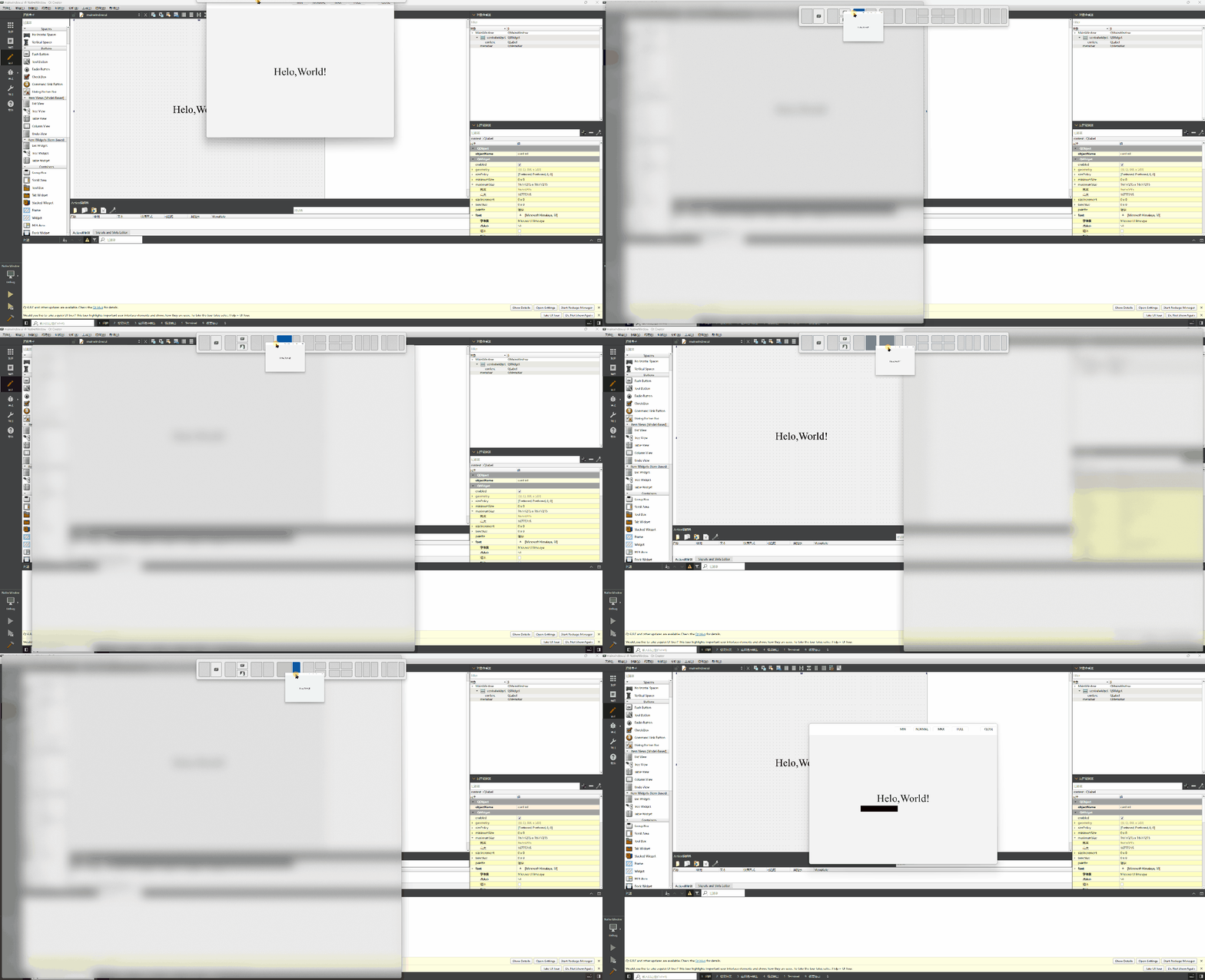
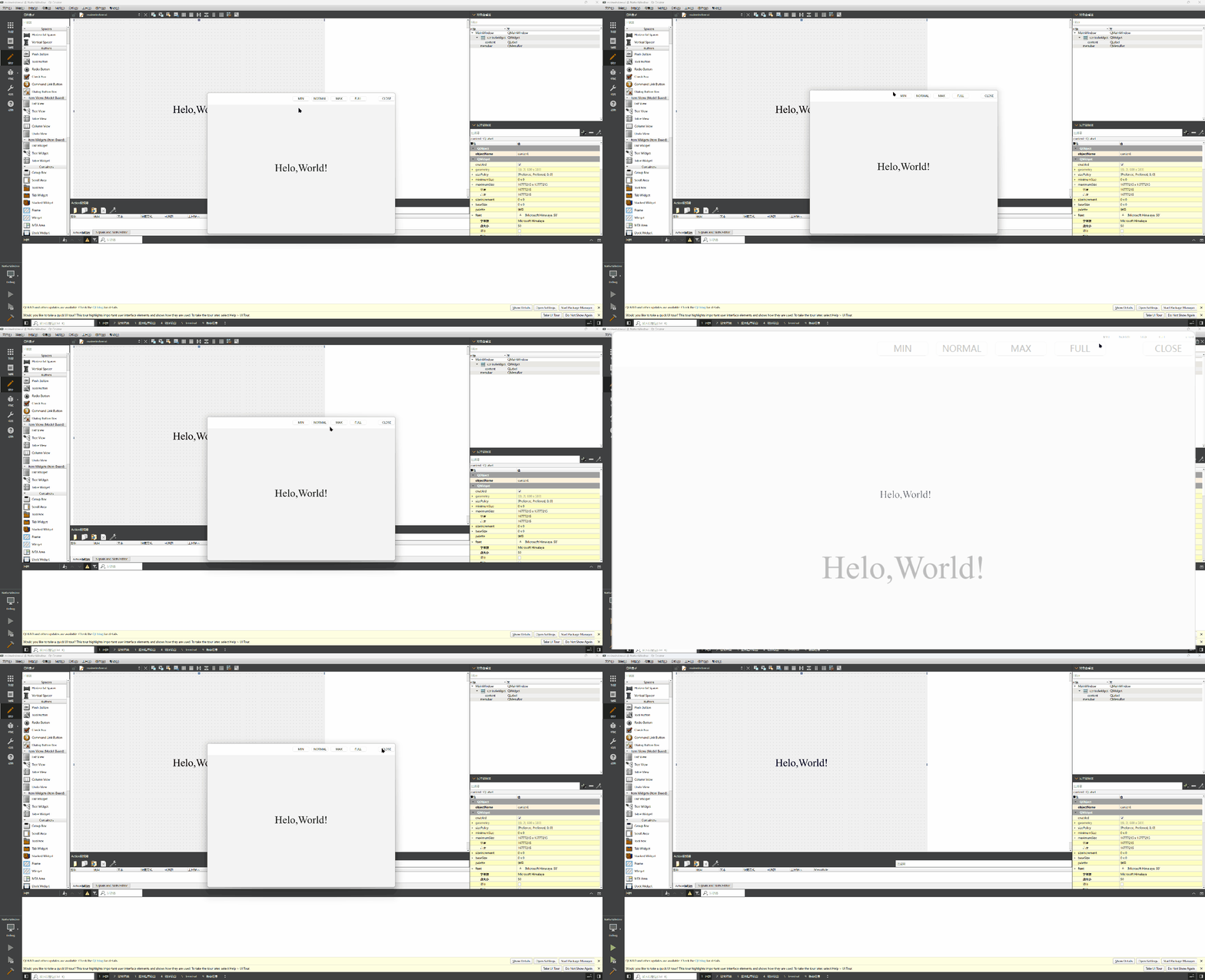
3、最终实现效果

 浙公网安备 33010602011771号