
VScode--用户自定义代码片段
1、找到:
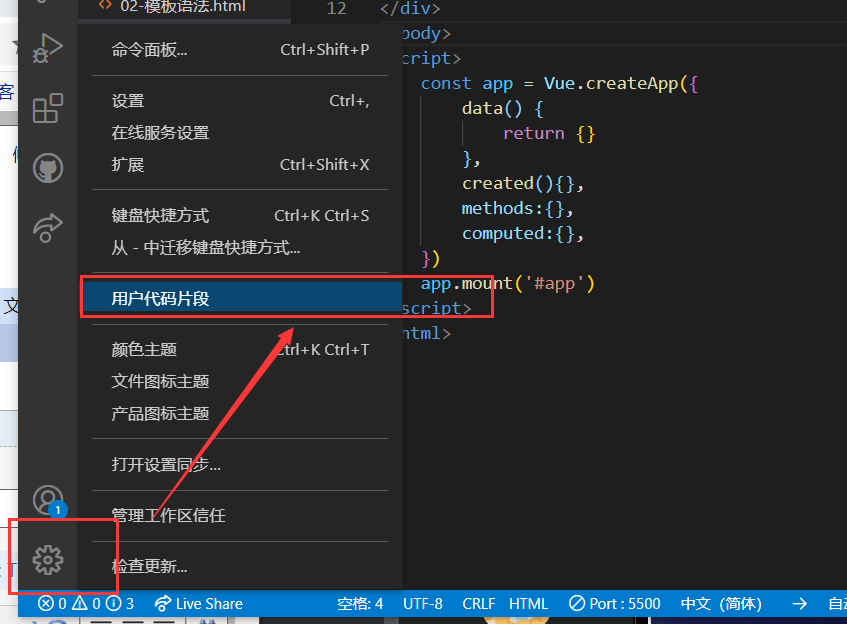
2、输入html
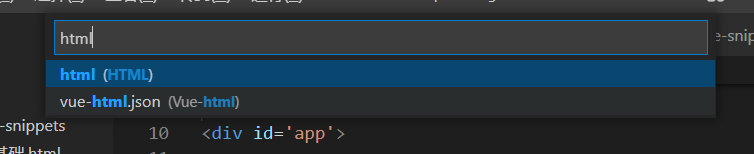
或者根据自动显示的文件自己选择:
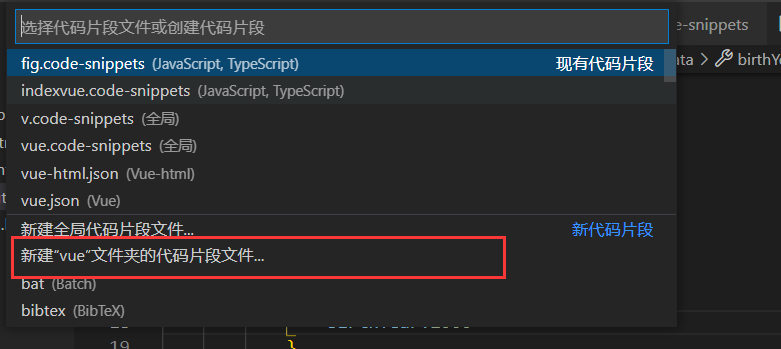
输入e--你喜欢的任意英文即可
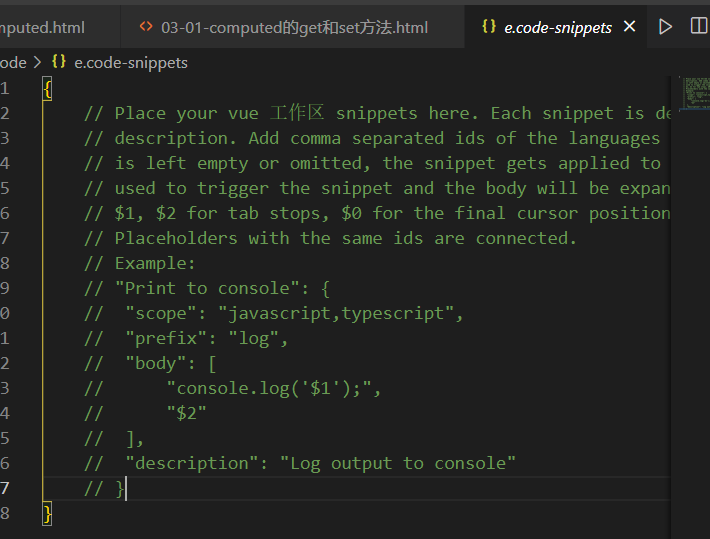
3、清空该文件里的所有代码,将下面代码粘贴进去即可
{
// Place your snippets for html here. Each snippet is defined under a snippet name and has a prefix, body and
// description. The prefix is what is used to trigger the snippet and the body will be expanded and inserted. Possible variables are:
// $1, $2 for tab stops, $0 for the final cursor position, and ${1:label}, ${2:another} for placeholders. Placeholders with the
// same ids are connected.
// Example:
// "Print to console": {
// "prefix": "log",
// "body": [
// "console.log('$1');",
// "$2"
// ],
// "description": "Log output to console"
// }
/* ------------上面内容都是VSCode默认内容可以删除----------- */
/* ------------下面是我们定义的html模板内容----------- */
"html template": {
"prefix": "v", // 使用模板的快捷键
"body": [ //模板的内容都定义在body中
"<!DOCTYPE html>",
"<html lang=\"en\">",
"<head>",
"\t<meta charset=\"UTF-8\">",
"\t<title>Title</title>",
"<script src='vue3.js'></script>",
"</head>",
"<body>",
"<div id='app'>",
"\t $0", //$0 鼠标停留的位置
"</div>",
"</body>",
"<script>",
"\tconst app = Vue.createApp({",
"\t\tdata() {",
"\t\t\treturn {}",
"\t\t},",
"\t\tcreated(){},",
"\t\tmethods:{},",
"\t\tcomputed:{},",
"\t})",
"\tapp.mount('#app')",
"</script>",
"</html>"
],
"description": "vue模板" //模板的描述
}
}

 浙公网安备 33010602011771号