


IDEA Actuator选项卡页面出现Failed to retrieve application beans snapshot: javax.management.instanceNotFoundException: org.springframework.boot:type=Endpoint,name=Beans,*
环境:
SpringBoot3.5.11
IntelliJ IDEA 2023.3.6 (Ultimate Edition)
implementation("org.springframework.boot:spring-boot-starter-actuator:3.5.0-SNAPSHOT")
问题

无法查看端点的信息。
导致的原因就是beans和mappings端点未开启的缘故导致的。
解决方案:
management:
  server:
    address: 127.0.0.1
    port: 8089
  endpoints:
    access:
      max-permitted: read-only
    jmx:
      exposure:
        include: "*"  // 或者 include=health,beans,mappings
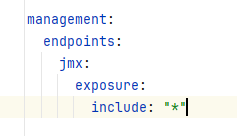
在application.yml文件里添加以上配置,重启应用后,应该就能看到了。

参考资料:
复制请注明出处,在世界中挣扎的灰太狼

 浙公网安备 33010602011771号