
物联网大赛_维护部分解题
Ubuntu维护
命令
请使用命令查询网络地址配置结果
$ifconfig
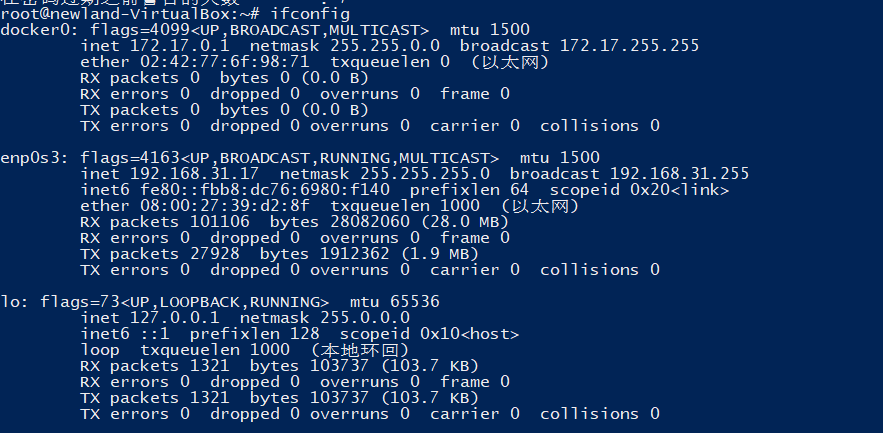
查看当前外网ip地址
curl ifconfig.me #查询之前应该配置DNS地址

使用命令查看当前登录用户的账户名
$w

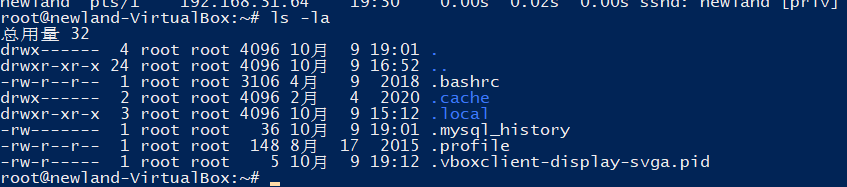
将使用命令查看当前目录下所有文件的界面截图
$ls -la
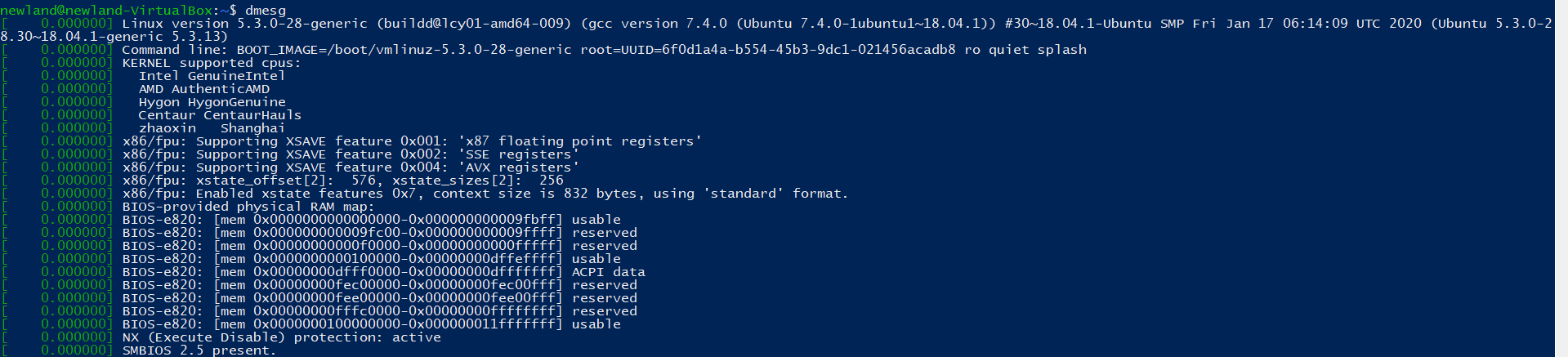
使用命令查询开机信息,判断系统存在的故障
$dmesg
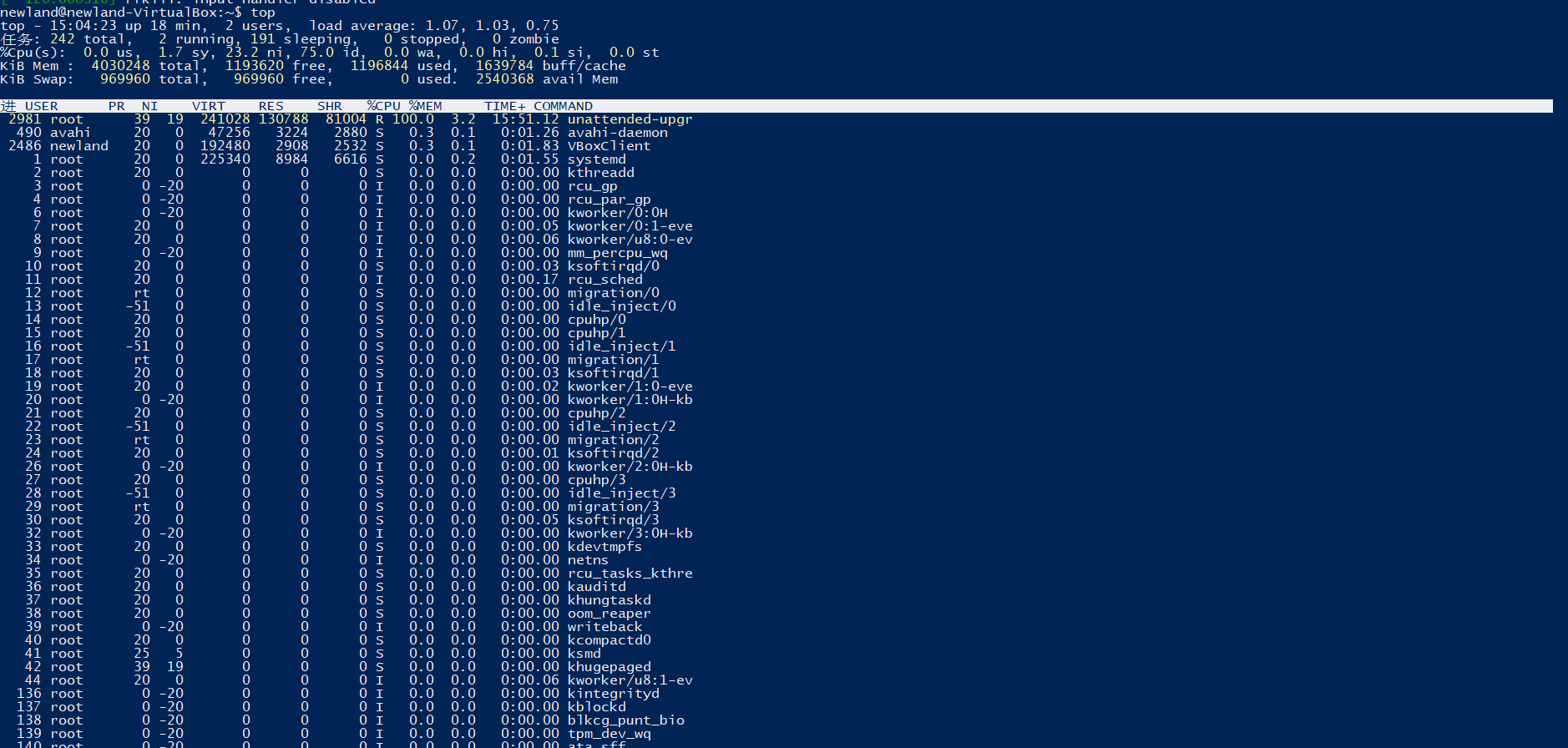
使用命令实时查看系统资源使用情况
$top #Ctrl+C结束
使用命令查看系统内存使用情况
$free -h #-h高可读性

将使用命令设置拒绝 IP 访问
$sudo iptables -I INPUT -s [ip] -j DROP
#iptables --防火墙配置文件
#-I 进入时 -s 指定IP地址  -j 设置政策 (ACCEPT(接受) OR DROP(拒绝))

使用命令查询
$sudo iptables -L INPUT

使用命令配置允许 tcp 协议通过 eth0 网卡的 80 端口进入服务器
~$sudo iptables -A INPUT -i eth0 -p tcp --dport 80 -j ACCEPT
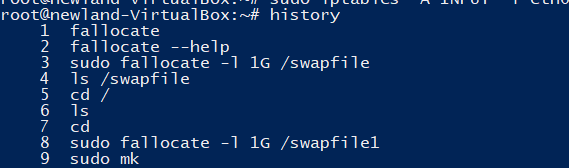
使用命令查询命令执行的历史记录
~$ history
使用命令查询系统运行时间及负载的状态
$uptime

使用命令统计系统 IO 信息
$vmstat

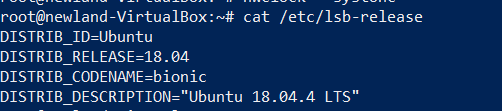
查看当前操作系统版本信息,结果如图
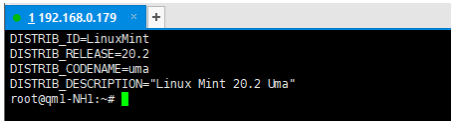
cat /etc/lsb-release
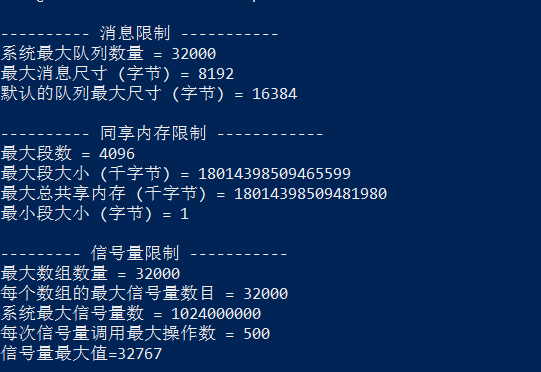
查看系统内核限制,结果如图
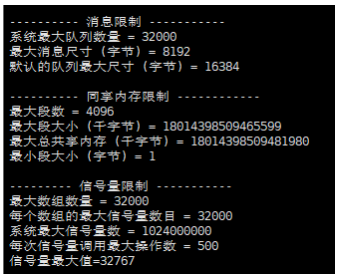
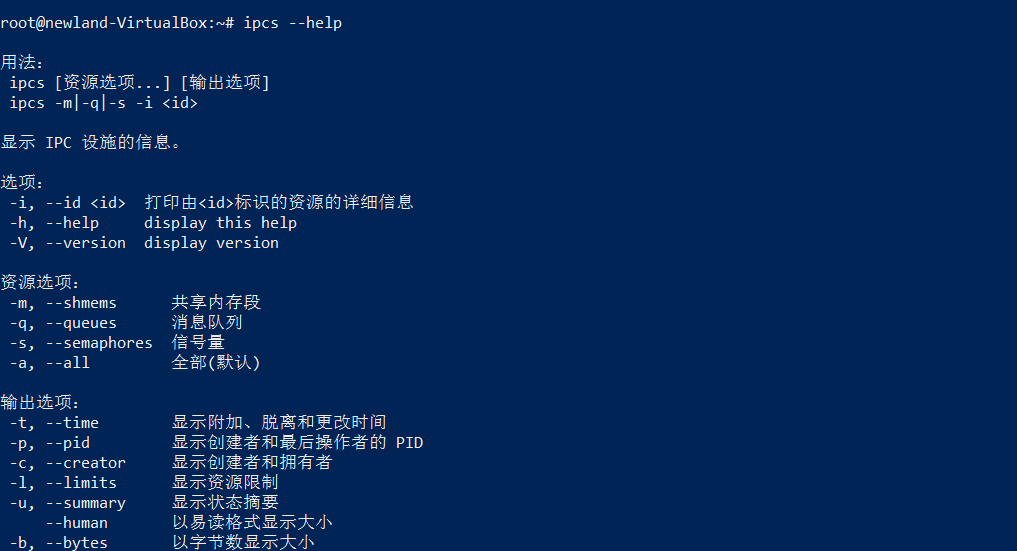
$ipcs --help #查看用法
ipcs -l
使用命令查看USB设备的详细描述信息
~$lsusb
root@newland-VirtualBox:~# lsusb
Bus 001 Device 002: ID 80ee:0021 VirtualBox USB Tablet
Bus 001 Device 001: ID 1d6b:0001 Linux Foundation 1.1 root hub
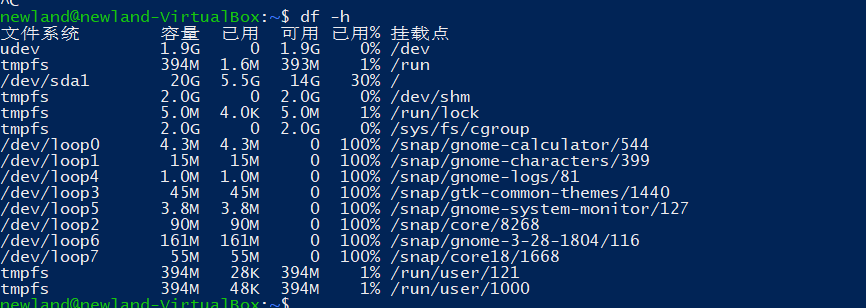
用命令查看文件系统磁盘空间使用情况
$df -h
使用命令简单打开防火墙
ufw有详细的文档 ufw --help
 ufw enable #打开防火墙
 ufw disable #关闭防火墙

使用命令修改时区为中国
~$timedatectl status #显示当前时区

查询要修改的时区
~$ timedatectl list-timezones
找到上海
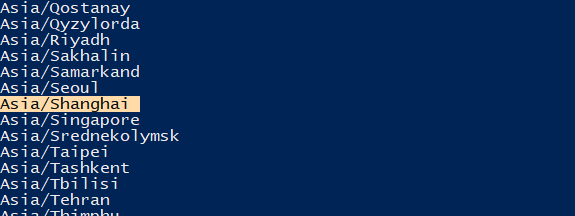
设置时区为上海
~$timedatectl set-timezone Asia/Shanghai

Ubuntu查看系统内核版本
~$uname -a

查询安装软件时下载包的临时存放目录
sudo find / -name 'archives'

时间写入CMOS
hwclock --systohc
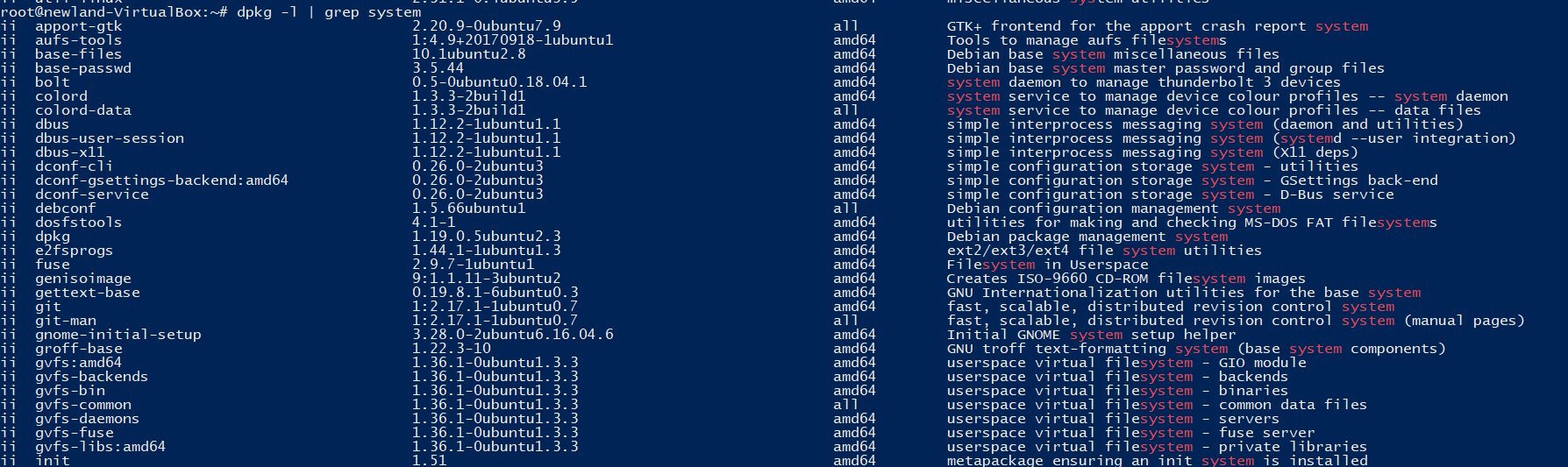
使用命令查看安装包的统计信息
~# dpkg -l | grep system
查看home目录 占用的空间
du /home/ -sh

*交换分区 swap
一、

创建分区
~# sudo fallocate -l 1024M /home/swapfile1
~# sudo fallocate -l 1024M /home/swapfile2


创建交换分区
:~# mkswap /home/swapfile1
:~# mkswap /home/swapfile2
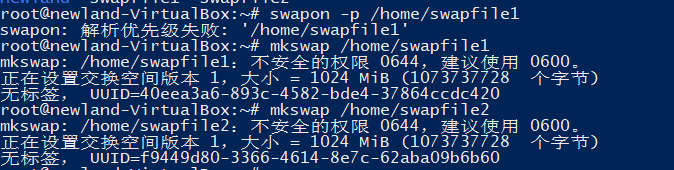
设置权限 值越大优先级越高 可用swapon --help查看用法
~# swapon -p 10 /home/swapfile1 #swapfile1的优先级为10
~# swapon -p 20 /home/swapfile2 #swapfile2的优先级为20

二、

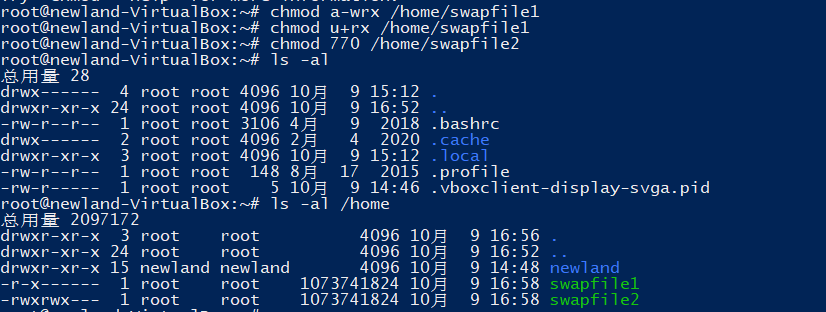
chmod a-wrx /home/swapfile1 #去除所有权限
chmod u+rx /home/swapfile1	#给用户增加权限

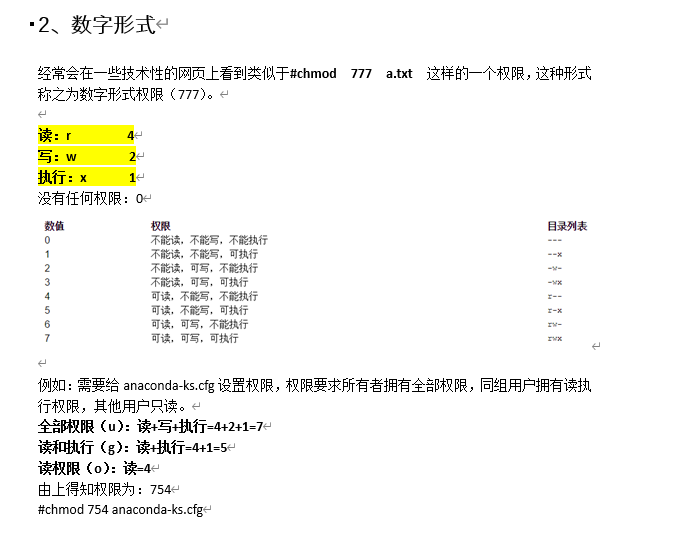
chmod 770 /home/swapfile2
字母权限说明
r读 w写 x执行
a 全部 u用户 g用户组 o其他
数字权限说明
三、
将使用命令查看两个交换分区使用情况
#swapon -v

配置文件
开启root登入权限
$sudo -i #获取root权限
#nano /etc/ssh/sshd_config   #修改配置文件

修改这里

将#PermitRootLogin prohibit-password的#注释去掉
将prohibit-password 按修改为yes

然后保存
root用户默认没有密码应该重新设置密码

配置账户密码最短使用期限为 7 天,最长使用期限为 90 天
#chage #不带参数可查看使用方法
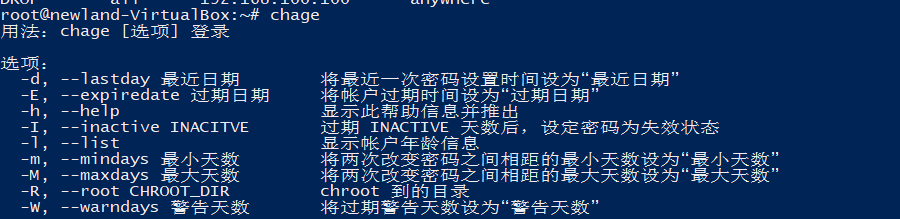
#chage -m 7 -M 30 newland #题目要求设置
查看配置
#chage -l newland

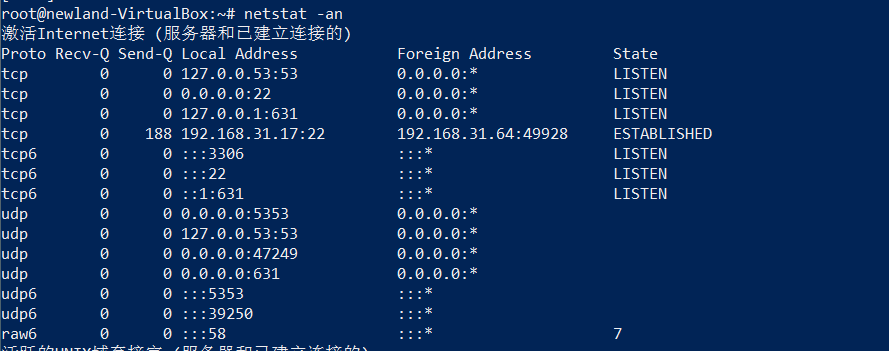
使用命令查看允许外部访问的端口列表
netstat -an
MySQL
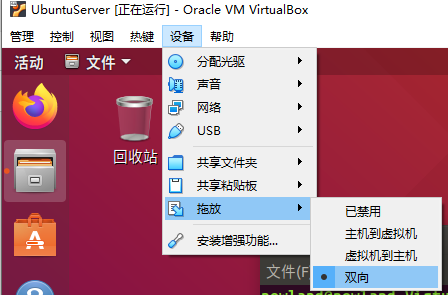
移动文件到虚拟机或者用xftp传
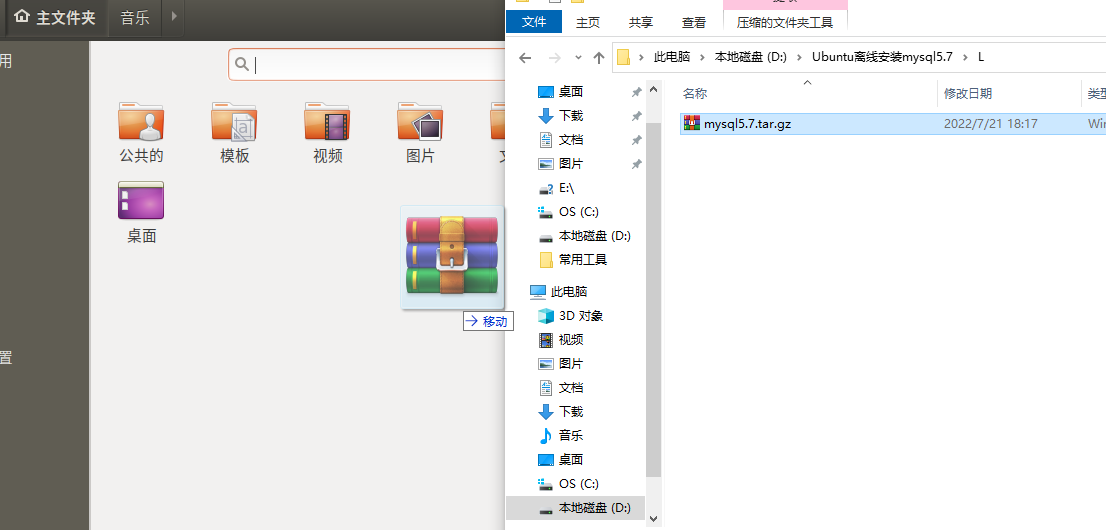
Ubuntu 系统使用命令解压缩 mysql 软件
找到文件所在位置

tar 命令 tar --help 有详细的介绍
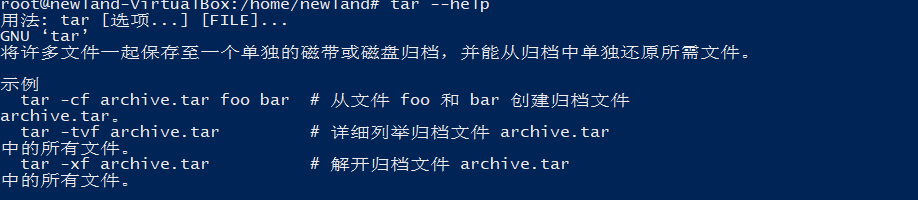
~$ tar -zxvf [文件] #解压
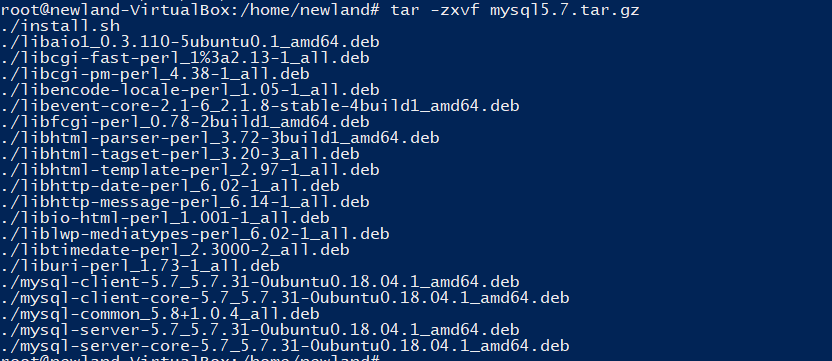
执行shell脚本安装Mysql
$./install.sh
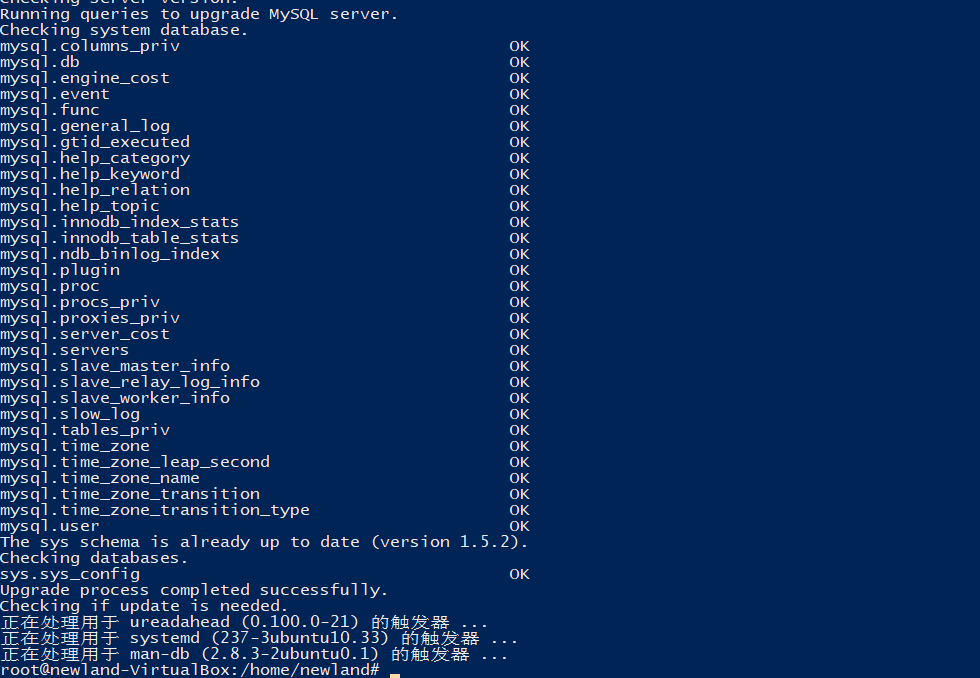
这样就安装
使用命令查看所安装的MySQL版本信息
同样可以查看MySQL --help 进行查找
~$MySQL -V


MySQL查看锁超时时间
show global variables like 'wait_timeout';
mysql> show global variables like 'wait_timeout';
+---------------+-------+
| Variable_name | Value |
+---------------+-------+
| wait_timeout  | 28800 |
+---------------+-------+
1 row in set (0.00 sec)
查看当前数据库进程数
show processlist;
mysql> show processlist;
+----+------+-----------+------+---------+------+----------+------------------+
| Id | User | Host      | db   | Command | Time | State    | Info             |
+----+------+-----------+------+---------+------+----------+------------------+
|  3 | root | localhost | NULL | Query   |    0 | starting | show processlist |
+----+------+-----------+------+---------+------+----------+------------------+
1 row in set (0.00 sec)

使用 root 账户登录数据库|并切换至 mysql 数据库
root 登入数据库
# mysql -u root -p
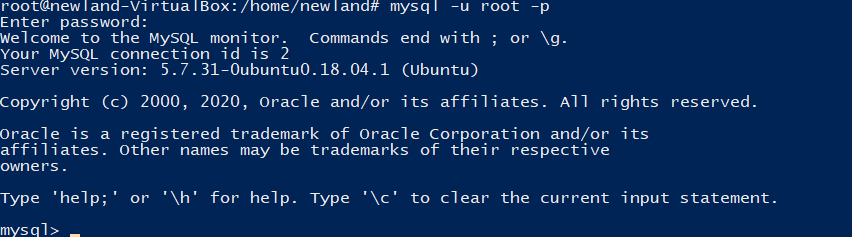
切换mysql数据库

Navicat 连接 mysql 数据库
1.更改配置文件
~# nano /etc/mysql/mysql.conf.d/mysqld.cnf
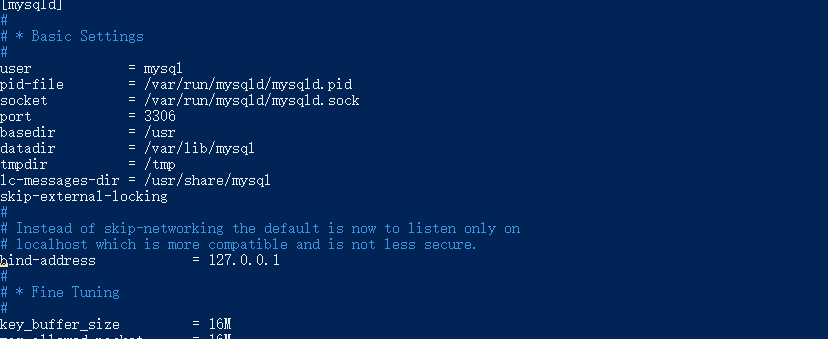
找到这里
注释bind-address = 127.0.0.1
使用root登入MySQL数据库
给root用户远程连接权限
grant all privileges on *.* to 'root'@'%' identified by "123456";/*给root用户远程连接权限*/

flush privileges; /*立即生效*/
用navicat远程连接
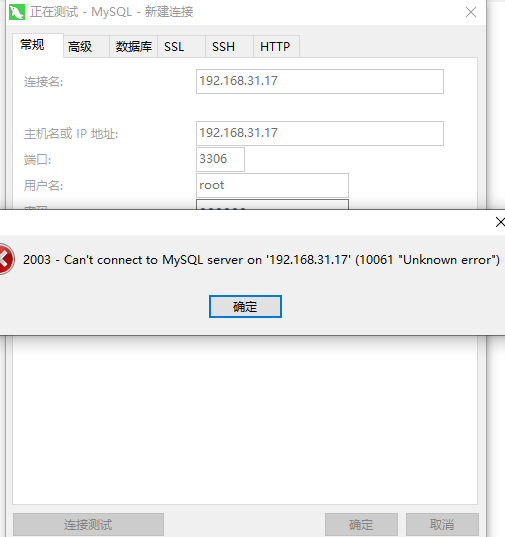
出现错误 重启虚拟机
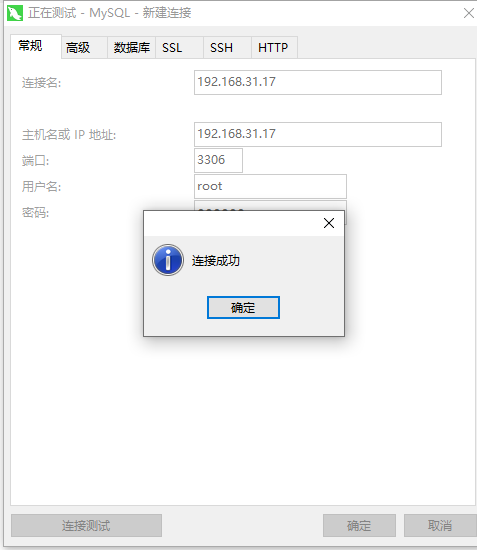
连接成功
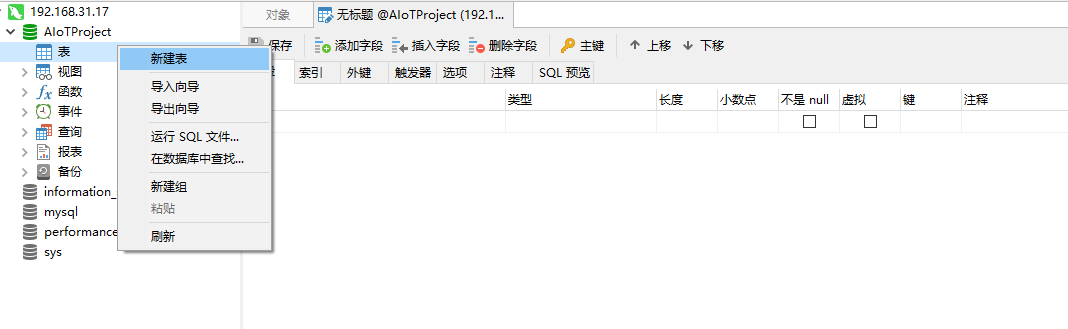
创建 AIoTProject 数据库
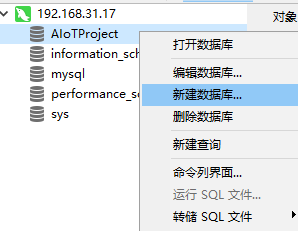
新建表
Windows维护
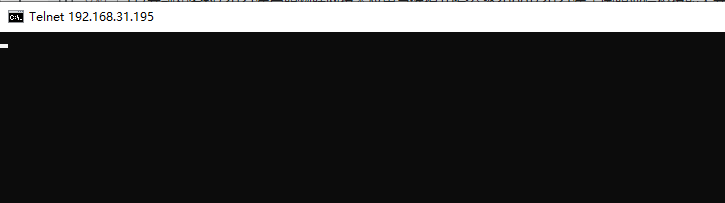
将工作站计算机使用 DOS 窗口测试服务器计算机 8005 端口连接是否 通畅
telnet [ip地址] [端口号]
注意:服务器电脑应该打开端口才会链接通畅
例如:
telnet 192.168.31.195 8123
通畅界面:
Ø 在工作站计算机中使用DOS窗口测试云平台TCP Server 端口8600端口是否连接通畅
telnet ndp.nlecloud.com 8600 #比赛用 192.168.0.138

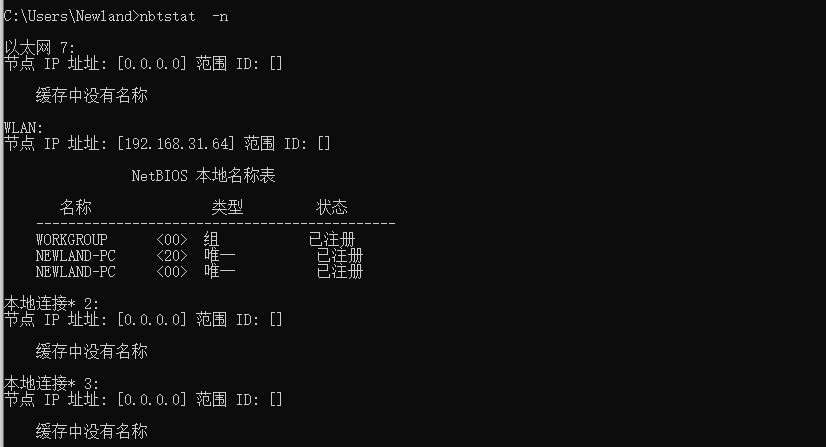
在服务器计算机上使用 TCP/IP 上的 NetBIOS 显示协议显示寄存在本地 的名字和服务程序
nbtstat -n
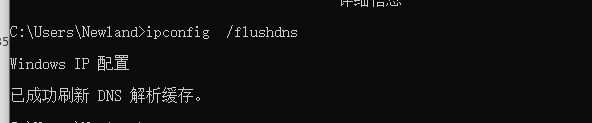
通过一条命令刷新本地DNS缓存
ipconfig /flushdns
只查看当前计算机的初始安装日期和系统启动时间 的命令行语句
systeminfo | findstr -i "初始安装日期 系统启动时间"
C:\Users\Newland>systeminfo | findstr -i "初始安装日期 系统启动时间"
初始安装日期:     2022/10/2, 14:26:33
系统启动时间:     2022/10/10, 7:04:09
开启 ipc$共享
net share ipc$
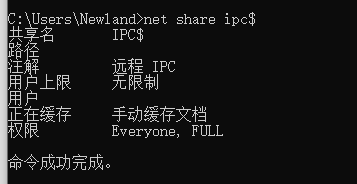
发现 C:共享,请删除
net share C$ /delete

命令查看IP地址与物理地址映射
~$ arp -a
C:\Users\Newland>arp -a

接口: 192.168.31.64 --- 0xc
  Internet 地址         物理地址              类型
  192.168.31.1          ff-ff-ff-ff-ff-ff     动态
  192.168.31.11         ff-ff-ff-ff-ff-ff     动态
  192.168.31.17         ff-ff-ff-ff-ff-ff     动态
  192.168.31.255        ff-ff-ff-ff-ff-ff     静态
  224.0.0.2             ff-ff-ff-ff-ff-ff     静态
  224.0.0.22            ff-ff-ff-ff-ff-ff     静态
  224.0.0.251           ff-ff-ff-ff-ff-ff     静态
  224.0.0.252           ff-ff-ff-ff-ff-ff     静态
  239.255.255.250       ff-ff-ff-ff-ff-ff     静态
  255.255.255.255       ff-ff-ff-ff-ff-ff     静态
输入域名访问IP地址
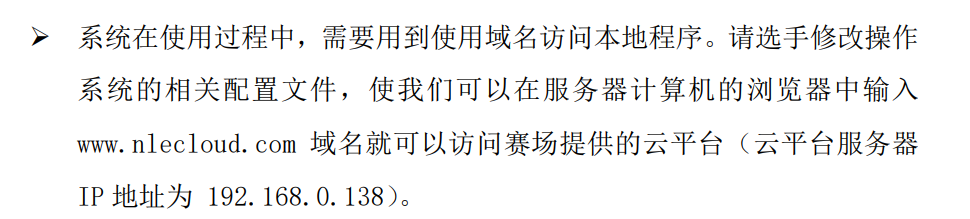
更改hosts文件
Hosts文件主要作用是定义IP地址和主机名的映射关系,是一个映射IP地址和主机名的规定。
hosts文件在:C:\Windows\System32\drivers\etc
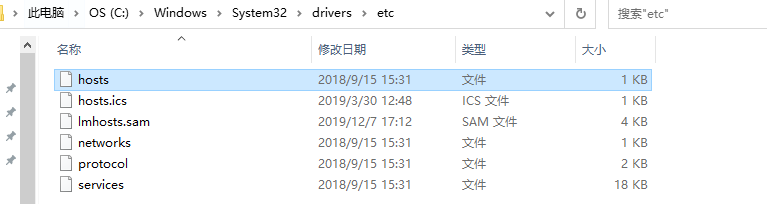
用记事本打开
#[输入IP地址]_[输入需要访问的域名]
192.168.0.138 www.nlecloud.com
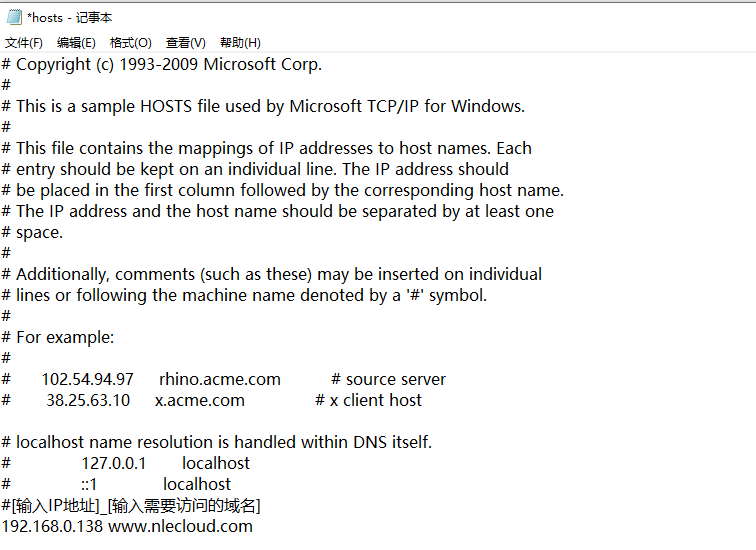
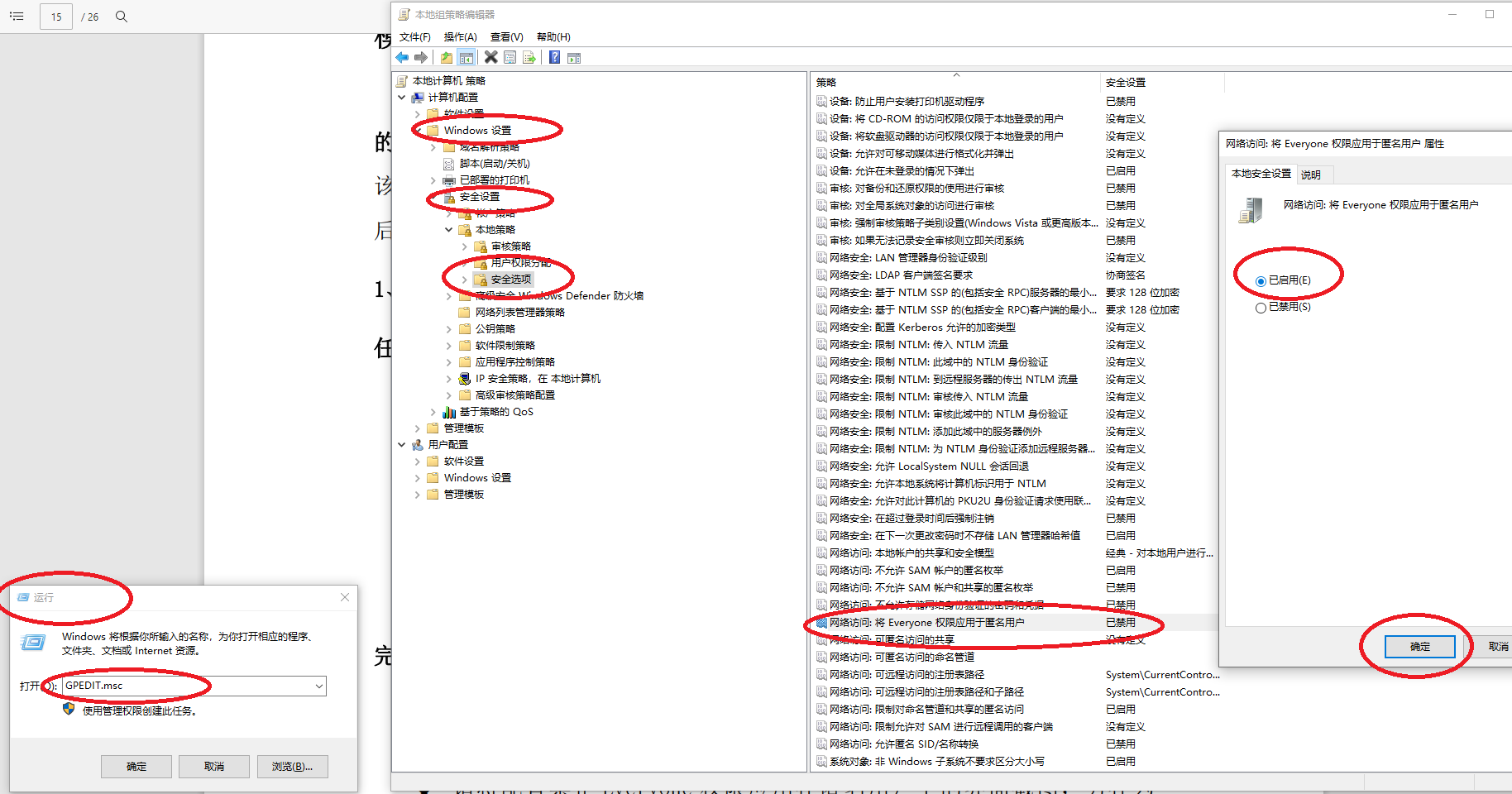
出于安全考虑,需要配置禁止 Everyone 权限应用在匿名用户上。
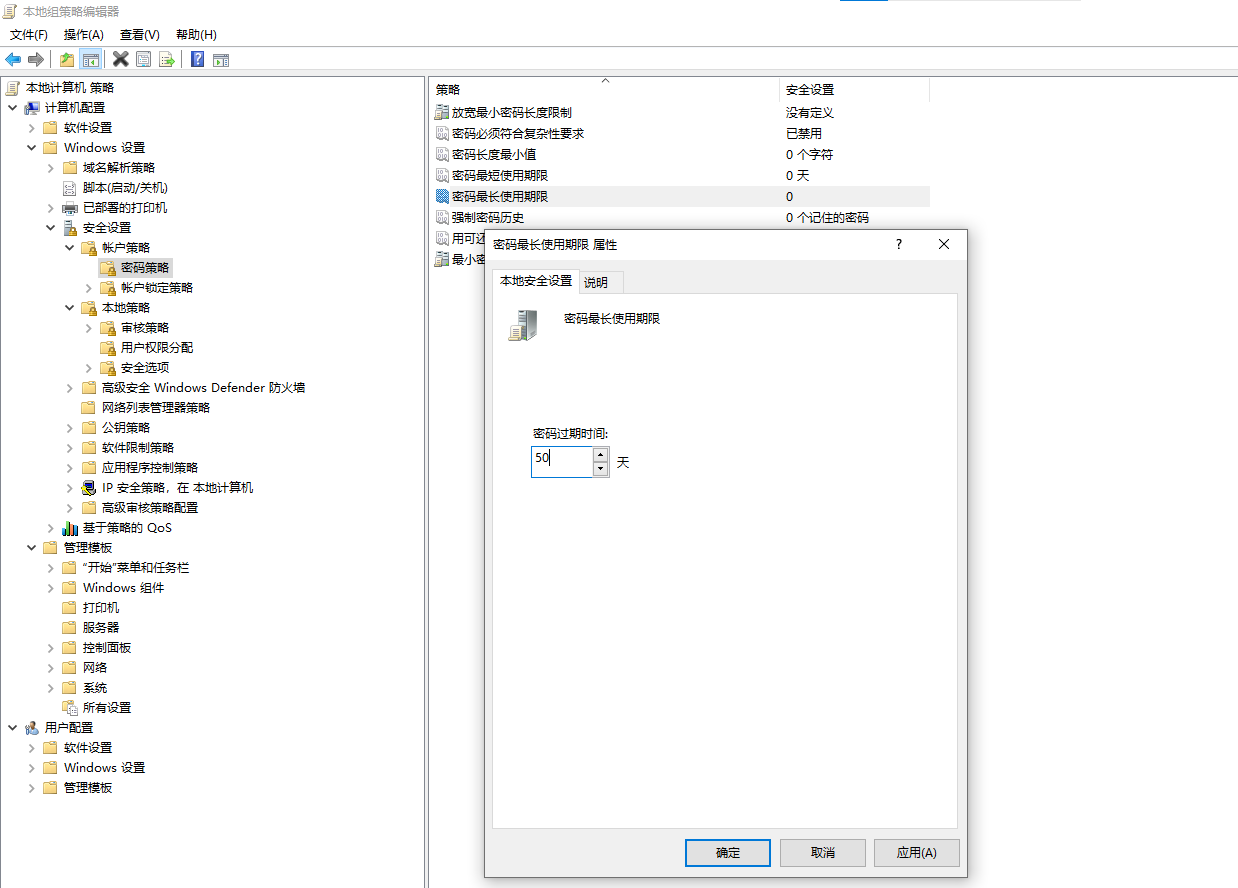
设置密码最长使用时间为50天
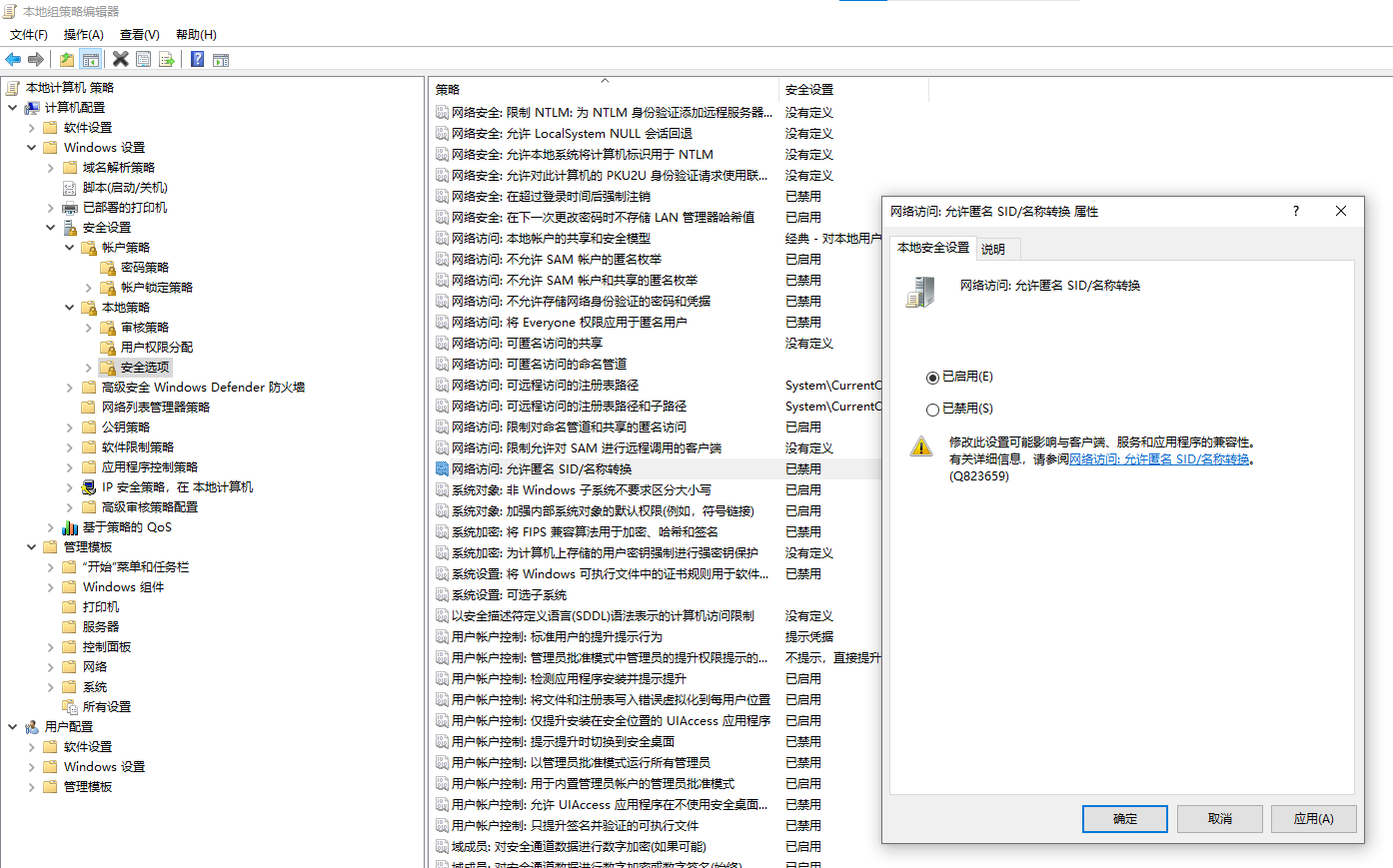
允许匿名SID转换
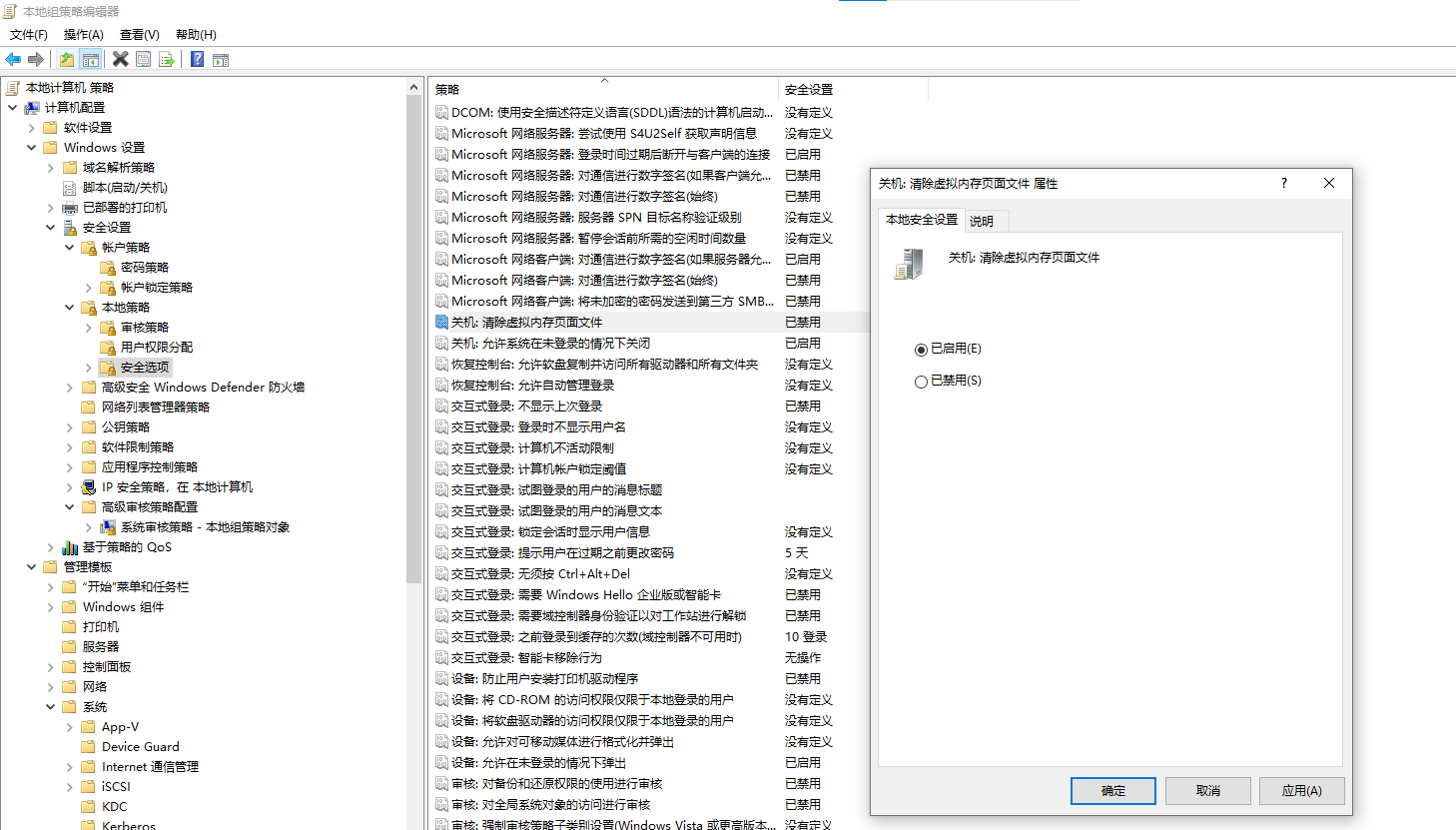
关机清除虚拟内存
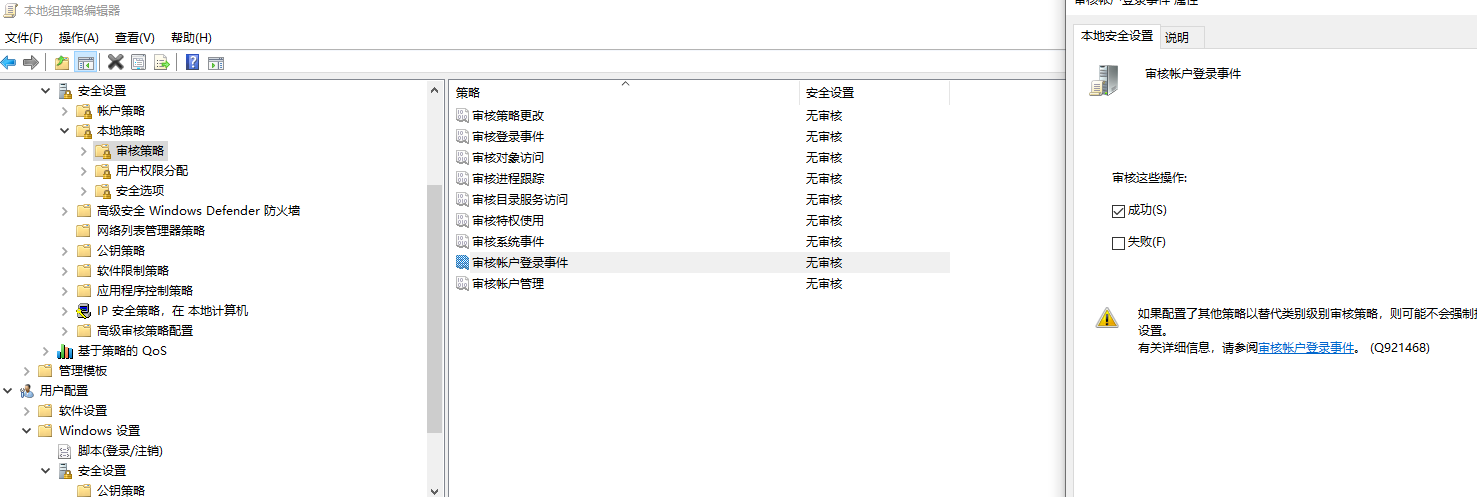
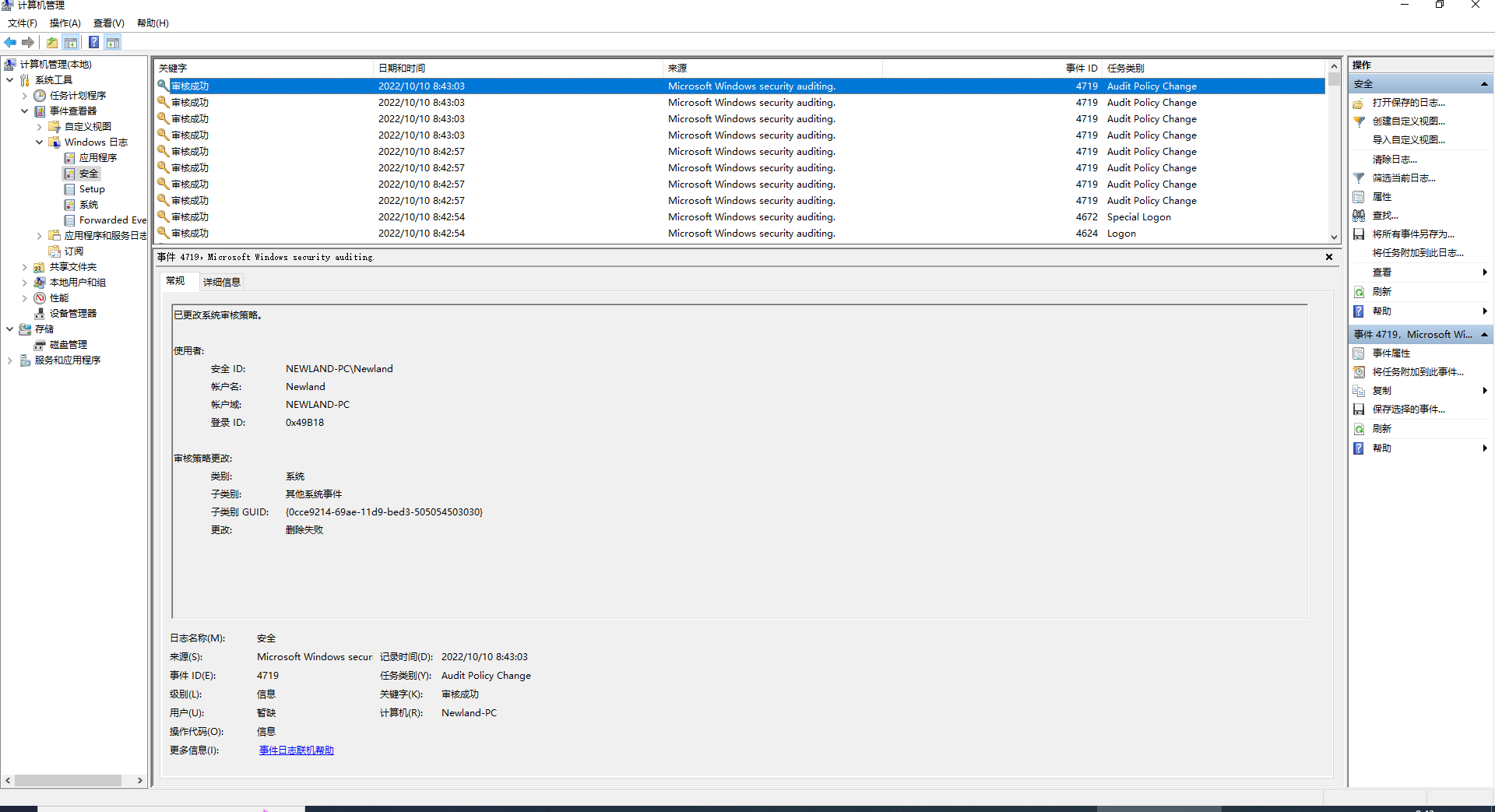
审核账户登入成功的事件
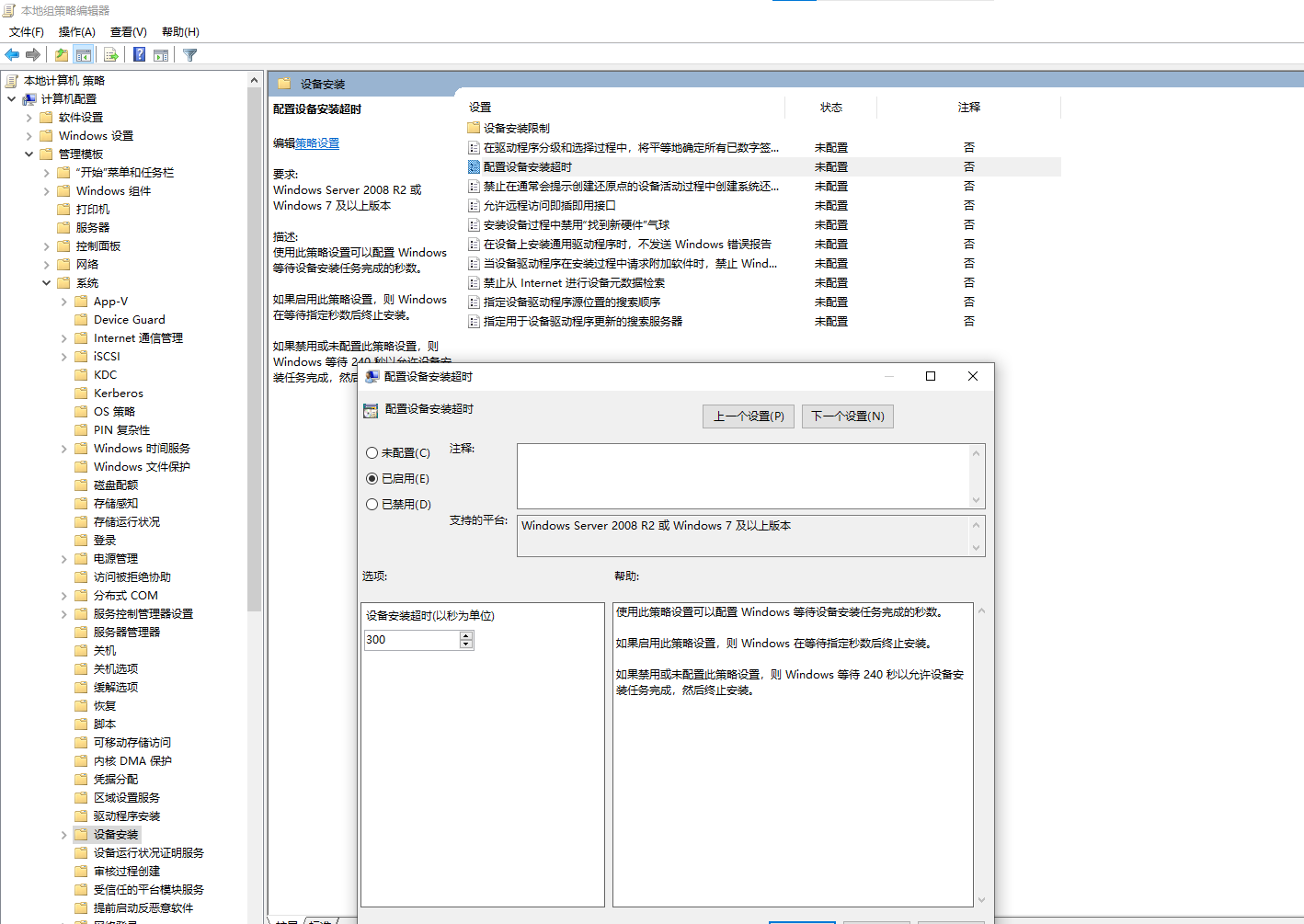
等待设备安装任务完成的秒数,把设备安装超时设为300秒
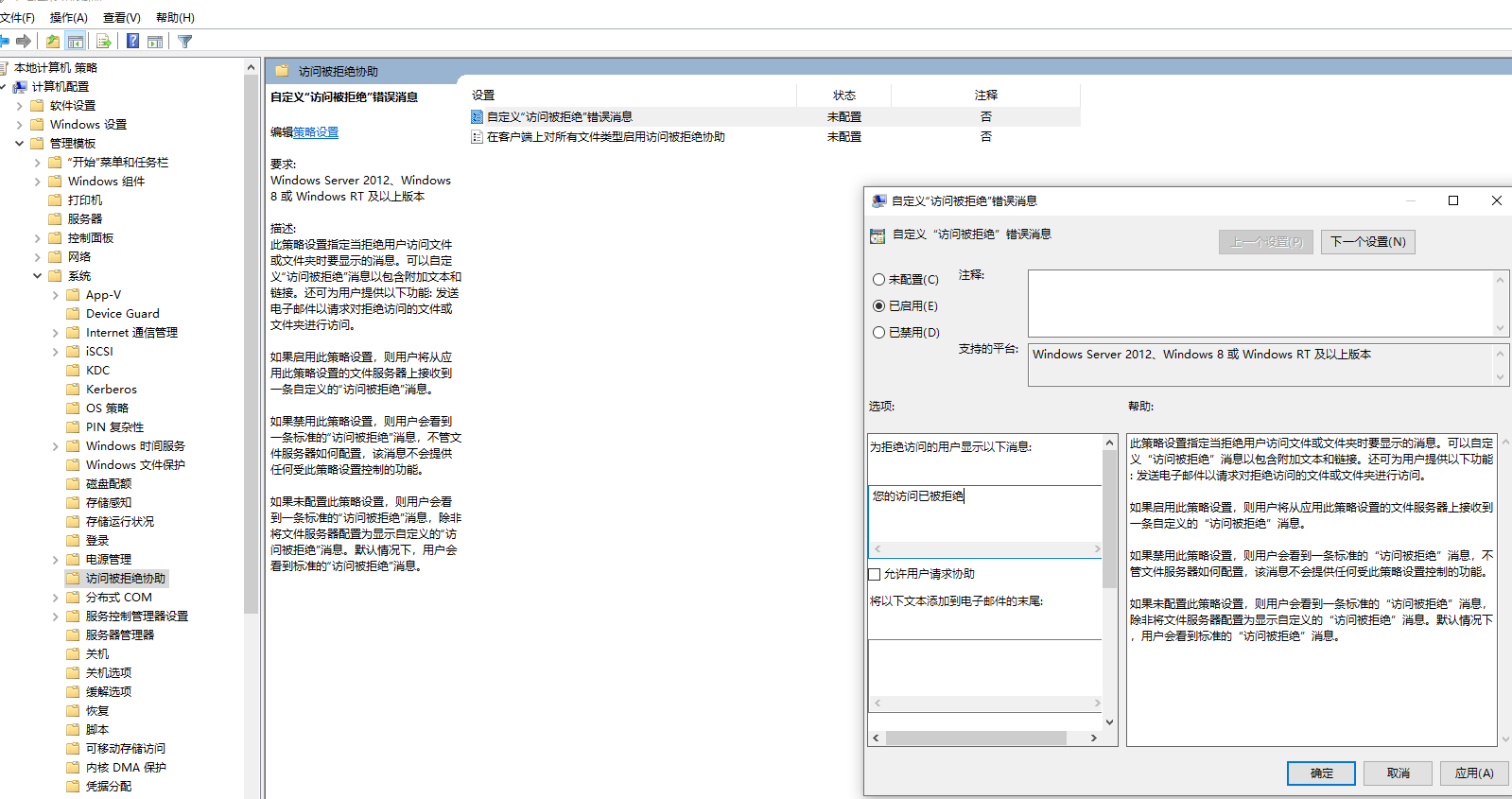
当拒绝方问的用户显示以下信息“您的访问已被拒绝,请联系管理员”
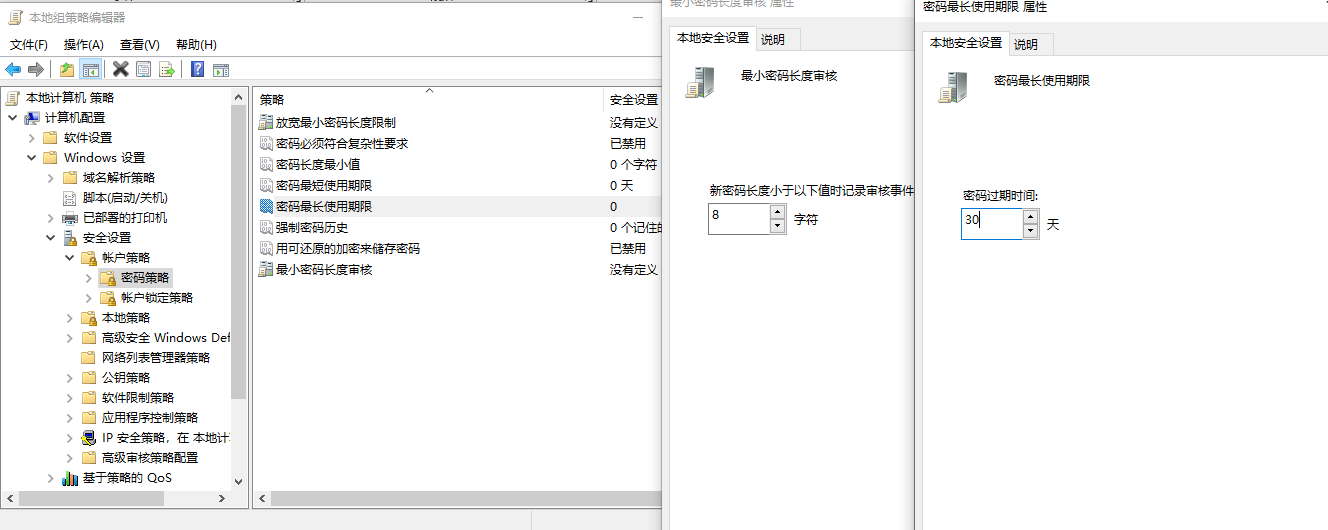
windows 配置密码
需要设置服务器计算机的用户密码长度最低8位,密码有效时长为30天
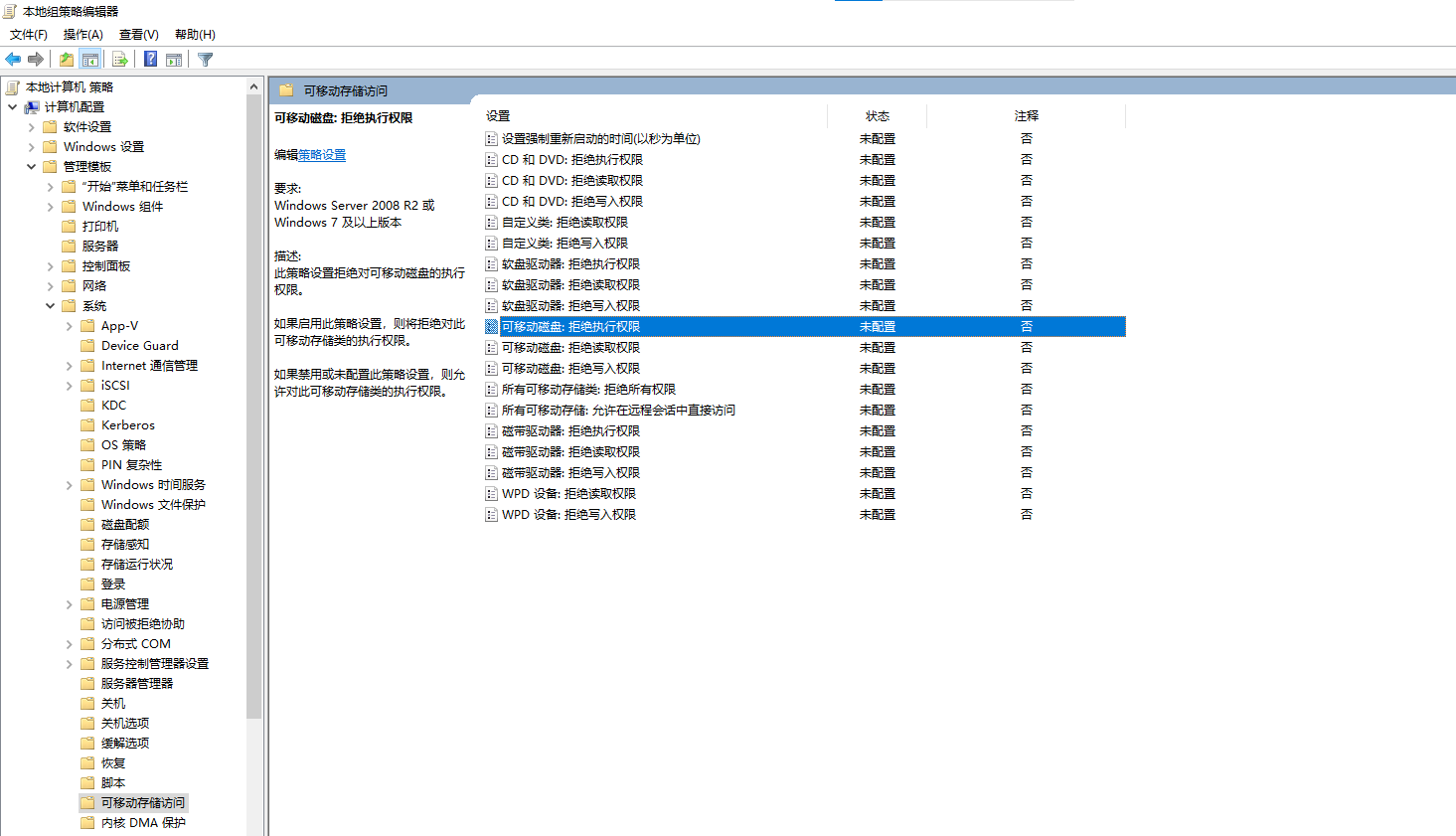
禁用USB 接口
Ø 为了电脑安全,很多企业都选择利用组策略禁用USB接口,从而禁止U盘、移动硬盘的使用。主要配置方法如下:
-
“可移动磁盘:拒绝执行权限”;
-
“可移动磁盘:拒绝读取权限”;
-
“可移动磁盘:拒绝写入权限”。
配置Windows 关机
shutdown -s -t [秒] #关闭计算机 #可以用shutdown -a 取消关机
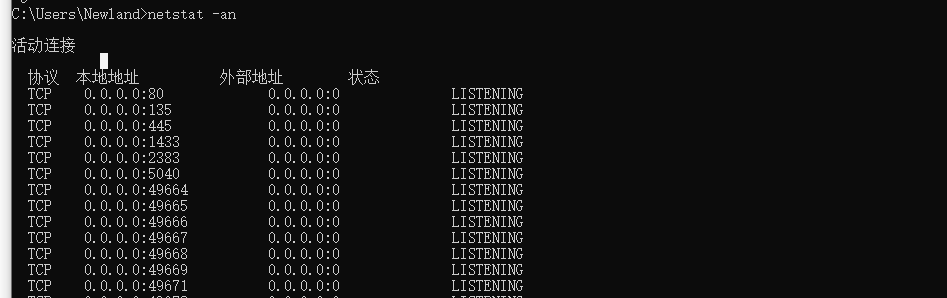
查看网络连接和网络接口状态
netstat -an
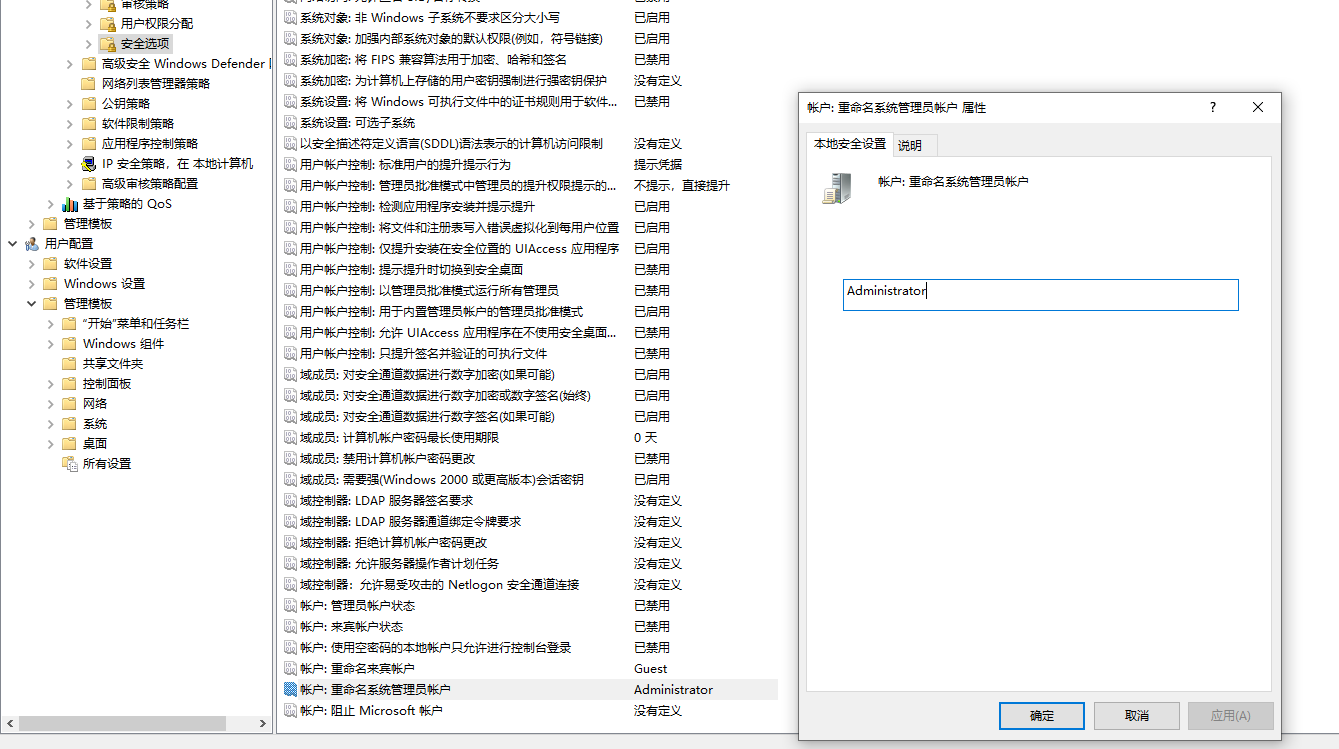
组策略将管理员账号administrator 重命名为newlandadmin
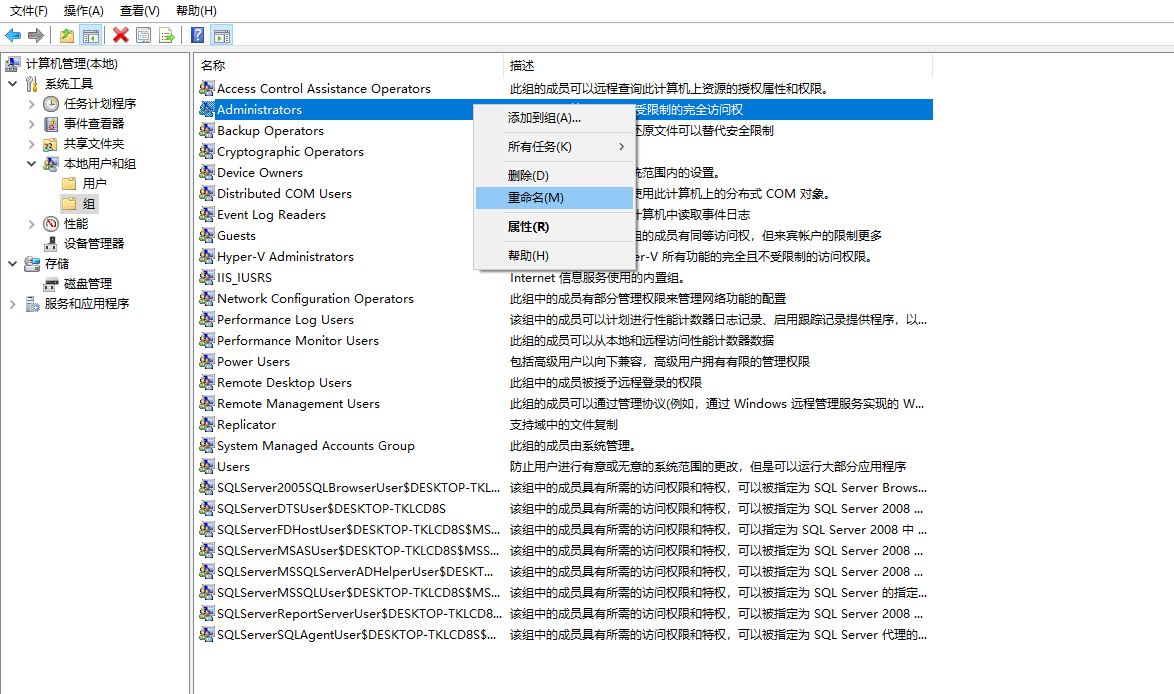
或者
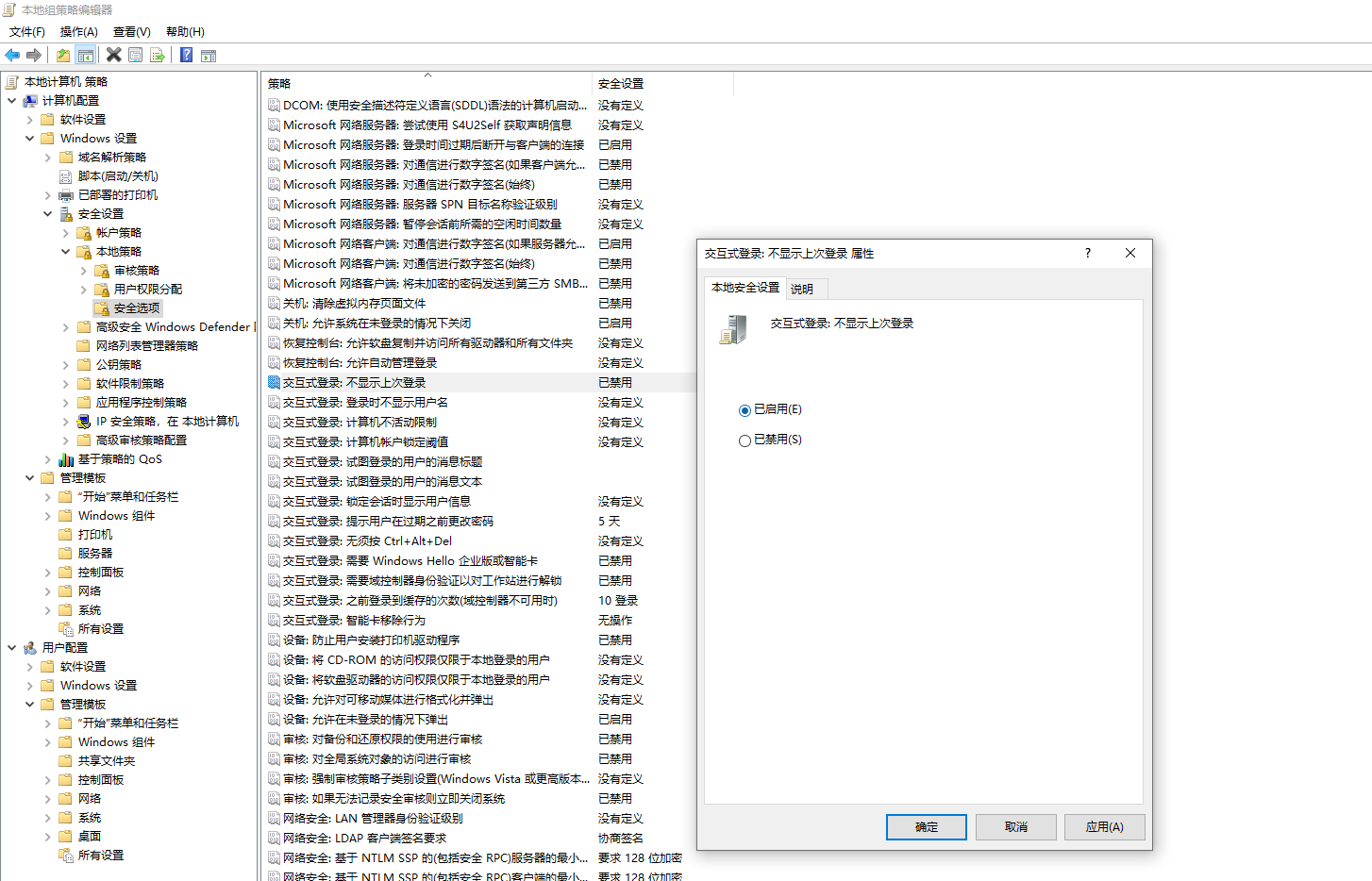
组策略屏蔽之前登录的用户信息
用户启动主机系统时,登录界面显示上次登录用户名,只需输入密码。恶意攻击者只需对密码进行猜测,无需猜测用户名,为攻击提供方便。 我们可以通过组策略屏蔽之前登录的用户信息。
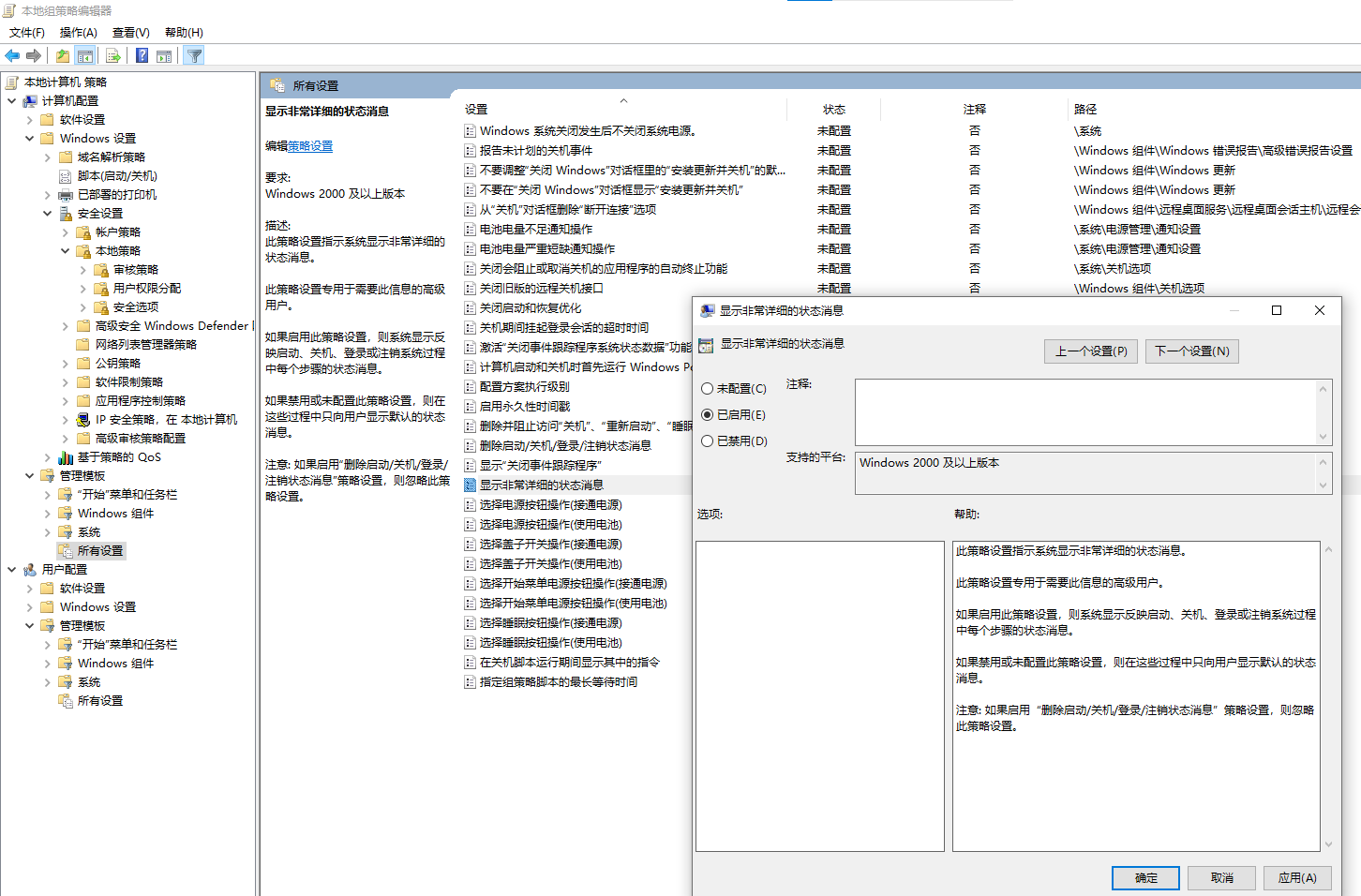
Ø 组策略显示详细的关机(或开机)过程,方便出现系统异常的故障排查
默认情况下,win10系统关机的时候只会显示“正在关机”,不会显示正在关闭的程序或者服务,可以通过组策略显示详细的关机(或开机)过程,方便出现系统异常的故障排查。
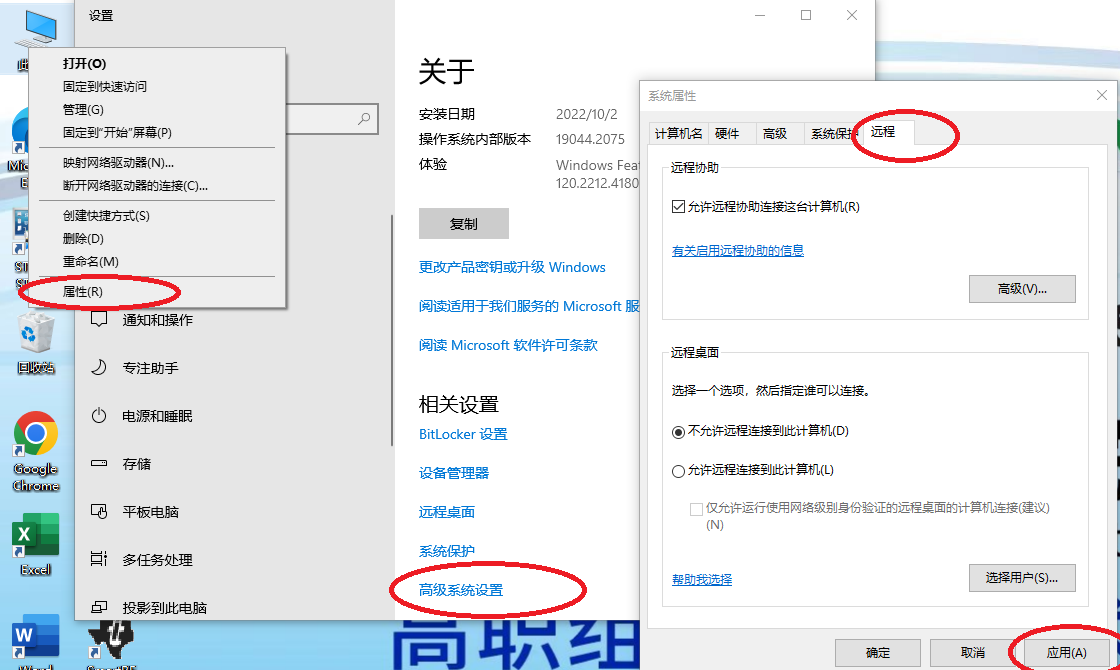
服务器计算机关闭远程连接功能
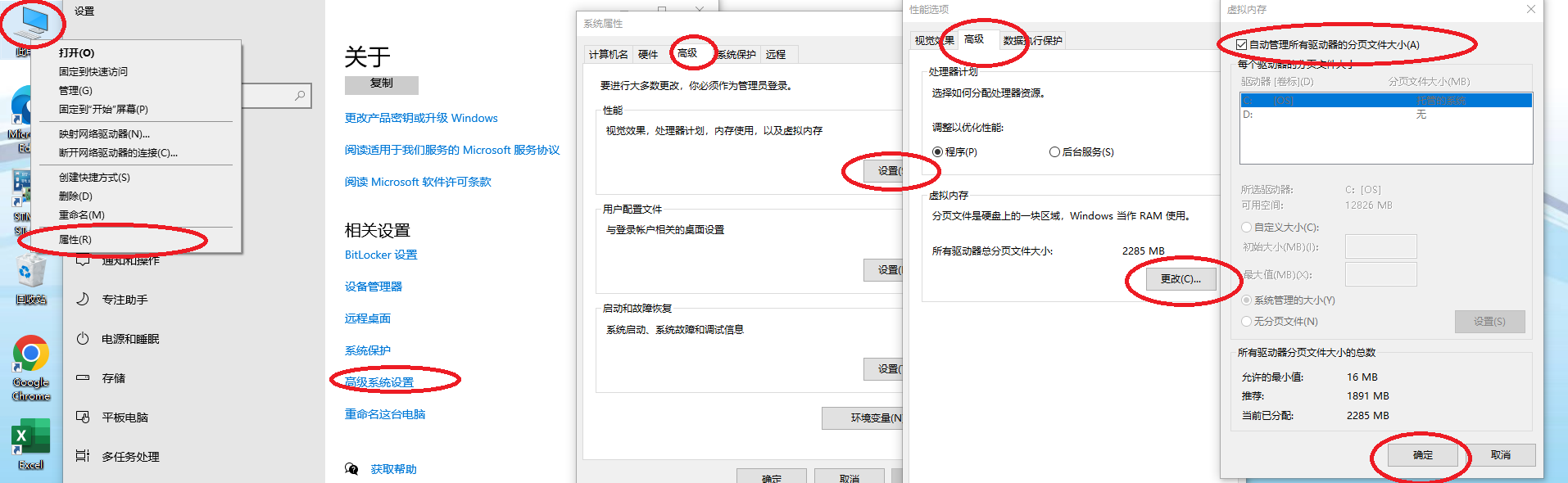
将系统的虚拟内存设置为自动管理驱动器分页大小
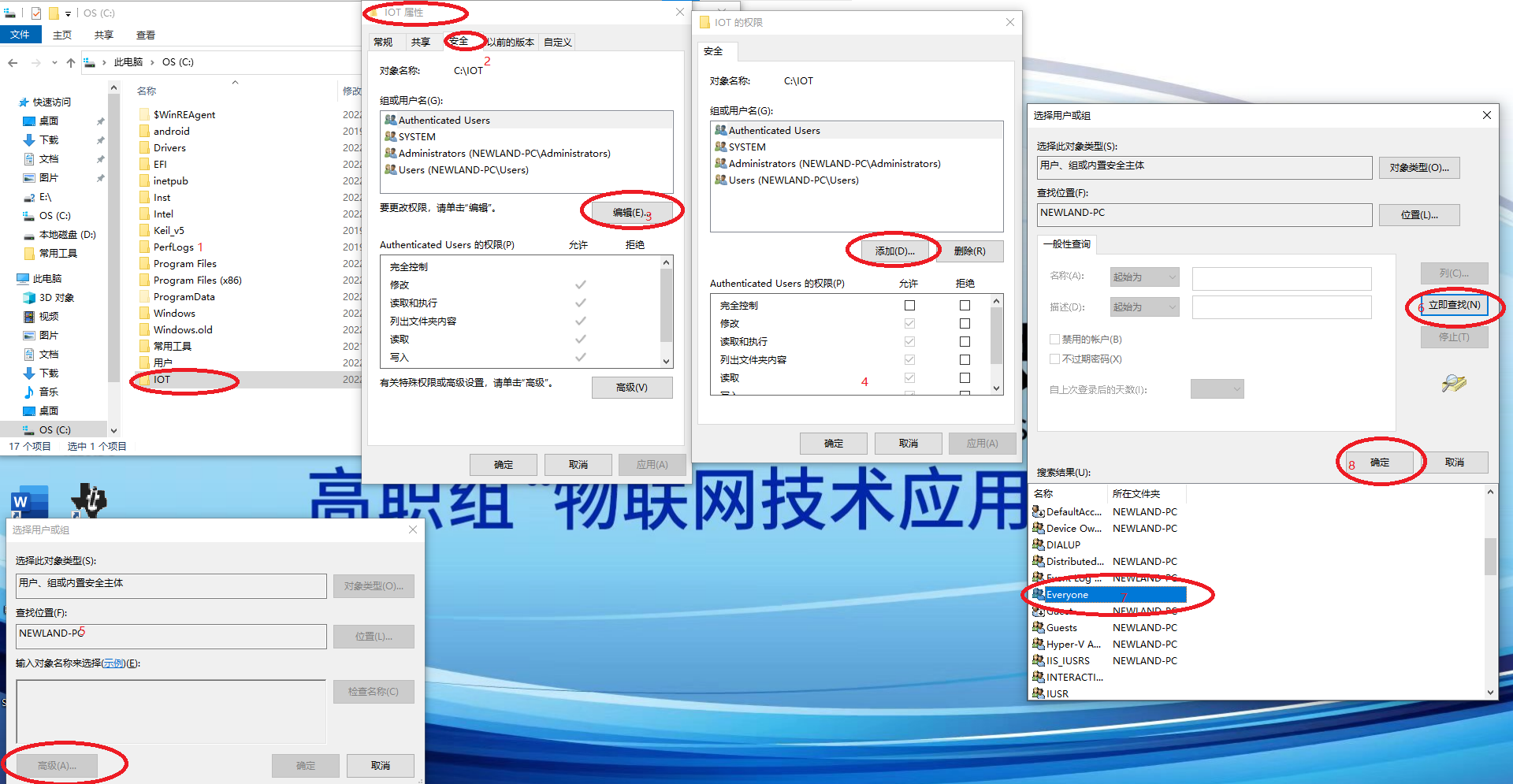
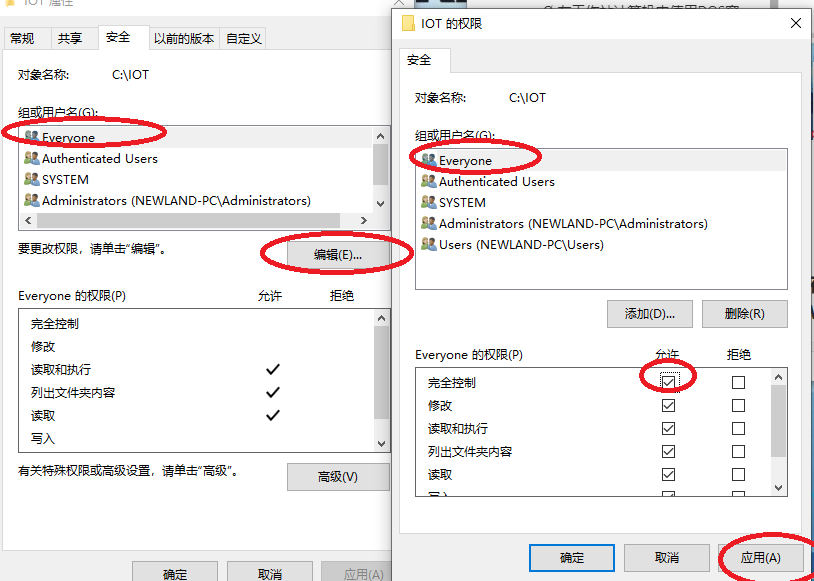
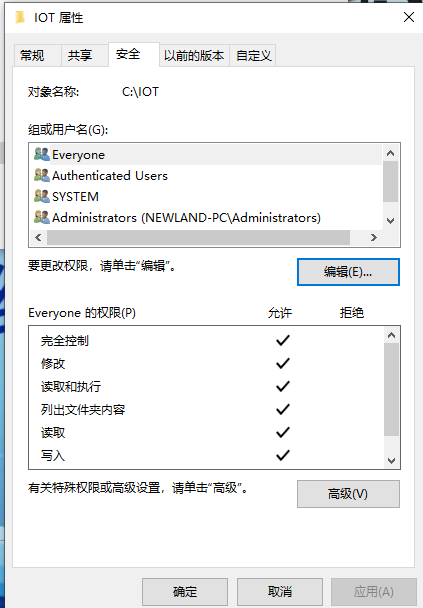
在服务器电脑创建IOT文件夹,赋予Everyone所有者完全控制权限
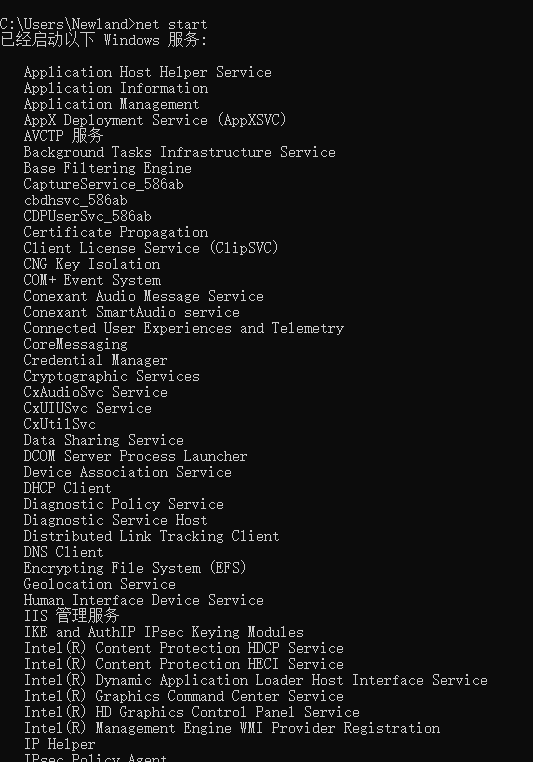
在控制台窗口使用命令查询当前系统开启了哪些 Windows 服务信息。
net start
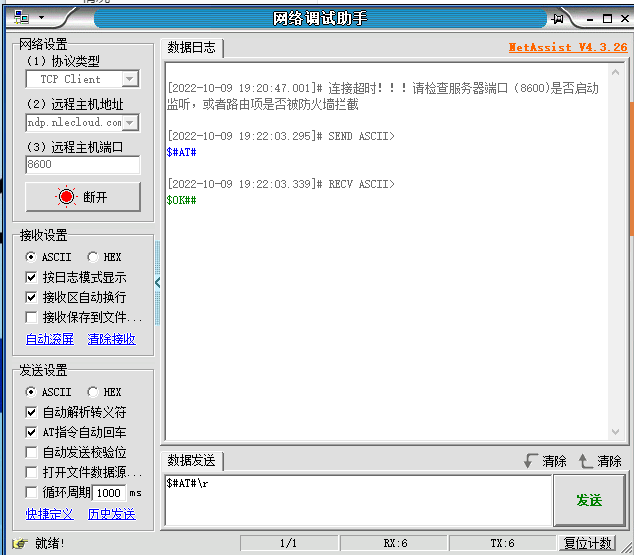
Ø 使用网络调试助手NetAssist,TCPClient模式连接云平台TCP Server(8600),发送心跳包“$#AT#\r”。
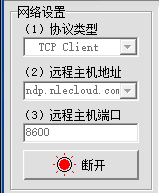
这里这样设置 云平台ip 不固定,比赛用192.168.0.138
使用命令窗口重启IIS
IISreset
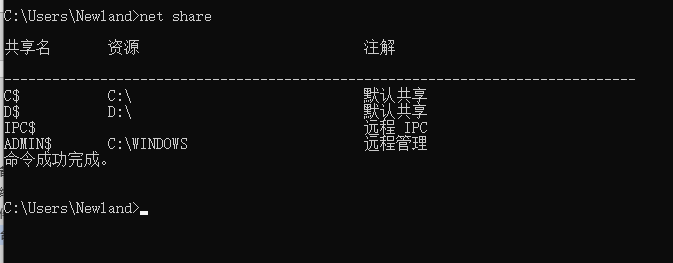
Ø 为了保证服务器电脑的安全,需要在命令控制台上输入命令查看服务器电脑中开启了哪些共享。
net share
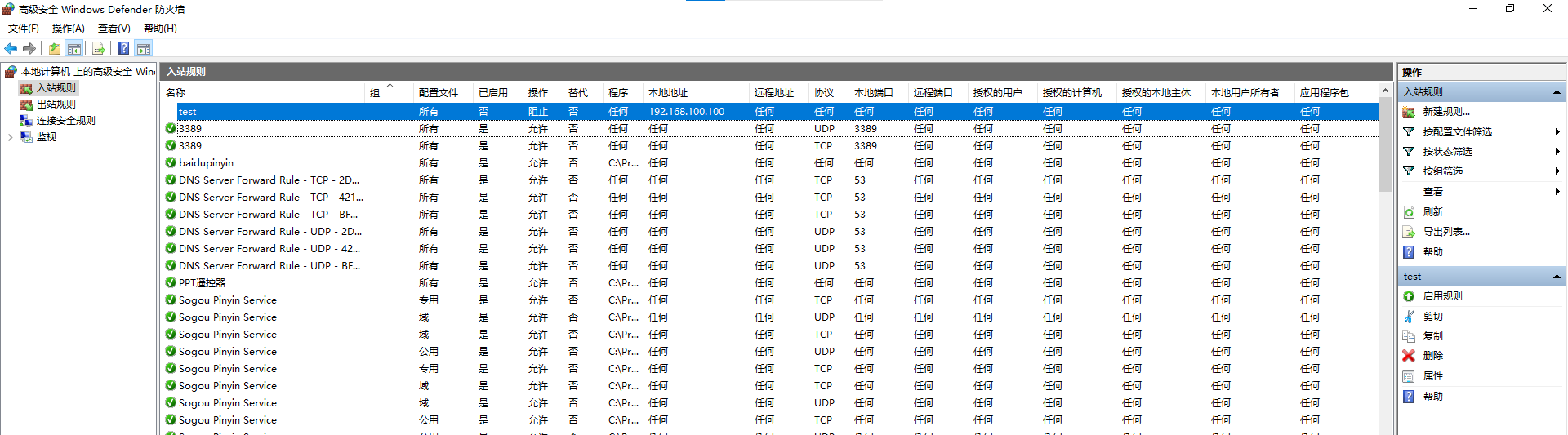
Ø 出于安全考虑,需要对服务器计算机配置规则:禁止工作站计算机访问本机任何程序或者端口,暂不启用此规则
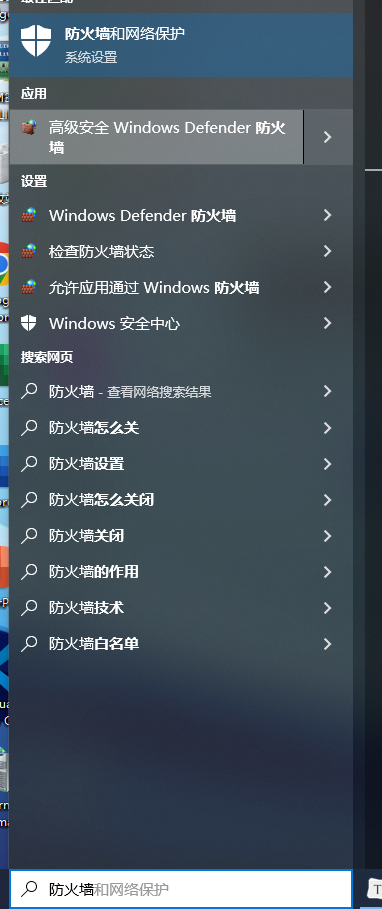
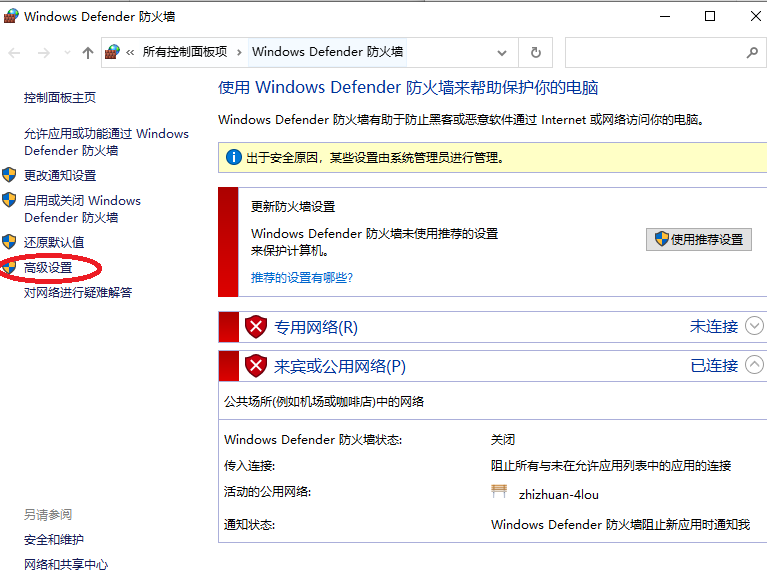
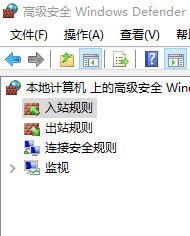
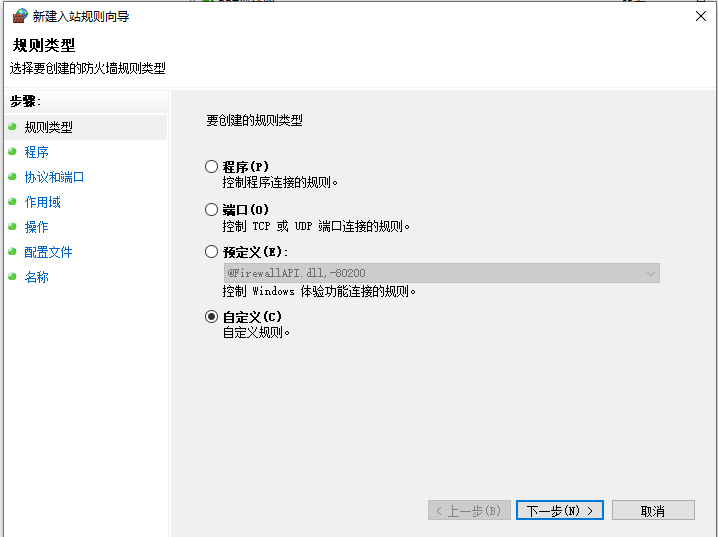
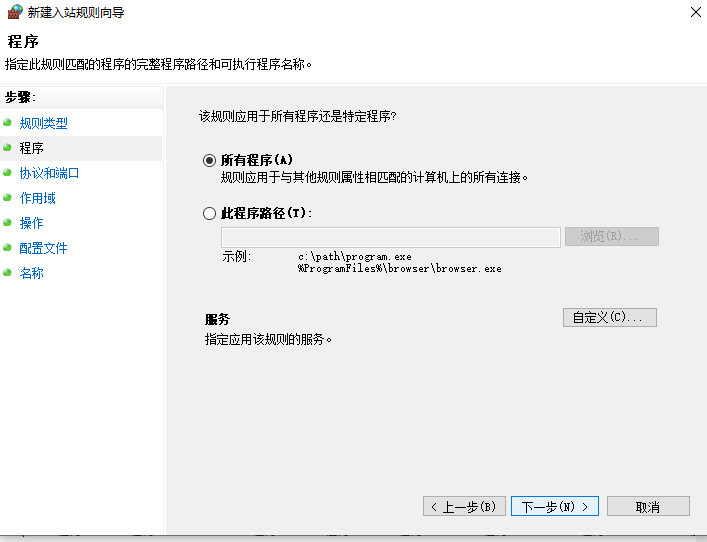
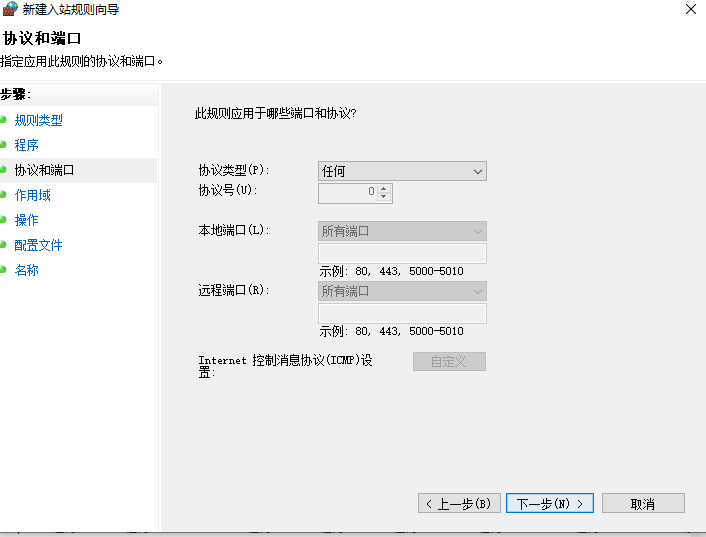
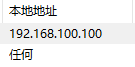
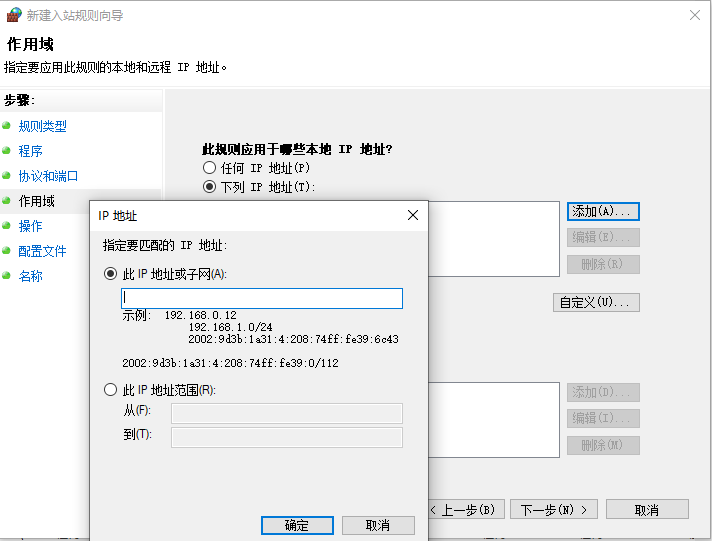 要禁用的IP地址
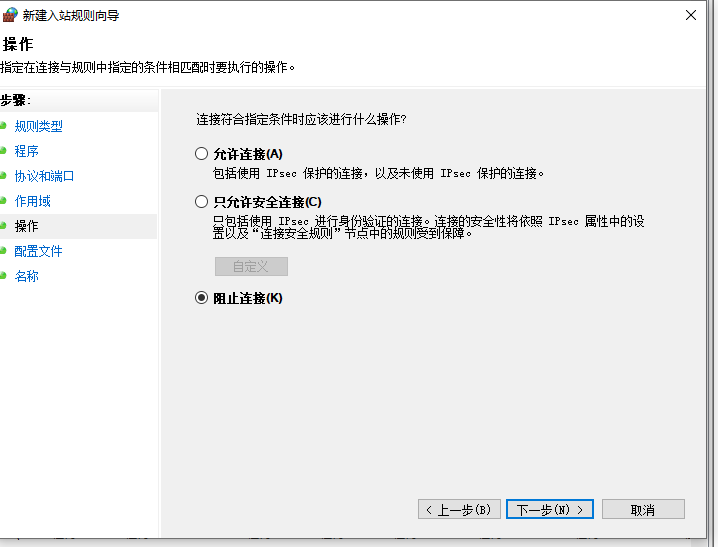
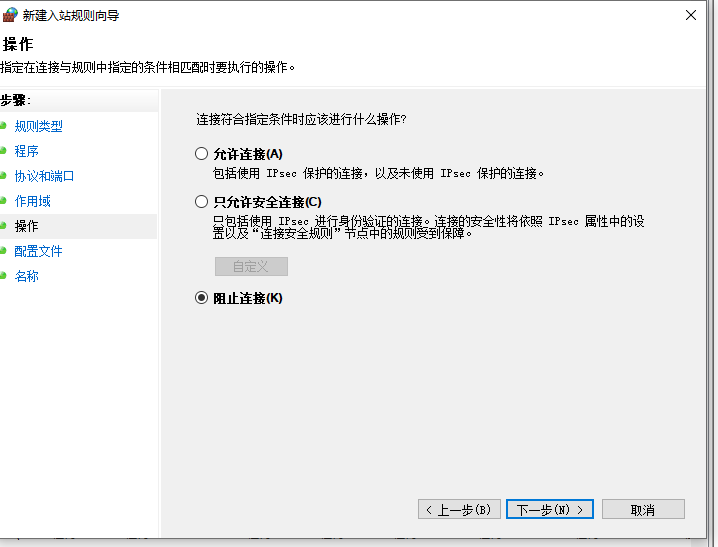
不启用该规则
注意截图体现IP地址
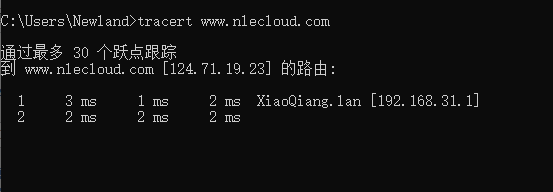
跟踪命令获取TCP/IP数据包从工作站计算机到云平台服务器所通过的路由路径
tracert [IP地址]#比赛IP地址为192.168.0.138
内网打印机不能访问
Ø 公司某台电脑配置了两块网卡,同时连接内外两个网络,外网(192.168.0.3/24,网关:192.168.0.254)和内网(192.168.67.12/24,网关:192.168.67.254)。该电脑现在要访问一台公司打印机(192.168.14.241/24,属于内网网络)一直打不开页面,跟踪打印机ip路由显示如下, 请从图中找出问题所在,通过命令行解决。
跟踪打印机ip路由
tracert [ip地址]
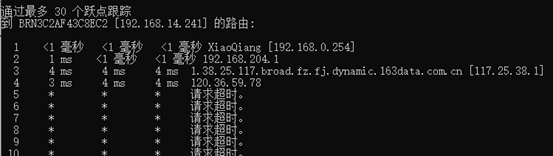
如图他执行了 tracert 内网打印机IP地址 而找到的第一个网关是[192.168.0.254]是外网网关,访问打印机访问到外网的IP地址,所以打印机不能访问
route #操作网络路由表
直接输入命令查看文档
找到

 route ADD 157.0.0.0 MASK 255.0.0.0  157.55.80.1
      IP地址^                ^子网掩码      ^网关地址
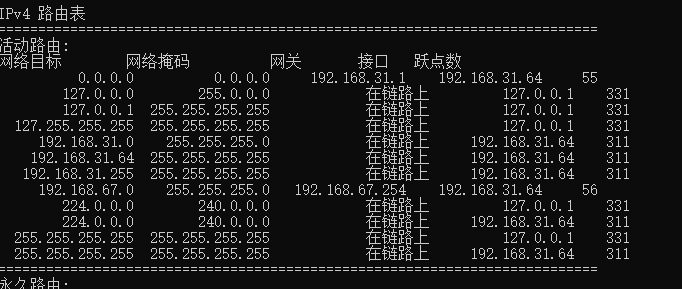
本题就是让[192.168.67.0]的地址去访问内网网关[192.168.67.254]
route ADD 192.168.67.0 MASK 255.255.255.0 192.168.67.254

使用route print查看
SQL Server 维护
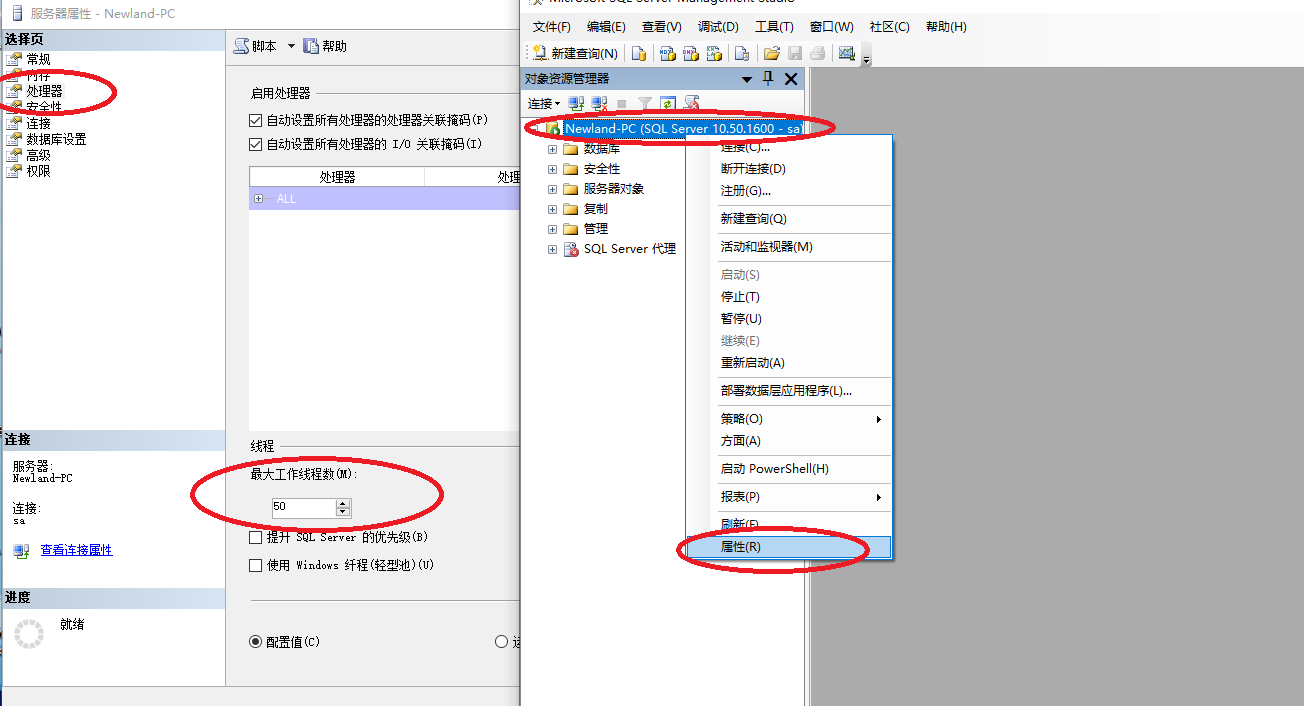
修改数据库的最大工作线程为 50,使得为了使得数据库与其他软件在使用 CPU 上性能达到均衡
修改数据库最小服务器内存为 100MB
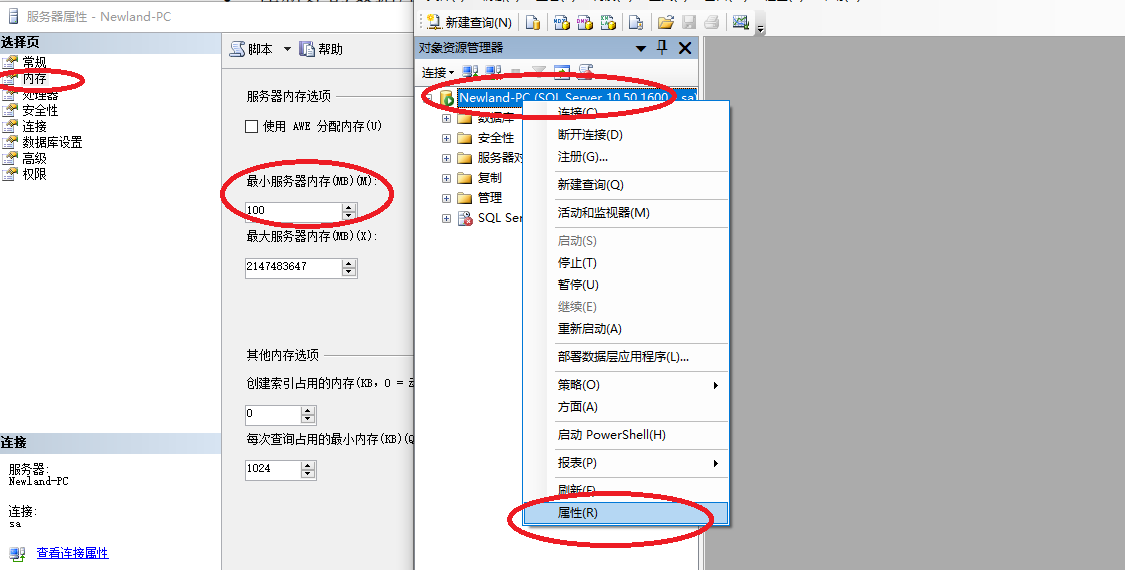
启用 C2 审核跟踪
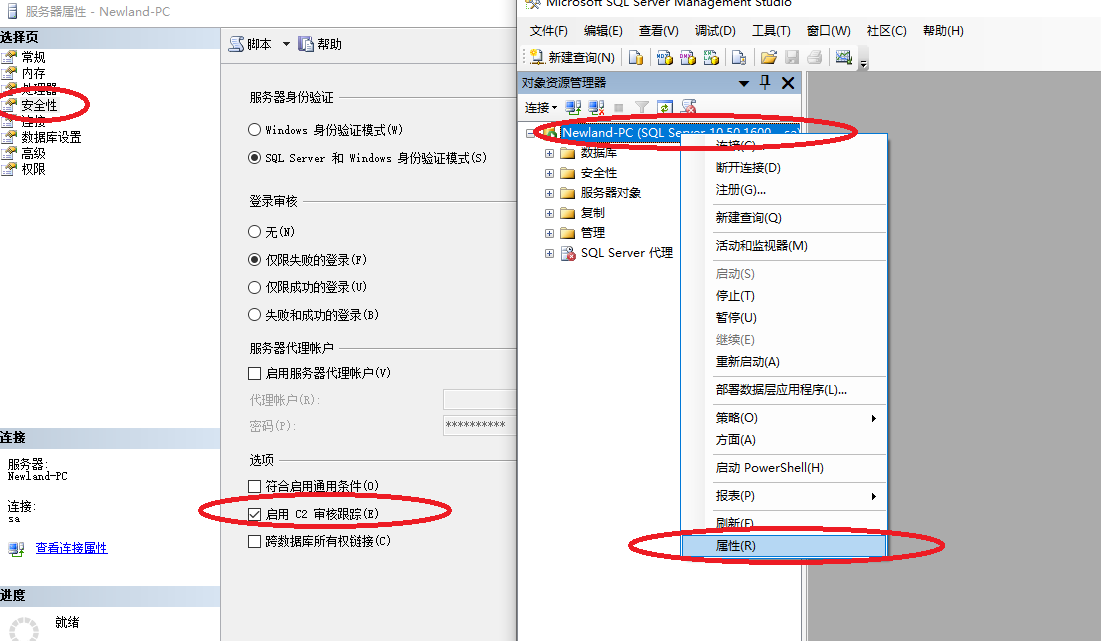
2022/11/10 补充
Ubuntu
设置Caps Lock 按键和 Ctrl案件互换
- 更改配置文件
$sudo nano /usr/share/X11/xkb/keycodes/evdev
        <AD12> = 35;
        <BKSL> = 51;
        alias <AC12> = <BKSL>;
        <RTRN> = 36;

        <CAPS> = 37;
        <AC01> = 38;
        <AC02> = 39;
        <AC03> = 40;
        <AC04> = 41;
        <AC05> = 42;
        <AC06> = 43;
        <AC07> = 44;
        <AC08> = 45;
        <AC09> = 46;
        <AC10> = 47;
        <AC11> = 48;

        <LFSH> = 50;
        <AB01> = 52;
        <AB02> = 53;
        <AB03> = 54;
        <AB04> = 55;
        <AB05> = 56;
        <AB06> = 57;
        <AB07> = 58;
        <AB08> = 59;
        <AB09> = 60;
        <AB10> = 61;
        <RTSH> = 62;

        <LALT> = 64;
        <LCTL> = 66;
        <SPCE> = 65;
        <RCTL> = 105;
        <RALT> = 108;
        // Microsoft keyboard extra keys
        <LWIN> = 133;
        <RWIN> = 134;
        <COMP> = 135;
        alias <MENU> = <COMP>;

        <ESC> = 9;
        <FK01> = 67;
        <FK02> = 68;
        <FK03> = 69;

^G 求助        ^O 写入        ^W 搜索        ^K 剪切文字    ^J 对齐        ^C 游标位置    M-U 撤销       M-A 标记文字
^X 离开        ^R 读档        ^\ 替换        ^U 还原剪切    ^T 拼写检查    ^_ 跳行        M-E 重做       M-6 复制文字
互换 < CAPS >=xx 和 < LCTL > =xx 的值 # 我这边是改过测试过效果后的
然后reboot 重启即可
修改最大文件数限制
- ulimite 命令
根据命令使用手册
Linux ulimit命令用于控制shell程序的资源。

ulimit为shell内建指令,可用来控制shell执行程序的资源。

语法
ulimit [-aHS][-c <core文件上限>][-d <数据节区大小>][-f <文件大小>][-m <内存大小>][-n <文件数目>][-p <缓冲区大小>][-s <堆叠大小>][-t <CPU时间>][-u <程序数目>][-v <虚拟内存大小>]
参数:

-a  显示目前资源限制的设定。
-c <core文件上限>  设定core文件的最大值,单位为区块。
-d <数据节区大小>  程序数据节区的最大值,单位为KB。
-f <文件大小>  shell所能建立的最大文件,单位为区块。
-H  设定资源的硬性限制,也就是管理员所设下的限制。
-m <内存大小>  指定可使用内存的上限,单位为KB。
-n <文件数目>  指定同一时间最多可开启的文件数。
-p <缓冲区大小>  指定管道缓冲区的大小,单位512字节。
-s <堆叠大小>  指定堆叠的上限,单位为KB。
-S  设定资源的弹性限制。
-t <CPU时间>  指定CPU使用时间的上限,单位为秒。
-u <程序数目>  用户最多可开启的程序数目。
-v <虚拟内存大小>  指定可使用的虚拟内存上限,单位为KB。
-n 最大文件数限制
$ulimite -n [要设置的大小]
Windows维护
命令打开网络连接
ncpa.cpl
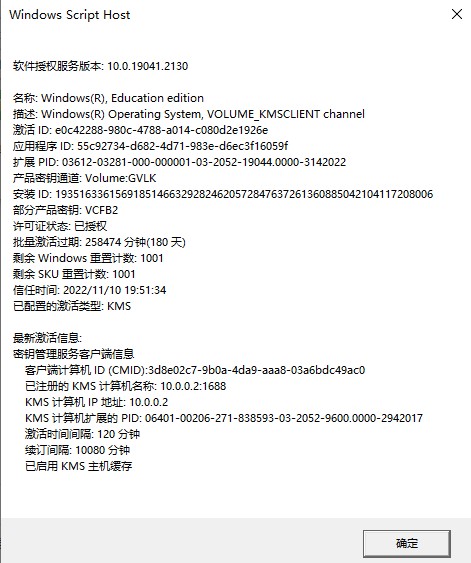
命令显示详细的许可信息
slmgr /dlv
具体效果
MySQL
使用命令显示字符集的排序规则
show collation;
mysql> show collation;
+--------------------------+----------+-----+---------+----------+---------+
| Collation | Charset | Id | Default | Compiled | Sortlen |
+--------------------------+----------+-----+---------+----------+---------+
| big5_chinese_ci | big5 | 1 | Yes | Yes | 1 |
| big5_bin | big5 | 84 | | Yes | 1 |
| dec8_swedish_ci | dec8 | 3 | Yes | Yes | 1 |
| dec8_bin | dec8 | 69 | | Yes | 1 |
| cp850_general_ci | cp850 | 4 | Yes | Yes | 1 |
| cp850_bin | cp850 | 80 | | Yes | 1 |
| hp8_english_ci | hp8 | 6 | Yes | Yes | 1 |
| hp8_bin | hp8 | 72 | | Yes | 1 |
| koi8r_general_ci | koi8r | 7 | Yes | Yes | 1 |
| koi8r_bin | koi8r | 74 | | Yes | 1 |
| latin1_german1_ci | latin1 | 5 | | Yes | 1 |
| latin1_swedish_ci | latin1 | 8 | Yes | Yes | 1 |
| latin1_danish_ci | latin1 | 15 | | Yes | 1 |
| latin1_german2_ci | latin1 | 31 | | Yes | 2 |
| latin1_bin | latin1 | 47 | | Yes | 1 |
| latin1_general_ci | latin1 | 48 | | Yes | 1 |
| latin1_general_cs | latin1 | 49 | | Yes | 1 |
| latin1_spanish_ci | latin1 | 94 | | Yes | 1 |
| latin2_czech_cs | latin2 | 2 | | Yes | 4 |
| latin2_general_ci | latin2 | 9 | Yes | Yes | 1 |
| latin2_hungarian_ci | latin2 | 21 | | Yes | 1 |
| latin2_croatian_ci | latin2 | 27 | | Yes | 1 |
| latin2_bin | latin2 | 77 | | Yes | 1 |
| swe7_swedish_ci | swe7 | 10 | Yes | Yes | 1 |
| swe7_bin | swe7 | 82 | | Yes | 1 |
| ascii_general_ci | ascii | 11 | Yes | Yes | 1 |
| ascii_bin | ascii | 65 | | Yes | 1 |
| ujis_japanese_ci | ujis | 12 | Yes | Yes | 1 |
| ujis_bin | ujis | 91 | | Yes | 1 |
| sjis_japanese_ci | sjis | 13 | Yes | Yes | 1 |
| sjis_bin | sjis | 88 | | Yes | 1 |
| hebrew_general_ci | hebrew | 16 | Yes | Yes | 1 |
| hebrew_bin | hebrew | 71 | | Yes | 1 |
| tis620_thai_ci | tis620 | 18 | Yes | Yes | 4 |
| tis620_bin | tis620 | 89 | | Yes | 1 |
| euckr_korean_ci | euckr | 19 | Yes | Yes | 1 |
| euckr_bin | euckr | 85 | | Yes | 1 |
| koi8u_general_ci | koi8u | 22 | Yes | Yes | 1 |
| koi8u_bin | koi8u | 75 | | Yes | 1 |
| gb2312_chinese_ci | gb2312 | 24 | Yes | Yes | 1 |
| gb2312_bin | gb2312 | 86 | | Yes | 1 |
| greek_general_ci | greek | 25 | Yes | Yes | 1 |
| greek_bin | greek | 70 | | Yes | 1 |
| cp1250_general_ci | cp1250 | 26 | Yes | Yes | 1 |
| cp1250_czech_cs | cp1250 | 34 | | Yes | 2 |
| cp1250_croatian_ci | cp1250 | 44 | | Yes | 1 |
| cp1250_bin | cp1250 | 66 | | Yes | 1 |
| cp1250_polish_ci | cp1250 | 99 | | Yes | 1 |
| gbk_chinese_ci | gbk | 28 | Yes | Yes | 1 |
| gbk_bin | gbk | 87 | | Yes | 1 |
| latin5_turkish_ci | latin5 | 30 | Yes | Yes | 1 |
| latin5_bin | latin5 | 78 | | Yes | 1 |
| armscii8_general_ci | armscii8 | 32 | Yes | Yes | 1 |
| armscii8_bin | armscii8 | 64 | | Yes | 1 |
| utf8_general_ci | utf8 | 33 | Yes | Yes | 1 |
| utf8_bin | utf8 | 83 | | Yes | 1 |
| utf8_unicode_ci | utf8 | 192 | | Yes | 8 |
| utf8_icelandic_ci | utf8 | 193 | | Yes | 8 |
| utf8_latvian_ci | utf8 | 194 | | Yes | 8 |
| utf8_romanian_ci | utf8 | 195 | | Yes | 8 |
| utf8_slovenian_ci | utf8 | 196 | | Yes | 8 |
| utf8_polish_ci | utf8 | 197 | | Yes | 8 |
| utf8_estonian_ci | utf8 | 198 | | Yes | 8 |
| utf8_spanish_ci | utf8 | 199 | | Yes | 8 |
| utf8_swedish_ci | utf8 | 200 | | Yes | 8 |
| utf8_turkish_ci | utf8 | 201 | | Yes | 8 |
| utf8_czech_ci | utf8 | 202 | | Yes | 8 |
| utf8_danish_ci | utf8 | 203 | | Yes | 8 |
| utf8_lithuanian_ci | utf8 | 204 | | Yes | 8 |
| utf8_slovak_ci | utf8 | 205 | | Yes | 8 |
| utf8_spanish2_ci | utf8 | 206 | | Yes | 8 |
| utf8_roman_ci | utf8 | 207 | | Yes | 8 |
| utf8_persian_ci | utf8 | 208 | | Yes | 8 |
| utf8_esperanto_ci | utf8 | 209 | | Yes | 8 |
| utf8_hungarian_ci | utf8 | 210 | | Yes | 8 |
| utf8_sinhala_ci | utf8 | 211 | | Yes | 8 |
| utf8_german2_ci | utf8 | 212 | | Yes | 8 |
| utf8_croatian_ci | utf8 | 213 | | Yes | 8 |
| utf8_unicode_520_ci | utf8 | 214 | | Yes | 8 |
| utf8_vietnamese_ci | utf8 | 215 | | Yes | 8 |
| utf8_general_mysql500_ci | utf8 | 223 | | Yes | 1 |
| ucs2_general_ci | ucs2 | 35 | Yes | Yes | 1 |
| ucs2_bin | ucs2 | 90 | | Yes | 1 |
| ucs2_unicode_ci | ucs2 | 128 | | Yes | 8 |
| ucs2_icelandic_ci | ucs2 | 129 | | Yes | 8 |
| ucs2_latvian_ci | ucs2 | 130 | | Yes | 8 |
| ucs2_romanian_ci | ucs2 | 131 | | Yes | 8 |
| ucs2_slovenian_ci | ucs2 | 132 | | Yes | 8 |
| ucs2_polish_ci | ucs2 | 133 | | Yes | 8 |
| ucs2_estonian_ci | ucs2 | 134 | | Yes | 8 |
| ucs2_spanish_ci | ucs2 | 135 | | Yes | 8 |
| ucs2_swedish_ci | ucs2 | 136 | | Yes | 8 |
| ucs2_turkish_ci | ucs2 | 137 | | Yes | 8 |
| ucs2_czech_ci | ucs2 | 138 | | Yes | 8 |
| ucs2_danish_ci | ucs2 | 139 | | Yes | 8 |
| ucs2_lithuanian_ci | ucs2 | 140 | | Yes | 8 |
| ucs2_slovak_ci | ucs2 | 141 | | Yes | 8 |
| ucs2_spanish2_ci | ucs2 | 142 | | Yes | 8 |
| ucs2_roman_ci | ucs2 | 143 | | Yes | 8 |
| ucs2_persian_ci | ucs2 | 144 | | Yes | 8 |
| ucs2_esperanto_ci | ucs2 | 145 | | Yes | 8 |
| ucs2_hungarian_ci | ucs2 | 146 | | Yes | 8 |
| ucs2_sinhala_ci | ucs2 | 147 | | Yes | 8 |
| ucs2_german2_ci | ucs2 | 148 | | Yes | 8 |
| ucs2_croatian_ci | ucs2 | 149 | | Yes | 8 |
| ucs2_unicode_520_ci | ucs2 | 150 | | Yes | 8 |
| ucs2_vietnamese_ci | ucs2 | 151 | | Yes | 8 |
| ucs2_general_mysql500_ci | ucs2 | 159 | | Yes | 1 |
| cp866_general_ci | cp866 | 36 | Yes | Yes | 1 |
| cp866_bin | cp866 | 68 | | Yes | 1 |
| keybcs2_general_ci | keybcs2 | 37 | Yes | Yes | 1 |
| keybcs2_bin | keybcs2 | 73 | | Yes | 1 |
| macce_general_ci | macce | 38 | Yes | Yes | 1 |
| macce_bin | macce | 43 | | Yes | 1 |
| macroman_general_ci | macroman | 39 | Yes | Yes | 1 |
| macroman_bin | macroman | 53 | | Yes | 1 |
| cp852_general_ci | cp852 | 40 | Yes | Yes | 1 |
| cp852_bin | cp852 | 81 | | Yes | 1 |
| latin7_estonian_cs | latin7 | 20 | | Yes | 1 |
| latin7_general_ci | latin7 | 41 | Yes | Yes | 1 |
| latin7_general_cs | latin7 | 42 | | Yes | 1 |
| latin7_bin | latin7 | 79 | | Yes | 1 |
| utf8mb4_general_ci | utf8mb4 | 45 | Yes | Yes | 1 |
| utf8mb4_bin | utf8mb4 | 46 | | Yes | 1 |
| utf8mb4_unicode_ci | utf8mb4 | 224 | | Yes | 8 |
| utf8mb4_icelandic_ci | utf8mb4 | 225 | | Yes | 8 |
| utf8mb4_latvian_ci | utf8mb4 | 226 | | Yes | 8 |
| utf8mb4_romanian_ci | utf8mb4 | 227 | | Yes | 8 |
| utf8mb4_slovenian_ci | utf8mb4 | 228 | | Yes | 8 |
| utf8mb4_polish_ci | utf8mb4 | 229 | | Yes | 8 |
| utf8mb4_estonian_ci | utf8mb4 | 230 | | Yes | 8 |
| utf8mb4_spanish_ci | utf8mb4 | 231 | | Yes | 8 |
| utf8mb4_swedish_ci | utf8mb4 | 232 | | Yes | 8 |
| utf8mb4_turkish_ci | utf8mb4 | 233 | | Yes | 8 |
| utf8mb4_czech_ci | utf8mb4 | 234 | | Yes | 8 |
| utf8mb4_danish_ci | utf8mb4 | 235 | | Yes | 8 |
| utf8mb4_lithuanian_ci | utf8mb4 | 236 | | Yes | 8 |
| utf8mb4_slovak_ci | utf8mb4 | 237 | | Yes | 8 |
| utf8mb4_spanish2_ci | utf8mb4 | 238 | | Yes | 8 |
| utf8mb4_roman_ci | utf8mb4 | 239 | | Yes | 8 |
| utf8mb4_persian_ci | utf8mb4 | 240 | | Yes | 8 |
| utf8mb4_esperanto_ci | utf8mb4 | 241 | | Yes | 8 |
| utf8mb4_hungarian_ci | utf8mb4 | 242 | | Yes | 8 |
| utf8mb4_sinhala_ci | utf8mb4 | 243 | | Yes | 8 |
| utf8mb4_german2_ci | utf8mb4 | 244 | | Yes | 8 |
| utf8mb4_croatian_ci | utf8mb4 | 245 | | Yes | 8 |
| utf8mb4_unicode_520_ci | utf8mb4 | 246 | | Yes | 8 |
| utf8mb4_vietnamese_ci | utf8mb4 | 247 | | Yes | 8 |
| cp1251_bulgarian_ci | cp1251 | 14 | | Yes | 1 |
| cp1251_ukrainian_ci | cp1251 | 23 | | Yes | 1 |
| cp1251_bin | cp1251 | 50 | | Yes | 1 |
| cp1251_general_ci | cp1251 | 51 | Yes | Yes | 1 |
| cp1251_general_cs | cp1251 | 52 | | Yes | 1 |
| utf16_general_ci | utf16 | 54 | Yes | Yes | 1 |
| utf16_bin | utf16 | 55 | | Yes | 1 |
| utf16_unicode_ci | utf16 | 101 | | Yes | 8 |
| utf16_icelandic_ci | utf16 | 102 | | Yes | 8 |
| utf16_latvian_ci | utf16 | 103 | | Yes | 8 |
| utf16_romanian_ci | utf16 | 104 | | Yes | 8 |
| utf16_slovenian_ci | utf16 | 105 | | Yes | 8 |
| utf16_polish_ci | utf16 | 106 | | Yes | 8 |
| utf16_estonian_ci | utf16 | 107 | | Yes | 8 |
| utf16_spanish_ci | utf16 | 108 | | Yes | 8 |
| utf16_swedish_ci | utf16 | 109 | | Yes | 8 |
| utf16_turkish_ci | utf16 | 110 | | Yes | 8 |
| utf16_czech_ci | utf16 | 111 | | Yes | 8 |
| utf16_danish_ci | utf16 | 112 | | Yes | 8 |
| utf16_lithuanian_ci | utf16 | 113 | | Yes | 8 |
| utf16_slovak_ci | utf16 | 114 | | Yes | 8 |
| utf16_spanish2_ci | utf16 | 115 | | Yes | 8 |
| utf16_roman_ci | utf16 | 116 | | Yes | 8 |
| utf16_persian_ci | utf16 | 117 | | Yes | 8 |
| utf16_esperanto_ci | utf16 | 118 | | Yes | 8 |
| utf16_hungarian_ci | utf16 | 119 | | Yes | 8 |
| utf16_sinhala_ci | utf16 | 120 | | Yes | 8 |
| utf16_german2_ci | utf16 | 121 | | Yes | 8 |
| utf16_croatian_ci | utf16 | 122 | | Yes | 8 |
| utf16_unicode_520_ci | utf16 | 123 | | Yes | 8 |
| utf16_vietnamese_ci | utf16 | 124 | | Yes | 8 |
| utf16le_general_ci | utf16le | 56 | Yes | Yes | 1 |
| utf16le_bin | utf16le | 62 | | Yes | 1 |
| cp1256_general_ci | cp1256 | 57 | Yes | Yes | 1 |
| cp1256_bin | cp1256 | 67 | | Yes | 1 |
| cp1257_lithuanian_ci | cp1257 | 29 | | Yes | 1 |
| cp1257_bin | cp1257 | 58 | | Yes | 1 |
| cp1257_general_ci | cp1257 | 59 | Yes | Yes | 1 |
| utf32_general_ci | utf32 | 60 | Yes | Yes | 1 |
| utf32_bin | utf32 | 61 | | Yes | 1 |
| utf32_unicode_ci | utf32 | 160 | | Yes | 8 |
| utf32_icelandic_ci | utf32 | 161 | | Yes | 8 |
| utf32_latvian_ci | utf32 | 162 | | Yes | 8 |
| utf32_romanian_ci | utf32 | 163 | | Yes | 8 |
| utf32_slovenian_ci | utf32 | 164 | | Yes | 8 |
| utf32_polish_ci | utf32 | 165 | | Yes | 8 |
| utf32_estonian_ci | utf32 | 166 | | Yes | 8 |
| utf32_spanish_ci | utf32 | 167 | | Yes | 8 |
| utf32_swedish_ci | utf32 | 168 | | Yes | 8 |
| utf32_turkish_ci | utf32 | 169 | | Yes | 8 |
| utf32_czech_ci | utf32 | 170 | | Yes | 8 |
| utf32_danish_ci | utf32 | 171 | | Yes | 8 |
| utf32_lithuanian_ci | utf32 | 172 | | Yes | 8 |
| utf32_slovak_ci | utf32 | 173 | | Yes | 8 |
| utf32_spanish2_ci | utf32 | 174 | | Yes | 8 |
| utf32_roman_ci | utf32 | 175 | | Yes | 8 |
| utf32_persian_ci | utf32 | 176 | | Yes | 8 |
| utf32_esperanto_ci | utf32 | 177 | | Yes | 8 |
| utf32_hungarian_ci | utf32 | 178 | | Yes | 8 |
| utf32_sinhala_ci | utf32 | 179 | | Yes | 8 |
| utf32_german2_ci | utf32 | 180 | | Yes | 8 |
| utf32_croatian_ci | utf32 | 181 | | Yes | 8 |
| utf32_unicode_520_ci | utf32 | 182 | | Yes | 8 |
| utf32_vietnamese_ci | utf32 | 183 | | Yes | 8 |
| binary | binary | 63 | Yes | Yes | 1 |
| geostd8_general_ci | geostd8 | 92 | Yes | Yes | 1 |
| geostd8_bin | geostd8 | 93 | | Yes | 1 |
| cp932_japanese_ci | cp932 | 95 | Yes | Yes | 1 |
| cp932_bin | cp932 | 96 | | Yes | 1 |
| eucjpms_japanese_ci | eucjpms | 97 | Yes | Yes | 1 |
| eucjpms_bin | eucjpms | 98 | | Yes | 1 |
| gb18030_chinese_ci | gb18030 | 248 | Yes | Yes | 2 |
| gb18030_bin | gb18030 | 249 | | Yes | 1 |
| gb18030_unicode_520_ci | gb18030 | 250 | | Yes | 8 |
+--------------------------+----------+-----+---------+----------+---------+
222 rows in set (0.00 sec)
mysql>
使用命令显示当前数据库系统表级锁的竞争状态
show status like 'Table_locks%';
结果:
mysql> show status like 'Table_locks%';
+-----------------------+-------+
| Variable_name         | Value |
+-----------------------+-------+
| Table_locks_immediate | 100   |
| Table_locks_waited    | 0     |
+-----------------------+-------+
2 rows in set (0.00 sec)

mysql>
我们用状态变量 `Table_locks_waited` 和 `Table_locks_immediate` 来分析系统中的锁表争夺情况。。。

Table_locks_immediate表示立即释放表锁数,Table_locks_waited表示需要等待的表锁数

如果Table_locks_waited的值比较高,则说明存在着较严重的表级锁争用情况。
2022年高职省赛维护部分解答——2022年11月15更新
Windows 系统维护
任务要求:
netsh(Network Shell) 是一个 windows 系统本身提供的功能强大的网
络配置命令行工具,请选手在命令提示符窗口中使用命令将 netsh 的配
置信息导出到 c:\interface.txt 文件中。
在服务器计算机进行配置,指定每个 shell 的最大内存数量为 150MB。
完成以上任务后请做以下步骤:
将 在 命 令 提 示 符 窗 口 中 使 用 命 令 将 netsh 的 配 置 信 息 导 出 到
c:\interface.txt 文件中的界面截图,另存为 B-1-1.jpg,要求截图中
可以看到相关的命令和执行成功的结果。
将配置每个 shell 的最大内存数量为 150MB 的界面截图,另存为
B-1-2.jpg。。
-
将 netsh 的配置信息导出到 c:\interface.txt 文件中。
-
win + r 打开运行界面输入cmd
- 首先输入netsh /? 查看帮助文档
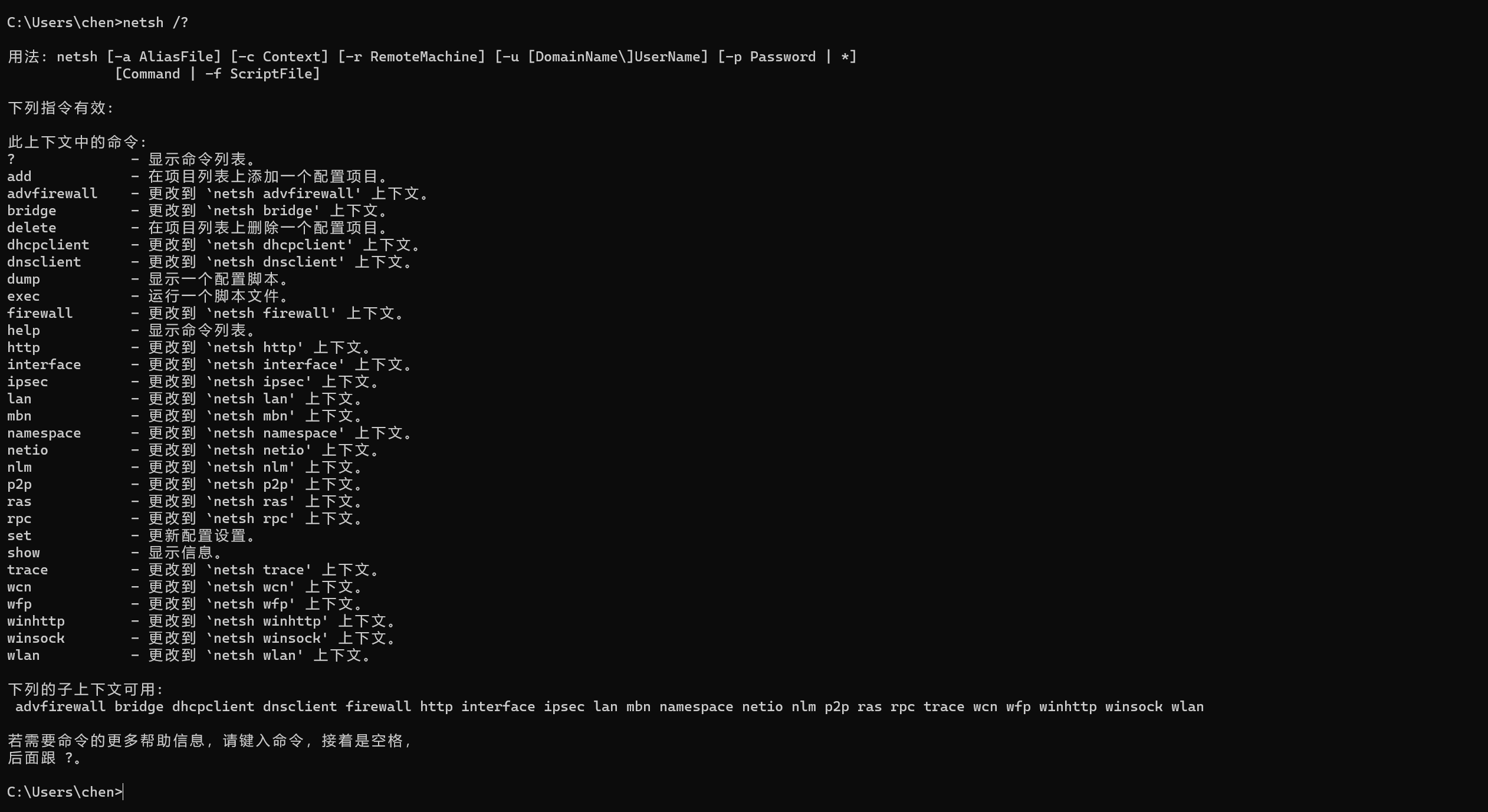
- 通过手册查询
netsh dump 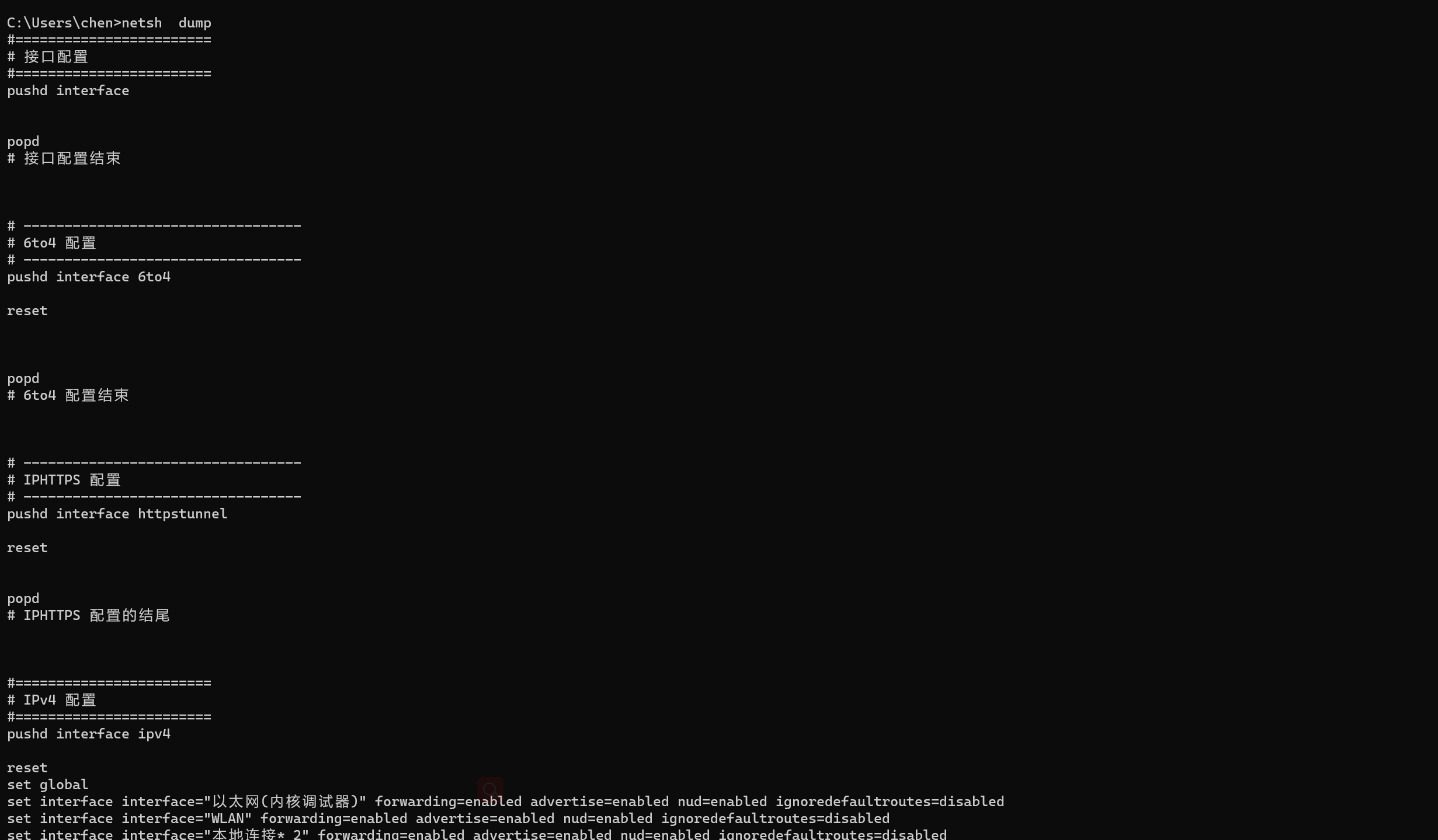
- 要导入C:\interface.txt直接用>>符号

- 拒绝访问原因:因为C盘是系统盘,所以安全度高
- 首先先在C盘相应的目录新建一个interface.txt文件
- 再次执行

C盘文件中相应的内容已经写进去了
将配置每个 shell 的最大内存数量为 150MB 的界面截图,另存为
B-1-2.jpg。。
先挖个坑暂时不会
ps:ubuntu部分上面基本都有
MySQL部分: 重要
3、MySql 数据库安装与使用
在物联网软件使用过程中经常会要求安装其他配套的辅助软件来支持物联
网软件的运行。请根据以下任务要求完成相关作业并将结果提交到指定位置。
任务要求:
登 录 Ubuntu 系 统 , 在 当 前 目 录 创 建 文 件 夹 MySQL 。 将 提 供 的
“mysql.tar.gz”发送到 mysql 文件夹中,使用命令解压缩该文件。
完成 MySQL 数据库的安装,在终端中登录 MySQL 数据库。
在 MySQL 数据库中添加名为 iot_database 的数据库,在 iot_database
数据库中创建名为 device 的表,表字段自行设计。
在终端中使用一条命令新增一个 MySQL 数据库用户,
置数据库用户名为 iot_user,密码设置成 123456,限制该用户仅允许从
192.168.0.138 这个 IP 登录。同时在终端中使用一条命令为该用户授权,
要求设置 iot_user 用户对 device 表仅允许有查询权限。
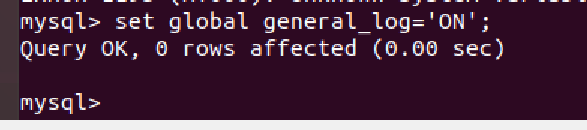
配置 MySQL 数据库启用通用日志记录功能,并在终端中使用命令查询该
配置结果。
在终端中使用命令查询尝试连接到 MySQL 服务器失败的次数。
在终端中使用 dump 方式备份 iot_database 数据库所有内容,保存到
iot_database20221104.sql 文件中
------------------------------------------------------------------------------------------------------
完成以上任务后请做以下步骤:
在终端中登录 MySQL 数据库成功后的界面截图,另存为 B-3-1.jpg。
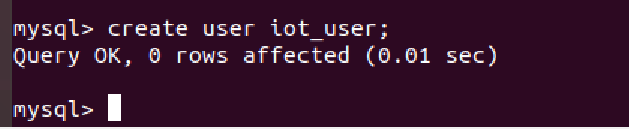
在终端中按要求使用命令新增 iot_user 用户的界面截图,另存为 B-3-2.
jpg。要求截图中使用红圈圈出具体的命令。
在终端中按要求使用命令授权 iot_user 用户对 device 表仅允许有查询
权限的界面截图,另存为 B-3-3.jpg。要求截图中使用红圈圈出具体命
令。
在终端中使用命令查询启用通用日志记录功能的结果界面截图,另存为
B-3-4.jpg。
- MySQL的安装不多写
- 将文件传入linux可用scp命令
添加名为 iot_database 的数据库
-
create database iot_database
在 iot_database数据库中创建名为 device 的表
-
use iot_database;
create table device(字段xxxxx);
新增用户
-
create user iot_user; -
在终端中使用一条命令新增一个 MySQL 数据库用户,
置数据库用户名为 iot_user,密码设置成 123456,限制该用户仅允许从
192.168.0.138 这个 IP 登录。同时在终端中使用一条命令为该用户授权,
要求设置 iot_user 用户对 device 表仅允许有查询权限。
-
grant select on device to 'iot_user'@'192.168.0.138' identified by "123456"; -

使用show grants for iot_user;
查看权限情况
根据:mysql设置某个用户对某个库的所有表,某个表相关操作权限_J-贾的博客-CSDN博客
在终端中使用命令查询启用通用日志记录功能的结果界面截图
根据:Mysql日志开启_慕書的博客-CSDN博客_mysql开启日志
set global general_log='ON';
查看日志状态
show variables like 'general_log';
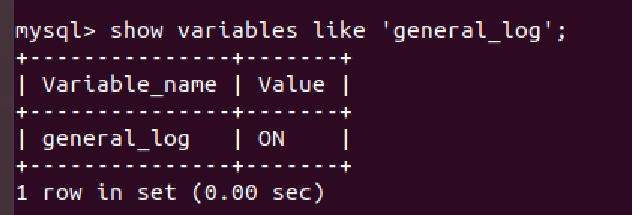
可以看到ON --- ok了
在终端中使用命令查询尝试连接到 MySQL 服务器失败的次数。
根据:mysql 查看错误连接数_MySql状态查看方法 MySql查看连接数和状态_春光洋溢的博客-CSDN博客
show global status like 'A%';
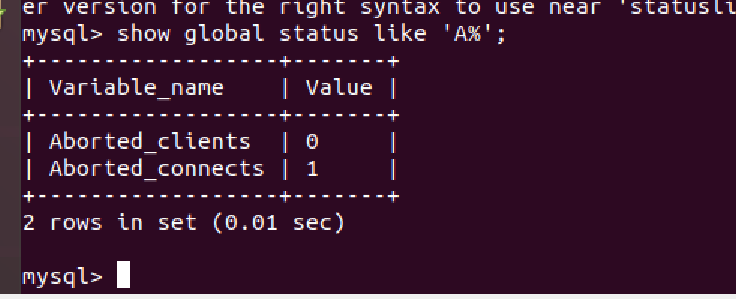
终止连接次数
Aborted_clients 由于客户没有正确关闭连接已经死掉,已经放弃的连接数量。

Aborted_connects 尝试已经失败的MySQL服务器的连接的次数。
在终端中使用 dump 方式备份 iot_database 数据库所有内容,保存到
iot_database20221104.sql 文件中
#mysqldump -u iot_user iot_database
-
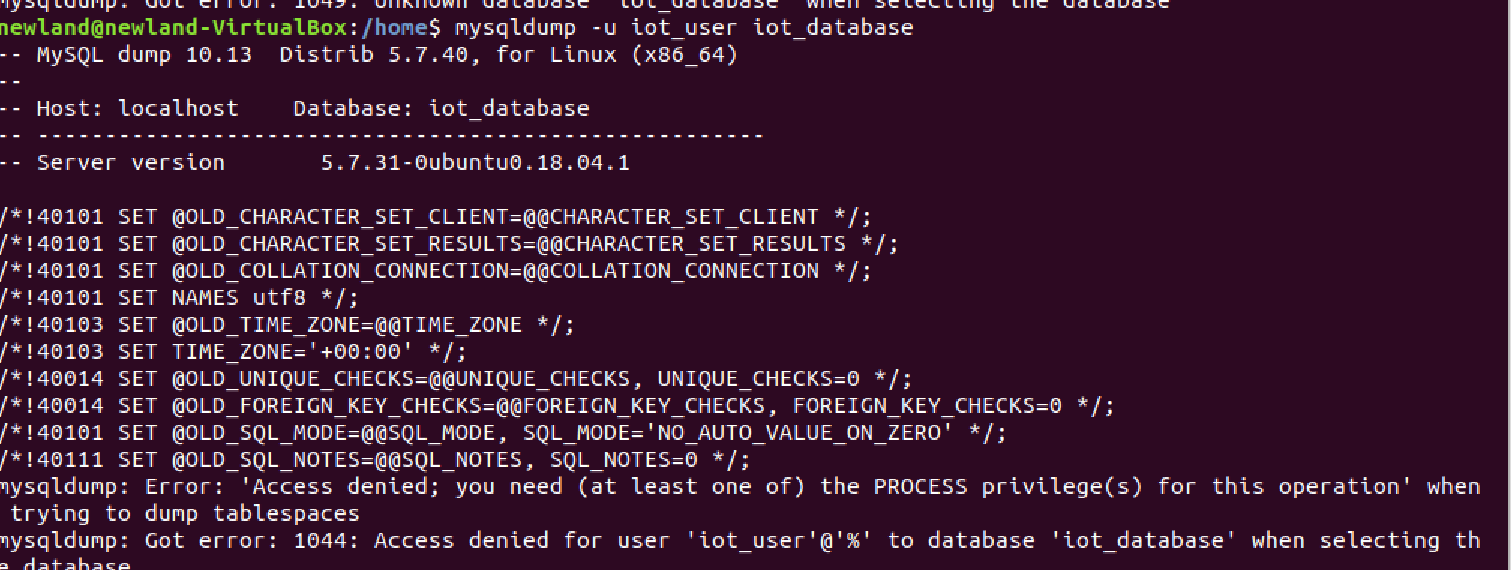
这只是显示
写入:
sudo mysqldump -u root iot_database >> iot_database20221104.sql

数据库备份ok

 浙公网安备 33010602011771号