

【vim】win10下安装vim编辑器
1、https://tuxproject.de/projects/vim/x64/官网下载
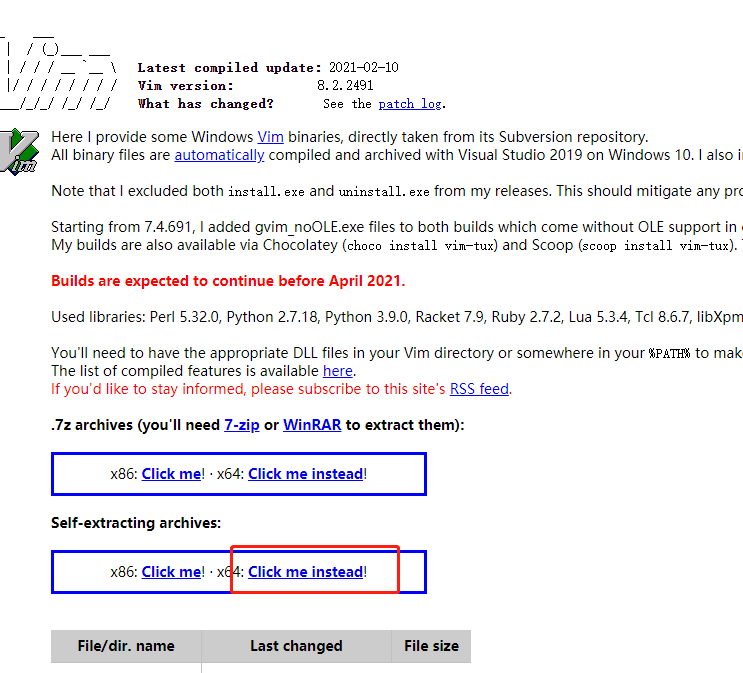
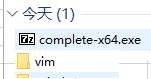
2、解压到文件夹,并放到对应路径下
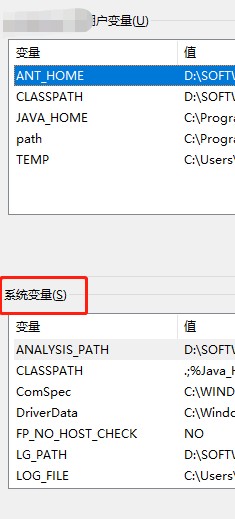
3、设置环境变量,开始设置了用户变量没成功,改为系统变量就好了
4、C盘用户文件夹下新建_vimrc文件
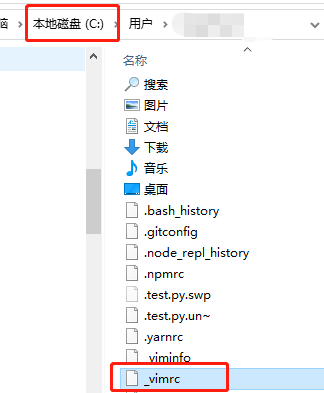
文件内容:
" An example for a vimrc file.
"
" Maintainer: Bram Moolenaar <Bram@vim.org>
" Last change: 2019 Dec 17
"
" To use it, copy it to
" for Unix: ~/.vimrc
" for Amiga: s:.vimrc
" for MS-Windows: $VIM_vimrc
" for Haiku: ~/config/settings/vim/vimrc
" for OpenVMS: sys$login:.vimrc
" When started as "evim", evim.vim will already have done these settings, bail
" out.
if v:progname =~? "evim"
finish
endif
" Get the defaults that most users want.
source $VIMRUNTIME/defaults.vim
if has("vms")
set nobackup " do not keep a backup file, use versions instead
else
set backup " keep a backup file (restore to previous version)
if has('persistent_undo')
set undofile " keep an undo file (undo changes after closing)
endif
endif
if &t_Co > 2 || has("gui_running")
" Switch on highlighting the last used search pattern.
set hlsearch
endif
" Put these in an autocmd group, so that we can delete them easily.
augroup vimrcEx
au!
" For all text files set 'textwidth' to 78 characters.
autocmd FileType text setlocal textwidth=78
augroup END
" Add optional packages.
"
" The matchit plugin makes the % command work better, but it is not backwards
" compatible.
" The ! means the package won't be loaded right away but when plugins are
" loaded during initialization.
if has('syntax') && has('eval')
packadd! matchit
endif
set encoding=utf-8
set fileencodings=utf-8,chinese,latin-1
if has("win32")
set fileencoding=chinese
else
set fileencoding=utf-8
endif
set autoindent
set nu!
set shiftwidth=4
source $VIMRUNTIME/delmenu.vim
source $VIMRUNTIME/menu.vim
language messages zh_CN.utf-8
colo koehler
set guifont=monaco:h11:cANSI
set ts=4
set expandtab
map <F5> :! python.exe %
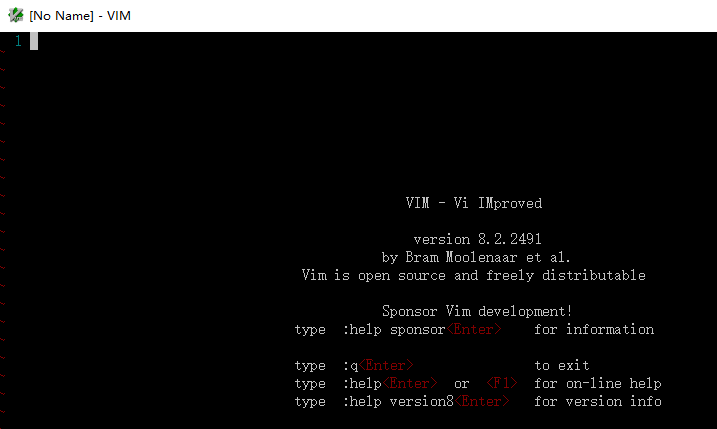
5、cmd进入命令行模式,输入vim,能打开vim界面即安装成功

 浙公网安备 33010602011771号