
【Unity Shader学习】接收并显示光照贴图
Shader "Sbin/Textures/Texture03" {
	Properties {
		_MainTex("MainTex",2D) = ""{}
	}
	SubShader {
		Tags { "RenderType"="Opaque" }
		LOD 200

	pass
	{
		CGPROGRAM
#pragma vertex vert
#pragma fragment frag
#include "unitycg.cginc"

		sampler2D _MainTex;
		// 光照贴图
		sampler2D unity_Lightmap ;
		float4 _MainTex_ST;
		// 光照贴图的UV变换(只需声明即可,启用光照贴图时自动赋值)
		float4 unity_LightmapST;

		struct v2f
		{
			float4 pos:POSITION;
			float2 uv:TEXCOORD0;
			float2 uv2:TEXCOORD1;
		};

		v2f vert(appdata_full v)
		{
			v2f o;
			o.pos = mul(UNITY_MATRIX_MVP,v.vertex);
			// 用宏计算出采样二维纹理UV的缩放和偏移量
			o.uv = TRANSFORM_TEX(v.texcoord,_MainTex);
// 计算光照贴图UV坐标的缩放量和偏移量
			o.uv2 = v.texcoord1.xy * unity_LightmapST.xy + unity_LightmapST.zw;
			return o;
		}

		fixed4 frag(v2f IN):COLOR
		{
			float3 lm = DecodeLightmap (tex2D(unity_Lightmap,IN.uv2)) * 2;
			fixed4 color = tex2D(_MainTex,IN.uv);
			color.rgb *= lm;
			return color;
		}
		ENDCG
	}
	}
	FallBack "Diffuse"
}
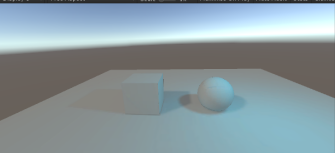
效果截图:

 浙公网安备 33010602011771号