ddclient
使用 ddclient 动态更新 Cloudflare DNS Record 实现 DDNS
Read on Omnivore
Read Original
作者最近在使用一些动态 IP 的 VPS,而这些 VPS 服务商大都因为害怕被攻击而不直接提供 DDNS,而是提供教程让我们自建 DDNS。Cloudflare 动态更新 DNS Record 的方式会稍微麻烦一些,因此大部分 VPS 服务商都不介绍这种方式,这里简单记录一下。
安装依赖
确认 libdata-validate-ip-perl 和 socket-ssl-perl 和安装 autotools 工具链 是否已经安装,如果没有安装可以通过以下命令安装。
sudo apt install libdata-validate-ip-perl libio-socket-ssl-perl
sudo apt-get install autoconf automake libtool
DOWNLOAD 下载
See https://github.com/ddclient/ddclient/releases
请参阅 https://github.com/ddclient/ddclient/releases
Manual Installation 手动安装
-
Extract the distribution tarball (
.tar.gzfile) andcdinto the directory:
将分发 tarball(.tar.gz文件)和cd提取到目录中:tar xvfa ddclient-3.XX.X.tar.gz cd ddclient-3.XX.X(If you are installing from a clone of the Git repository, you must run
./autogenbefore continuing to the next step.)
(如果您从 Git 存储库的克隆进行安装,则必须运行./autogen,然后才能继续下一步。) -
Run the following commands to build and install:
运行以下命令来构建和安装:./configure \ --prefix=/usr \ --sysconfdir=/etc/ddclient \ --localstatedir=/var make make VERBOSE=1 check sudo make install -
Edit
/etc/ddclient/ddclient.conf. 编辑/etc/ddclient/ddclient.conf。
配置文件内容可以参考
sudo nano /etc/ddclient/ddclient.conf
daemon=300 # 多久检查一次服务器外网 IP
pid=/var/run/ddclient.pid

protocol=cloudflare
use=web
web=https://ipinfo.io/ip
login=domain@gmail.com # Cloudflare 登录邮箱
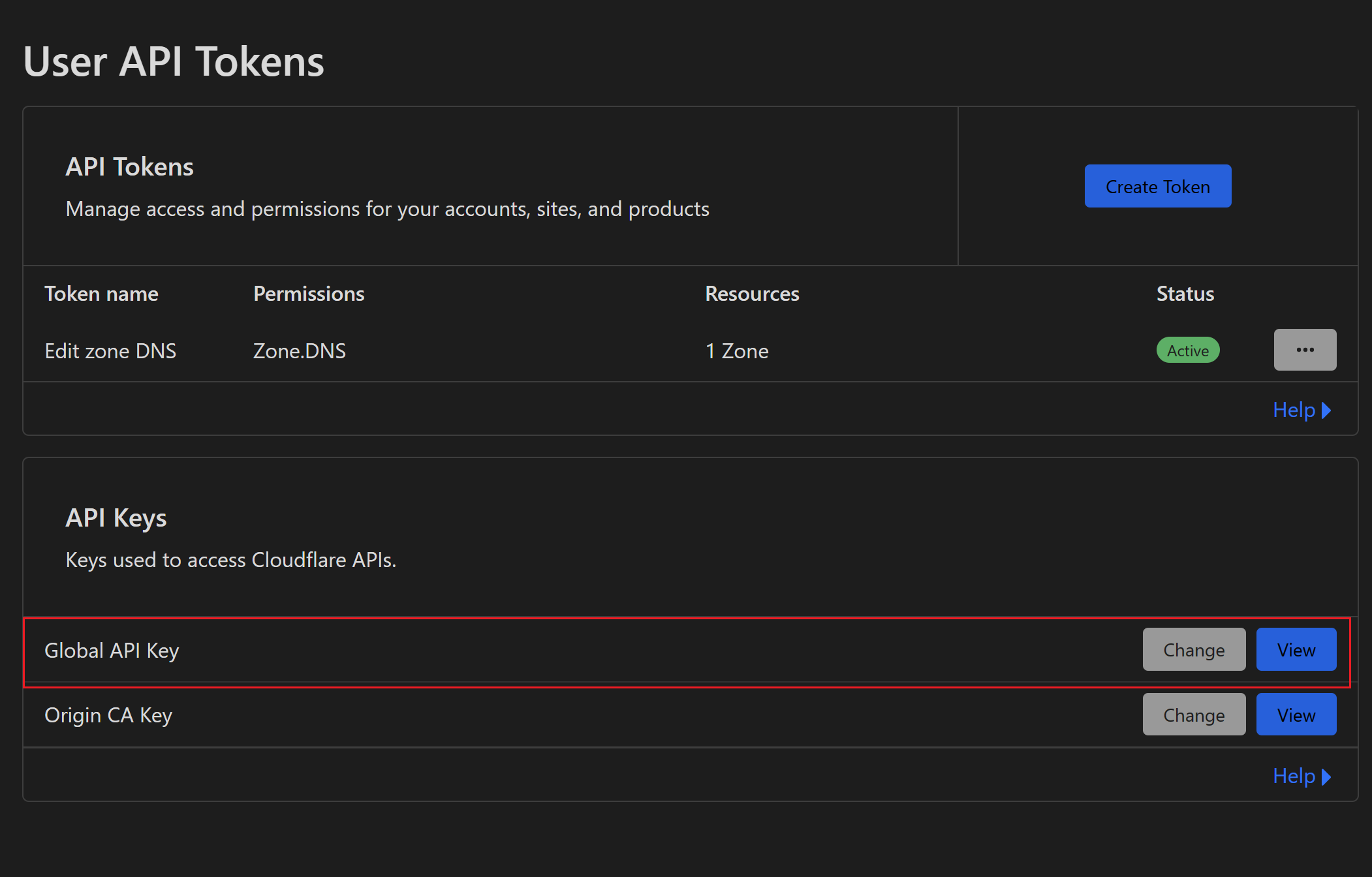
password=34567898654345678986 # CloudFlare API 密钥
zone=yourdomain.com # 告诉 ddclient 要更新哪个一级域名下的 DNS Record
*.yourdomain.com  # 告诉 ddclient 要根据具体哪个域名的 DNS Record,可以通过逗号连接来更新多个域名
Password 参考
systemd 系统
cp sample-etc_systemd.service /etc/systemd/system/ddclient.service
enable automatic startup when booting
启用开机时自动启动
sudo systemctl enable ddclient.service
start the first time by hand
第一次手动开始
sudo systemctl start ddclient.service
可以通过以下命令来验证配置是否正确。
sudo ddclient -daemon=0 -debug -verbose -noquiet

 浙公网安备 33010602011771号