
Excel用VBA对比两列的数据按模板顺序对数据进行排序
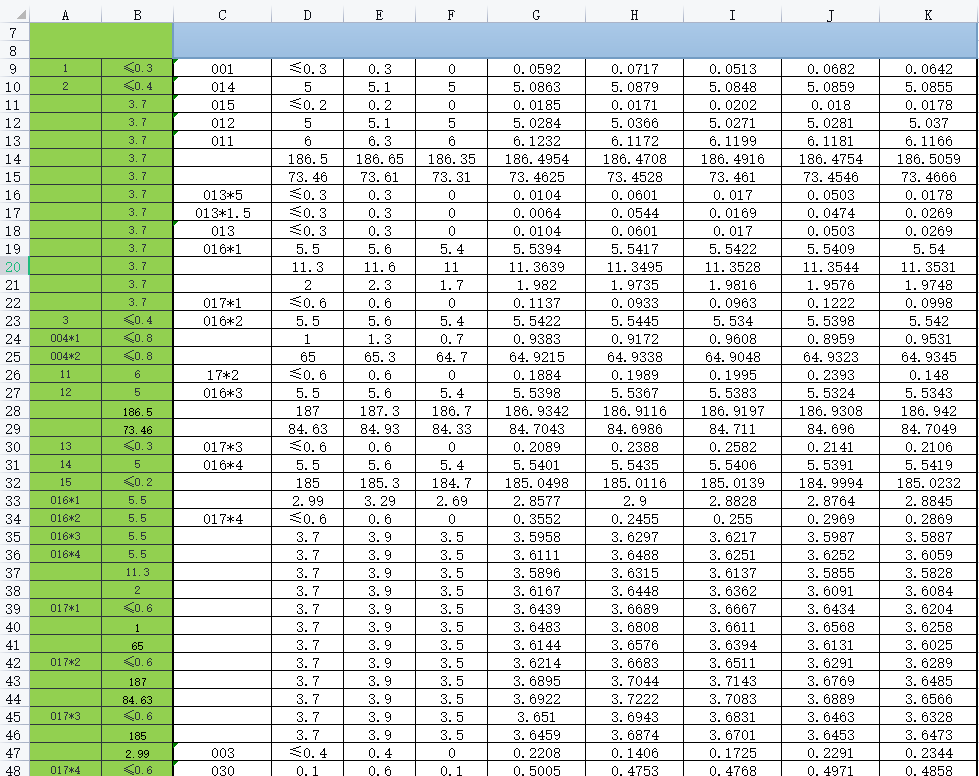
CD是表头,数据按AB固定的模板进行排序。
AB列是参考列,先对用C列与A列对比,如果相同则C到K的数据会移动到A列所在的行,如果A列用空值就用D列与B列比较。
1、先修剪数据A9、A10这几个数据没有前导的0所以要反C列的数据先修剪一个。
2、拿C列与A列比如果C列有数据与A列在相同则把C到K的数据移动到与A同一列,A列是空值的说不对比。
3、因为A有空值所以再拿D的与B列的对比。
代码
Sub SwapLoop()
    Dim lastRowA As Long, lastRowC As Long
    Dim lastRowB As Long, lastRowD As Long
    Dim trim_lastRowC As Long
    Dim i As Long, j As Long
    Dim n As Long, m As Long
    Dim l As Long, k As Variant

    '获取列的最后一行
    lastRowA = Cells(Rows.Count, "A").End(xlUp).Row
    lastRowC = Cells(Rows.Count, "C").End(xlUp).Row
    lastRowB = Cells(Rows.Count, "B").End(xlUp).Row
    lastRowD = Cells(Rows.Count, "D").End(xlUp).Row
     '先修剪个别数据前导的0
    trim_lastRowC = Cells(Rows.Count, "C").End(xlUp).Row
    For l = 9 To trim_lastRowC
        k = Range("C" & l).Value
        If k <> "" Then
            If Len(k) = 3 Then
            Range("C" & l) = Trim(k)
            End If
        End If
    Next l

    '循环比较每一行
    For i = 9 To lastRowA
        For j = 9 To lastRowC
            If Range("C" & j).Value = Range("A" & i).Value Then
                ' 如果匹配,则交换数据
                Dim tempRangeC As Range
                Set tempRangeC = Range("C" & j & ":Z" & j) ' 要交换从 C 列到 Z 列的数据
                Dim tempDataC As Variant
                tempDataC = tempRangeC.Value
                tempRangeC.Value = Range("C" & i & ":Z" & i).Value
                Range("C" & i & ":Z" & i).Value = tempDataC
            End If
        Next j
    Next i
    'BD列进行比较
    For n = 9 To lastRowB
        For m = 9 To lastRowD
            If Range("A" & n).Value = "" And Range("B" & n).Value = Range("D" & m).Value And Range("B" & m).Value <> Range("D" & m).Value Then

            Dim tempRangeD As Range
            Set tempRangeD = Range("C" & m & ":Z" & m)
            Dim tempDataD As Variant
            tempDataD = tempRangeD.Value
            tempRangeD.Value = Range("C" & n & ":Z" & n).Value
            Range("C" & n & ":Z" & n).Value = tempDataD
            End If
        Next m
    Next n

End Sub


 浙公网安备 33010602011771号