快速掌握activity的生命周期
activity的生命周期不管是在面试还是在工作中我们都会经常遇到,这当然也是非常基础的,基础也很重要哦,学会activity的生命周期对我们以后开发更健壮的程序会有很大帮助。下面来看一下Activity生命周期图:

为了便于理解,我简单的写了一个Demo,不明白Activity周期的朋友们,可以亲手实践一下,大家按照我的步骤来。
第一步:新建一个Android工程,我这里命名为MainActivity.再创建一个OtherActivity继承activity。
 1 public class MainActivity extends Activity {
 2     /** Called when the activity is first created. */
 3     @Override
 4     public void onCreate(Bundle savedInstanceState) {
 5         super.onCreate(savedInstanceState);
 6         setContentView(R.layout.main);
 7         System.out.println("MainActivity:----------------onCreate--");
 8         Button button=(Button) this.findViewById(R.id.button);
 9         button.setOnClickListener(new View.OnClickListener() {
10           public void onClick(View v) {
11             // TODO Auto-generated method stub
12             Intent intent=new Intent(MainActivity.this,OtherActivity.class);
13             startActivity(intent);
14           }
15       });
16     }
17
18     @Override
19     protected void onStart() {
20         super.onStart();
21         // The activity is about to become visible.
22         System.out.println("MainActivity:----------------onStart--");
23     }
24     @Override
25     protected void onResume() {
26         super.onResume();
27         // The activity has become visible (it is now "resumed").
28         System.out.println("MainActivity:----------------onResume--");
29     }
30     @Override
31     protected void onPause() {
32         super.onPause();
33         // Another activity is taking focus (this activity is about to be "paused").
34         System.out.println("MainActivity:----------------onPause--");
35     }
36     @Override
37     protected void onStop() {
38         super.onStop();
39         // The activity is no longer visible (it is now "stopped")
40         System.out.println("MainActivity:----------------onStop--");
41     }
42     @Override
43     protected void onDestroy() {
44         super.onDestroy();
45         // The activity is about to be destroyed.
46         System.out.println("MainActivity:----------------onDestroy--");
47     }
48
49 }
public class OtherActivity extends Activity {
    /** Called when the activity is first created. */
    @Override
    public void onCreate(Bundle savedInstanceState) {
        super.onCreate(savedInstanceState);
        setContentView(R.layout.other);
        System.out.println("OtherActivity:----------------onCreate--");
    }

    @Override
    protected void onStart() {
        super.onStart();
        // The activity is about to become visible.
        System.out.println("OtherActivity:----------------onStart--");
    }
    @Override
    protected void onResume() {
        super.onResume();
        // The activity has become visible (it is now "resumed").
        System.out.println("OtherActivity:----------------onResume--");
    }
    @Override
    protected void onPause() {
        super.onPause();
        // Another activity is taking focus (this activity is about to be "paused").
        System.out.println("OtherActivity:----------------onPause--");
    }
    @Override
    protected void onStop() {
        super.onStop();
        // The activity is no longer visible (it is now "stopped")
        System.out.println("OtherActivity:----------------onStop--");
    }
    @Override
    protected void onDestroy() {
        super.onDestroy();
        // The activity is about to be destroyed.
        System.out.println("OtherActivity:----------------onDestroy--");
    }

}
第二步:运行上述工程,效果图如下(没什么特别的):
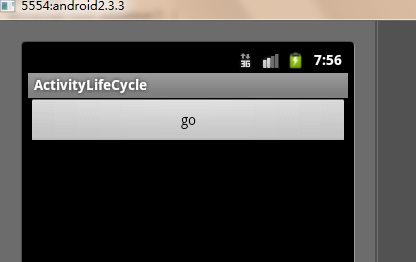
核心在Logcat视窗里,我们打开应用时先后执行了onCreate()->onStart()->onResume三个方法,看一下LogCat视窗如下:

点击go按钮:

一定跳转到了 另一个activity界面,下面让我们看看logcat:

当点击go按钮后首先执行mainActivity的onPause 然后依次执行otherActivity的 onCreate() onStart() onResume()方法,当整个屏幕被另一个activity完全遮挡住了 调用mainActivity的onStop方法.
接下来点击back按钮:

这一次先是调用了otherActivity的onPuse方法,失去焦点,然后调用mainActivity的onStart onResume 接着就是otherActivity的停止,销毁。
从上面可以看出onCreate方法只调用一次,当一个activity失去焦点时,也就是不在最前端时调用onPause方法, 当整个activity不可见时,也就是完全被另一个activity覆盖时,会调用onStop方法。
下面再让我们看下上面的Activity生命周期图是不是就容易理解了,当失去焦点时调用onPause方法,重新获得焦点调用OnResume方法 这两个方法是相对的。完全被覆盖调用onStop方法,返回前端调用onStart方法。
然后在点击home键验证一下:

OK!

 浙公网安备 33010602011771号