
Vue-keep-alive 缓存组件 & 动态组件
动态组件:
动态组件:即组件是否展示需要根据条件判断,该组件即为动态组件
作用:多用于 tap 切换时某个板块展示对应组件内的内容
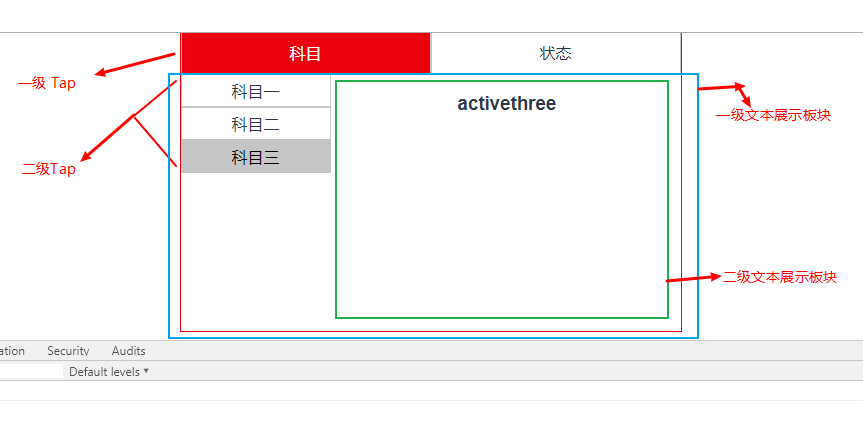
功能点:点击一级 tap 时,展示一级 tap 对应板块内容(一级组件);点击二级 tap 时,展示二级tap对应的板块内容(二级组件)
示例图:
创建组件;

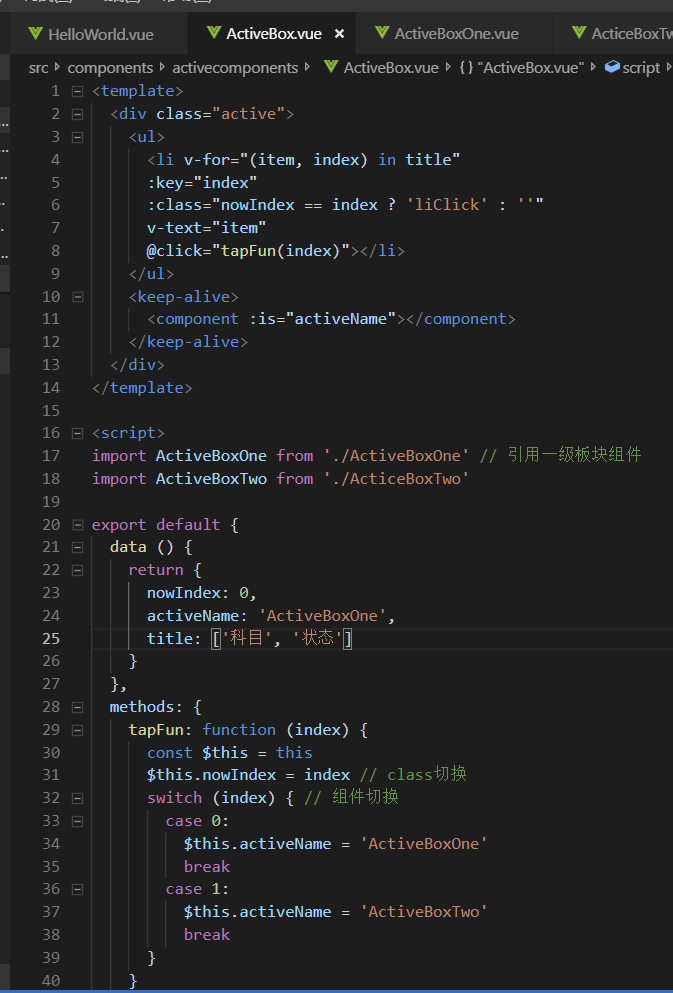
最外层包裹组件:ActiveBox组件


<template>
  <div class="active">
    <ul>
      <li v-for="(item, index) in title"
      :key="index"
      :class="nowIndex == index ? 'liClick' : ''"
      v-text="item"
      @click="tapFun(index)"></li>
    </ul>
    <keep-alive>
      <component :is="activeName"></component>
    </keep-alive>
  </div>
</template>

<script>
import ActiveBoxOne from './ActiveBoxOne' // 引用一级板块组件
import ActiveBoxTwo from './ActiceBoxTwo'

export default {
  data () {
    return {
      nowIndex: 0,
      activeName: 'ActiveBoxOne',
      title: ['科目', '状态']
    }
  },
  methods: {
    tapFun: function (index) {
      const $this = this
      $this.nowIndex = index // class切换
      switch (index) { // 组件切换
        case 0:
          $this.activeName = 'ActiveBoxOne'
          break
        case 1:
          $this.activeName = 'ActiveBoxTwo'
          break
      }
    }
  },
  components: {
    ActiveBoxOne,
    ActiveBoxTwo
  }
}
</script>

<style scoped>
*{
  margin: 0;
  padding: 0;
}
.active{
  width: 500px;
  height: 300px;
  border: #f00 solid 1px;
  margin: 0 auto;
}
ul{
  list-style-type: none;
}
.active ul:after{
  content: '\200B';
  height: 0;
  display: block;
  clear: both;
}
ul li{
  float: left;
  width: 49.6%;
  text-align: center;
  padding: 10px 0;
  cursor: pointer;
  border: #ccc solid 1px;
}
ul .liClick{
  color: #fff;
  background: #f00;
}
</style>
一级板块组件:
。ActiveBoxOne
<template>
  <div>
    <ul>
      <li v-for="(item, index) in title"
      :key="index"
      v-text="item"
      :class="nowIndex == index ? 'liClick' : ''"
      @click="tapFun(index)"
      ></li>
    </ul>
    <section>
      <keep-alive>
        <component :is="activeName"></component>
      </keep-alive>
    </section>
  </div>
</template>

<script>
import ActiveOne from './ActiveOne'
import ActiveTwo from './ActiveTwo'
import ActiveThree from './ActiveThree'

export default {
  data () {
    return {
      nowIndex: 0,
      activeName: ActiveOne,
      title: ['科目一', '科目二', '科目三']
    }
  },
  methods: {
    tapFun: function (index) {
      const $this = this
      $this.nowIndex = index
      switch (index) {
        case 0:
          $this.activeName = 'ActiveOne'
          break
        case 1:
          $this.activeName = 'ActiveTwo'
          break
        default:
          $this.activeName = 'ActiveThree'
      }
    }
  },
  components: {
    ActiveOne,
    ActiveTwo,
    ActiveThree
  }
}
</script>

<style scoped>
*{
  margin: 0;
  padding: 0;
}
div:after{
  content: '\200B';
  height: 0;
  display: block;
  clear: both;
}
ul{
  list-style-type: none;
  float: left;
  width: 30%;
}
ul li{
  border: #ccc solid 1px;
  padding: 5px 0;
  cursor: pointer;
}
ul .liClick{
  color: #000;
  background: #ccc;
}
section{
  width: 69.5%;
  height: 100%;
  border: #ccc;
  float: right;
}
</style>

。ActiveBoxTwo
<template>
  <div v-text="content"></div>
</template>

<script>
export default {
  data () {
    return {
      content: '已拿证'
    }
  }
}
</script>

<style scoped>

</style>

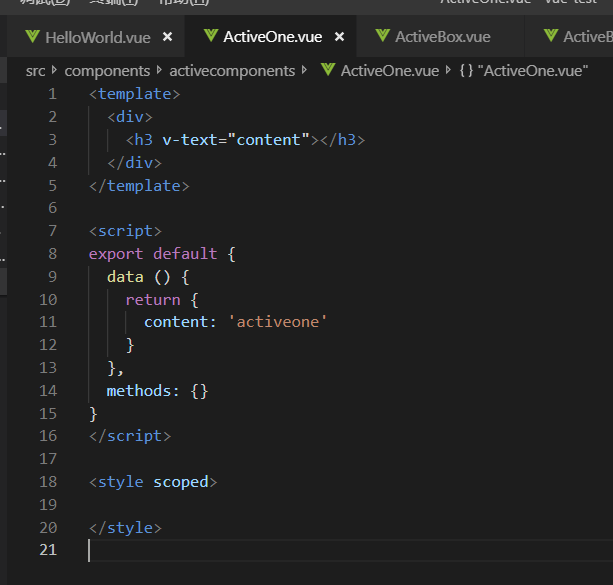
二级板块组件:
<template>
  <div>
    <h3 v-text="content"></h3>
  </div>
</template>

<script>
export default {
  data () {
    return {
      content: 'activeone'
    }
  },
  methods: {}
}
</script>

<style scoped>

</style>
缓存组件:
缓存组件:在包裹的组件第一次创建时,将包裹组件缓存到本地
出现原因:动态组件切换时,会将在同一块板中前一个组件删除,删除之后再重新创建新的实例 currentTapComponent 展示组件,这样每次切换时都会在删除/重新创建之间反复,消耗性能;
功能:使用 keep-alive 缓存已创建的组件,在之后的切换中 都不会重新创建新的实例,而是在切换时直接使用已缓存的组件,大大的提高了性能
    <keep-alive>
      <component :is="activeName"></component>
    </keep-alive>

 浙公网安备 33010602011771号