


如何解决Vue项目关于‘TypeScript intellisense is disabled on template. To enable, configure `"jsx": ’错误
如何解决Vue项目关于‘TypeScript intellisense is disabled on template. To enable, configure `"jsx": ’错误
vscode在新建组件时候会弹出:TypeScript intellisense is disabled on template. To enable, configure `"jsx": "preserve"` in the `"compilerOptions"` property of tsconfig or jsconfig. To disable this prompt instead, configure `"experimentalDisableTemplateSupport": true` in `"vueCompilerOptions"` property.的错误如何解决?
十分简单:
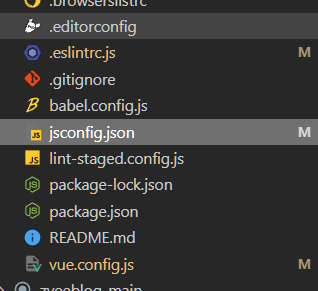
找到根目录下jsconfig.json文件。
 在文件内添加一句即可。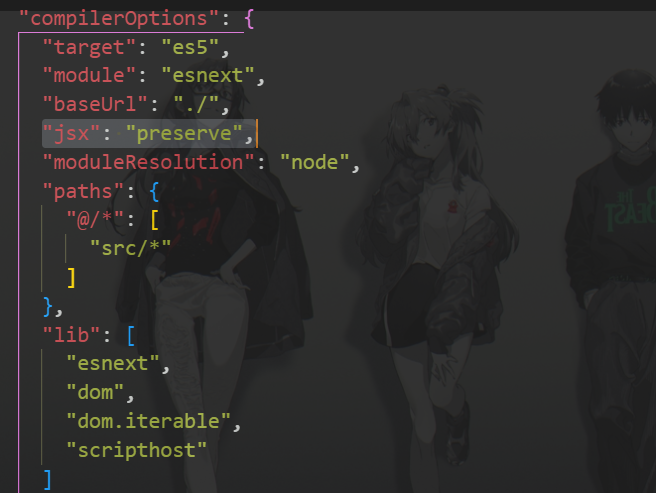

 浙公网安备 33010602011771号