
JavaScript的jQuery
不通过JavaScript的原生代码,如document.getElementById("")
而是通过jQuery的$符号选择器。
jQuery库,里面存在大量JavaScript的函数。
推荐网站:http://jquery.cuishifeng.cn/
1. 下载jQuery库
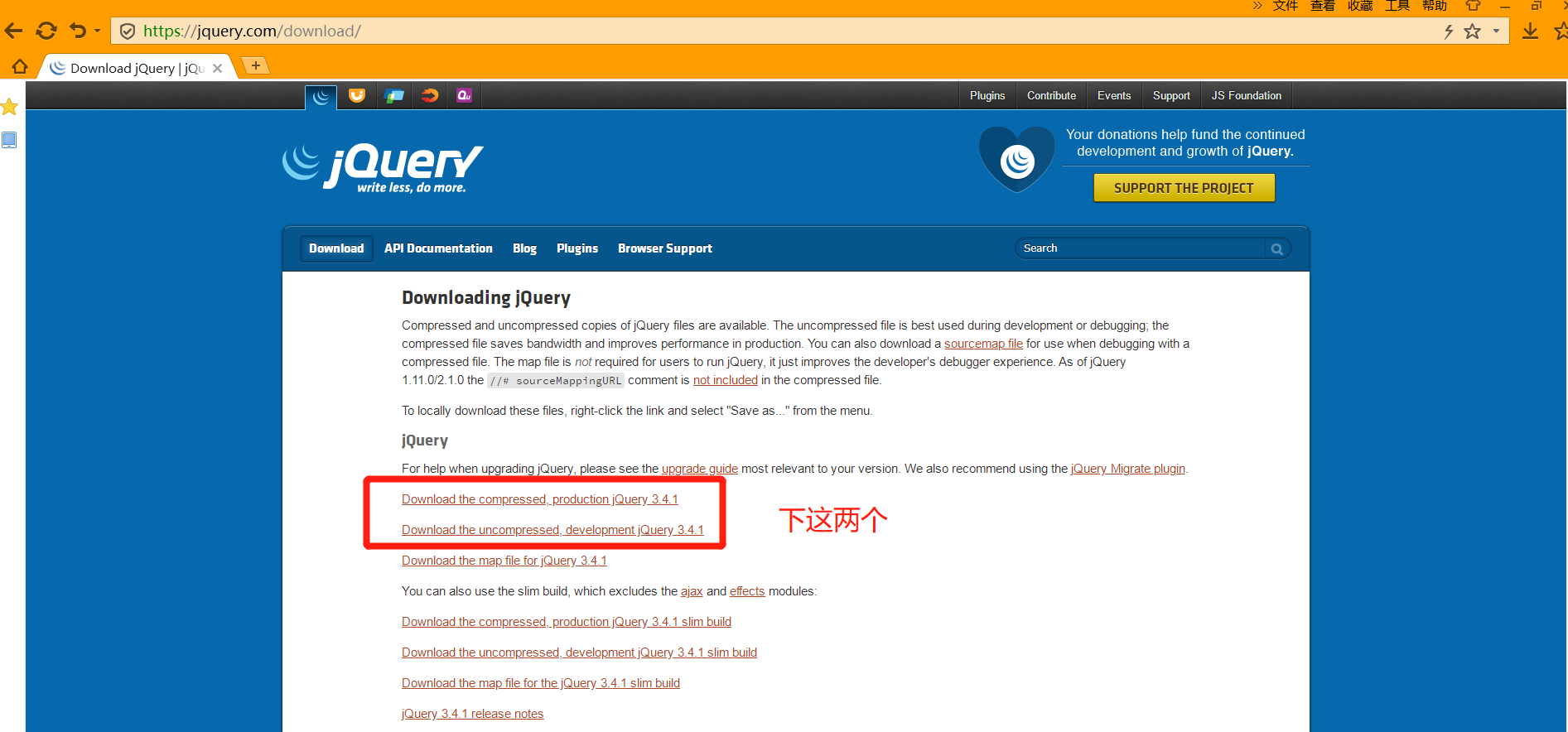
2. 建一个文件夹,导入下载的包
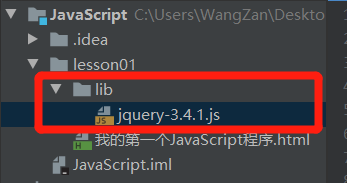
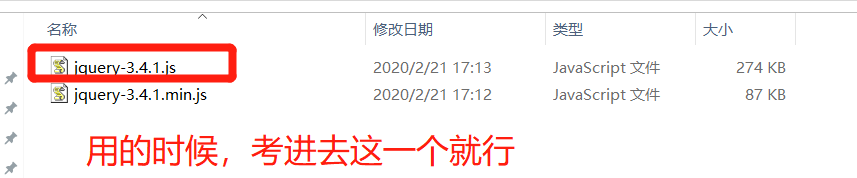
3. 初识jQuery的语法
公式:$(selector).action()
</head><script src="lib/jquery-3.4.1.js"></script>
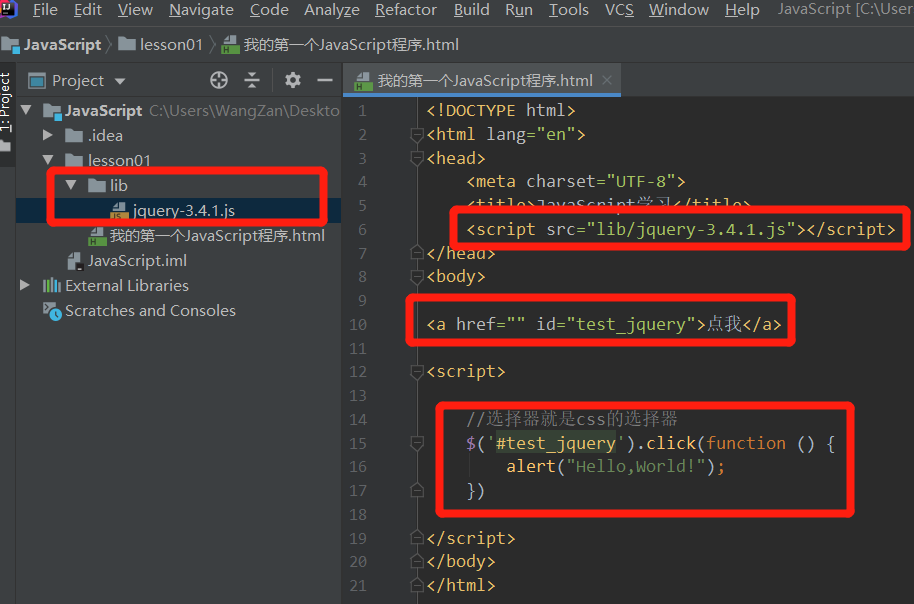
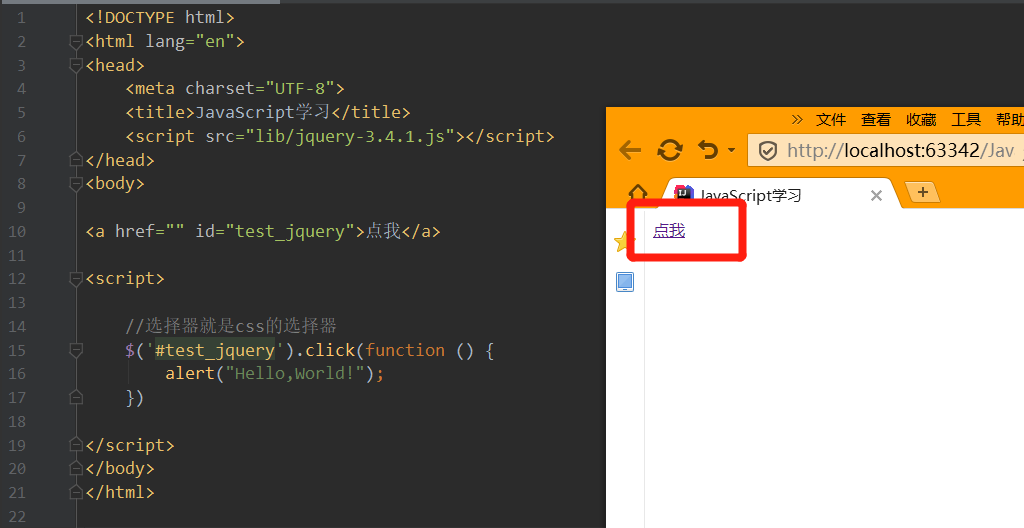
完整代码如下:
<!DOCTYPE html>
<html lang="en">
<head>
<meta charset="UTF-8">
<title>JavaScript学习</title>
<script src="lib/jquery-3.4.1.js"></script>
</head>
<body>
<a href="" id="test_jquery">点我</a>
<script>
//选择器就是css的选择器
$('#test_jquery').click(function () {
alert("Hello,World!");
})
</script>
</body>
</html>
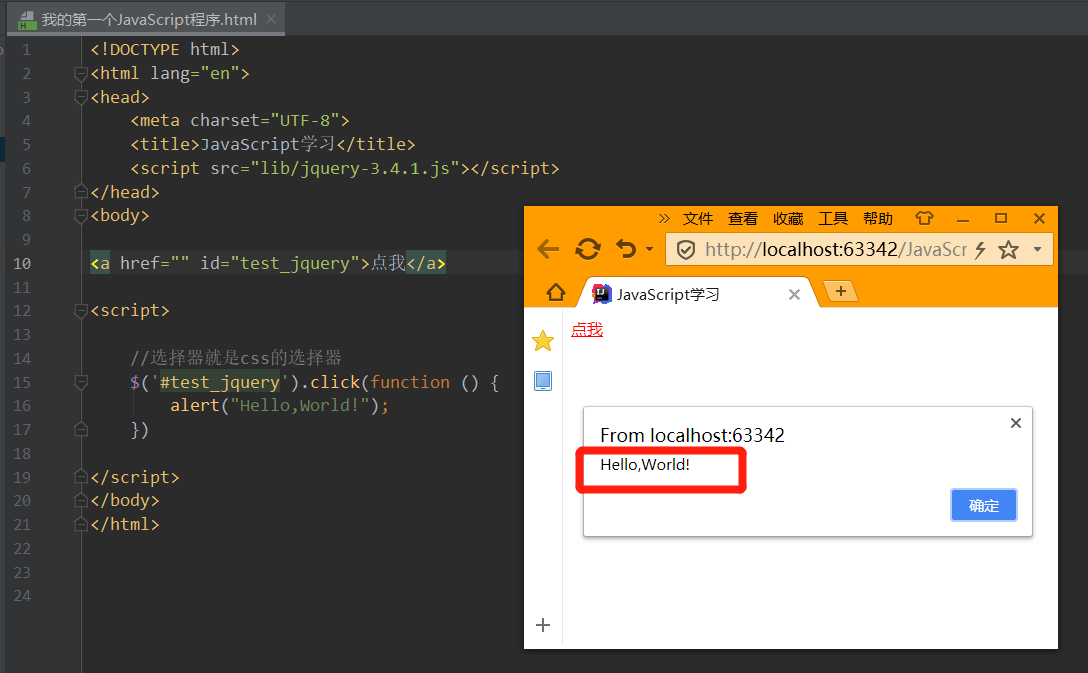
效果为:点完点我,跳出Hello,World!
4. jQuery的选择器
在jQuery中,css中的选择器全能用。
文档工具站:http://jquery.cuishifeng.cn/

举三个例子:
1、标签选择器
2、id选择器
3、class选择器
$("p").click();       //标签选择器
$("#d1").click();     //id选择器
$(".class1").click(); //class选择器
5. jQuery的事件
分为:鼠标事件、键盘事件
举个例子:
完整代码如下:
<!DOCTYPE html>
<html lang="en">
<head>
<meta charset="UTF-8">
<title>JavaScript学习</title>
<script src="lib/jquery-3.4.1.js"></script>
<style>
#divMove {
width: 500px;
height: 500px;
border: 1px solid #ff0e11;
}
</style>
</head>
<body>
<!--要求:获取鼠标当前的一个坐标-->
mouse: <span id="mouseMove"></span>
<div id="divMove">
<script>
//当网页元素加载完毕后,响应事件
$(function () {
$("#divMove").mousemove(function (e) {
$("#mouseMove").text("x:" + e.pageX + "y:" + e.pageY);
})
})
</script>
</div>
</body>
</html>

6. jQuery操作DOM元素
<!DOCTYPE html>
<html lang="en">
<head>
<meta charset="UTF-8">
<title>JavaScript学习</title>
<script src="lib/jquery-3.4.1.js"></script>
</head>
<body>
<ul id="test-ul">
<li class="js">JavaScript</li>
<li name="python">Python</li>
</ul>
<script>
$('#test-ul li[name=python]').text(); //当test()括号中没参数,就是获取值;当有参数,就是改变值,这是个重载
$('#test-ul').html();//当html()括号中没参数,就是获取值;当有参数,就是改变值,这是个重载
</script>
</body>
</html>

当test()括号中有参数,就是改变值

当html()括号中有参数,就是改变值


 浙公网安备 33010602011771号