
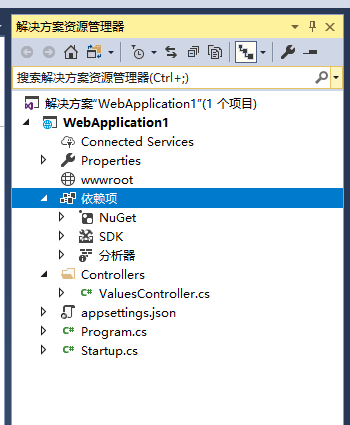
新建asp.netcore2.1 api项目 “WebApplication1”
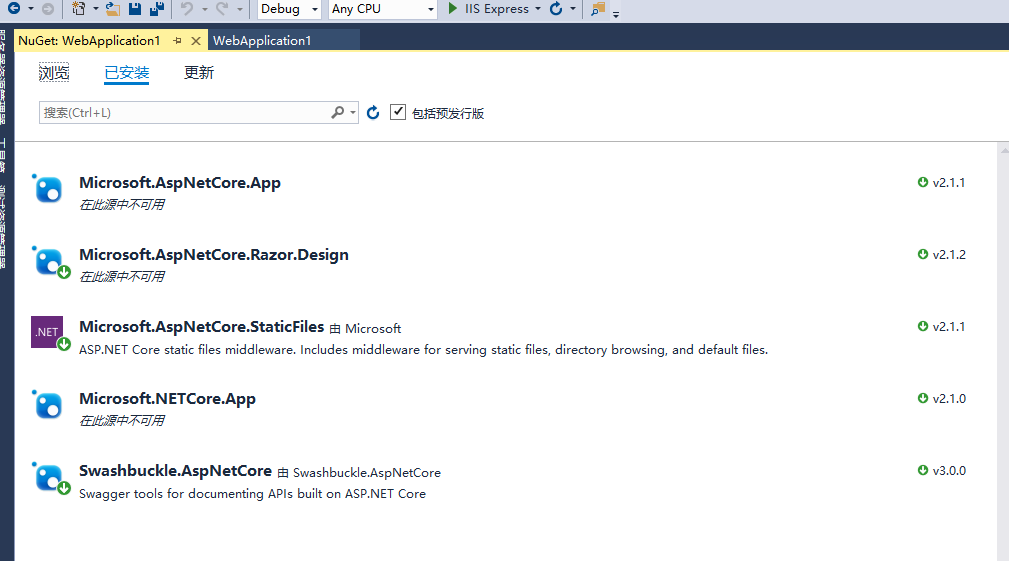
在nuget管理器中添加对Swashbuckle.AspNetCore 3.0.0、Microsoft.AspNetCore.StaticFiles 2.1.1 的引用
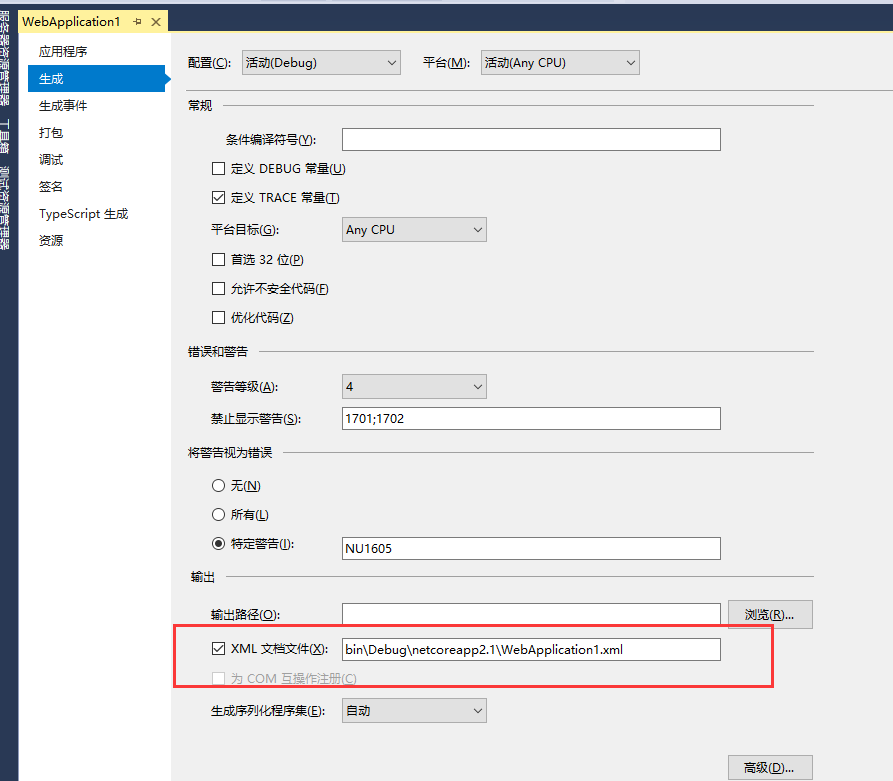
右键WebApplication1打开属性面板 左侧找到“生成”,把“XML文档文件”打钩 将路径修改为 “bin\Debug\netcoreapp2.1\WebApplication1.xml” (默认的路径会在项目里生成一个xml文件 这不是我们希望看到的)
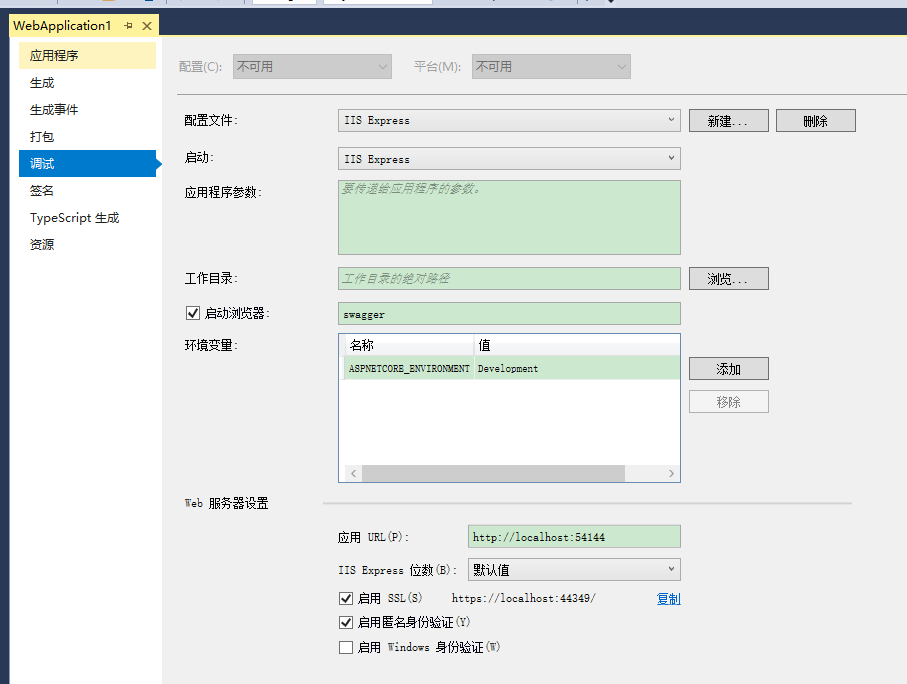
右键WebApplication1打开属性面板 左侧找到“调试”,按照下图设置
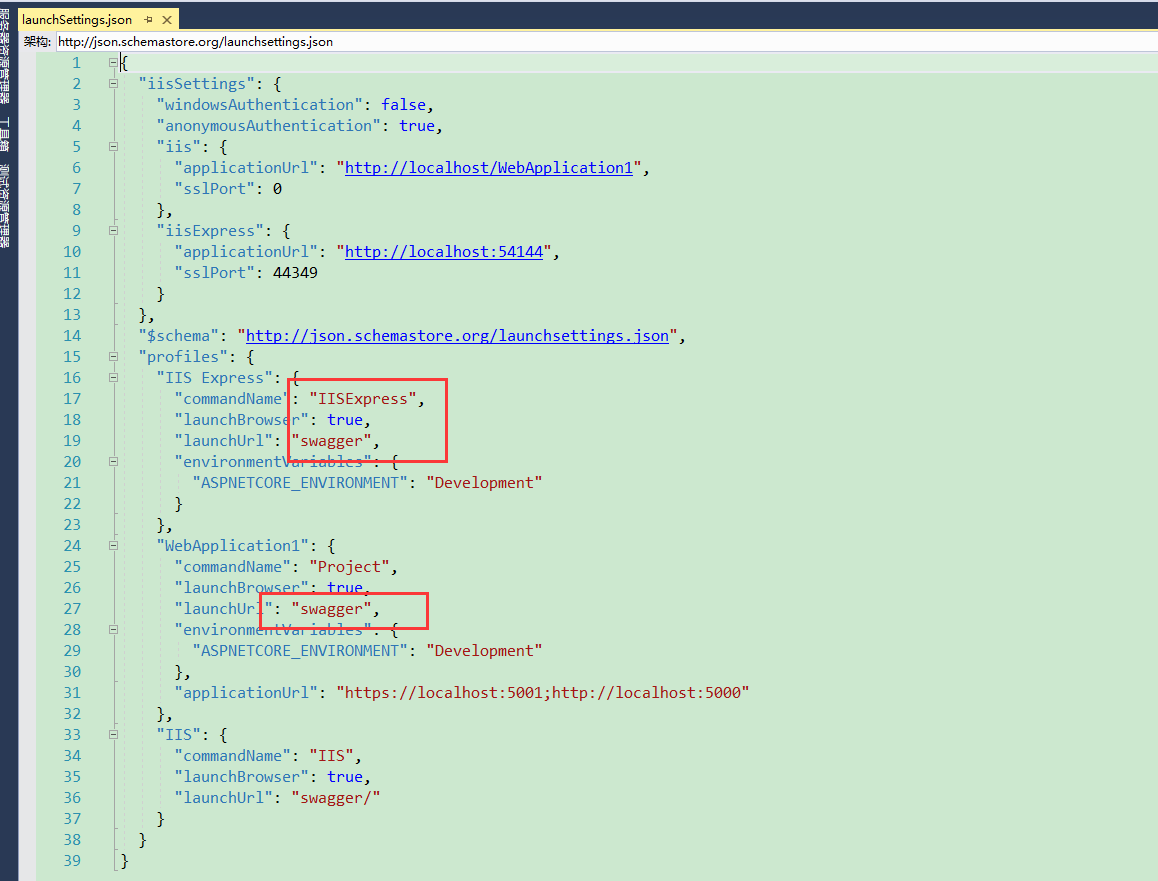
在项目Properties下找到launchSettings.json文件进行修改,如下图
修改Startup.cs文件 内容如下


 1 using System;
 2 using System.Collections.Generic;
 3 using System.IO;
 4 using System.Linq;
 5 using System.Threading.Tasks;
 6 using Microsoft.AspNetCore.Builder;
 7 using Microsoft.AspNetCore.Hosting;
 8 using Microsoft.AspNetCore.HttpsPolicy;
 9 using Microsoft.AspNetCore.Mvc;
10 using Microsoft.Extensions.Configuration;
11 using Microsoft.Extensions.DependencyInjection;
12 using Microsoft.Extensions.Logging;
13 using Microsoft.Extensions.Options;
14 using Swashbuckle.AspNetCore.Swagger;
15
16 namespace WebApplication1
17 {
18     public class Startup
19     {
20         private readonly IHostingEnvironment _hostingEnv;
21
22         public Startup(IHostingEnvironment env, IConfiguration configuration)
23         {
24             _hostingEnv = env;
25             Configuration = configuration;
26         }
27
28         public IConfiguration Configuration { get; }
29
30         // This method gets called by the runtime. Use this method to add services to the container.
31         public void ConfigureServices(IServiceCollection services)
32         {
33             services.AddMvc().SetCompatibilityVersion(CompatibilityVersion.Version_2_1);
34             services.AddSwaggerGen(c =>
35             {
36                 c.SwaggerDoc("v1", new Info
37                 {
38                     Title = "WebApplication1接口",
39                     Version = "v1",
40                     Description = ""
41                 });
42
43                 // 注释
44                 c.IncludeXmlComments($"{AppContext.BaseDirectory}{Path.DirectorySeparatorChar}{_hostingEnv.ApplicationName}.xml");
45
46             });
47
48             services.ConfigureSwaggerGen(option =>
49             {
50             });
51         }
52
53         // This method gets called by the runtime. Use this method to configure the HTTP request pipeline.
54         public void Configure(IApplicationBuilder app, IHostingEnvironment env)
55         {
56             if (env.IsDevelopment())
57             {
58                 app.UseDeveloperExceptionPage();
59             }
60             else
61             {
62                 app.UseHsts();
63             }
64
65             app.UseStaticFiles();
66
67             // TODO 可以设置filter,根据权限返回对应操作API文档
68             app.UseSwagger(c =>
69             {
70                 c.PreSerializeFilters.Add((swaggerDoc, httpReq) => swaggerDoc.Host = httpReq.Host.Value);
71             });
72
73             app.UseSwaggerUI(c =>
74             {
75                 c.SwaggerEndpoint("/swagger/v1/swagger.json", "WebApplication1接口V1");
76             });
77
78             app.UseHttpsRedirection();
79             app.UseMvc();
80         }
81     }
82 }
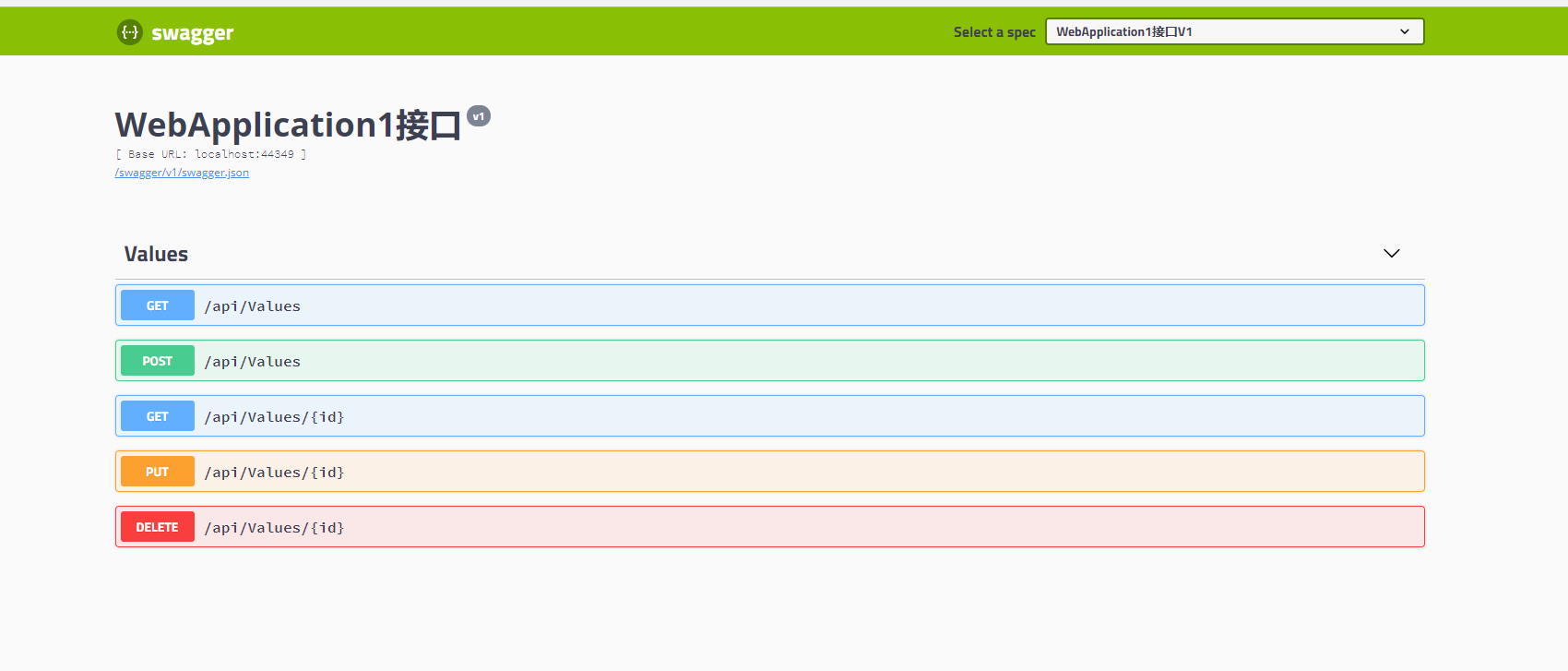
最后:启动项目就能看到swagger文档界面了
下一步对swagger文档进行详细的配置

 浙公网安备 33010602011771号