

【项目实训2】Haystack框架部署与初步使用记录
—— written by Unalome (2025.04.09)
一. 测试deepseek-api
获取deepseek的api-key和url地址并进行连接测试,为接下来的一系列测试打下模型支持的基础。
from openai import OpenAI

# deepseek-API
client = OpenAI(
    # defaults to os.environ.get("OPENAI_API_KEY")
    api_key="sk-**********",
    base_url="**********"
)

response = client.chat.completions.create(
    # model="gpt-3.5-turbo",
    model="DeepSeek-R1",
    messages=[{"role": "user", "content": "用HTML写快速排序"}]
)
print(response.choices[0].message.content)
![t2-1.png]]
二. 测试基础问答功能
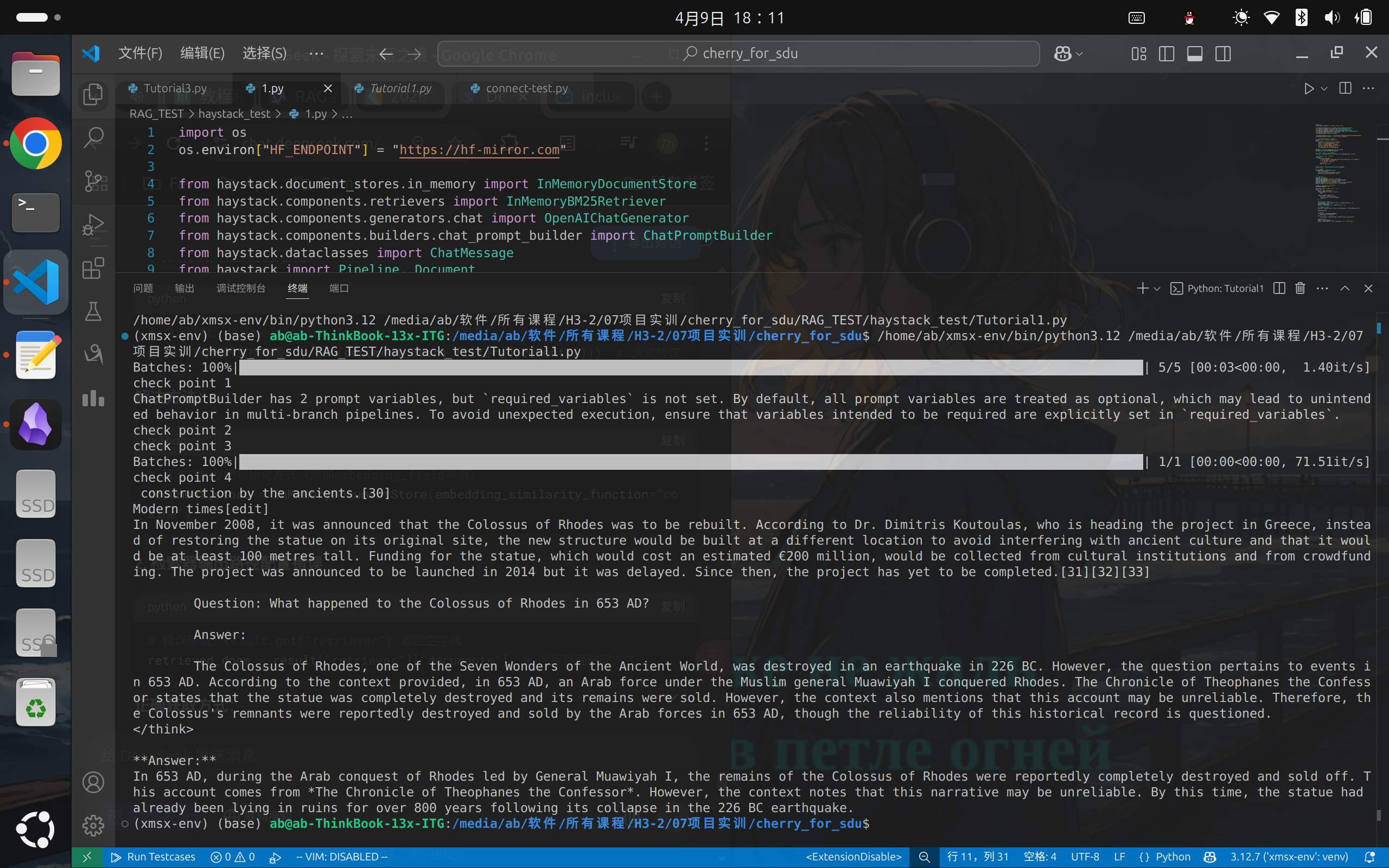
测试Haystack最基本的问答功能,运行测试符合预期。对Haystack的结构和组件的运用有了一个基本的认识。
import os
os.environ["HF_ENDPOINT"] = "https://hf-mirror.com"

from haystack import Document
from datasets import load_dataset
from haystack.dataclasses import ChatMessage
from haystack.components.generators.chat import OpenAIChatGenerator
from haystack.components.builders import ChatPromptBuilder
from haystack.components.retrievers.in_memory import InMemoryEmbeddingRetriever
from haystack.components.embedders import (
    SentenceTransformersDocumentEmbedder,
    SentenceTransformersTextEmbedder,
)
from haystack.document_stores.in_memory import InMemoryDocumentStore
from haystack import Pipeline


# 初始化文档存储
document_store = InMemoryDocumentStore()

# 加载数据集并转换为文档
dataset = load_dataset("bilgeyucel/seven-wonders", split="train")
docs = [Document(content=doc["content"], meta=doc["meta"]) for doc in dataset]

# 嵌入文档
doc_embedder = SentenceTransformersDocumentEmbedder(
    model="sentence-transformers/all-MiniLM-L6-v2")
doc_embedder.warm_up()
docs_with_embeddings = doc_embedder.run(docs)
document_store.write_documents(docs_with_embeddings["documents"])

# print("check point 1")

# 构建检索问答管道
text_embedder = SentenceTransformersTextEmbedder(
    model="sentence-transformers/all-MiniLM-L6-v2")
retriever = InMemoryEmbeddingRetriever(document_store=document_store)

template = [
    ChatMessage.from_user(
        """
        Answer the question based on the context.

        Context:
        {% for document in documents %}
            {{ document.content }}
        {% endfor %}

        Question: {{ question }}
        Answer:
        """
    )
]
prompt_builder = ChatPromptBuilder(template=template)

# print("check point 2")

# 设置 DeepSeek API 密钥(
os.environ["OPENAI_API_KEY"] = "**********"
chat_generator = OpenAIChatGenerator(
    model="DeepSeek-R1",
    api_base_url="**********")

# 组装管道
pipeline = Pipeline()
pipeline.add_component("text_embedder", text_embedder)
pipeline.add_component("retriever", retriever)
pipeline.add_component("prompt_builder", prompt_builder)
pipeline.add_component("llm", chat_generator)

pipeline.connect("text_embedder.embedding", "retriever.query_embedding")
pipeline.connect("retriever.documents", "prompt_builder.documents")
pipeline.connect("prompt_builder.prompt", "llm.messages")

# print("check point 3")

# 执行查询
response = pipeline.run(
    {
        "text_embedder": {"text": "What does Rhodes Statue look like?"},
        "prompt_builder": {"question": "What does Rhodes Statue look like?"},
    }
)
# print("check point 4")
print(response["llm"]["replies"][0].text)
三. 测试RAG功能
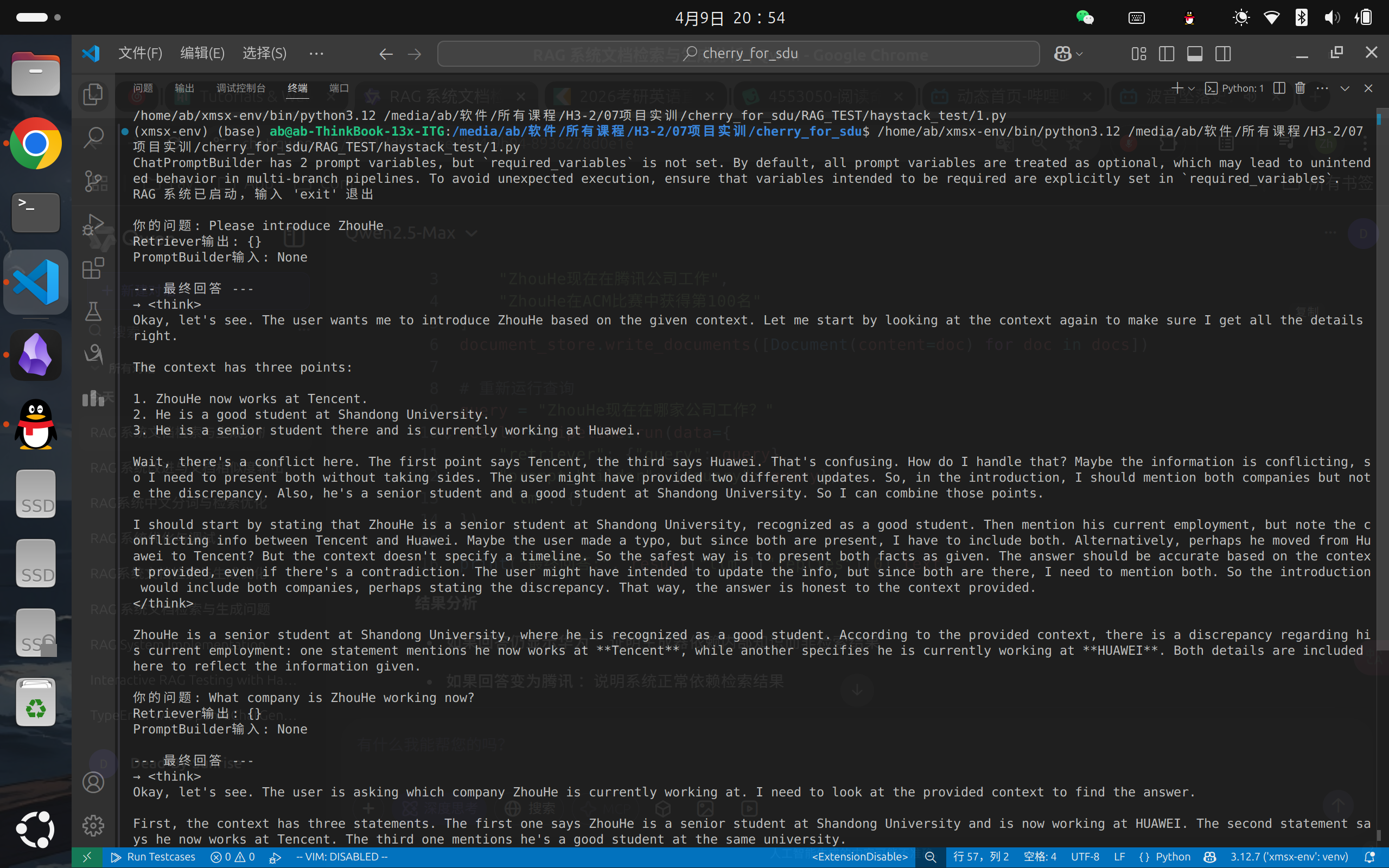
测试Haystack的RAG功能,测试结果基本符合预期,对于文档中出现的内容基本都能检索到并给出正确的整合。
测试过程中发现BM25对中文的支持度非常差,这是下一步需要优化的地方。同时也会回答本地文档中不存在的内容,需要对提示词进行更严格的限制。
import os
os.environ["HF_ENDPOINT"] = "https://hf-mirror.com"

from haystack.document_stores.in_memory import InMemoryDocumentStore
from haystack.components.retrievers import InMemoryBM25Retriever
from haystack.components.generators.chat import OpenAIChatGenerator
from haystack.components.builders.chat_prompt_builder import ChatPromptBuilder
from haystack.dataclasses import ChatMessage
from haystack import Pipeline, Document

# 设置OpenAI API配置
os.environ["OPENAI_API_KEY"] = "sk-**********"
os.environ["OPENAI_API_BASE"] = "**********"

# 1. 创建内存文档存储并添加示例文档
document_store = InMemoryDocumentStore()
docs = [
    # "气候变化导致北极冰盖每年减少约12%的面积",
    # "量子计算在药物发现领域取得突破性进展",
    # "Python 3.12 引入了新的类型注解语法",
    # "Haystack 框架支持多种文档检索和生成方案",
    # "RAG 模型结合了检索和生成的优势",
    "ZhouHe is a good student of Shandong University",
    "ZhouHe is a senior student of Shandong University, and now he is working in HUAWEI company",
    "ZhouHe has partictpated ACM-ICPC World Final and won 36th rank, which was the best score of Shandong University in its history.",
    "ZhouHe now work in Tencent company"
]
documents = [Document(content=doc) for doc in docs]
document_store.write_documents(documents)

# print("存储的文档内容:", [doc.content for doc in documents])

# 2. 初始化检索器
retriever = InMemoryBM25Retriever(document_store=document_store, top_k=3)

# 3. 创建提示模板
template = [
    ChatMessage.from_user(
        """
        Answer the question based on the context:
        {% for document in documents %}
            {{ document.content }}
        {% endfor %}

        Question: {{ query }}
        """
    )
]
prompt_builder = ChatPromptBuilder(template=template)

# 4. 创建生成器
chat_generator = OpenAIChatGenerator(
    model="DeepSeek-R1",
    api_base_url=os.environ["OPENAI_API_BASE"],
    generation_kwargs={"temperature": 0.0}
)

# 5. 构建 RAG 流程
pipeline = Pipeline()
pipeline.add_component("retriever", retriever)
pipeline.add_component("prompt_builder", prompt_builder)
pipeline.add_component("llm", chat_generator)

# 连接组件
pipeline.connect("retriever.documents", "prompt_builder.documents")
pipeline.connect("prompt_builder.prompt", "llm.messages")

print("RAG 系统已启动,输入 'exit' 退出")
while True:
    query = input("\n你的问题: ")
    if query.lower() in ["exit", "quit"]:
        break

    # 运行管道
    result = pipeline.run(data={
        "retriever": {"query": query},
        "prompt_builder": {"query": query},
        "llm": {}
    })

    print("Retriever输出:", result.get("retriever", {}))
    print("PromptBuilder输入:", result.get("prompt_builder", {}).get("documents"))

    # 提取检索结果和回答
    answers = result.get("llm", {}).get("replies", [])

    # 输出最终回答
    print("\n--- 最终回答 ---")
    if answers:
        print(f"→ {answers[0].text}")
    else:
        print("未能找到相关答案")
参考文献及网站:
https://blog.csdn.net/mar1111s/article/details/137179180
https://zhuanlan.zhihu.com/p/669982164
https://haystack.deepset.ai/tutorials
https://github.com/chatanywhere/GPT_API_free?tab=readme-ov-file

 浙公网安备 33010602011771号