
SharePoint 2010 Bate2 第二次安装
硬件环境:
Hype-V 2008 R2 虚拟机,分配4G内存,单CPU
软件环境:
Windows Server 2008 R2
AD
IIS
以上全部在同一台服务器上。
部署方式:
独立安装
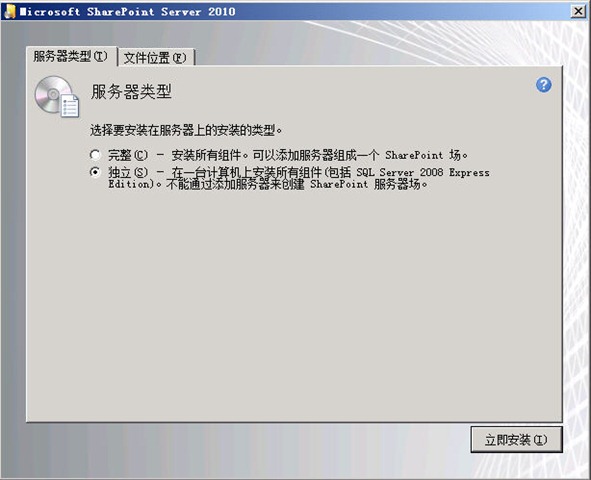
遇到的问题:
1、配置向导第5步出现TimeoutException。
解决办法:
内容:
If you already have tried the wizard, and you have the services in the Services list, then just enter the credentials (under the Log On tab) for a valid admin account, set the service status to manual, and and click OK. The start the services.
The services in question are:
- SharePoint Foundation Search V4
- SharePoint Server Search 14
During the wizard progression, when it reaches step 5, it starts to create the services. In my case, it didn't recreate the Foundation service, but only the Server service. Go to the Services list and hit F5 a couple of times. When you see the Log On As changes from your domain account to Local Service, open the service properties, and enter your admin credentials again, change status to Manual, and click OK. Then start the service. And then wait...
It should now hopefully reach step 6...解决步骤:
打开服务列表,不断按F5刷新服务列表,注意这两个服务
- SharePoint Foundation Search V4
- SharePoint Server Search 14
的登录帐号。一发现它变成“本地服务”,就进到服务的属性里面改成域帐号。
问题2:创建示例站点失败
参考
http://www.cnblogs.com/by1455/archive/2009/11/28/1612802.html


 浙公网安备 33010602011771号