
Visual Studio: general error c101008d: Failed to write the updated manifest to the resource of file
1、解决方法1
使用VS写程序运行时出现下面错误:general error c101008d: Failed to write the updated manifest to the resource of file 鎷掔粷璁块棶銆? mt.exe
选中项目,右键选择属性:
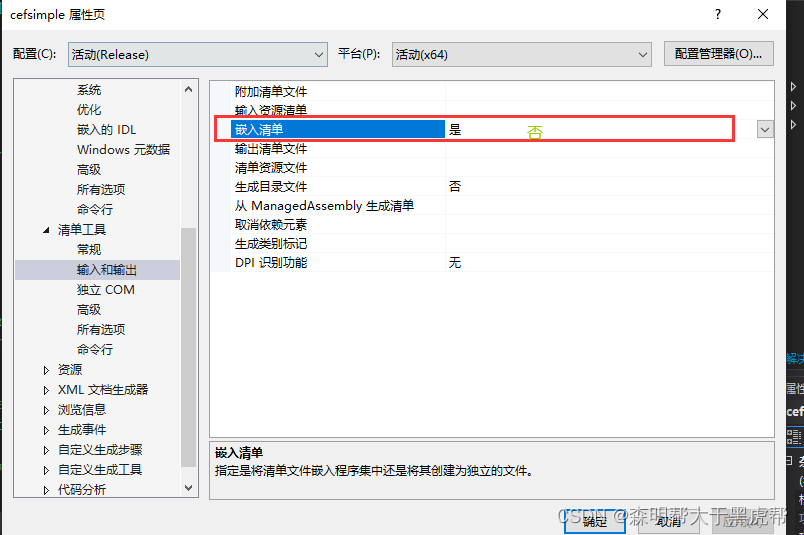
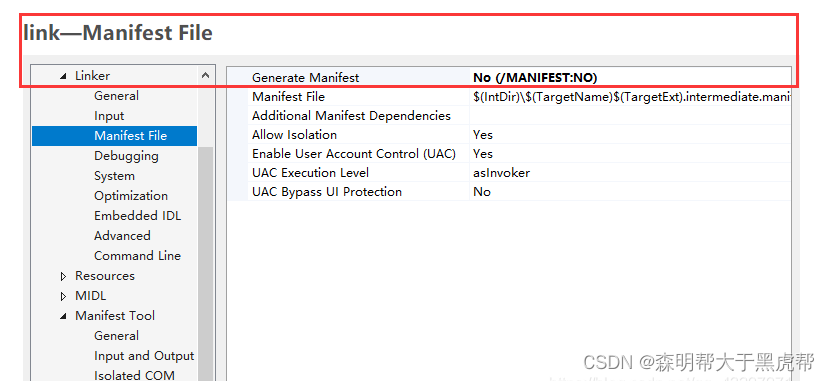
将Generate Manifest一栏改为 No (/MANIFEST:NO)。
Manifest Tool—Input and Output:
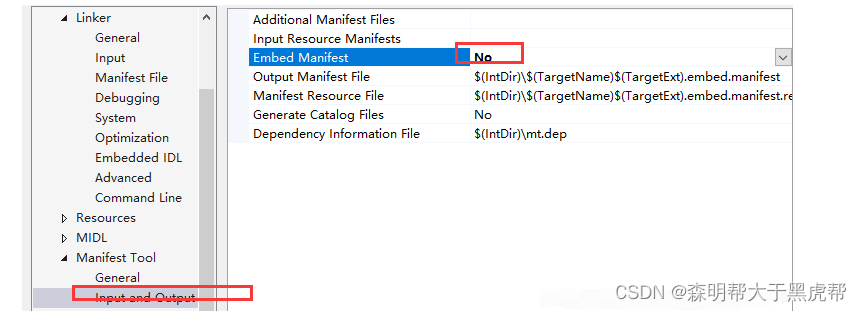
将Embed Manifest一栏改为 No。
2、解决方法2、
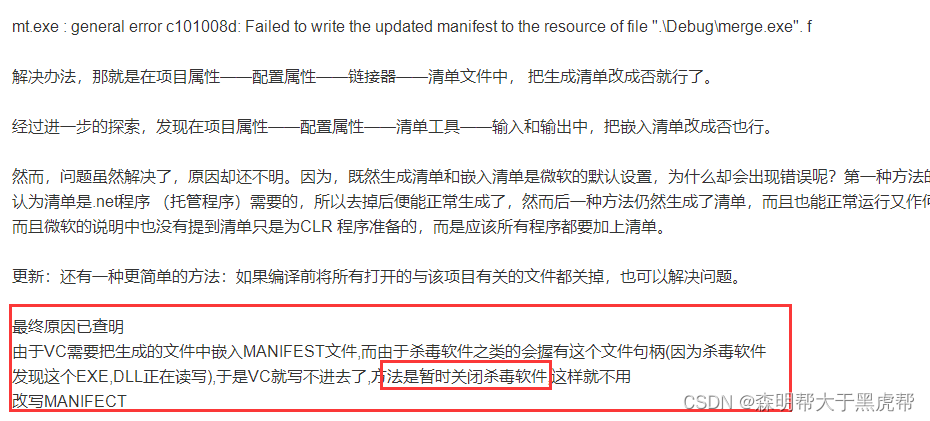
编译报错:error c101008d: Failed to write the updated manifest to the resource of file “XXX.exe”。
解决方案:左下角微软菜单栏-》设置-》更新和安全-》Windows安全中心-》病毒和威胁防护-》“病毒和威胁防护”设置-下面的管理设置-》实施保护-》关-》重新编译工程即可。
原文链接:https://blog.csdn.net/qq_44918090/article/details/131583989

 浙公网安备 33010602011771号