Struts2 environment(开发环境) to build(搭建) and framework introduce.
1.Download struts link address:https://struts.apache.org/download.cgi#struts2516
2.Struts2 version:struts 2.3.34
3.Development IDE:eclipse 2017
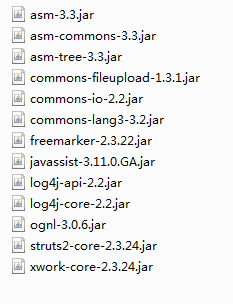
5.Struts2 introduce(介绍):
No1.The struts2 framework layers(层) working in the system:
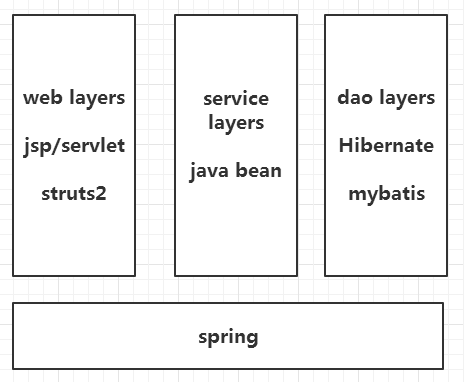
6.Start the first project:
- Import dependency(依赖) package:
eclipse->preference->XML Catalog->Add->Location(file position(位置))->option URI->key:
http://struts.apache.org/dtds/struts-2.3.dtd
- create dependency file:
Advice the struts dependency file name is struts.xml.
The dependency file format is as follows(如下):
//struts.xml---------------->注意:struts.xml要在src目录下
<?xml version="1.0" encoding="UTF-8"?>
<!DOCTYPE struts PUBLIC
	"-//Apache Software Foundation//DTD Struts Configuration 2.3//EN"
	"http://struts.apache.org/dtds/struts-2.3.dtd">
<struts>
	<package name="hello" namespace="/hello" extends="struts-default">
		<action name="HelloAction" class="com.struts2.a_hello.HelloAction" method="hello">
			<result name="success">/hello.jsp</result>
		</action>
	</package>
</struts>
//HelloAction.java
public class HelloAction {


	public String hello() {
		System.out.println("Hello world!");

	return "success";
	}
}
//web.xml
  <!-- 配置struts2核心过滤器 -->
  <filter>
  	<filter-name>Struts</filter-name>
  	<filter-class>org.apache.struts2.dispatcher.ng.filter.StrutsPrepareAndExecuteFilter</filter-class>
  </filter>
  <filter-mapping>
  	<filter-name>Struts</filter-name>
  	<url-pattern>/*</url-pattern>
  </filter-mapping>
Operation result:

Modify(修改) the struts2 constant(常量):
Method 1: build struts.properties( src---->struts.properties )

Method 2: In struts.xml,mainly(主要) configured here
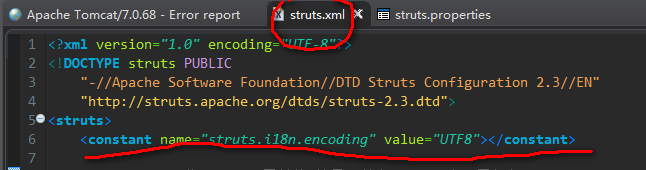
Method 3:In web.xml.
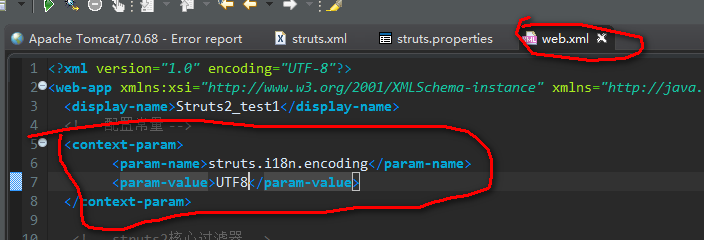
Dynamic call constants method one:
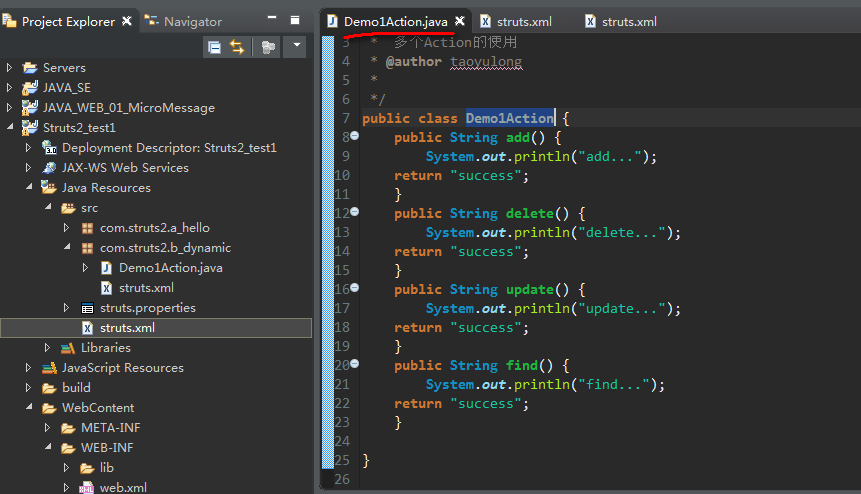
Build action class:
modify struts.xml ,configuration dynamic constant.

Operation result:

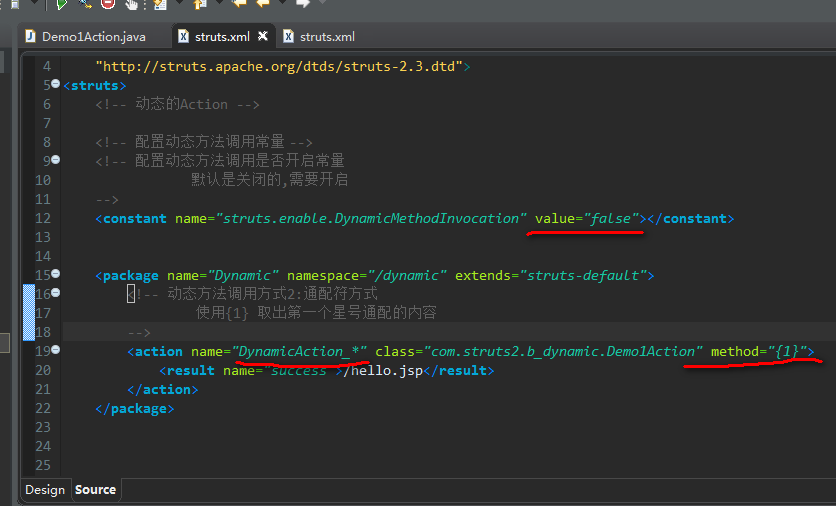
Dynamic call constants method two:
Operation result:


 浙公网安备 33010602011771号