
App性能测试
前言:
最新工具已更新,欢迎下载试用。
🖱️👆:ADB Tools

一、简介
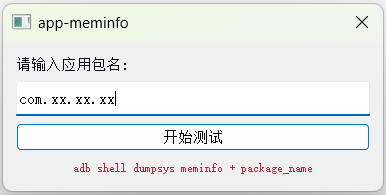
双击后,输入包名即可开始测试
二、效果查看
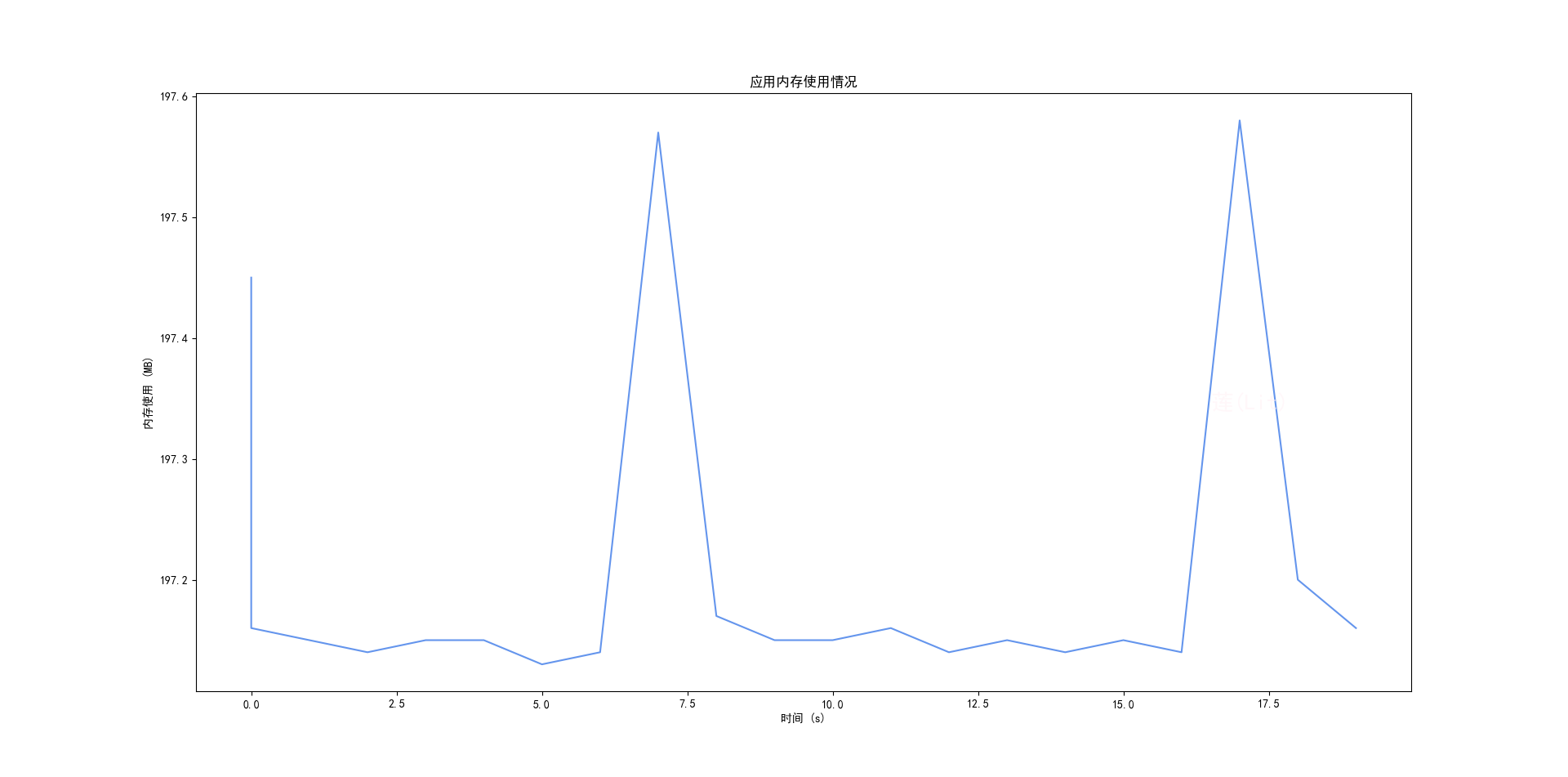
1、内存
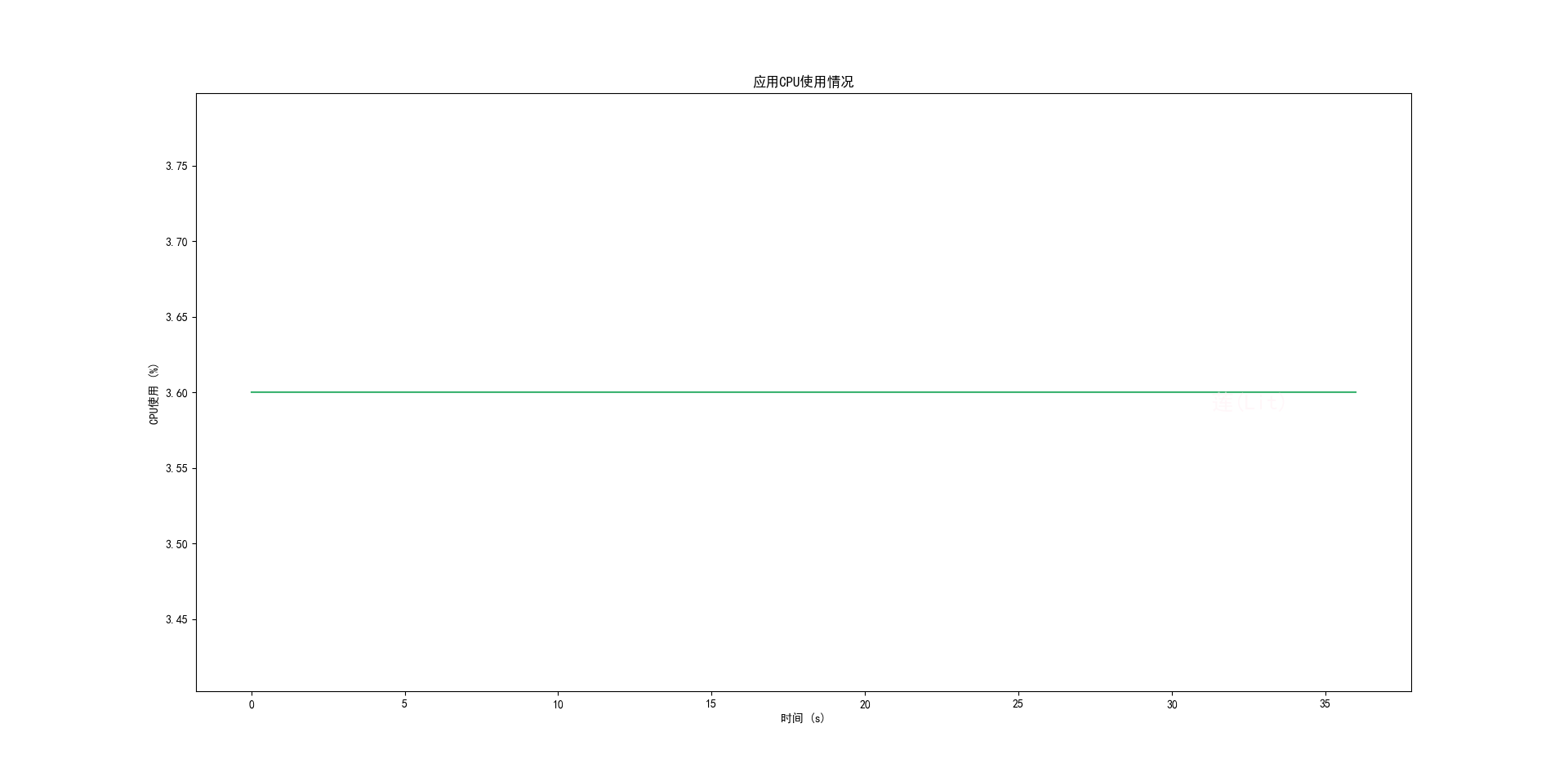
2、CPU
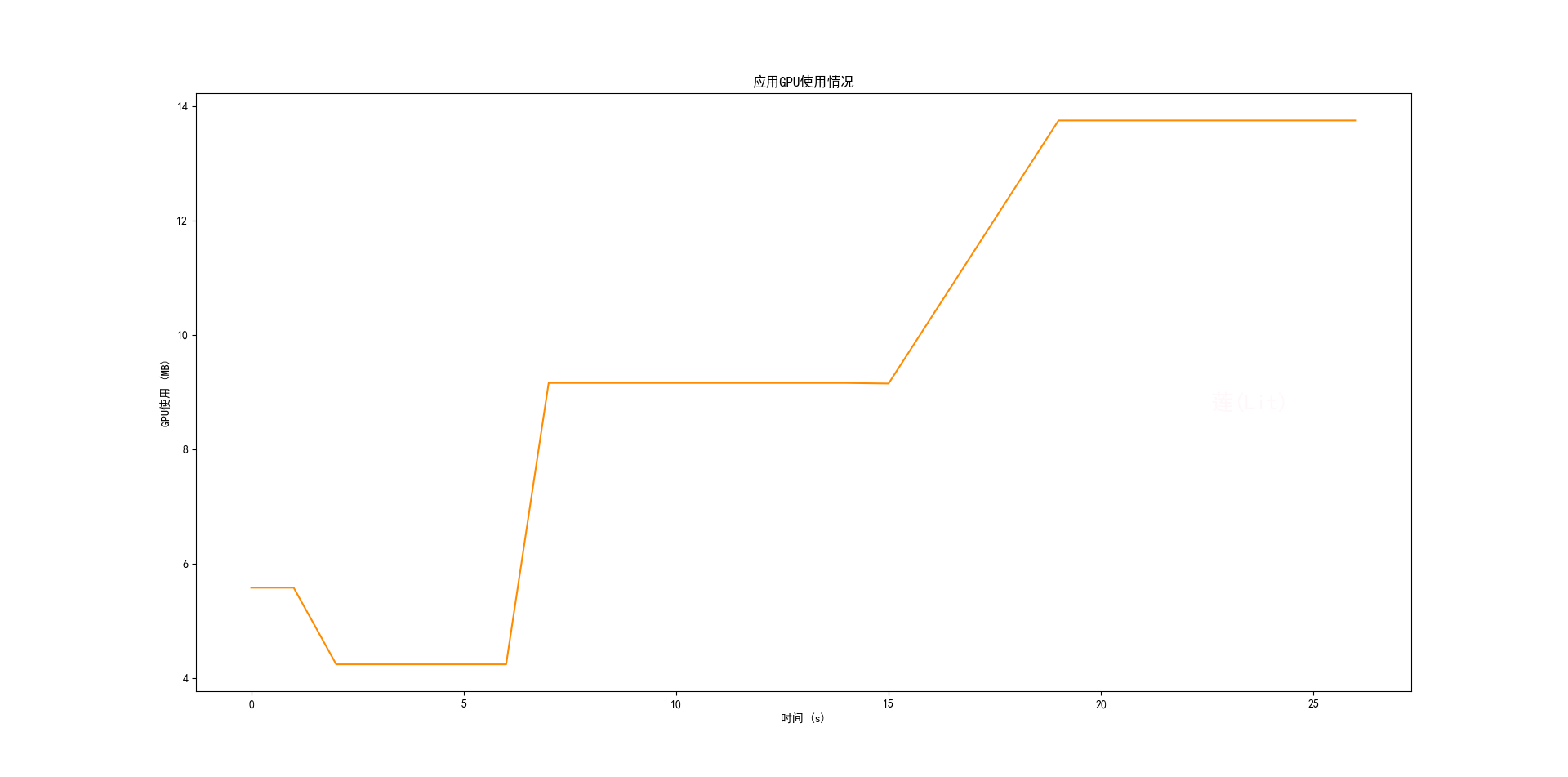
3、GPU
三、App性能测试常用adb命令补充
| 编号 | 命令 | 说明 | 备注 |
| 1 | adb install -r / -d /path/to/your/app.apk | 安装App | -r强制、-d覆盖 |
| 2 | adb shell dumpsys window | findstr mCurrentFocus | 查看手机当前运行App包名 | |
| 3 | adb shell pm clear + 包名 | 清除应用数据和缓存 | |
| 4 | adb shell dumpsys meminfo + 包名 | 查看特定应用程序的内存信息 |
Pss Total:应用程序分配的总内存量,包括私有内存和共享内存 |
| 5 | adb shell dumpsys cpuinfo | findstr + 包名 | 查看特定应用程序的CPU信息 | %CPU(进程使用的CPU资源百分比) |
| 6 | adb shell dumpsys gfxinfo + 包名 | 查看特定应用程序的GPU信息 |
Total GPU memory usage: 4199702 bytes, 4.01 MB (1.29 MB is purgeable) |
| 7 | adb shell am start -W + 包名/Activity | 冷启动 | 杀掉软件,使用首个activity启动命令 |
| 8 | adb shell am start -W + 包名/Activity | 热启动 | App退到后台,不杀进程 |
| 9 | adb shell dumpsys gfxinfo + 包名 > 文件保存路径\fps.txt | 帧率 |
注:设置-系统-开发者选项-监控-HWUI 呈现模式分析-勾选上在“dab shell dumpsys gfxinfo”中 Draw(表示在Java中创建显示列表部分中,OnDraw()方法占用的时间) |
| 10 | adb shell monkey -p com.mi.car.track --pct-appswitch 10 --pct-rotation 10 --pct-touch 50 --pct-motion 20 --ignore-crashes --ignore-timeouts --monitor-native-crashes -v -v -v + 执行次数 >
日志保存路径/monkey_886.log |
随机执行 |
--pct-appswitch 10:设置应用程序切换事件的百分比为 10% |
| 11 | adb shell getprop ro.serialno | 获取设备ID | |
| 12 | adb shell getprop ro.product.model | 获取设备型号 | |
| 13 | adb shell getprop ro.product.brand | 获取手机厂商 | |
| 14 | adb shell dumpsys package + 包名 | findstr versionName | 获取App版本号 | |
| 15 |
adb push <本地路径> <设备目标路径> |
将文件从计算机推送到设备 |
计算机的test.txt推送到设备的/sdcard/目录 adb push C:\lit.txt /sdcard/ |
| 16 | adb pull <设备路径> [本地路径] | 从设备拉去文件到计算机 |
将设备的photo.jpg保存到计算机的Downloads目录 adb pull /sdcard/photo.jpg ~/Downloads/ |


 浙公网安备 33010602011771号