
Centos7.x 安装 newman + postman
一、基础环境
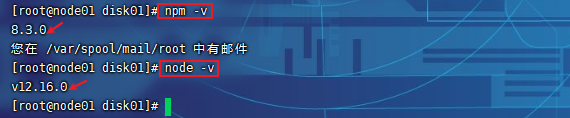
输入 npm -v (查看 npm 版本)
输入 node -v(查看 node 版本)
二、安装newman
1.执行 npm install –g newman 进行安装
2.验证安装 newman –version

3.执行 npm install -g newman-reporter-html 安装 html 套件
tips:(输出报告时使用的命令)
-r html,json,junit                                   生成html,json,xml形式的测试报告
--reporter-json-export jsonReport.json               生成json格式的测试报告
--reporter-junit-export xmlReport.xml                生成xml格式的测试报告
--reporter-html-export htmlReport.html               生成html格式的测试报告
注:默认生成的测试报告保存在当前目录下,如果文件名前加上路径,则保存在指定的目录下
4.执行 npm install -g newman-reporter-htmlextra 安装 htmlextra 套件
三、运行及输出报告
1.简单运行从 postman 导出的 json 文件
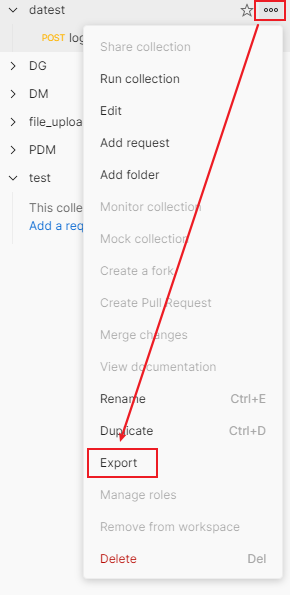
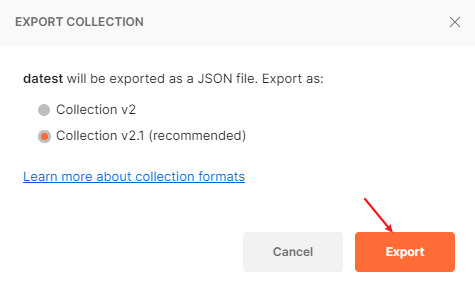
- 从postman导出json文件
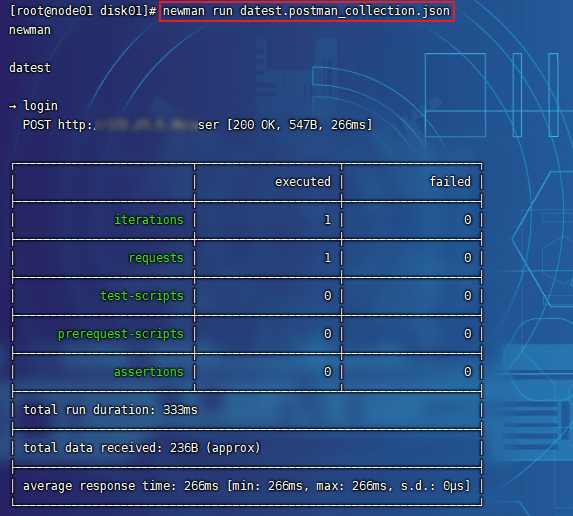
- 执行 newman run 你的文件名称.json
2.输出 json 和 html 文件报告
newman run 你的文件名称.json -r html,json --reporter-json-export jsonReport.json --reporter-html-export htmlReport.html
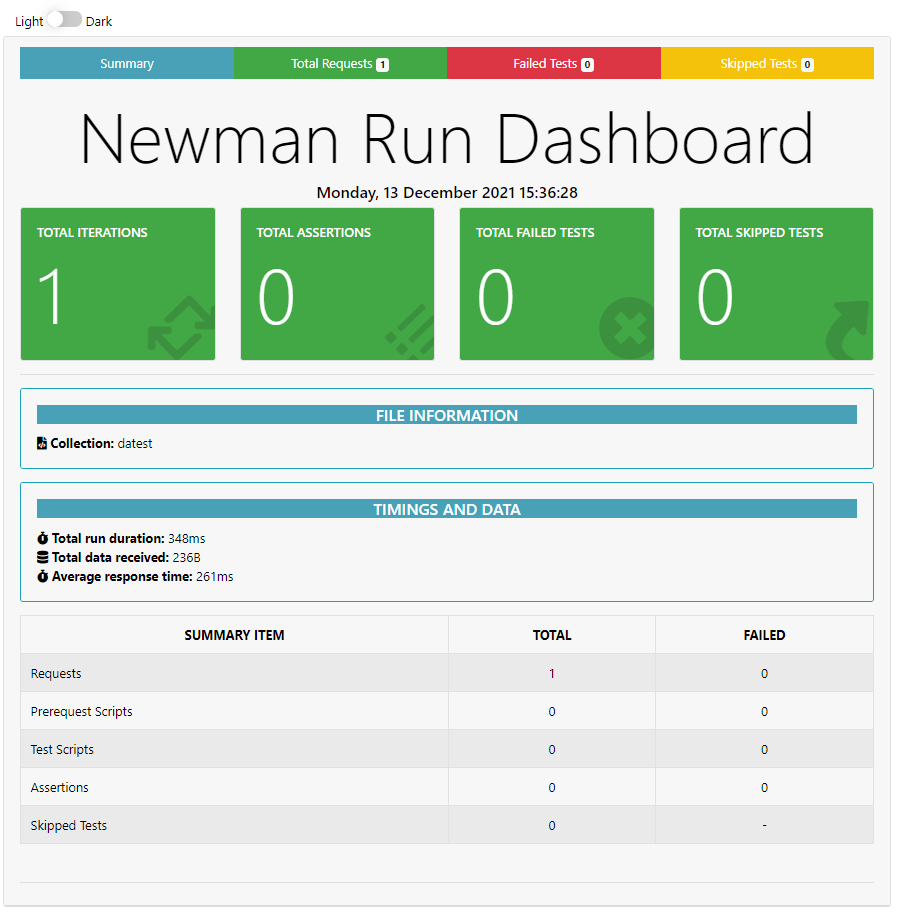
3.生成高级的 html 报告
newman run 你的文件名称.json -r htmlextra --reporter-html-export htmlReport.html
- 执行命令

- 生成的报告

- 报告效果
to be continued......

 浙公网安备 33010602011771号