mac 安装selenium遇到的问题
1.mac系统本身带有Python2.7,想要安装Python3.5,需自行下载并安装
安装Python3.5后,需要安装pip 和setup
2.安装好pip后安装selenium,具体命令如下:
pip3 install -U selenium
总是报错,具体信息如下:
Could not fetch URL https://pypi.python.org/simple/selenium/: There was a problem confirming the ssl certificate: [SSL: TLSV1_ALERT_PROTOCOL_VERSION] tlsv1 alert protocol version (_ssl.c:646) - skipping
Could not find a version that satisfies the requirement selenium (from versions: )
No matching distribution found for selenium
You are using pip version 9.0.1, however version 10.0.1 is available.
You should consider upgrading via the 'pip install --upgrade pip' command.
根据信息提示,需要升级pip, 命令如下
pip install --upgrade pip
依然报错,具体如下:
Could not fetch URL https://pypi.python.org/simple/pip/: There was a problem confirming the ssl certificate: [SSL: TLSV1_ALERT_PROTOCOL_VERSION] tlsv1 alert protocol version (_ssl.c:646) - skipping
3.解决方法:网络上看了很多贴纸,最后FQ发现使用curl来升级pip,命令如下:
curl https://bootstrap.pypa.io/get-pip.py | python3
等待下载完成就可以了,perfect!
再输入安装selenium的命令,即可成功。
pip3 install -U selenium
截图如下:
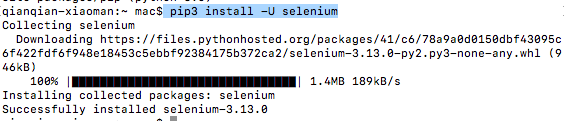
总结:Python下下载相应的库时,提示验证ssh证书是否正确时,使用“curl https://bootstrap.pypa.io/get-pip.py | python3”升级pip,然后再下载安装即可成功。

 浙公网安备 33010602011771号