
cssDay1
CSS
如何学习
- CSS是什么
- CSS怎么用(快速入门)
- CSS选择器(重点+难点)
- 美化网页(文字,阴影,超链接,列表,渐变...)
- 盒子模型
- 浮动
- 定位
- 网页动画(特效 了解)
什么是CSS
Cascading Style Sheet 层叠级联样式表
CSS:表现(美化网页)
字体,颜色,边距,高度,宽度,背景图片,网页 定位,网页浮动
发展史
CSS1.0
CSS2.0 DIV(块)+CSS HTML和CSS结构分离的思想,网页变得简单,SEO
CSS2.1 浮动,定位
CSS3.0 圆角,阴影,动画... 浏览器兼容性~
快速入门
练习格式: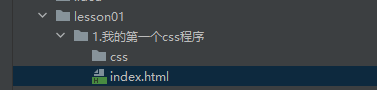
建议使用这种规范
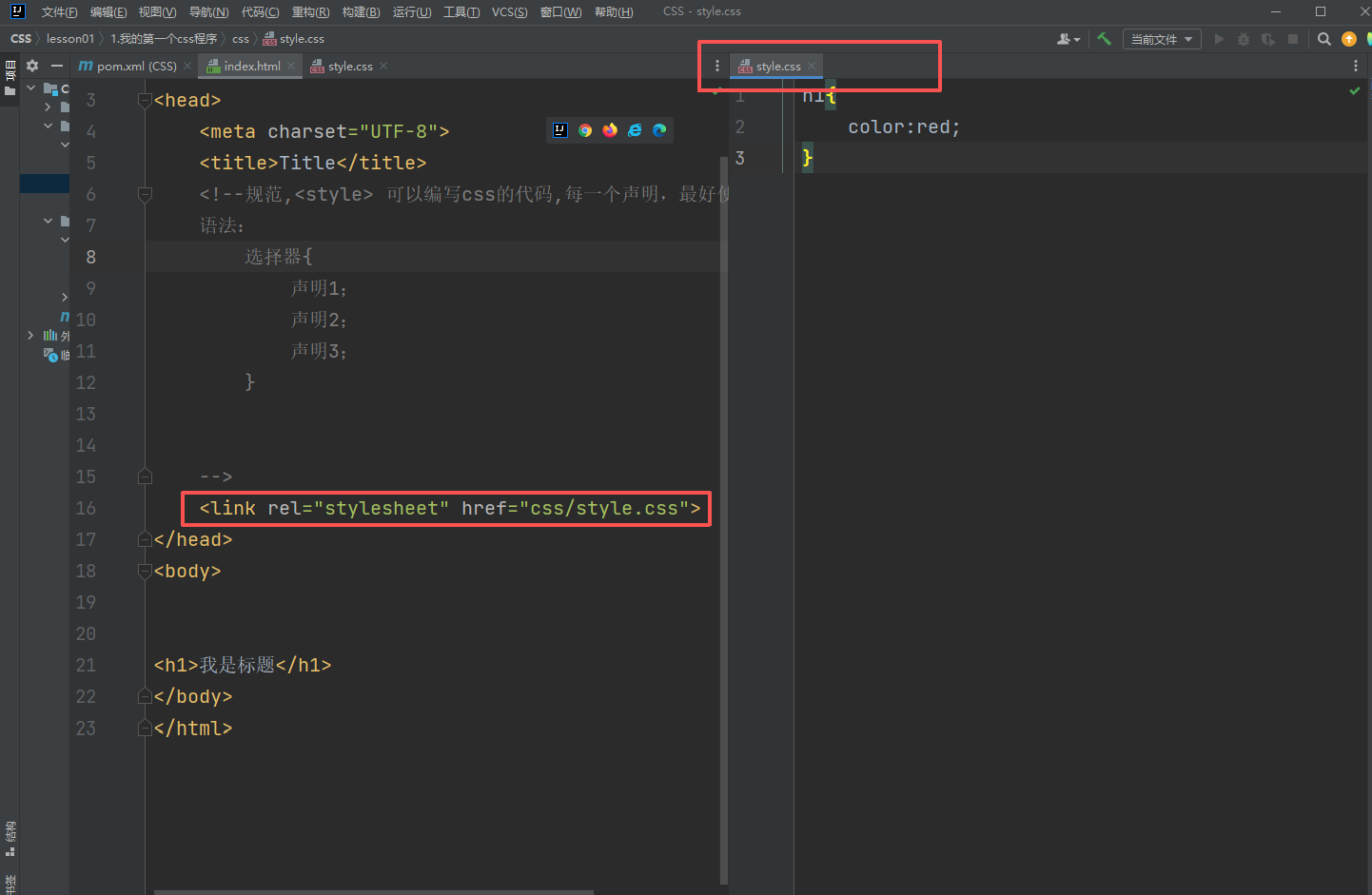
css的优势:
- 内容和表现分离
- 网页结构表现统一,可以实现复用
- 样式十分的丰富
- 建议使用独立于html的css文件
- 利用SEO,容易被搜索引擎收录!
CSS的三种导入方式
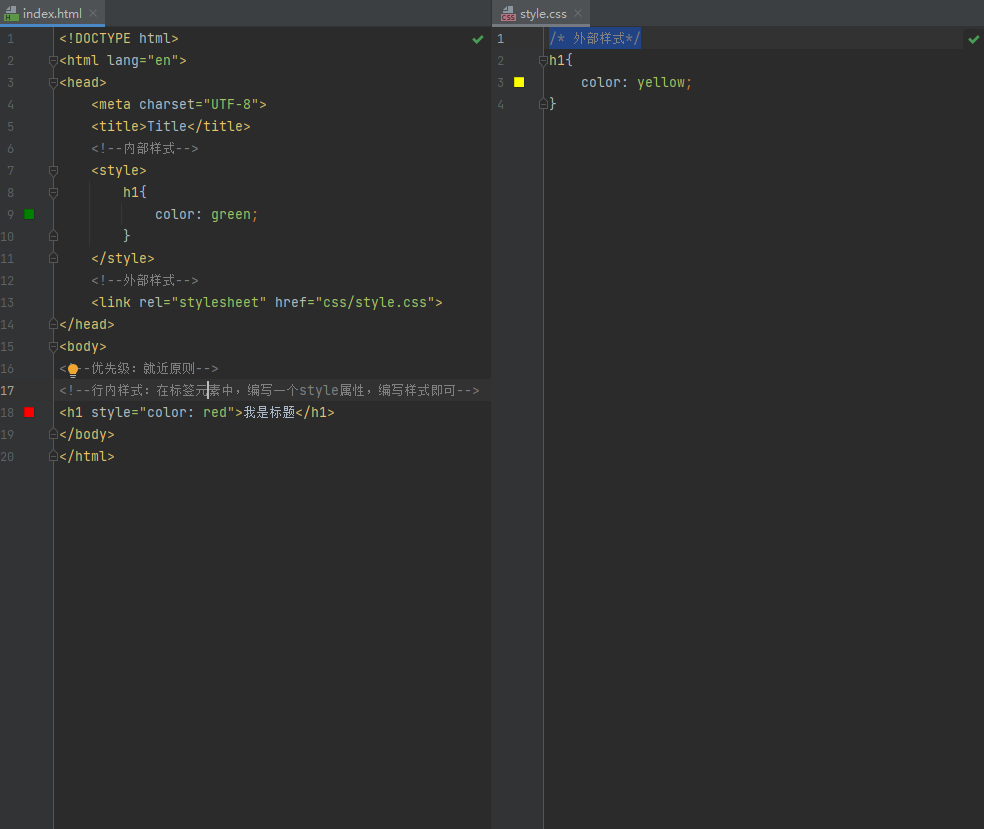
拓展:外部样式两种方法
- 链接式
- 导入式(不推荐使用) CSS2.1
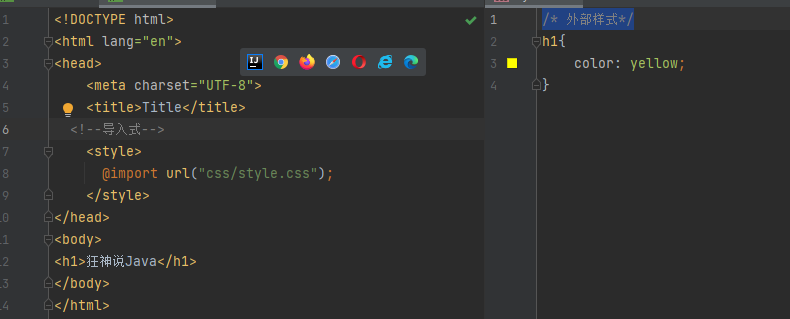
选择器
作用:选择页面上的某一个或某一类元素
基本选择器(重要)
-
标签选择器:选择一类标签
<!DOCTYPE html> <html lang="en"> <head> <meta charset="UTF-8"> <title>Title</title> <style> <!--标签选择器,会选择页面上所有这个元素的标签--> h1{ color: coral; background: red; border-radius: 24px; } p{ color: aqua; font-size: 80px; } </style> </head> <body> <h1>学Java</h1> <h1>学Java</h1> <p>听狂神说</p> </body> </html> -
类选择器 class:选择所有class属性一致的标签,跨标签 .类名{}
<!DOCTYPE html> <html lang="en"> <head> <meta charset="UTF-8"> 好处:可以多个标签归类,是同一个class,可以复用 */ .qinjiang{ color: red; } .kuangshen{ color: coral; } </style> </head> <body> <h1 class="qinjiang">标题1</h1> <h1 class="kuangshen">标题2</h1> <h1 class="qinjiang">标题3</h1> </body> </html> -
id选择器:全局唯一! #id名{}
<!DOCTYPE html>
<html lang="en">
<head>
    <meta charset="UTF-8">
    <title>Title</title>
  <style>
    /* id选择器  :id必须保证全局唯一!
      #id名称{}
     */
    #qinjiang{
      color: #127fe2;
    }
    .style1{
      color: coral;
    }
    h1{
      color: #ec0909;
    }
  </style>

</head>
<body>

<h1 id="qinjiang">标题1</h1>
<h1 class="style1">标题2</h1>
<h1 class="style1">标题3</h1>
<h1>标题4</h1>
<h1>标题5</h1>

</body>
</html>
优先级:id选择器>类选择器>标签选择器
层次选择器
html网页结构如下:
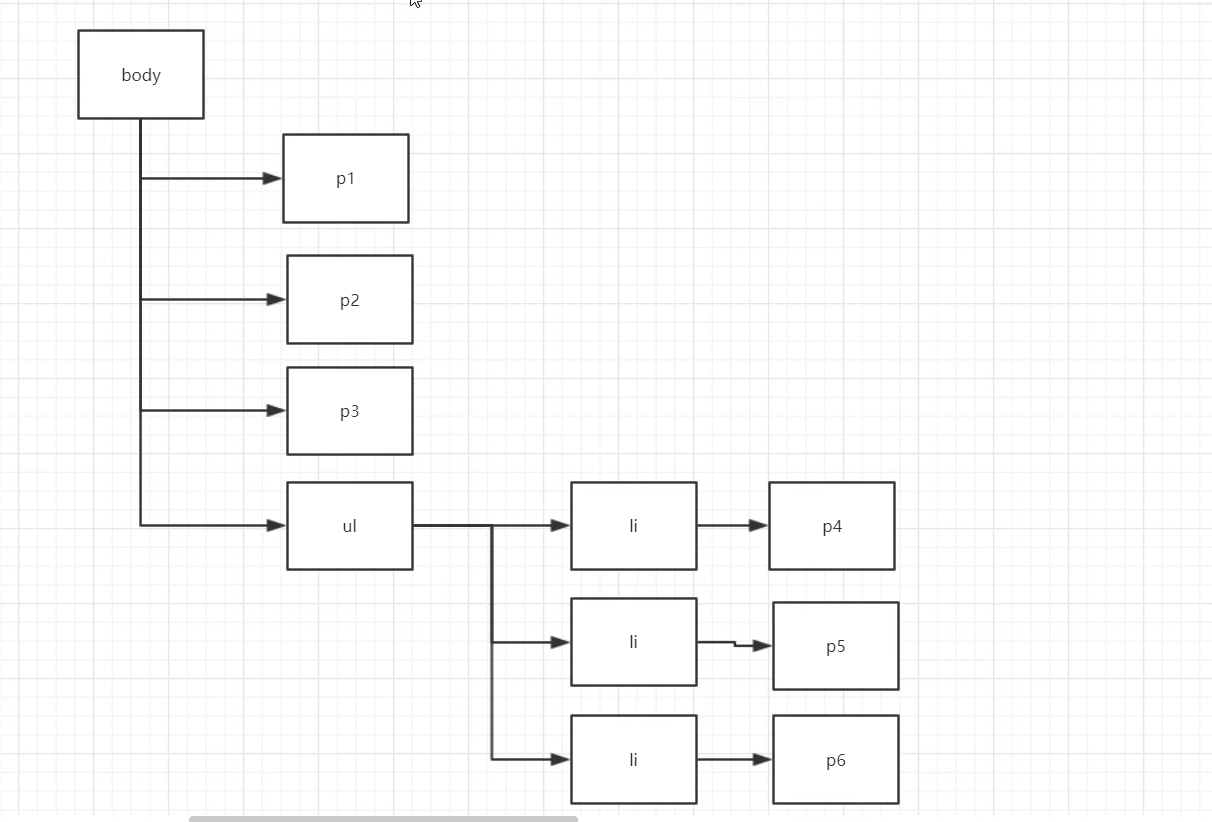
-
后代选择器:在某个元素的后面
/* 后代选择器*/ body p{ background: red; } -
子选择器,一代,儿子
/* 子选择器*/ body>p{ background: #127fe2; } -
相邻兄弟选择器 只针对后一个兄弟
/* 相邻兄弟选择器:只有一个,只针对后一个兄弟*/ .active + p{ background: aqua; } <p>p1</p> <p class="active">p2</p> <p>p3</p> 这种情况下,只有p3会变背景色 -
通用选择器
 /*  通用兄弟选择器,当前选中元素的向下的所有兄弟元素*/
    .active~p{
      background: blue;
    }
结构伪类选择器
/*ul的第一个子元素*/
  ul li:first-child{
    background: red;
  }
  /*ul的最后一个子元素*/
  ul li:last-child{
    background: #127fe2;
  }
/*定位到p的父元素,选择当前父元素的第一个子元素,并且类型为p*/
  p:nth-child(1){
  }
/*定位到p的父元素,选择类型为p的第一个子元素*/
  p:nth-of-type(1){
  }
属性选择器(常用)
id + class结合
<!DOCTYPE html>
<html lang="en">
<head>
    <meta charset="UTF-8">
    <title>Title</title>
  <style>
    .demo a{
      float: left;
      display: block;
      height: 50px;
      width: 50px;
      border-radius: 10px;
      background: blue;
      text-align: center;
      text-decoration: none;
      color: gray;
      margin-right:5px;
      font:bold 20px/50px Arial;
    }

    /*
     *= 包含这个元素
    ^= 以这个元素开头
    $= 以这个元素结尾
    */

    /*!*存在id属性的元素  a[]{} *!*/
    /*a[id]{*/
    /*  background: yellow;*/
    /*}*/
    /*!*id=first的元素*!*/
    /*a[id=first]{*/
    /*  background: blue;*/
    /*}*/

  /*  class中有links的元素*/
  /*  a[class *= "links"]{*/
  /*    background: yellow;*/
  /*  }*/

  /*  选中href中以http开头的元素*/
  /*  a[href ^= http]{*/
  /*    background: yellow;*/
  /*  }*/

    a[href $= pdf]{
      background: yellow;
    }

  </style>
</head>
<body>

<p class="demo">
  <a href="http://www.baidu.com" class="links item first" id="first">1</a>
  <a href="" class="links item active" target="_blank" title="test">2</a>
  <a href="images/123.html" class="links item">3</a>
  <a href="images/123.png" class="links item">4</a>
  <a href="images/123.jpg" class="links item">5</a>
  <a href="abc" class="links item">6</a>
  <a href="/a.pdf" class="links item">7</a>
  <a href="/abc.pdf" class="links item">8</a>
  <a href="abc.doc" class="links item">9</a>
  <a href="abcd.doc" class="links item last">10</a>
</p>

</body>
</html>

 浙公网安备 33010602011771号