

前端打包程序挂IIS,刷新后404
假设
-
访问
localhost(根目录) → 正常,SPA 自动跳到/login -
在
/login页面按 F5 刷新 → IIS 报 404 或找不到页面 -
因为 IIS 会把 /login 当成真实文件路径去找,而你的发布文件里只有 index.html,没有 login.html
SPA 的前端路由(history 模式)要求:
👉 所有请求都必须回退到 index.html 再由前端路由接管并重定向。
解决:IIS 必须安装URL Rewrite模块
一、进入微软官网下载:URL Rewrite : The Official Microsoft IIS Site 翻到底部点击下载然后安装:
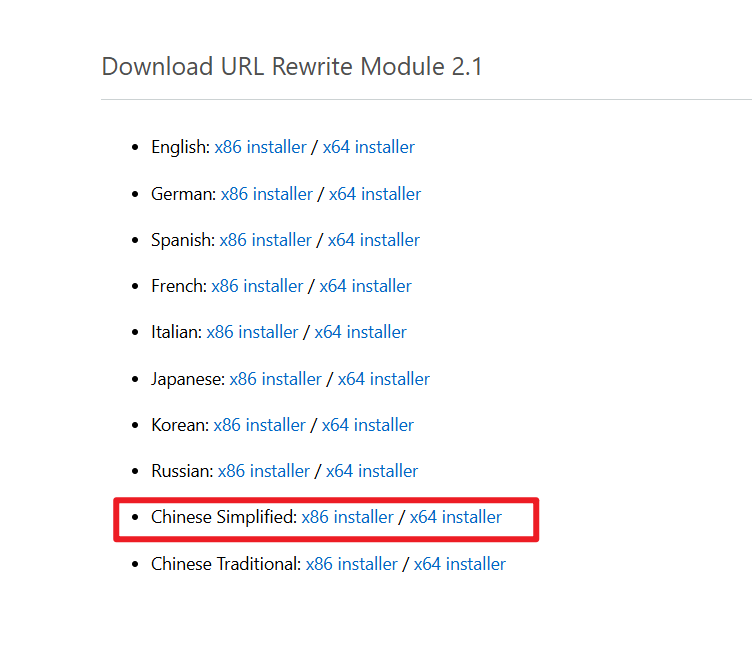
二、 在前端根目录新建一个web.config文件夹,内容如下:
<?xml version="1.0" encoding="utf-8"?>
<configuration>
  <system.webServer>
    <rewrite>
      <rules>
        <rule name="SPA" stopProcessing="true">
          <match url=".*" />
          <conditions logicalGrouping="MatchAll">
            <!-- 忽略真实存在的文件/目录 -->
            <add input="{REQUEST_FILENAME}" matchType="IsFile" negate="true" />
            <add input="{REQUEST_FILENAME}" matchType="IsDirectory" negate="true" />
          </conditions>
          <!-- 将所有请求重定向到 index.html -->
          <action type="Rewrite" url="/" />
        </rule>
      </rules>
    </rewrite>
  </system.webServer>
</configuration>保存
之后重新打开你的前端页面发现问题解决了

 浙公网安备 33010602011771号