
Microservice: Service Discovery
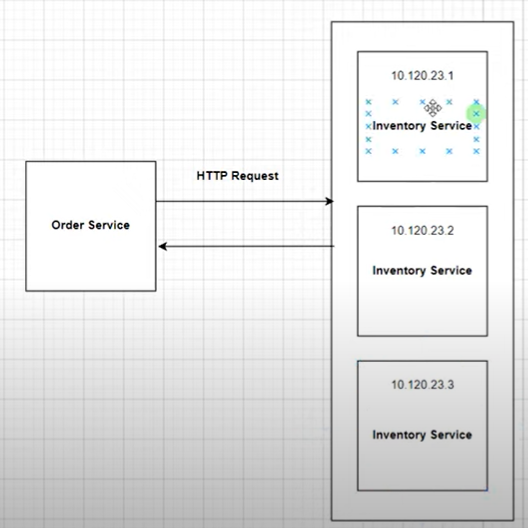
一个服务可以拥有多个实例(Instance),每个实例会引用不同的ip地址。这种情况下,我们将无法知道应该访问哪个。
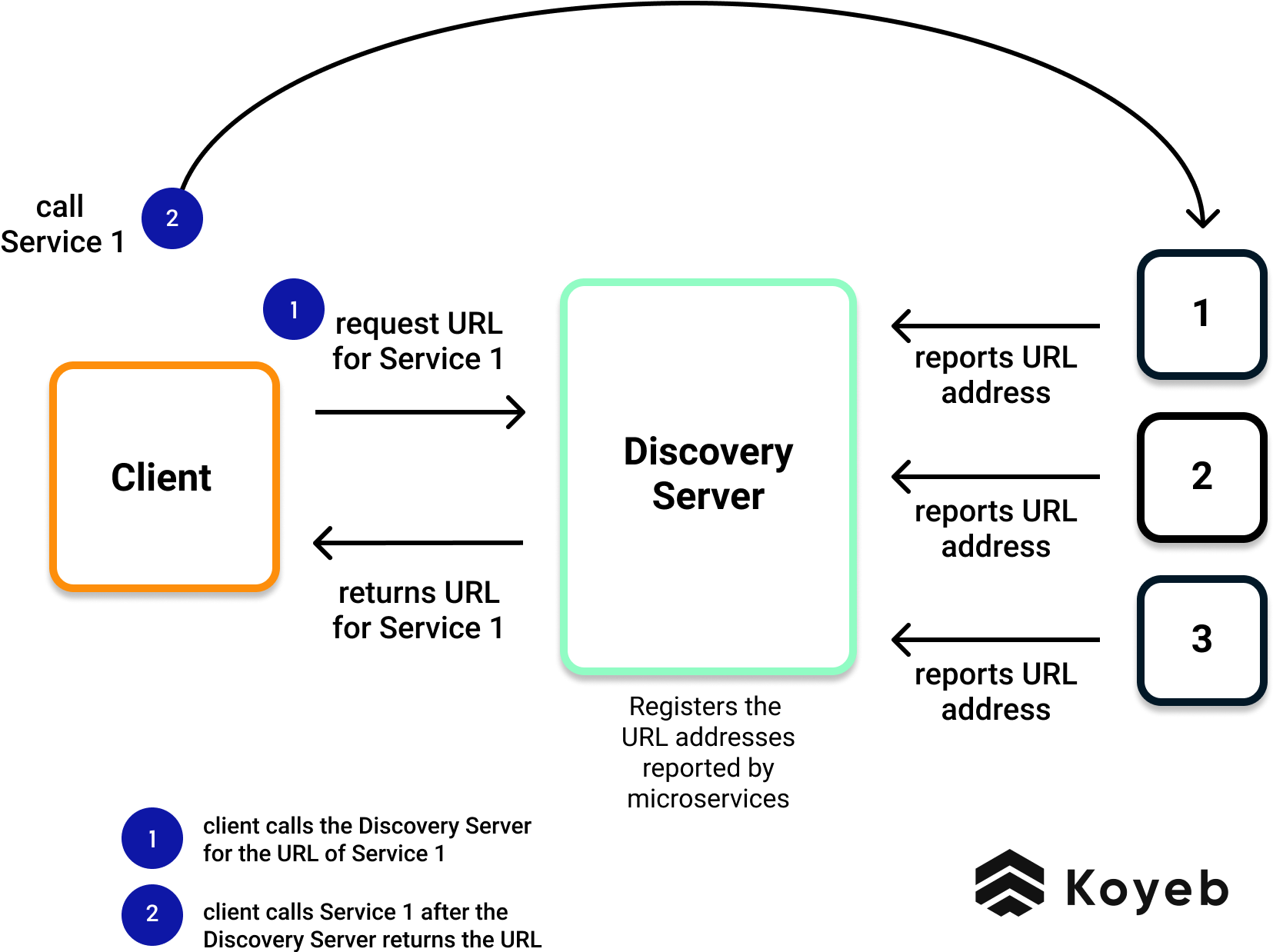
所以我们就需要Discovery Service来管理这些地址。
Discovery Service的工作原理
Netflix Eureka
1. Implement a Maven module for Discovery Service
2. Add necessary dependencies into Discovery-Service-module pom.xml
For getting the latest dependence version, we can go to https://start.spring.io/
Then search "Eureka Server"
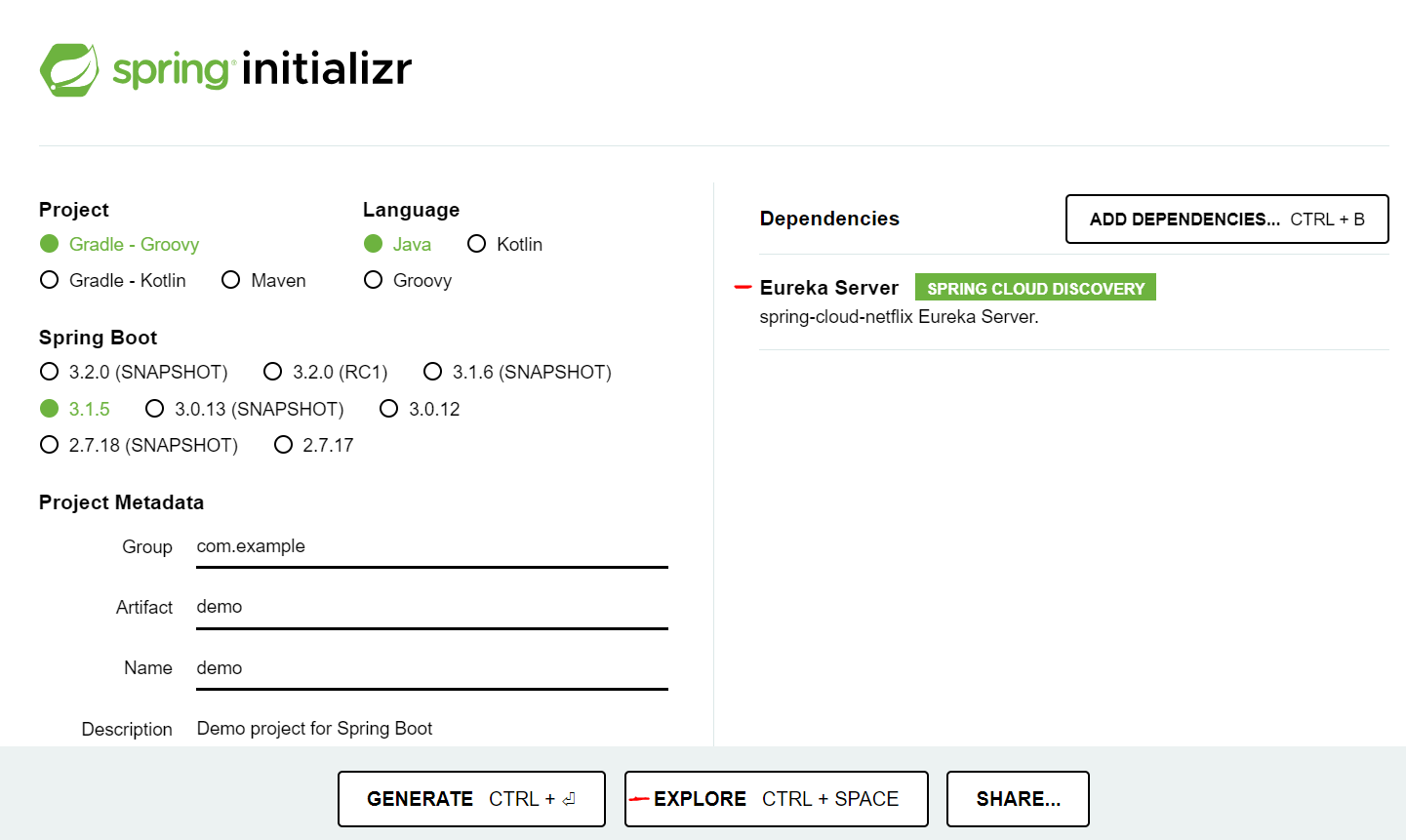
Here is the dependence we want
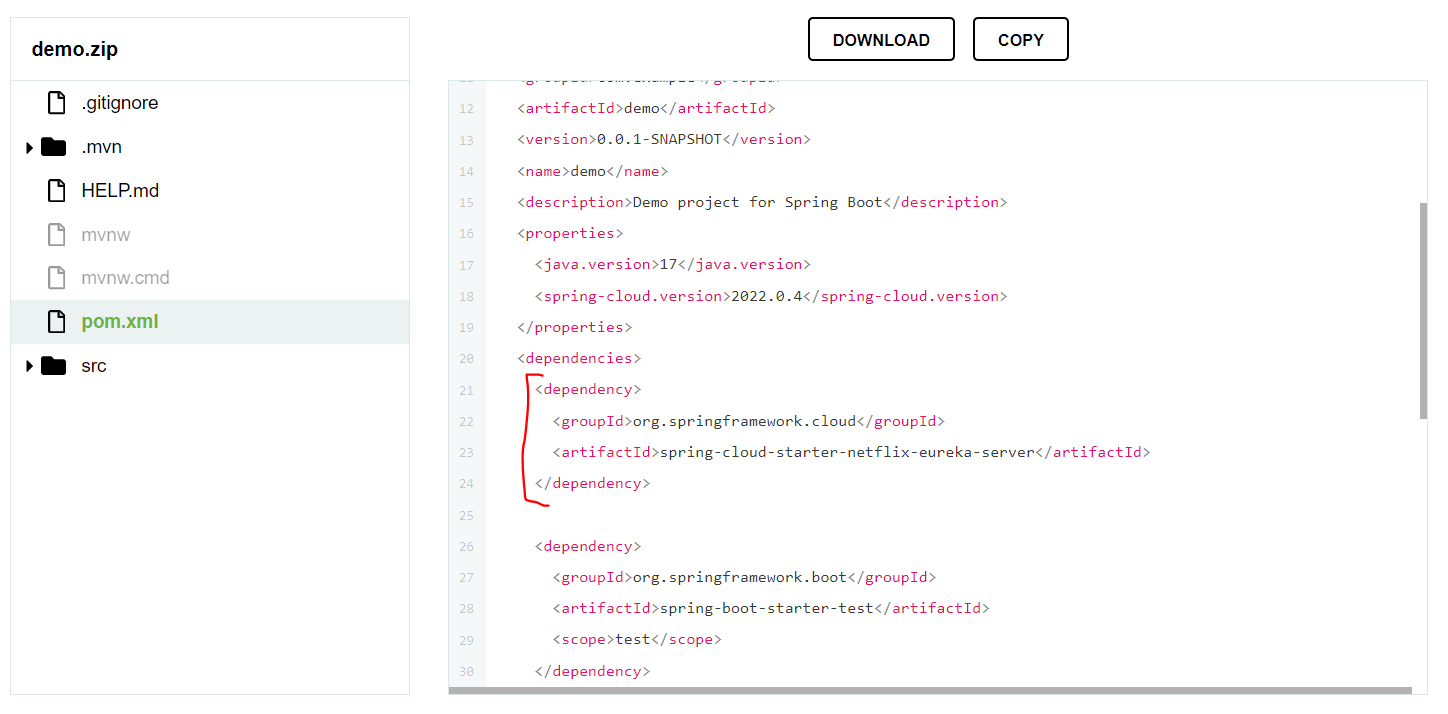
<dependencies>
    <dependency>
      <groupId>org.springframework.cloud</groupId>
      <artifactId>spring-cloud-starter-netflix-eureka-server</artifactId>
    </dependency>
</dependencies>
3. Add dependency into parent-project pom.xml
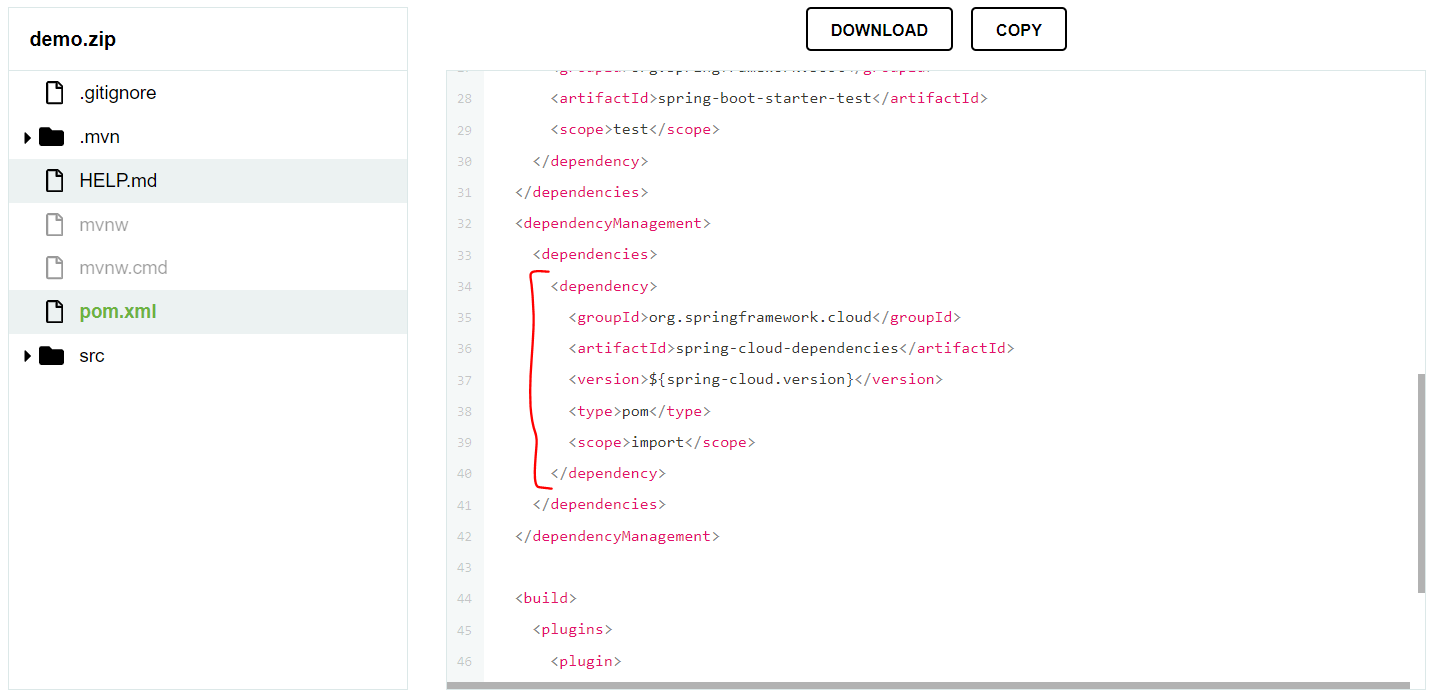
Add this into <dependenctManagement>
<dependency>
        <groupId>org.springframework.cloud</groupId>
        <artifactId>spring-cloud-dependencies</artifactId>
        <version>${spring-cloud.version}</version>
        <type>pom</type>
        <scope>import</scope>
</dependency>
Add "spring-cloud-version" into <properties>
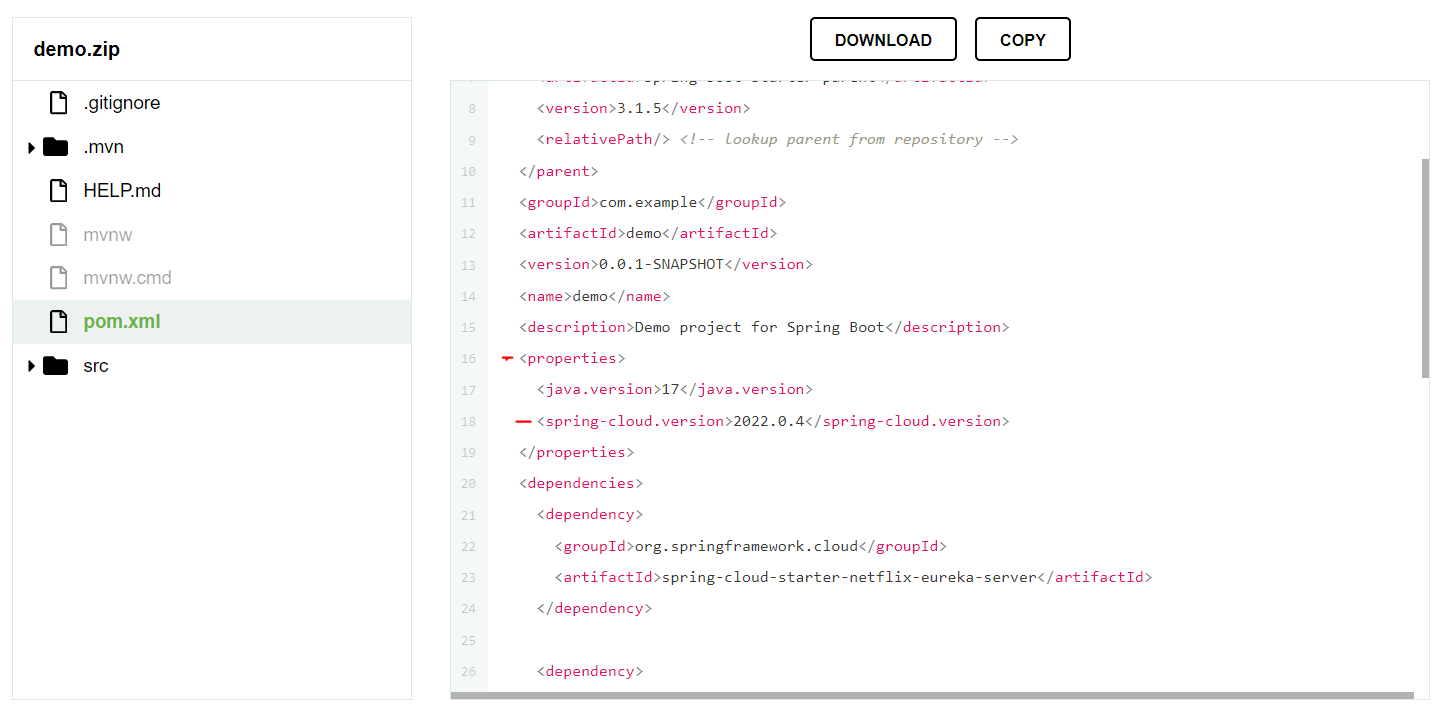
<spring-cloud.version>2022.0.4</spring-cloud.version>
Then, we can refresh the maven, to install all dependencies.
4. In the application class of the Discovery-Service-module add an annotation for activating the server
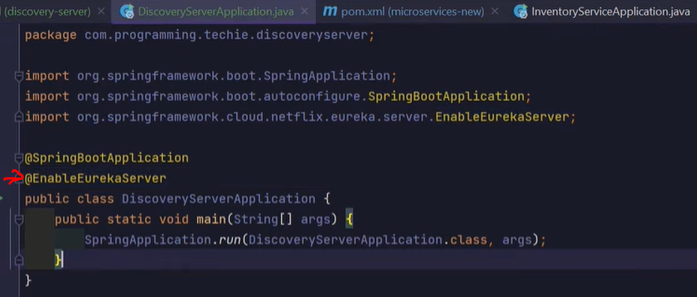
5. create file "application.properties" and add settings
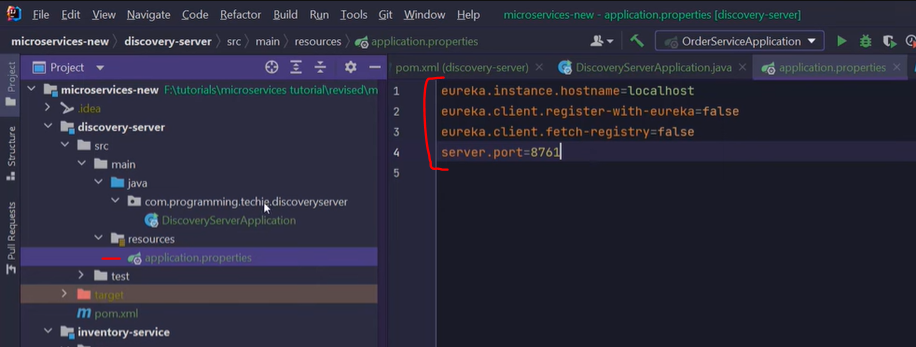
eureka.client.register-with-eureka 配置项的作用是指定是否将服务注册到 Eureka 服务器。当设置为 true 时,服务会自动向 Eureka 服务器注册自己。这样,其他服务就可以通过服务注册中心发现并调用该服务。当设置为 false 时,服务将不会注册到 Eureka 服务器,其他服务也无法通过 Eureka 服务器发现该服务。如果你希望手动控制服务的注册过程,可以将这个配置项设置为 false。
eureka.client.fetch 配置项的作用是指定 Eureka 客户端是否从 Eureka 服务器获取服务注册信息。当设置为 -registrytrue 时,Eureka 客户端会从 Eureka 服务器获取服务注册信息并将其缓存在本地,以便在本地进行快速查找。当设置为 false 时,Eureka 客户端将不会从 Eureka 服务器获取注册信息,而是仅依赖于本地缓存的信息。
With All these. Discovery Service is done!
Start to configurate the client
1. go to the pom.xml of each client service, add the dependency then refresh the maven
<dependency>
      <groupId>org.springframework.cloud</groupId>
      <artifactId>spring-cloud-starter-netflix-eureka-client</artifactId>
</dependency>
2. Add the annotation to active the server for each client service

3. go to the application.properties of each client service add url of the eureka server
eureka.client.serviceUrl.defaultZone=http://localhost:8761/eureka
spring.application.name=inventory-service *it is name of the service
4. Start them, we can see they are connected to the eureka server
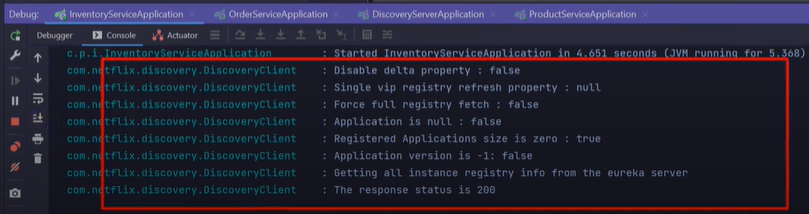
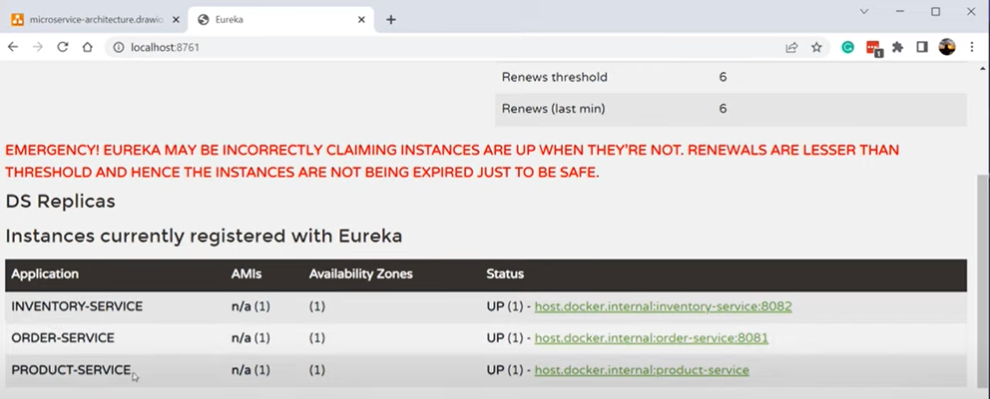
5. Open the localhost:8761, which is the port of the eureka server. We can find all service registered in it.
Intend to create multiple instance for a service
1. go to the application.properties of the service, set server.port=0, then it will get a random port number
2. go to the edit configuration and select the "Allow parallel run"
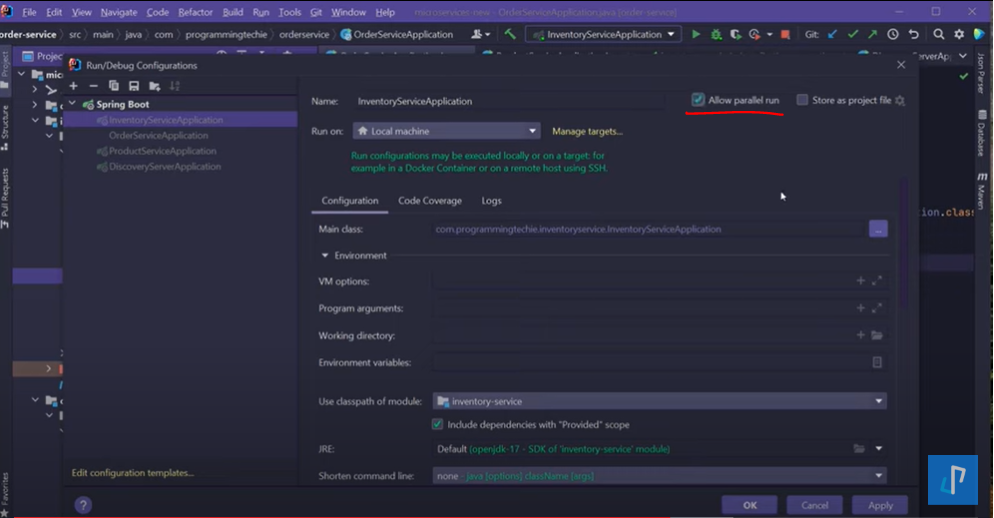
Now, we click the start button again. We can start it parallelly.
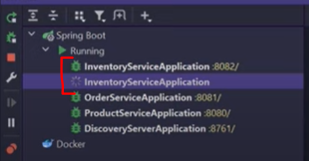
And we can see two instances of the same services in the eureka server
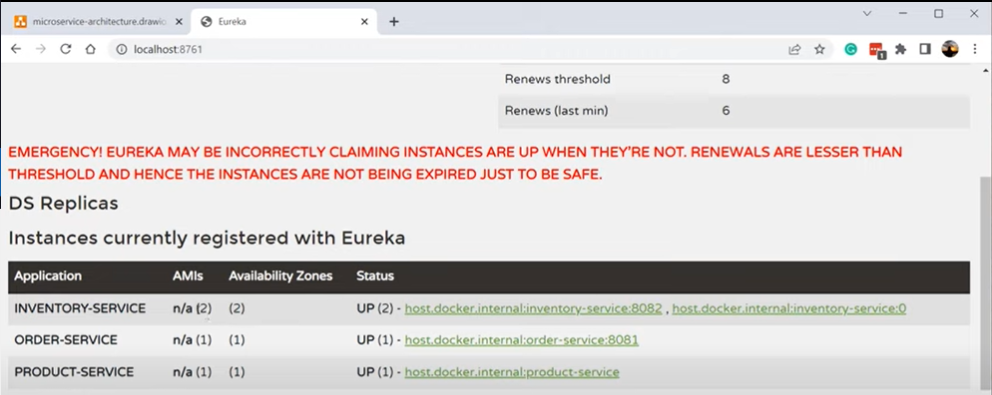
the discovery server will refresh every 30s. So, one time we stop the server then restart it again. All instances will dsappear. But after 30s, all active services will resend the register request to the discovery server. All instances will go back.
How to use the discovery server
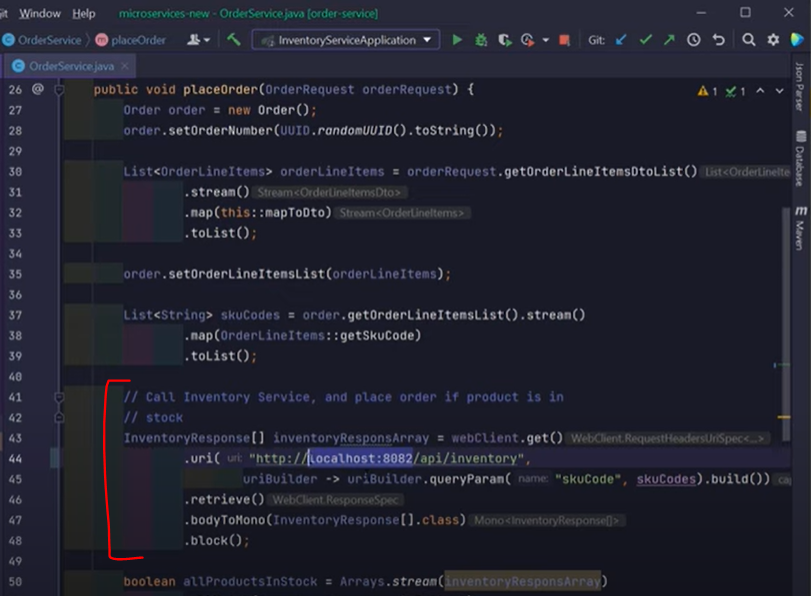
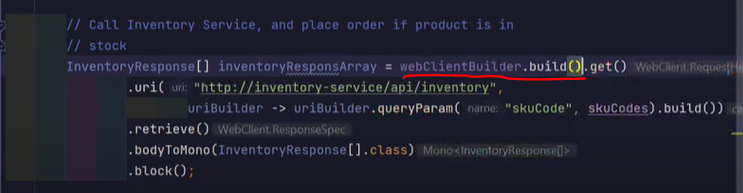
We have a api call since OrderService to InventoryService. It use the url of the InventoryService.
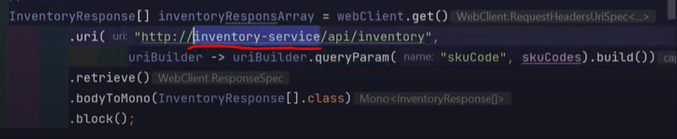
replace it by the service name we have register in the eureka server.
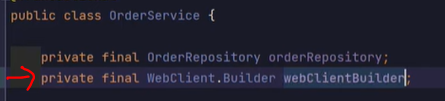
But, the request will failed. Because we hace more than one inventoryService instances registered. So, we need a load balanced to make it to try the instances one by one.
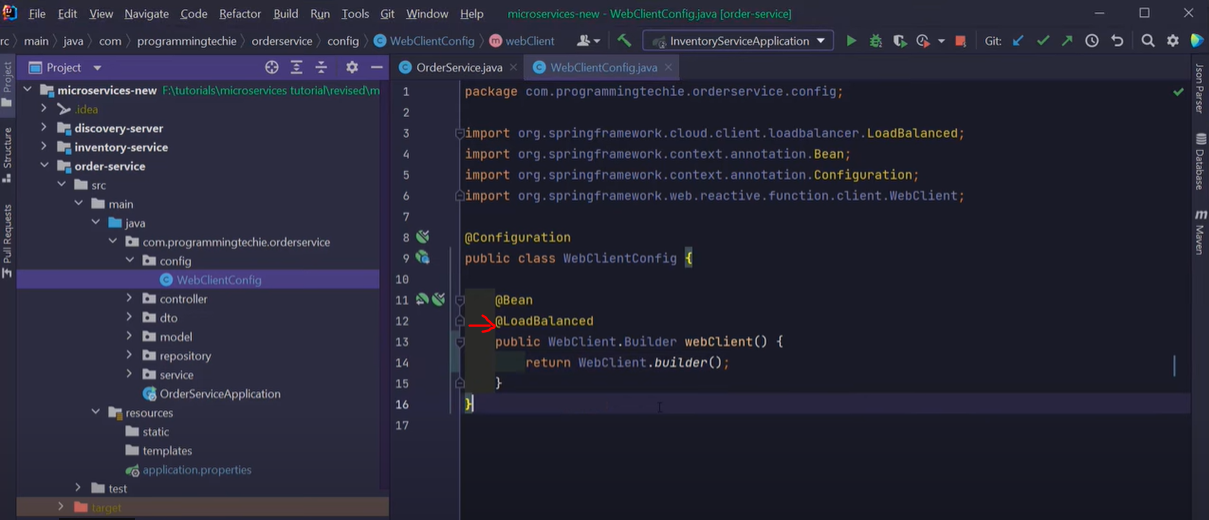
Then use the builder

 浙公网安备 33010602011771号