

revit server安装后,突然无法连接,重新安装也失败
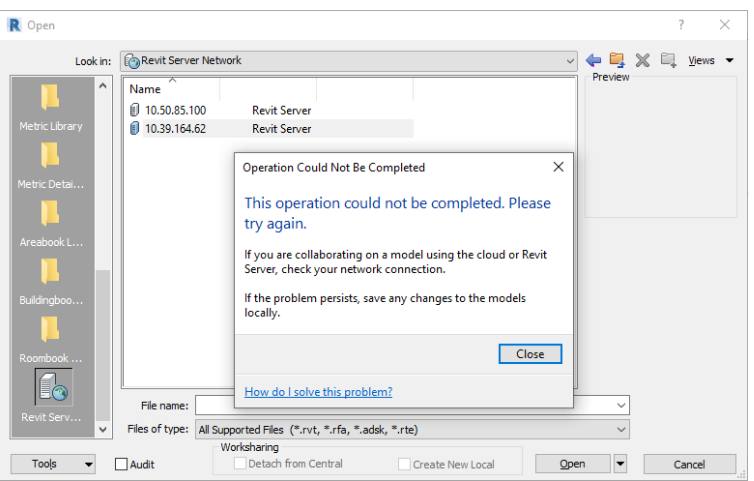
如图所示, 无法打开服务器上的模型,以及无法将文件保存到服务器上
然后,卸载重装,发现还装不上
查文档:
https://www.autodesk.com/support/technical/article/caas/sfdcarticles/sfdcarticles/This-operation-could-not-be-completed-Please-try-again-when-browsing-Revit-Server.html
https://www.autodesk.com/support/technical/article/caas/sfdcarticles/sfdcarticles/No-global-binding-for-HTTP-prevents-installation-of-Revit-Server.html
于是乎,
发现revit server和iis默认的Default Web Site有关
而无语的是,Default Web Site被我给删了。。。
于是又查了一下恢复Default Web Site的办法
参考:https://blog.csdn.net/qq_44753564/article/details/99182563
恢复默认站点后,又重装了一下revit server
NND,终于可以了!! 感动!

 浙公网安备 33010602011771号