
P20_神经网络-线性层及其他层介绍
20.1打开pytorch官网
1.打开torch.nn-Normalization Layers
找到BatchNorm2d:
点击查看代码
class torch.nn.BatchNorm2d(num_features, eps=1e-05, momentum=0.1, affine=True, track_running_stats=True, device=None, dtype=None)
其中num_features是num_features (int) – C from an expected input of size (N,C,H,W);
Normalization层用于加快神经网络的运行速度
2.打开torch.nn-Linear Layers(常用)
(1)线性层
class torch.nn.Linear(in_features, out_features, bias=True, device=None, dtype=None
(2)Linear的Parameters:
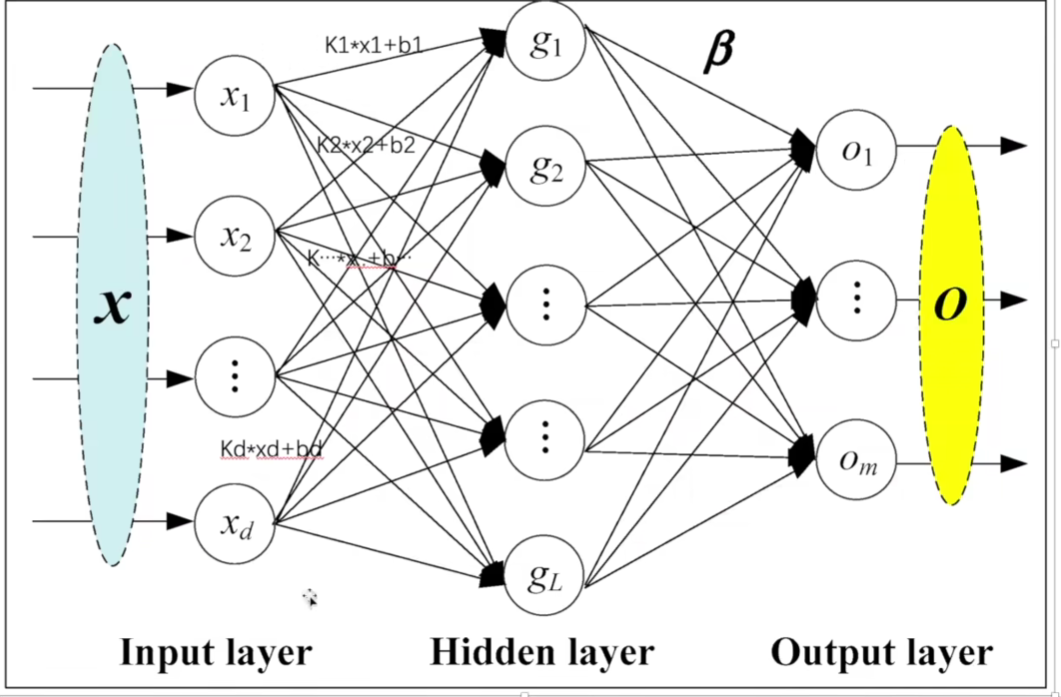
in_features:x1-xd的个数
out_features:g1-gl的个数
bias=True就加b,bias=False就不加b
(3)Linear的Variables:
weight相当于下图的k,bias相当于下图的b
Linear Layers的weight和bias的初始化是正态分布
20.2打开pycharm
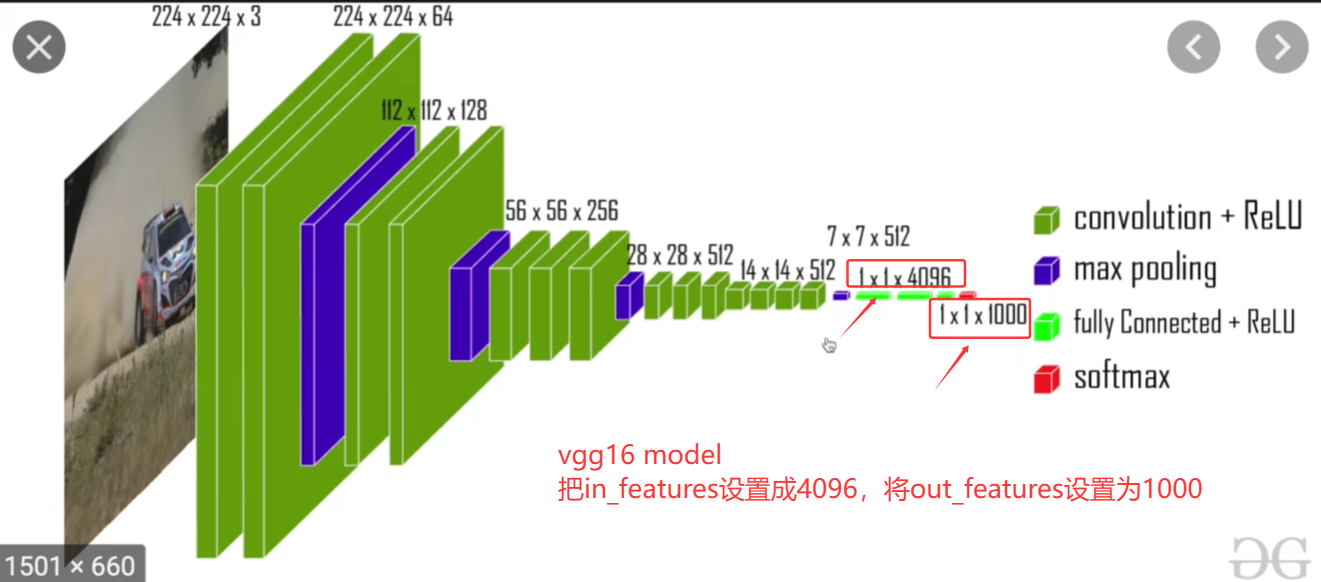
1.vgg16 model
vgg16 model中的in_features和out_features
2.代码实战
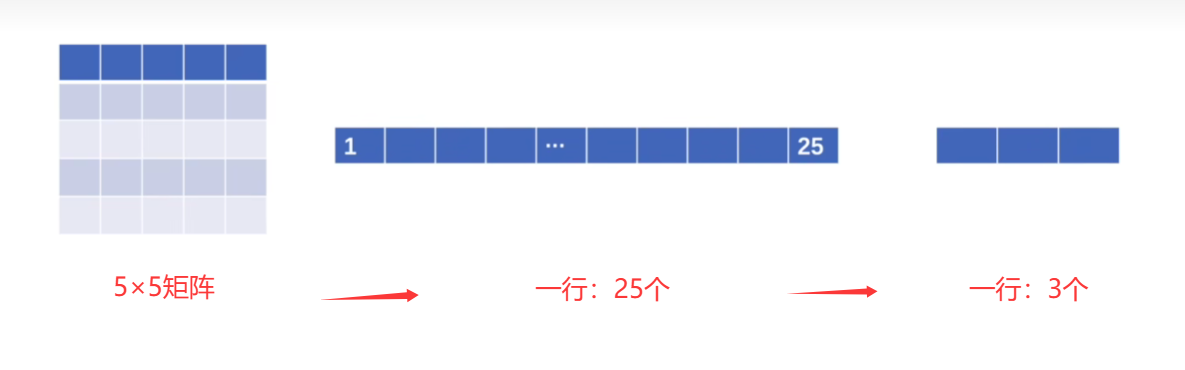
(1)想实现:5×5矩阵展成一行:1×25,然后想通过线性层把25个变成3个
(2)使用CIFAR10数据集进行线性变换
点击查看代码
import torchvision
from torch.utils.data import DataLoader

dataset = torchvision.datasets.CIFAR10("./dataset",train=False,transform=torchvision.transforms.ToTensor(),download=True)

dataloader = DataLoader(dataset,batch_size=64)

for data in dataloader:
    imgs,targets = data
    print(imgs.shape)
运行如下:
torch.Size([64, 3, 32, 32])
(3)其中运行成果中的torch.size的四个参数:
B 代表批量大小(batch size),即一次处理的图像数量;
C 代表通道数(channel),对于彩色RGB图像来说,这个值通常是3;
H 代表图像的高度(height);
W 代表图像的宽度(width)。
(4)要将[64,3,32,32]变成[1,1,1,对应的数(让其自己算就可以记作-1)]即[1,1,1,-1]
点击查看代码
    output = torch.reshape(imgs,(1,1,1,-1))
    print(output.shape)
点击查看代码
torch.Size([64, 3, 32, 32])
torch.Size([1, 1, 1, 196608])
可见,他自动算出我们的in_features就是196608
(5)创建我们的神经网络
点击查看代码
import torch
import torchvision
from torch import nn
from torch.nn import Linear
from torch.utils.data import DataLoader

dataset = torchvision.datasets.CIFAR10("./dataset",train=False,transform=torchvision.transforms.ToTensor(),download=True)

dataloader = DataLoader(dataset,batch_size=64)

class Dyl(nn.Module):
    def __init__(self):
        super(Dyl,self).__init__()
        self.linear1 = Linear(196608,10)
    def forward(self,input):
        output = self.linear1(input)
        return output
dyl = Dyl()

for data in dataloader:
    imgs,targets = data
    print(imgs.shape)
    output = torch.reshape(imgs,(1,1,1,-1))
    print(output.shape)
    #现在要将output送到dyl神经网络的linear线性层,再返回给output:output=dyl(output)
    output = dyl(output)
    print(output.shape)
点击查看代码
torch.Size([64, 3, 32, 32])
torch.Size([1, 1, 1, 196608])
torch.Size([1, 1, 1, 10])
(6)torch.flatten()可以展平数据
faltten将多维数据变成一行
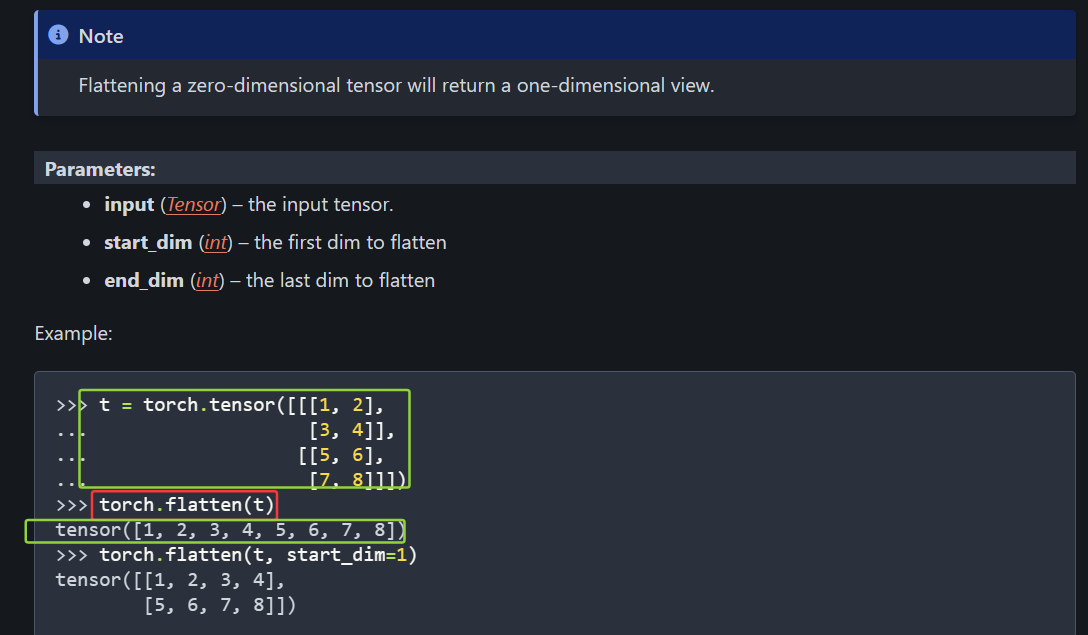
上图就是将 三维数据展平为一行数据
将reshape换成flatten:reshape指定尺寸大小,
点击查看代码
for data in dataloader:
    imgs,targets = data
    print(imgs.shape)
    #output = torch.reshape(imgs,(1,1,1,-1))
    output = torch.flatten(imgs)
    print(output.shape)
    #现在要将output送到dyl神经网络的linear线性层,再返回给output:output=dyl(output)
    output = dyl(output)
    print(output.shape)
输出:
点击查看代码
torch.Size([64, 3, 32, 32])
torch.Size([196608])
torch.Size([10])

 浙公网安备 33010602011771号